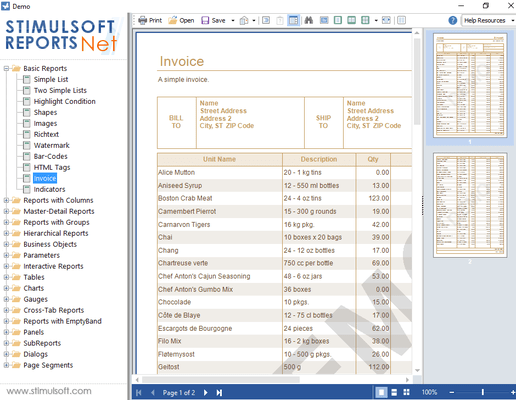
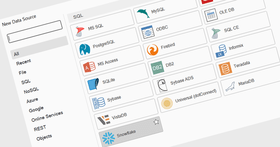
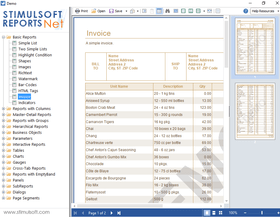
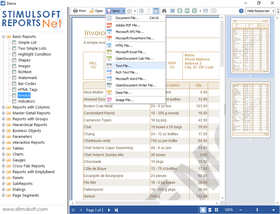
Screenshot Preview

Stimulsoft Reports.Net

de Stimulsoft - Tipo de producto: Componente / .NET WinForms

Por favor note que al menos que se indique lo contrario, esta es la versión en Inglés del producto.

*

Add flexible and feature rich reports to your .NET applications. Stimulsoft Reports.Net is a .NET based report generator which helps you create flexible and feature rich reports. All reports are created in report designer with handy and user-friendly interface. You can use the report designer both in design time and in runtime. No royalties for using the report designer in runtime are required. Using Stimulsoft Reports.Net you can create reports on the bases of the variety of data sources. Created reports can be used both in Windows Forms and in ASP.NET. Rendered reports can be exported to PDF, XPS, Excel, Word etc. Source code is available.


Desde
$685.95
Precio en

Nuestros precios Standard están indicados abajo. Inicia una sesión para ver sus precios con descuento.

Stimulsoft Reports.Net 2011.3   *

Añadir a la Cesta $ 685.95 1 Developer License - Includes 1 year subscription  * Descarga (36.7 MB)
Añadir a la Cesta $ 1,763.95 Team License - up to 4 Developers - Includes 1 year subscription  * Descarga (36.7 MB)
Añadir a la Cesta $ 4,605.95 1 Site Wide License (Allows Unlimited Developers at a Single Physical Address) - Includes 1 year subscription  * Descarga (36.7 MB)
Añadir a la Cesta $ 13,719.95 1 Worldwide License (Allows Unlimited Developers at Unlimited Physical Addresses)  * Descarga (36.7 MB)

Stimulsoft Reports.Net 2011.3 - with Source code   *

Añadir a la Cesta $ 1,175.95 1 Developer License - Includes 1 year subscription  * Descarga (47.7 MB)
Añadir a la Cesta $ 2,939.95 Team License - up to 4 Developers - Includes 1 year subscription  * Descarga (47.7 MB)
Añadir a la Cesta $ 9,211.95 1 Site Wide License (Allows Unlimited Developers at a Single Physical Address) - Includes 1 year subscription  * Descarga (47.7 MB)
Añadir a la Cesta $ 27,439.95 1 Worldwide License (Allows Unlimited Developers at Unlimited Physical Addresses)  * Descarga (47.7 MB)

Stimulsoft Reports.Net - Subscription Renewal   *

Añadir a la Cesta $ 225.35 1 Developer License - 1 Year Subscription Renewal  * Verificar Descarga (29 KB)
Añadir a la Cesta $ 587.95 Team License - up to 4 Developers - 1 Year Subscription Renewal  * Verificar Descarga (29 KB)
Añadir a la Cesta $ 1,518.95 1 Site Wide License (Allows Unlimited Developers at a Single Physical Address) - 1 Year Subscription Renewal  * Verificar Descarga (29 KB)
Añadir a la Cesta $ 4,507.95 1 Worldwide License (Allows Unlimited Developers at Unlimited Physical Addresses)  * Verificar Descarga (29 KB)

Stimulsoft Reports.Net - with Source code Subscription Renewal   *

Añadir a la Cesta $ 391.95 1 Developer License - with Source code 1 Year Subscription Renewal  * Verificar Descarga (29 KB)
Añadir a la Cesta $ 970.15 Team License - up to 4 Developers - with Source code 1 Year Subscription Renewal  * Verificar Descarga (29 KB)
Añadir a la Cesta $ 3,037.95 1 Site Wide License (Allows Unlimited Developers at a Single Physical Address) - with Source code 1 Year Subscription Renewal  * Verificar Descarga (29 KB)
Añadir a la Cesta $ 9,055.15 1 Worldwide License (Allows Unlimited Developers at Unlimited Physical Addresses)  * Verificar Descarga (29 KB)

Nuestros precios incluyen servicio técnico de ComponentSource y, para la mayoría de los productos disponibles para descarga, una copia de seguridad en línea y una actualización GRATUITA a la nueva versión si ésta se publica en un período de 30 días después de la compra.  Todas las ventas están sujetas a nuestros Términos y condiciones standard y a nuestra Política de devolución. Por favor, póngase en contacto con nosotros si necesita alguna opción de licencia no incluida en la lista anterior, incluida la compra por volumen de licencias y versiones anteriores.

Nuestros precios Standard están indicados arriba. Inicia una sesión para ver sus precios con descuento.

 *

What's new in Stimulsoft Reports.Net 2011.3?

  • Interactive Selection - Data bands now have a SelectionEnabled property. This property allows you to build dynamic master-detail reports with unlimited nesting.
  • Conditions in Charts Series Labels - Conditions change the formatting of the labels depending on the data.
  • Importing Tools Improved - The import utility for Active Reports, Crystal Reports, and Microsoft Reporting Services has been improved.
  • Printing via HTML - Print via a browser with vector format fonts. This improves visibility and reduces blurring.
  • Improved Globalization Editor - Set the culture with values from within the report or apply customized cultures during report design.  
  • Multilingual Report Checker - The report checker is now localized in German and Russian.
  • Expressions in Chart Filters - Specify complex filters for each chart series.
  • Borders, Locations and Styles – Use styles to build reports that avoid unnecessary complication of data.
  • Business Objects Wizards - All report wizards now support Business Objects.
  • WebViewer and Parameters - Easily enter complex parameters such as lists or ranges of data.

 *

Stimulsoft Reports.Net provides developers with a fast and highly productive way to generate reports that scale to meet user demands. The product has a report designer and a complete set of layout and design controls to create presentation-quality reports. The designer can be used both in design time and in runtime. If its used in runtime, no royalties are required. The designer lets developers spend less time on coding, and more time on software development. Reports can be generated from various data sources and can be used in Windows Forms and in ASP.NET.

Report creation

  • Handy separation the report template into pages - Handy visual separation of the report template into pages is available in Stimulsoft Reports.Net. You visually put all data which you want to output on a page. You can output both bound data and independent data. Such a separation allows you to make reports creation faster and allows you to increase visual perception of the report.
  • Data sorting, grouping, filtration with report engine - You can output both one list of data and many independent lists. Data can be grouped, sorted, filtered, and logically bound. All this can be done with report generator facilities. And there are no limitations.
  • Unlimited hierarchical reports - Using Stimulsoft Reports.Net there are no problems with creation of Master-Detail reports. Therefore, there is no need to use sub-reports. You may create such reports quickly and visually. Number of nesting levels of Master-Detail reports is unlimited.
  • Unlimited multicolumn reports - There is no difficulty to create reports with columns. Three modes of columns output are available. Columns can be output both on a page and on band. Modes of columns output can be combined and applied concurrently. The number of columns in reports is unlimited.
  • Reports with grouping - Stimulsoft Reports.Net is able to group data with use of both simple and complicated conditions. It is accepted multiple nesting of one group into another. The number of groupings in one report is unlimited.
  • Charts - Comprehensive set of charts designed to increase graphical impact of reports is available in Stimulsoft Reports.Net. The following types of charts are supported: Clustered Column, ClusteredBar, Area, Pie, Doughnut, Line, Spline, Spline Area, Stacked Bar, Stacked Column, Stacked Area, Stacked Line, Stacked Spline, Stacked Spline Area, Full-Stacked Column, Full-Stacked Bar, Full-Stacked Area, Full-Stacked Line, Full-Stacked Spline, Full-Stacked Spline Area. The best chart style is based upon your data. Charts are automatically updated when new variables are added.
  • Containers - The number of containers in the report is unlimited.
  • Segmented pages
  • Simple way to cross reports - Complete set of tools for rendering both simple and compound cross-reports.
  • Dialog forms for parameters of the report output - Decision is the ability to create dialog forms in the report for parameters input. For forms creation many controls are given.
  • Powerful system of calculation of totals - You can calculate total of a report, group, column, page, with growing total, with condition. Following aggregate functions are available: Sum, Count, Avg, Max, Min, First and Last. All you need to do for calculation of totals is to write the following expression in the text component: {Count()}. And it is not necessary to put this component on the Footer bands. Totals can be output in any part of a report. And all this is without writing any code.

Work with data

  • ADO.Net types of data support - Full support of all ADO.NET types of data: DataSet, DataTable, DataView, DataRelation. All data are output considering the hierarchy of data in the DataSet. All data are typified.
  • Business objects support - Business objects are fully supported: IList, IEnumerable, ITypedList, classes, enumeration etc. Also links between them are supported too.
  • Access to data directly from report - This means the ability to link with data without using ADO.Net. Data receiving from MS SQL Server, Oracle, ODBC, OleDB, FirebirdSQL, PostgeSQL is supported. You can make compound sql queries to databases, with use of sql parameters etc.
  • Access to data in Xml - Data receiving from xml files. You can get data for the report directly from xml files.
  • Support of compound user data - The special component for connection with compound user data. It allows to output compound data in reports.
  • Data processing with report engine - Stimulsoft Reports.Net allows you to use hierarchically bound data from the DataSet. In addition you can sort data, and sorting is possible with use of DataRelations. Data filtration is available when output. Other kinds of data processing are available.

Report designer

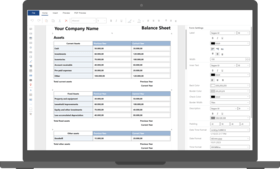
  • The report designer is available in runtime - The report designer is available in runtime and has no limitations. You can build-in the ability to edit reports in your program. You can do this without difficulties.
  • User-friendly interface - The report designer has a professional and usable interface. Docking windows, toolbars, hotkeys are used etc.
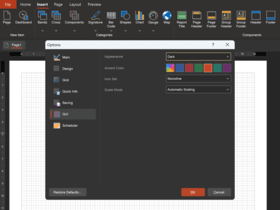
  • Easy setup for different tasks - You can setup the view of the report designer. It is possible to turn on/off any element of the menu, any button on toolbars, any docking window and many other elements. This allows you to simplify usage of the Designer by the end-user.
  • Text editing on a page - It is very convenient to edit the text directly on a page without additional windows calling or changing properties in the PropertyGrid.
  • Preview in report designer - Clicking the special bookmark in the report designer you can see the result of your report creation.
  • Zoom - The report designer allows you to edit reports in any zoom. This gives you ability to view the page on the whole and display any part of the report page.
  • Full localization - The report designer is fully translated into many languages. The number of languages on which Stimulsoft Reports.Net speaks permanently increases.

Work with rendered reports

  • Handy window of preview - In Stimulsoft Reports.Net you can display a whole page or a page being fit by the width or two pages side by side. Also Stimulsoft Reports.Net has the ability to display multiple pages. Any zoom level can be used for displaying pages of your report.
  • Reports in Web - Stimulsoft Reports.Net offers a full set of tools for working with reports in ASP.NET. The pack includes a web control to output reports to an ASP.NET page.
  • Saving and loading of rendered report - The rendered report can be saved both from the window of preview and from code. The report is saved in a file or stream in the xml format. Then, saved report can be loaded both from the window of preview and from the code.
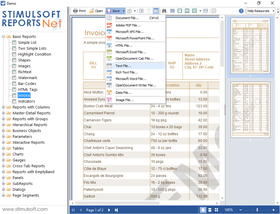
  • Reports export to various formats - You can export created reports to various formats. The following formats are available: Pdf, Rtf, Html, Excel, Txt, Xml, Emf, Bmp, Gif, Jpeg, Png, Tiff.
  • Report editing in window of preview - Stimulsoft Reports.Net has the ability to edit created reports in the preview window. All you need to do is to mark the component as available for editing. Moreover, you can run the Designer in the window of preview and edit any page of a report.
  • Simple report navigation - For quick report navigation you can use the thumbnails. Besides, there is the Tree of Bookmarks in the report generator. If you press the tree node then all necessary information, selected with red color, will be displayed in the window of preview.

You can easily interface localization in many languages. Interface is fully localized. To localize the report generator you should copy the file with the language you require, and interface will be automatically translated in this language. Are you creating a many copies of your report so that it will work on several languages? No need to do it! Use the simple Stimulsoft Reports.Net Globalization Manager. It is enough to create one report and add localized texts and images you need.

Languages supported:

  • Belorussian
  • Czech
  • German
  • English
  • Spanish
  • Farsi
  • French
  • Italian
  • Lithuanian
  • Dutch
  • Portugese (Brazil)
  • Romanian
  • Russian
  • Slovenian
  • Slovak
  • Turkish
  • Ukranian
  • Chinese (Simplified)
  • Chinese (Traditional)

Atención

Para su comodidad, hemos incluido enlaces a Google Translate para traducir la información del producto que todavía tenemos que traducir. Por favor, tenga en cuenta que traducciones automáticas no siempre son totalmente exactas.
Con la tecnología de
Requiere Flash en Firefox y Opera

Búsqueda de productos

Escriba palabras de búsqueda:

¿Por qué comprar en ComponentSource?

ComponentSource ofrece un único servicio global, utilizado por más de 1.000.000 de desarrolladores en todo el mundo.

Más Información | Sobre Nosotros

Galería de capturas de pantalla

Haga clic para obtener una vista previa completa

Captura de pantalla Stimulsoft Reports.Net - .NET - 2011.3 Captura de pantalla Stimulsoft Reports.Net - .NET - 2011.3 Captura de pantalla Stimulsoft Reports.Net - .NET - 2011.3 Captura de pantalla Stimulsoft Reports.Net - .NET - 2011.3 Captura de pantalla Stimulsoft Reports.Net - .NET - 2011.3
Award