XML EditorStylus Studio includes a robust XML editor with a comprehensive feature list, including intuitive XML editing views and integrated XML troubleshooting utilities, designed to make working with XML documents as easy as possible.
XML Development EnvironmentIntelligent XML Schema/DTD-Aware Code Sensing and Auto-Completion.
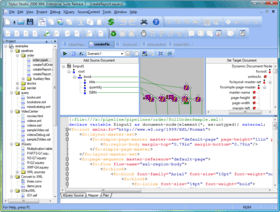
XML MapperTrue XML Mapping: Visual Editing of XQuery and XSLT
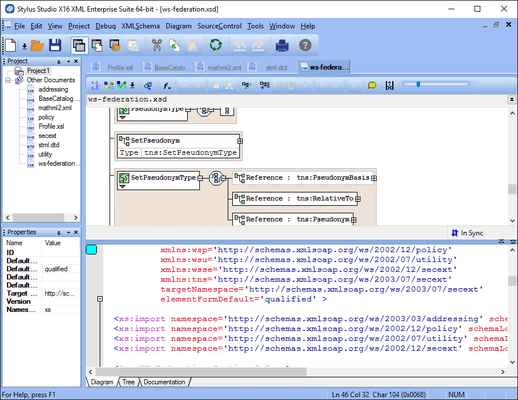
XML Schema DesignerSynchronized XML Schema Source Code and Visual Diagram View
XQuery MapperSynchronized XML Schema Source Code and Visual Diagram View.
Web Service Call Composer (SOAP Tester)Stylus Studio's Web Service Call Composer (SOAP Tester) lets you Search a UDDI registry, generate a SOAP request, and easily invoke any Web service method. This utility is ideal for Web service testing, and also enables you to set up Web services as datasources to be used as inputs for XML data transformations!
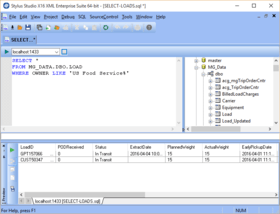
Database-to-XML MapperThe Database-to-XML mapper is a powerful visual tool for creating XML views of relational database data using SQL/XML technologies. The Database-to-XML Mapper enables you to easily connect to any relational database (SQL Server, DB/2, Oracle, Informix, SYBASE, and others), browse the database's tables and views. Once you've selected the database objects, Stylus Studio makes it easy to automatically generate the SQL/XML SELECT, INSERT and UPDATE statements to capture that relational data and render it as XML and write it back to the database.
XSL EditorThe XSL editor includes a built-in XSL processor, but also works with any 3rd pary XSL processor, including Apache Xalan, Saxon, MSXML, Microsoft's System.XML (the offical XML API for the Microsot .NET framework), and any others for that matter. Some of the features include, intelligent XSL editing (Code sensing and Autocompletion for XSL elements), single click XSL transformations, a preview window, XSL template stack window, an XML input document document overview window, the ability to create and save associations of different XML files, stylesheets and processors to faciltate XSL stylesheet testing, etc.
HTML to XML ImporterStylus Studio's HTML to XML Importer alows you to visually separate an existing HTML Web page into an XML file containing the page's data, and an XSLT stylesheet containing the page's layout.
Document Type Definition EditorThe icons on the left margin alow you to create a new XML element definition, create a new attribute, create a modifier, create an element reference, add a #PCDATA, create a general entity, create a parameter entity, create a parameter entity reference, insert text, insert notation, or insert a comment. A context menu alows you to click on the tree and perform operations on a selected DTD node such as move up/move down, rename, and so on. A Properties window (lower right) shows all of the associated properties of a selected node (name, type, restrictions, content type, default, and so on). Once completed, you can easily assign the DTD to an XML instance document for easy XML editing and validation.
XML Schema Documentation GeneratorStylus Studio includes a XML Schema documentation generator that allows you to publish, professional-looking HTML documentation of data models expressed in XML Schema. By automating this tedious yet important task, you can both save time and ensure that your documentation is always in-synch with the most current data model.
XQuery and XSLT ProfilerStylus Studio includes an advanced XQuery Profiler to help you benchmark XQuery expressions, to identify peformance bottlenecks, and to visually troubleshoot and eliminate them.
XML Schema ValidatorStylus Studio's advanced XML editor includes an integrated, open XML Schema Validation architecture that alows you to seamlessly check XML documents against an XML Schema using any XML Schema validator, including MSXML, XSD, Xerces-J, Xerces-C, XSV, and any others. Stylus Studio also includes powerful XML Schema-aware XML editing functionaity, such as an integrated output window with Backmapping that alows you to examine XML processing errors and jump to their location within the XML source document simply by clicking on the detailed error message. In addition, Stylus Studio provides Sense:X, powerful XML schema-aware XML editing capabilities that reads a data model expressed in XML schema to provide code sensing, code completion and syntax coloring.
Java IDEStylus Studio's includes an integrated Java IDE that lets you edit, compile and work with any Java file directly within Stylus Studio. The Java editor provides enhanced java editing features such as Syntax coloring for reserved words (e.g: import, package, return, etc), Color coding that can differentiate between objects and methods, Java method sensing, including auto completion, and displaying the method signature for any Java function, Single click compile button (or type CTRL-F7), Real time Java syntax checking, inserting a red underline for any code that is deemed to be incorrect (eg: missing semi-colon, missing brace, etc.), Integrated JavaDoc Help (just put your cursor on a java method and press F1), An integrated Output window that displays java compiler errors or warning messages and support for backmapping, which means that if you click on the error message in the Output Window, Stylus Studio will highlight the line of code that generated the error.
XSL:FO EditorStylus Studio's powerful XSL Editor includes full support for editing of eXtensible Stylesheet Lanuguage Formatting Object stylesheets (XSL:FO Editing) as well as the ability to post-process any XML documents on the fly using popular using FO processors such as Apache FOP to create advanced document layouts expressed in style-rich file formats such as PDF, PostScript, etc. Stylus Studio's XSL:FO Editor includes support for including intelligent XSL:FO editing features, single click XSL:FO transformations, and an integrated PDF preview window.
XSL DebuggerAllows you to take full control over every step of the XSL stylesheet transformation process allowing you to isolate, debug and eliminate the most tricky XSLT bugs. Stylus Studio's XSL stylesheet debugger supports setting of XSL breakpoints, incremental execution of XSL stylesheet code (step-in, step-out, step-over), an XSL Variables Window that displays all XSL Variable names & values evaluated against the current context, an XSLT call stack window, an Output Console Window (to report error messages from the XSL processor), and a powerful real-time, incremental XSL Output Preview Window that displays the XSL output tree as it is being constructed.
Converting to XMLStylus Studio includes Convert to XML is a powerful tool for converting any legacy data, including flat files, comma separated values (CSV), tab separated values, binary data, EDI or any other file format into XML through an intuitive user interface. Convert to XML projects can be saved as live XML data sources for use in conjunction with Stylus Studio's XML mapping tools.
XML Grid EditorA spreadsheet-like user interface for working with tabular data XML or repeating XML data structures. Ideal for sorting, inserting, deleting, restructuring or visualizing large amounts of XML data with minimal effort.