Screenshot Preview

Syncfusion Essential Gauge for WPF

by Syncfusion - 상품타입: Component / ASP.NET MVC / .NET WPF / Silverlight / Source Code

주의 : 별도의 안내가 없는 경우에는 영어제품 입니다.

*

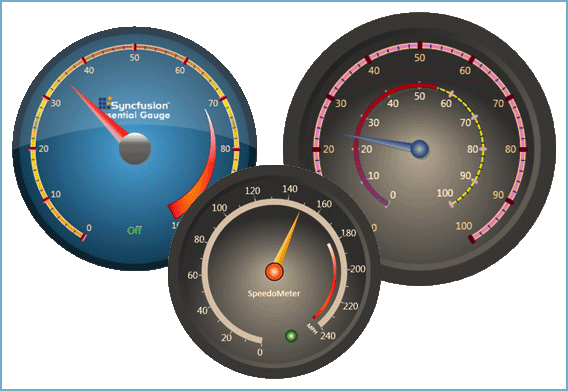
Add data driven gauges to your WPF applications. Syncfusion Essential Gauge for WPF allows the use of XAML and C# code to draw gauges of various designs (circular, digital and linear). Syncfusion Essential Gauge for WPF comes with sophisticated customization support (tick marks, labels, scales, pointers, state indicators etc). With Syncfusion Essential Gauge for WPF, users can display several data points or data ranges in a concise and compact area; data in the control can be easily depicted and quickly understood by users of any level.


$877.10

일반 적인 소비자 가격은 하기에 표시되어 있습니다. 고객님의 할인가격은 표시 하시려면 로그인 해주시기 바랍니다.

통화 선택 표시하고 있습니다. 전체 가격 | 리뉴얼 가격

Syncfusion Essential Gauge for WPF 2012 Vol 2 (V10.2.0.56) - Binary   *

주문 $ 877.10 1 Developer License - with 1 Year Subscription  * 다운로드 (595.0 MB)
주문 $ 396.90 1 Developer Annual Subscription Renewal License (for subscriptions soon to expire or up to 30 days past expiration)  * 확인 다운로드 (29 KB)
주문 $ 657.83 1 Developer Reinstatement of Lapsed Subscription License (for subscriptions lapsed longer than 30 days up to one year)  * 확인 다운로드 (29 KB)

Syncfusion Essential Gauge for WPF 2012 Vol 2 (V10.2.0.56) with Source Code   *

주문 $ 1,269.10 1 Developer License with Source Code - with 1 Year Subscription  * 다운로드 (595.0 MB)
주문 $ 573.30 1 Developer Annual Subscription Renewal License (for subscriptions soon to expire or up to 30 days past expiration) with Source Code  * 확인 다운로드 (29 KB)
주문 $ 951.83 1 Developer Reinstatement of Lapsed Subscription License (for subscriptions lapsed longer than 30 days up to one year) with Source Code  * 확인 다운로드 (29 KB)

Syncfusion Essential Gauge for WPF 2012 Vol 2 (V10.2.0.56) - Binary Site License   *

주문 $ 19,600.00 Site License - with 1 Year Subscription - Allows upto 500 Developers at a single address  * 확인 다운로드 (595.1 MB)
주문 $ 7,840.00 Site Annual Subscription Renewal License (for subscriptions soon to expire or up to 30 days past expiration) - Allows upto 500 Developers at a single address  * 확인 다운로드 (29 KB)
주문 $ 17,640.00 Site Reinstatement of Lapsed Subscription License (for subscriptions lapsed longer than 30 days up to one year) - Allows upto 500 Developers at a single address  * 확인 다운로드 (29 KB)

Syncfusion Essential Gauge for WPF 2012 Vol 2 (V10.2.0.56) with Source Code Site License   *

주문 $ 29,400.00 Site License with Source Code - with 1 Year Subscription - Allows upto 500 Developers at a single address  * 확인 다운로드 (595.1 MB)
주문 $ 11,760.00 Site Annual Subscription Renewal License (for subscriptions soon to expire or up to 30 days past expiration) with Source Code - Allows upto 500 Developers at a single address  * 확인 다운로드 (29 KB)
주문 $ 26,460.00 Site Reinstatement of Lapsed Subscription License (for subscriptions lapsed longer than 30 days up to one year) with Source Code - Allows upto 500 Developers at a single address  * 확인 다운로드 (29 KB)

가격에는 ComponentSource의 기술지원 요금이 포함되어 있습니다. 또한 다운로드 판매를 하고 있는 상품의 대부분은 온라인 백업요금이 포함되어 있어서 구입날로부터 30일 이내에 새로운 버전이 발매된 경우 무료로 업그레이드해 드리고 있습니다.  모든 주문에 대해서 당사표준 계약조건 반품조건 의 내용이 적용됩니다. 다음의 경우,고객 서비스로로 연락 주시기 바랍니다. (대량의 라이센스나 구 버전 등의 라이센스 옵션이 필요한 경우)

일반 적인 소비자 가격은 상기에 표시되어 있습니다. 고객님의 할인가격은 표시 하시려면 로그인 해주시기 바랍니다.

 *

Please note: Syncfusion Essential Gauge includes ASP.NET MVC, Silverlight and WPF components.

What's new in Essential Gauge 2012 Vol 2?

  • Sub-Gauges - By utilizing a sub-gauge, two gauges can be rendered together, one nested inside the other. This allows you to visualize two different data types within the same space. With this feature, you can render any type of gauge inside another and still customize the gauges separately.

What’s new in Syncfusion Essential Gauge 2011 Vol 4?

Essential Gauge for ASP.NET

  • HTML 5-Based Gauge Control - A gauge is a data visualization control that can be used to display several data points or data ranges in a concise and compact area. Linear gauges measure values of scales and represent them in the form of a slider along a linear scale, similar to a thermometer.

 *

Syncfusion Essential Gauge for WPF Circular Gauge
Circular gauges have a highly appealing appearance. They can be used in a variety of applications including dashboards. They also come with various features that make them easy to use.
  • Circular Frame - Circular Gauge supports circular, semi-circular, and custom-shaped frames. Users can customize a frame to their requirements by using custom control-templates. Endless color customizations can be achieved by using the frame-fill colors property.
  • Easy Customization - The look and feel of a gauge is completely customizable. Each part of the gauge, such as pointers, pointer caps, scales, ticks, labels, and state indicators, can be customized to the current requirement.
  • Multi Scale - Essential Gauge can be customized to display multiple scales and multiple pointers within a single gauge. Scale direction can also be reversed using ScaleDirection property. All pointers as well as their respective scales can be customized at run-time using the appropriate properties of the Essential Gauge.
  • Logarithmic Scales - Circular Gauge can be made to display logarithmic values of a given base by setting the IsLogarithmic property to True. By default, it displays log values by calculating them to the base 10. For other base values, the base can be set by using the LogBase property.
  • Label Format - The circular gauge supports various formatting options for labels so that they can be displayed in any desirable format. The format can be specified using the NumberFormatInfo property of the LinearLabelTick. For instance, the percent symbol for the label values can be specified using the PercentSymbol property of Number Format Info.
  • Formula Support - The circular gauge scales can now be based on user-defined formulae. Labels can be defined based on formula given as a string to the CalculateFormula property. To make the labels act on a formula before displaying, the IsCalculateFormulaEnabled property of the LinearLabelTick should be set to True. This is very handy in scenarios where two scales marked by different measuring units are needed. To create two scales of different units with exact markings, one scale should be specified, instead of specifying the other scale manually. A conversion formula to convert from the first scale's unit to the other scale can be specified to the CalculateFromula property. The following illustration was created using the string "x*1.609344" (i.e. a miles to kilometre conversion formula) as input to the CaculateFormula property in order to display the speedometer in kilometres and not miles.
  • Circular Pointer Cap - In the circular gauge, pointer cap can be specified in two different styles - Default and Custom. The custom shape is specified by setting the PointerCapCustomGeometry property.
  • Range and State Indicators - Essential Gauge supports range and state indicators, which can be customized with various attributes. A state indicator can be bound with a range indicator so that the state indicator goes into an active state when the pointer reaches a specified range.

Syncfusion Essential Gauge for WPF Rolling Gauge
The Rolling gauge control is used to display values as segments, allowing data to be presented in a rolling manner.

  • Segment Count
  • Units of Measure as Data

Syncfusion Essential Gauge for WPF Digital Gauge
Digital gauges are controls that can display digital data. They come with various customization options and have numerous features.

  • Digital Gauge Brushes
  • Display Type
  • Segment Customization
  • Segment Display

Syncfusion Essential Gauge for WPF Linear Gauge
Linear gauges are highly customizable gauge controls that can be used as sliders for providing input or for displaying output data.

  • Appearance
  • Orientation
  • Logarithmic Scales
  • Label Format
  • Formula Support
  • Indicator Style
  • Range and State Indicators
  • Pointer Interactivity
  • Linear Gauge Brushes
  • Linear Label Tick Customization
  • Linear Mark Tick Customization

주의

제품 리뷰의 한국어 번역이 완료되지 않는 제품은 Google통역 서비스와 연동되어 표시되어 있습니다.통역 기계에 의한 자동 번역인 관계로 한국어 표기가 조금 부자연 스러운 점 양해 바랍니다.
에서 제공
FireFox와 Opera에서는 Flash가 필요합니다.

상품검색

검색어를 입력해주세요:

ComponentSource에서 구입하는 이유?

ComponentSource는 세계 1,000,000명 이상의 개발자에게 각종 글로벌 서비스를 제공합니다.

상세 | About Us

화면 바로가기 갤러리

클릭해서 이미지를 확대

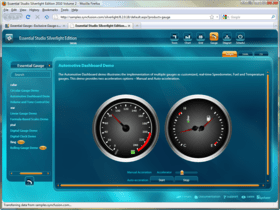
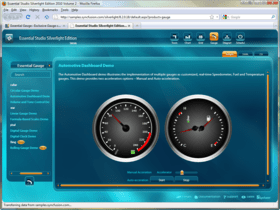
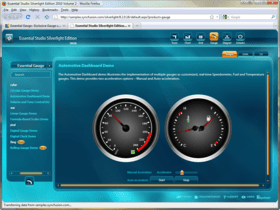
 Syncfusion Essential Gauge - WPF - 2012의 스크린샷  Syncfusion Essential Gauge - WPF - 2012의 스크린샷  Syncfusion Essential Gauge - WPF - 2012의 스크린샷  Syncfusion Essential Gauge - WPF - 2012의 스크린샷
Award