
Syncfusion Essential Schedule for ASP.NET MVC
Create a Schedule control similar to the Outlook Calendar.
Published by Syncfusion
Distributed by ComponentSource since 2002
Create a Schedule control similar to the Outlook Calendar.
Published by Syncfusion
Distributed by ComponentSource since 2002
This product is no longer sold individually, but is available within Syncfusion Essential Studio Enterprise Edition and one of Syncfusion’s 9 platform-dedicated suites.
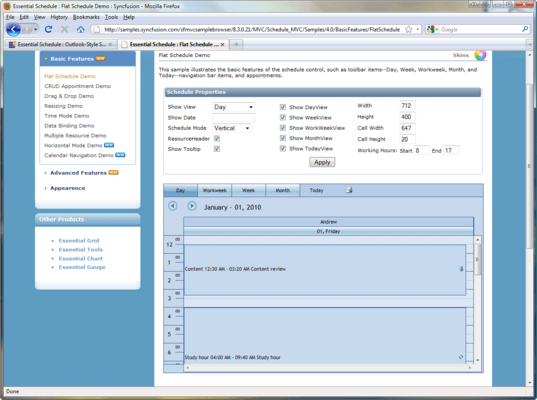
Syncfusion Essential Schedule for ASP.NET MVC is a UI control for ASP.NET MVC that lets you add Outlook-like scheduling support to your applications. It also comes with built-in AJAX support. Syncfusion Essential Schedule for ASP.NET MVC displays appointments in four basic views: Day, Week, Workweek, and Month. You can make use of the Schedule ViewMode property to set any one of these views for the scheduler. Schedule ViewMode is set to Day by default.


Image 1 / 6
Syncfusion Essential Schedule for ASP.NET MVC Schedule Layout
Essential Schedule control provides two options for changing the layout of a schedule. The schedule layout can be viewed in one of the following ways.
Syncfusion Essential Schedule for ASP.NET MVC Appointments
An end-user's specific time interval in the schedule control refers to an appointment or event. An appointment may contain properties like Subject, Location, Start Time, End Time, Description, Owner...
Syncfusion Essential Schedule for ASP.NET MVC is also available in:
Live Chat with our Syncfusion licensing specialists now.



Tel: (888) 850 9911
Fax: +1 770 250 6199


