Syncfusion Essential Tools - Windows Forms - 2008

by Syncfusion - 상품타입: Component / .NET WinForms / 100% Managed Code

주의 : 이 제품정보에는 한글안내가 포함되어 있지 않습니다.
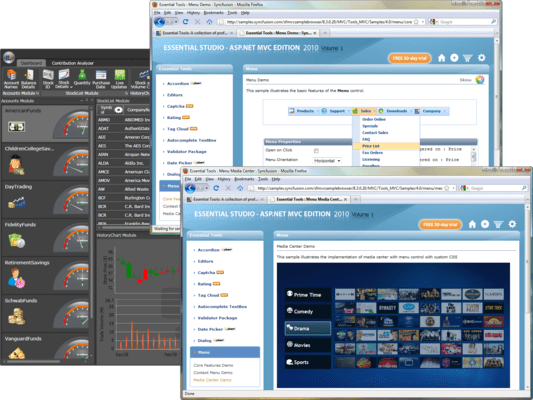
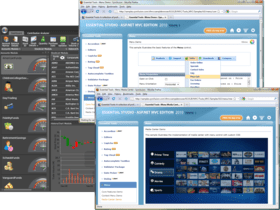
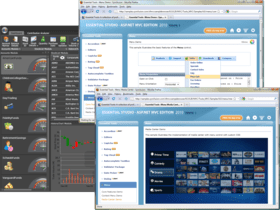
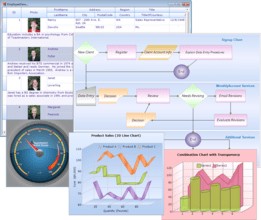
Syncfusion Essential Tools - Windows Forms - 2008 의 스크린샷A rich set of UI controls to let you create rich interactive Windows Forms applications with the latest look and feel like Office 2007, Visual Studio .Net, Outlook 2007, etc. Syncfusion Essential Tools Windows Forms comes with the very latest User Interface patterns, including the Office 2007 look and feel, VS.NET-style docking and tabbed windows, Outlook UI, IE7 tabs, tree, menus and more. Using Essential Tools, developers can create enhanced data collection and validation forms with the Calculator, Masked Edit, Auto Complete, Currency, enhanced DateTime picker and Progress Bar controls.

평균  Syncfusion Essential Tools - Windows Forms - 2008 의 평균 리뷰 스코어  2 리뷰(s).

683,900₩
통화 선택

일반 적인 소비자 가격은 하기에 표시되어 있습니다. 고객님의 할인가격은 표시 하시려면 로그인 해주시기 바랍니다.

Syncfusion Essential Tools Windows Forms 2008 Vol. 3

주문 ₩ 683,900 1 Developer License - with 1 Year Subscription 다운로드 (193.1 MB)
주문 ₩ 338,500 1 Developer Annual Subscription Renewal License (for subscriptions soon to expire or up to 2 weeks past expiration 확인 다운로드 (29 KB)
주문 ₩ 410,300 1 Developer Reinstatement of Lapsed Subscription License (for subscriptions lapsed longer than 2 weeks) 확인 다운로드 (29 KB)
주문 ₩ 203,100 1 Developer License without Subscription Upgrade from previous version 확인 다운로드 (193.1 MB)

Syncfusion Essential Tools Windows Forms 2008 Vol. 3 with Source Code

주문 ₩ 1,236,600 1 Developer License with Source Code - with 1 Year Subscription 다운로드 (193.1 MB)
주문 ₩ 476,700 1 Developer Annual Subscription Renewal License (for subscriptions soon to expire or up to 2 weeks past expiration) with Source Code 확인 다운로드 (29 KB)
주문 ₩ 741,900 1 Developer Reinstatement of Lapsed Subscription License (for subscriptions lapsed longer than 2 weeks) with Source Code 확인 다운로드 (29 KB)
주문 ₩ 286,000 1 Developer License without Subscription Upgrade from previous version with Source Code 확인 다운로드 (193.1 MB)

본 제품은 GSA Schedule 가격으로 제공해 드릴수 있습니다.가격에는 ComponentSource의 기술지원 요금이 포함되어 있습니다. 또한 다운로드 판매를 하고 있는 상품의 대부분은 온라인 백업요금이 포함되어 있어서 구입날로부터 30일 이내에 새로운 버전이 발매된 경우 무료로 업그레이드해 드리고 있습니다.  모든 주문에 대해서 당사표준 계약조건 반품조건 의 내용이 적용됩니다. 다음의 경우,고객 서비스로연락하시기 바랍니다. (상기의 리스트에 게재되지 않은 대량의 라이센스나 구 버전 등의 라이센스 옵션이 필요한 경우)

일반 적인 소비자 가격은 상기에 표시되어 있습니다. 고객님의 할인가격은 표시 하시려면 로그인 해주시기 바랍니다.

Please note: Syncfusion Essential Tools Windows Forms also includes ASP.NET and WPF components.

What's new in Syncfusion Essential Tools Windows Forms 2008 Volume 3?

  • Outlook 2007 style Group Bar collapsible navigation - Group bar supports complete Outlook 2007 emulation including support for sliding.
  • Microsoft Office 2007 style Message Box- Message Box has an all new Office 2007 style for a consistent user interface look and feel.  Easily replace standard message boxes with the new Message Box to greatly enhance visual appeal.
  • AutoComplete Control – Matching from multiple columns- Autocomplete control provides new automation modes for matching items from multiple columns and for highlighting matched text.
  • Super ToolTip- RightToLeft Support - Super ToolTip now supports regular ToolTip for displaying in right-to-left languages.
  • Samples Enhancement - Most of the samples have been revamped to give a consistent look and feel in order to show all the features.

What’s included:

  • Office 2007 UI Package: Whole suite of controls you can use to put together an Office 2007 UI (seen in Word, Excel, etc.), including Office2007Form, RibbonControlAdv, SuperToolTip, MiniToolBar, StatusStripEx, ContextMenuStripEx, etc.
  • Docking Package: Provides a framework for implementing VS.NET-style docking windows in your applications. The framework supports the complete range of docking behaviors such as docking / floating, nested levels, tabbed groups, state transitions, auto hide, MDIChild transitions, non-dockable / non-floatable options, a unique fill mode, and full state persistence.
  • Menus Package: This package provides frameworks for implementing Office XP-style menus, dockable toolbars, context menus, etc. The menus framework provides complete end-user customization capabilities.
  • Tree Package: Includes an advanced tree control with numerous appearance customization options, drag and drop support, ability to embed custom controls, checkbox nodes, node-specific context menus, etc.
  • Tabbed MDI Package: This package lets you easily convert your normal MDI interface into a Visual Studio .Net style tabbed interface with a single line of code. It comes with support for multiple tab groups, dynamic tab group splitters, etc.
  • Navigation Package: Contains controls for implementing such popular interfaces as Microsoft Outlook Bar, VS.NET Toolbox, Windows 2000 / XP Folder Selectors, and the Windows XP TaskBar.
  • Tabs Package: Included in this package is an advanced tab control with a variety of appearance styles and configuration capabilities. It makes the creation of custom tabs with custom shapes and styles a snap.
  • Editors Package: A slew of editors such as MaskedEditBox, AutoComplete, MultiColumnComboBox, MonthCalendar, etc. are available, allowing you to create rich forms for user input. All these controls support localization, internationalization and data-binding.
  • Miscellaneous controls: Take advantage of several other productive controls, such as Wizard control, layout managers, progress bars, and more, all of which make this library a compelling addition for your Windows Forms application development needs.

Benefits of working with Syncfusion:

  • Standardize to simplify: One vendor, one license, one suite of .NET components.  Syncfusion’s wide range of solidly built components allows developers to streamline their toolkits and reduce dependence on multiple vendors.
  • Trusted architects: Industry-leading architects ensure each product is built for the most demanding of environments.
  • Full source code: 100% C# source code available, enabling seamless integration of our libraries with your projects.
  • Solid support infrastructure: First-rate tech support is available via Syncfusion’s online tracking system Direct-Trac, email, and phone.  No per-incident charges.  Syncfusion also provides an extensive knowledgebase, FAQs, and forums.
  • Built with the future in mind: Syncfusion components are geared towards long-lifecycle applications and architected to meet high standards for flexibility and long-term maintainability.
  • Flexible licensing model: Straight-forward per-developer licensing, with no runtimes, server deployment fees, or royalties.  Each licensee may install on multiple personal machines.

Technical Support - Each Syncfusion license includes a one-year subscription for unlimited technical support and updates.  Support for Syncfusion products is available 24 / 5 through a custom-built support system, with responses guaranteed within a single business day. Support is also available by e-mail and phone. Syncfusion’s Direct-Trac system can be used to create support incidents and track them to completion 24 hours a day, 7 days a week and allows Syncfusion licensees to maintain a complete overview of their support history.


상품검색

검색어를 입력해주세요:

화면 바로가기 갤러리

Award