Screenshot Preview

TX Text Control ActiveX Professional - Resumen

de Text Control - Tipo de producto: Componente / ActiveX OCX / DLL

Resumen

 *

TX Text Control ActiveX Professional by Text Control

URLs: tx-text-control-activex-professional, tx text control activex professional, txtextcontrolactivexprofessional, text-control, text control, textcontrol

Give your application the ability to read, edit, and create documents in industry standard formats like MS Word DOCX, DOC, RTF, HTML and XML. TX Text Control ActiveX includes the ability to export all documents can be exported to print-ready Adobe PDF documents without any third-party software. The fully programmable component supports nested tables, document sections, images, text frames, drag and drop, headers and footers, bulleted and numbered lists and MS Word compatible mail merge fields for database applications. Typical applications include mail merge, PDF creation, document conversion or WYSIWYG word processing.

TX Text Control ActiveX is a royalty-free programming component that offers an extensive palette of word processing features.

It gives your application the ability to read, edit and create documents in most popular formats such as RTF, Microsoft Word (including Microsoft Word XP), HTML, CSS and XML. In addition, TX Text Control ActiveX can convert these file formats to PDF.

TX Text Control ActiveX supports all major word processing features like tables, headers & footers, hyperlinks, bullets, numbered lists, zoom, page view, image import/export and OLE objects. Virtually all office, database or web applications can make use of these sophisticated word processing features.

TX Text Control ActiveX Standard Features

Bullets and Numbered Lists

Character and Paragraph Formatting

Clipboard Operations

Find and Replace

Images

Integrated Dialog Boxes

Loading from and saving to databases

Multi-Level Undo / Redo

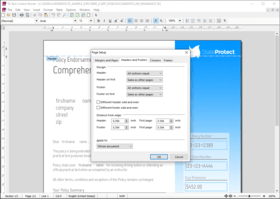
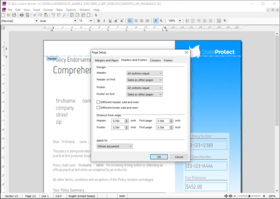
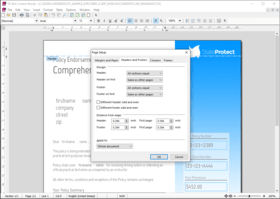
Page and Document Settings

Printing and Print Preview

Spell Checking

Tables

Zooming

Control Settings

Line and Character Operations

Marked Text Fields

Text Selections and Character Input

Toolbars

Multi-Language Support

Unicode

Hypertext Markup Language (HTML)

Image Formats

Rich Text Format (RTF)

Delphi

Microsoft Internet Explorer

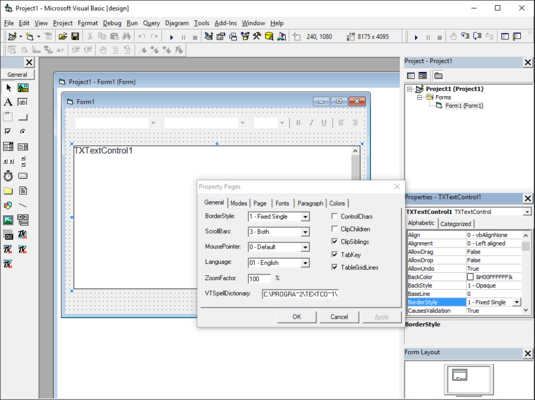
Microsoft Visual Basic

TX Text Control ActiveX Professional Features (includes everything in the Standard Edition plus)

Document Sections

Headers and Footers

Hypertext Links

Page Columns

Text Frames

Microsoft Word Merge Fields

Stylesheet Programming

XML Programming

Adobe Portable Document Format (PDF) Export

Microsoft Office Open XML (DOCX)

Microsoft Word (DOC)

TX Text Control ActiveX Enterprise Features (includes everything in the Professional Edition plus)

Stylesheet Formatting

Stylesheet Programming

XML Programming

Adobe Portable Document Format Archive (PDF/A) Export

Cascading Style Sheet (CSS)

Document Type Description (DTD)

Extensible Markup Language (XML)

Features of TX Text Control ActiveX

TX Text Control ActiveX gives control for tables - Text in tables can be formatted in any way, which is required, allowing for paragraphs with varying typefaces, indentations and line spacing. Images as well as macro fields and OLE objects can also be pasted into tables. Frames and shadows can be added to single cells. To place text in columns, frames can be made invisible

Character and Paragraph Formatting - All character formats, including foreground and background colors are available and can be freely combined. Flexible paragraph formatting such as indentation, four different types of tabs, variable line and paragraph spacing, and paragraph frames offer a variety of possibilities for arranging paragraphs

HTML Filter - The HTML filter makes the TX Text Control ActiveX Collection ideal for internet and intranet applications. A simple WWW browser is included as an example program. The HTML filter is also an important improvement for normal word processing, as HTML is increasingly becoming a standard text format

Zoom in/out - The TX Text Control ActiveX Collection includes a zoom in/out mechanism. All word processing functions, including text input, are available, independent of the zoom level you set

Images within a Text - The TX Text Control ActiveX Collection is especially useful for positioning images in a text. Images can be positioned as characters within a line of text, or at a given position on a page. The flow of text around an image is controlled via a dialog box. Images can be re-scaled

For the import of images - TX Text Control ActiveX Collection supports the file formats: TIFF, BMP and Windows metafiles. Images which have been positioned within a text can be stored embedded in an RTF file, or as linked image files (TIFF, BMP, WMF)

OLE Controls in the Text - With the 32 Bit version OLE controls can be positioned like images

Mail Merge, Hypertext and Data Bases - The TX Text Control ActiveX Collection supports the use of macro fields. You can simply and quickly realize hypertext and mail merge applications with the assistance of macro fields. Moreover, macro fields are easily connected to databases so that you can store (formatted) text in a database field or display the contents of a database field

Integrated Dialog Boxes - Integrated dialog boxes, for setting paragraph, text and table formatting, as well as for searching and replacing are an integrated component of the TX Text Control ActiveX Collection

Database support - TX Text Control ActiveX Collection can, in conjunction with databases, be used as a database browser. The records of a database can be read, displayed, altered and then stored again. There is also the possibility of storing the complete contents of a TX Text Control ActiveX, including all the paragraph and character formatting information in one data field.

File Formats and Data Exchange - Problem free data exchange with other word processing programs is achieved via the Rich Text File format (RTF, version 1.4). In this way the formatting attributes remain preserved to the greatest possible extent. This is also valid for the exchange of formatted text via the clipboard. In addition to the RTF-format though, the TX Text Control ActiveX Collection supports its own file format and imports and exports ASCII and HTML files

Programmable Headers and Footers (professional version only) - Headers and footers are now fully integrated. They can be edited by double-clicking them, and can be modified programmatically. Numerous options are adjustable, like changing the frame style, specifying a separate header for the first page, or automatically displaying page numbers. Headers and footers are loaded from and saved to Word, RTF and TX files

Hyperlinks and Bookmarks (professional version only) - FieldType and FieldTypeData properties. These properties provide new types of marked text fields, and specialized fields for hyperlinks, targets, and page numbers. It is now possible to insert and edit hyperlinks and targets, which makes Text Control the perfect tool for email programs and intranet applications

Drag and Drop (professional version only) - Properties are available for integrating fully customizable drag & drop functionality into your application. All types of drag & drop can be used, for instance drag & drop text editing, or the insertion of files by dragging them from the Windows explorer

Word 2000 Support (professional version only) - Files can be loaded and saved directly in the .DOC file format of Microsoft Word. All available Text Control features are supported, including the addition of tables, images, headers & footers, and OLE objects. All versions of Word from Word 6 and Wordpad up to Word 2000 are supported

Centered Document View - Text Control now offers an additional page view that centers the document in the control's window

Access Properties of Embedded Objects - With the new ObjectItem method, it is now possible to not only insert OLE objects and let the text flow around them, but also access their properties from program code

Bulleted and Numbered Lists - TX Text Control ActiveX provides comprehensive support for bullets and numbered lists. Lists can be incremented and numbered automatically. Virtually every conceivable attribute of the bullets and numbered lists can be user defined including the type and shape of bullet. They can be used from program code, or via the integrated dialog box and buttons on the button bar. Numbered lists and bullets may contain any of TX Text Control ActiveX vast formatting options.

Internet Features - With TX Text Control ActiveX, you can create applications that do not have to be installed on every single computer, but which run directly in Microsoft Internet Explorer.

TX Text Control ActiveX contains everything you need to easily create Internet Explorer based applications:

Code-signed CAB file for easy browser-based installation

Apartment threaded ActiveX

Full support for IObjectSafety interfaces in Internet Explorer

Sample programs for Visual Basic ActiveX documents and HTML/VBScript

Versatile new print method

Tables - Text Control ActiveX enables you to include tables in your documents. Text in a table can contain virtually any kind of formatting that normal text can: multiple paragraphs with different fonts, indents and line spacing. Even images, macro fields and OLE objects can be inserted. Frames and shading can be separately adjusted for each individual table cell. Making the table frames invisible allows text to be set in columns

HTML filter - With the HTML filter, TX Text Control ActiveX can be used to create Intranet and Internet applications. It is also an important extension for normal word processors because HTML is becoming increasingly important as a standard format. The Standard version of TX Text Control ActiveX can load and save HTML files, and convert them from and to any of the other supported file formats. Clicking on a hyperlink causes a FieldClicked event to be sent, with the link target as a parameter. In addition, the Professional version lets you insert and edit hyperlinks and targets

Word Filter - The Word Filter, which is part of the professional version, enables the loading and saving of files directly in the .DOC file format of Microsoft Word. All available Text Control ActiveX features are supported, including the addition of tables, images, headers & footers, and OLE objects. All versions of Word from Word 6 and Wordpad up to Word 2000 are supported

What's new in TX Text Control ActiveX X9?

Improved Headers and Footers: Odd and Even Pages - Add different headers and footers for odd and even numbered pages. You can also define a different header and footer for facing pages.

Headers and Footers: New Frame Style with Information Area - A new frame style is available for activated headers and footers. A dividing line includes a label indicating the type of header or footer (even, odd, first page, etc).

Advanced, MS Word Compatible Page Numbering - For each section in the document, page numbers can either be continued from the previous section or can be restarted with a certain number. Additionally, a new type of page numbering has been implemented to show the total number of pages. This field is updated automatically when pages are added or removed.

Built-in Context Menus and Icon Sets - Built-in, ready-to-use and customizable context menus. In order to provide ready-to-use context menus, TX Text Control ships with more than 400 large and small icons.

New Table Insert Dialog - Important table properties can be adjusted including number of columns, number of rows and column width.

Microsoft Word Content Controls Support - Content controls are converted to TX Text Control ApplicationFields when Microsoft Word (.DOCX) documents are loaded.

Anchor Position Control Characters - Shows the anchor position of an anchored object. Anchored objects are positioned relative to a paragraph.

What's new in TX Text Control ActiveX X8 SP1?

The following bugs were fixed:

Image is not be printed, if it is inserted inline with text.

Not able to scroll down after inserting long image in normal view mode.

ActiveX SizeMode property does not paint the move and size frame.

Simple Control View: The border is not painted.

DOCX / DOC / RTF export: Wrong character formatting of number in numbered list.

TX Text Control is not refreshed correctly in Delphi.

Resources for the 'Borders' tab in the Page Setup dialog are missing.

An image inserted as inline is moved to the second line, but the line height is not being adjusted correctly.

RulerBar does not show the unit as set with the Measurement Settings in the 'Region and Language' control panel.

TableRow.Select() is selecting ApplicationField in the next table row.

A text field is placed in the next table cell, if the table column of that table cell is deleted.

Fixed image is not visible when ViewMode is Normal.

DOCX / DOC / RTF import: Wrong wrapping style for objects behind the text.

IncludeTextMerging event doesn't work properly.

HTML import: some DIVs which should be converted to text frames are imported as plain paragraphs.

Left page border is lost when 2 page columns with a line in between is set.

In a large RTF file it is not possible to increase the font size for the whole document.

Error 01-1d09 loading specific word document.

Wrong fonts are used in special templates.

Context menu item 'Add to Dictionary' is shown even if IsEditable is set to false.

Number with punctuation cuts the sentence in the spellcheck dialog preview.

An erroneous TextField of the Length=0 is inserted under certain circumstances.

Image text wrapping does not work for the first line of text.

Images disappear when a Textfield is clicked.

Error 01-0800 is thrown if a TextControl has been created dynamically and a document with images is loaded.

Undo in spell check dialog preview causes crash.

Selecting the last column in a table and setting the forecolor will set the forecolor for the whole table.

Deleting inner table also deletes the row of the outer table.

Deleting nested tablerows results in broken document.

RTF import: Text between tables will be imported into the first cell of the second table.

TXTextControl.ListType is returning 4 instead of 8.

Text in the last table column can not be formatted with the Selection class.

HTML export: Certain HTML elements get lost when using inline styles.

Undo() deletes properties of ApplicationFields.

The Find method finds a passage it should not find.

OCX find method selects table cell instead of table cell's text.

Undo() deletes TextField.Name

Text frame overlaps text when inserted as displace text.

What's new in TX Text Control ActiveX X8?

Transparent Text Frames

Z-Order of Objects (text frames, images or charts)

Background Images

Updated Status Bar with Zoom Slider

Support for EMF - Enhanced Metafile

Improved Object Handling (aspect ratio resizing, object moving)

What’s new in TX Text Control ActiveX 17.0 SP1? The following bugs were fixed:

PDF/A export: The xmpMM:DocumentID metadata property value is not of type GUID/UUID.

If a DocumentLink is clicked and the ScrollTo method is used, text will be selected after the DocumentTarget.

DOC and RTF import: Unable to save loaded document.

Table in XML sample will be broken, if another XML element is added.

DOC export: Missing vertical table cell alignment.

DOCX, DOC and RTF export: Error 1-1d09, if the last cell of a table is a merged cell and the next table follows immediately.

Table attributes cannot be set with the dialog when the table is completely selected.

Using the TAB key in tables does not select the cell text.

Missing French translation in table dialog.

PDF export: Clipped fixed image above top or bottom margin are not visible.

RTF import: Document causes 01-1D09 error or a program termination.

ComboBoxes are too small, shifted to the right.

Cell.Select selects complete table row.

Vertical text alignment can not be set in merged table cells.

Faulty behaviour of Paragraph.Text in table cells.

Text is not displayed, if a table spans a page break and vertical alignment has been set.

Setting txTableCellVertAlign value for the first cell in a row sets the alignment for the table row.

TXW document which could be saved in v13 could not be saved in v16 or v15.

Delete and Backspace keys have different effects on paragraph formatting in v16 and v17.

Unable to load documents containing 'Forced end of column' character and tables.

Table at the end of a document is not deleted correctly.

Text Control Words crashes upon loading a specific document.

Whitespace is lost when loading TXTextControl.StringStreamType.RichTextFormat.

ResetContents does not reset page orientation.

HangingIndent is not working properly.

Image size will be changed, if zoom values are set to random numbers

What’s new in TX Text Control ActiveX 17.0?

Text Selections - Text selections in tables have been extended so that it is now possible to select table columns and rectangular areas of table cells. Table columns can be formatted and copied to the clipboard. The TableColumn.Select method has been added to support this feature programmatically. Text selections are now displayed with a transparent blue bitmap. The new SelectionViewMode property can be used to display selections with the classic selection view mode.

Merged Table Cells - Table cells can be merged with the new Table.MergeCells method. The method merges all selected cells to a single cell which has the same width and the same content as the original cells. The new Table.SplitCells method can be used to split previously merged cells. Table cells can only be merged, if more than one cell is selected, and if the selection is in a single table. The Table.CanMergeCells property can be used to check whether cells can be merged.

Named Table Cells - Each table cell can have a name which can be used to store any string data associated with the cell. The new TableCell.Name property can be used to get or to set a cell's name. The name is stored only, when the TXTextControl file format is used.

Colored Table Lines - Table lines can be colored. Each line of a table cell can have a different color. All text filters and the TXTextControl file format have been extended so that this feature can be exchanged with other applications. The TableCellFormat class has been extended with the LeftBorderColor, TopBorderColor, RightBorderColor and BottomBorderColor properties to set these attributes programmatically. Colored table lines can also be set with the built-in dialogbox for setting table attributes.

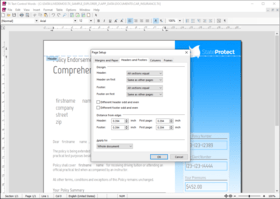
Page Borders - Borders can now be defined for each page of a document section. A page border can have a top, left, right or bottom line or a combination of these lines. The line width and the color can be defined for each line separately. For each line a distance can be specified, which is either a distance to the edge of the page or to the text. The page border can surround the text including page headers and footers or only the text of the page. The border can be defined for the first page, for all pages or beginning with the second page. The new PageBorder class represents all these attributes of a page border. The SectionFormat class has been extended with the new PageBorder property to can set all these attributes programmatically. The page settings dialog box has also been extended so that an end-user can define a page border.

Digital Signatures - PDF files can be saved digitally signed with an X.509 certificate. The SaveSettings class has been extended with the SaveSettings.DigitalSignature property to set a certificate for a saving process. The DigitalSignature class used with this property represents the X.509 certificate and all other information necessary to digitally sign the file.

HTML Format - The TX Text Control HTML import filter now uses the parsing rules described in the W3C specification of HTML5.

Give your application the ability to read, edit, and create documents in industry standard formats like MS Word DOCX, DOC, RTF, HTML and XML.

Pricing: TX Text Control ActiveX X9 Professional Edition 1 Developer License, TX Text Control ActiveX X9 Professional Edition 4 Developer Team License, TX Text Control ActiveX X9 Professional Edition 1 Developer License Upgrade from V14 or better Standard/Professional, TX Text Control ActiveX X9 Professional Edition 4 Developer Team License Upgrade from V14 or better Standard/Professional, TX Text Control ActiveX X9 Professional Edition - with Subscription 1 Developer License - with 1 Year Subscription, TX Text Control ActiveX X9 Professional Edition - with Subscription 4 Developer Team License - with 1 Year Subscription, TX Text Control ActiveX X9 Professional Edition - with Subscription 1 Developer License Upgrade from V14 or better Professional/Enterprise - with 1 Year Subscription, TX Text Control ActiveX X9 Professional Edition - with Subscription 4 Developer Team License - Upgrade from V14 or better Professional/Enterprise - with 1 Year Subscription, TX Text Control ActiveX X9 Professional Edition - Subscription Renewals 1 Developer Subscription Renewal - Pre Expiry, TX Text Control ActiveX X9 Professional Edition - Subscription Renewals 1 Developer Subscription Renewal - Post Expiry - only available 30 days after the expiry date, TX Text Control ActiveX X9 Professional Edition - Subscription Renewals 4 Developer Team Subscription Renewal - Pre Expiry, TX Text Control ActiveX X9 Professional Edition - Subscription Renewals 4 Developer Team Subscription Renewal - Post Expiry - only available 30 days after the expiry date

Evals & Downloads: Read the TX Text Control ActiveX help file, View the TX Text Control ActiveX Editions Comparison, Download the TX Text Control ActiveX X9 evaluation on to your computer - Displays Nag Screens

Operating System for Deployment: Windows 8, Windows 7, Windows Vista, Windows XP, Windows 2000, Windows 98, Windows NT 4.0, Windows 95

Architecture of Product: 16Bit, 32Bit

Product Type: Component

Component Type: ActiveX OCX, DLL

Built Using: MFC V4.0

General: Supports Apartment Model Threading

Compatible Containers: Microsoft Visual Studio .NET, Microsoft Visual Studio 6.0, Microsoft Visual Studio 97, Microsoft Visual Basic .NET, Microsoft Visual Basic 6.0, Microsoft Visual Basic 5.0, Microsoft Visual Basic 4.0, Microsoft Visual C++ .NET, Microsoft Visual C++ 6.0, Microsoft Visual C++ 5.0, Microsoft Visual C++ 4.0, Microsoft Visual C# .NET, Delphi 6.0, Delphi 5.0, Delphi 4.0, Delphi 3.0, .NET Framework 1.0

Product Class: User Interface Components

Keywords: Rich Text Box MS Word Import Export PDF Mail merge Reporting MS Office Automation textcontrol RTF rich text edit The Imaging Source (formerly DBS) TX Text Control TXText word processing write formatting textbox unicode PDF txtextcontrol

Text word words processing textbox

XML Extensible Markup

pdf

Part numbers: PC-504636-554942 504636-554942 PC-504636-554946 504636-554946 PC-504636-554950 504636-554950 PC-504636-554954 504636-554954 PC-504636-554957 504636-554957 PC-504636-554959 504636-554959 PC-504636-554961 504636-554961 PC-504636-554963 504636-554963 PC-504636-554965 504636-554965 PC-504636-554967 504636-554967 PC-504636-554969 504636-554969 PC-504636-554971 504636-554971

Mfr. Part No: TX-1900-TP TX-1900-TP-S TX-1900-TP-S-PO TX-1900-TP-S-PR TX-1900-TP-T TX-1900-TP-T-S TX-1900-TP-T-S-PO TX-1900-TP-T-S-PR TX-1900-U-TP TX-1900-U-TP-S TX-1900-U-TP-T TX-1900-U-TP-T-S

Atención

Para su comodidad, hemos incluido enlaces a Google Translate para traducir la información del producto que todavía tenemos que traducir. Por favor, tenga en cuenta que traducciones automáticas no siempre son totalmente exactas.
Con la tecnología de
Requiere Flash en Firefox y Opera

Búsqueda de productos

Escriba palabras de búsqueda:

¿Por qué comprar en ComponentSource?

ComponentSource ofrece un único servicio global, utilizado por más de 1.000.000 de desarrolladores en todo el mundo.

Más Información | Sobre Nosotros

Galería de capturas de pantalla

Haga clic para obtener una vista previa completa

Captura de pantalla TX Text Control ActiveX - Professional - X9 Captura de pantalla TX Text Control ActiveX - Professional - X9 Captura de pantalla TX Text Control ActiveX - Professional - X9 Captura de pantalla TX Text Control ActiveX - Professional - X9 Captura de pantalla TX Text Control ActiveX - Professional - X9
Award Award