TX Text Control .NET Server - .NET - V14.0 SP2

by The Imaging Source - 상품타입: Component / ASP.NET WebForms / .NET WinForms / .NET Class / AJAX

주의 : 이 제품정보에는 한글안내가 포함되어 있지 않습니다.
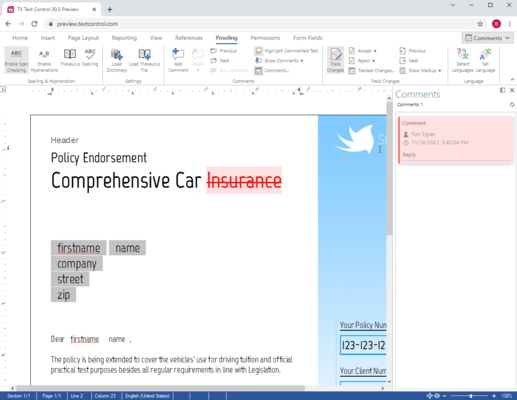
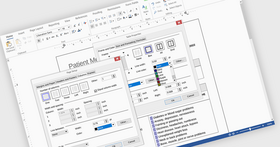
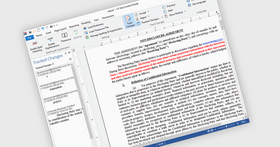
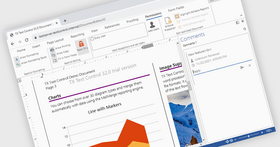
TX Text Control .NET Server - .NET - V14.0 SP2 의 스크린샷Server side word processor engine. TX Text Control .NET Server is a server side component for ASP.NET web applications, web- or Windows services. It is a fully programmable ASP.NET word processor engine that offers an extensive palette of word processing features. Using TX Text Control .NET Server, programmers can develop server side, end user applications that generate documents on-the-fly, using data from databases, binary files (Microsoft Word DOC and DOCX), ASCII files (XML, RTF, HTML) and image data (JPG, PNG, BMP, TIF, GIF, WMF). Typical applications include document management, mail merge or document output management software. Documents can be created, modified and edited in a browser or printed in batch processes. All documents can be exported to print-ready Adobe PDF documents without any third-party software.

3,251,300₩
통화 선택

일반 적인 소비자 가격은 하기에 표시되어 있습니다. 고객님의 할인가격은 표시 하시려면 로그인 해주시기 바랍니다.

TX Text Control .NET Server V14.0 SP2

주문 ₩ 3,251,300 1 Developer License - Includes 5 Run-time (Server) Licenses 다운로드 (14.8 MB)
주문 ₩ 4,551,900 1 Developer License - Includes 5 Run-time (Server) License - with 1 Year Subscription 다운로드 (14.8 MB)
주문 ₩ 6,504,800 4 Developer Team License - Includes 20 Run-time (Server) Licenses 다운로드 (14.8 MB)
주문 ₩ 9,106,800 4 Developer Team License - Includes 20 Run-time (Server) Licenses - with 1 Year Subscription 다운로드 (14.8 MB)

TX Text Control .NET Server V14.0 SP2 - Upgrades

주문 ₩ 1,624,600 1 Developer License - Includes 5 Run-time (Server) License - Upgrade from TX Text Control V9.0 or higher 확인 다운로드 (14.8 MB)
주문 ₩ 2,274,400 1 Developer License - Includes 5 Run-time (Server) License - with 1 Year Subscription - Upgrade from TX Text Control V9.0 or higher 확인 다운로드 (14.8 MB)
주문 ₩ 3,251,300 4 Developer Team License - Includes 20 Run-time (Server) Licenses - Upgrade from TX Text Control V9.0 or higher 확인 다운로드 (14.8 MB)
주문 ₩ 4,551,900 4 Developer Team License - Includes 20 Run-time (Server) Licenses - with 1 Year Subscription - Upgrade from TX Text Control V9.0 or higher 확인 다운로드 (14.8 MB)

TX Text Control .NET Server V14.0 SP2 Additional Servers

주문 ₩ 2,166,800 5 Additional Server License 확인 다운로드 (14.8 MB)
주문 ₩ 3,033,600 5 Additional Server License - with 1 Year Subscription 확인 다운로드 (14.8 MB)
주문 ₩ 7,589,300 Unlimited Additional Server License (OEM) 확인 다운로드 (14.8 MB)
주문 ₩ 10,625,100 Unlimited Additional Server License (OEM) - with 1 Year Subscription 확인 다운로드 (14.8 MB)

TX Text Control .NET Server - Subscription Renewals

주문 ₩ 1,408,800 1 Developer License Subscription Renewal Pre Expiry 확인 다운로드 (29 KB)
주문 ₩ 1,788,300 1 Developer License Subscription Renewal Post Expiry - only available 30 days after the expiry date 확인 다운로드 (29 KB)
주문 ₩ 2,764,400 4 Developer Team License Subscription Renewal Pre Expiry 확인 다운로드 (29 KB)
주문 ₩ 3,576,700 4 Developer Team License Subscription Renewal Post Expiry - only available 30 days after the expiry date 확인 다운로드 (29 KB)
주문 ₩ 920,700 5 Additional Server License - Pre Expiry 확인 다운로드 (29 KB)
주문 ₩ 1,190,800 5 Additional Server License - Post Expiry - only available 30 days after the expiry date 확인 다운로드 (29 KB)
주문 ₩ 3,251,300 Unlimited Additional Server License (OEM) - Pre Expiry 확인 다운로드 (29 KB)
주문 ₩ 4,174,300 Unlimited Additional Server License (OEM) - Post Expiry - only available 30 days after the expiry date 확인 다운로드 (29 KB)

본 제품은 GSA Schedule 가격으로 제공해 드릴수 있습니다.가격에는 ComponentSource의 기술지원 요금이 포함되어 있습니다. 또한 다운로드 판매를 하고 있는 상품의 대부분은 온라인 백업요금이 포함되어 있어서 구입날로부터 30일 이내에 새로운 버전이 발매된 경우 무료로 업그레이드해 드리고 있습니다.  모든 주문에 대해서 당사표준 계약조건 반품조건 의 내용이 적용됩니다. 다음의 경우,고객 서비스로연락하시기 바랍니다. (상기의 리스트에 게재되지 않은 대량의 라이센스나 구 버전 등의 라이센스 옵션이 필요한 경우)

일반 적인 소비자 가격은 상기에 표시되어 있습니다. 고객님의 할인가격은 표시 하시려면 로그인 해주시기 바랍니다.

What's new in TX Text Control V14.0?

  • 64 bit Edition: TX Text Control is available as a 64 bit edition. All kernel and filter DLL files have been extended to support 64 bit memory addresses. The names of the DLL files are the same for 32 bit and 64 bit. The TX Text Control class library is platform independent
  • Section Formatting: A document can be split into several sections to enable different page sizes and margins and different headers and footers in the same document.
  • Headers and Footers: The contents and the alignment of headers and footers can be different for each section. Also each section can have a special header and a special footer for the section's first page. If a section does not need its own header or footer, its header or footer can be connected with the header or footer of the previous section.
  • WordprocessingML Format: TX Text Control supports the WordprocessingML part of the Microsoft Office Open XML format. This format is a ZIP compressed XML format for word processing and is used as standard format of Microsoft Word. A TextControl can load and save files (.docx extension) and blocks of memory containing documents formatted with this format.
  • Import and Export of Microsoft Word Fields: TX Text Control now supports importing and exporting Microsoft Word fields contained in Microsoft Word and RTF documents.
  • Mail Merge: A MailMerge component has been added that can be used to effortlessly merge template documents with database content in .NET projects, such as ASP.NET web applications, web services or Windows services.
  • Import and Export of Heiler HighEdit Fields: TX Text Control also supports the import and export of Heiler HighEdit fields contained in RTF documents.
  • Page Coordinates: Because a document can have pages with different sizes a PageCollection informs about the alignment of the page and the page's text contents
  • Merging Documents: For better support when merging documents, the TextControl.Append and ServerTextControl.Append methods have been added
  • Formatting Printer: A printer for which the document is formatted can be specified with the TextControl.FormattingPrinter property. If the document is printed with this printer the displayed and the printed document have the same dimensions.
  • Background Printing: Additional contents such as images or watermarks can be printed on a page of a document. An application can add its own PrintPageEventHandler to a PrintDocument

What's new in TX Text Control V13.0?

  • True Browser-based Rich Text Editing - Create full featured word processing apps that run in MSIE
  • Paragraph Formatting - Set multiple new paragraph attributes with shipped dialog box
  • Horizontal and Vertical Ruler Bars - Set margins, height of headers and footers and width and height of table cells
  • Contemporary Application Look and Feel - Create slick and highly usable applications with the new styling options
  • Hypertext Links in PDF Documents - Convert hypertext links to their PDF pendants on export
  • Clipboard Import - Import HTML formatted text directly from the clipboard
  • Text Fields and Hypertext Targets - Multiple field handling improvements

Key features

  • Supports XML, PDF, CSS, RTF, HTML, DOC, ANSI, Unicode and many more
  • Images formats: JPG, GIF, PNG, WMF, BMP and TIF
  • Complex nested tables, headers, footers, text frames, text fields, bullets, numbered lists, images
  • Password secured, encrypted Adobe PDF documents with different access permissions
  • Object-oriented classes, designed for Visual Studio .NET (.NET Framework 2.0 ready)
  • Generate press-ready PDF files directly on the HTTP server
  • Free technical support from highly qualified engineers

Typical Applications

Document conversion - One of the key features of TX Text Control .NET Server is its wide support of word processing formats (e.g. RTF, DOC, HTML, XML, PDF) and image file formats (e.g. GIF, PNG, JPG). This feature makes TX Text Control .NET Server ideally suited to network-based, document conversion applications.

For example, consider the following areas:

  • Conversion and modification of different document types to a standardized style
  • Merger of various document types into one unified document
  • Batch document conversion without user interaction
  • Microsoft Word to PDF document conversion (no 3rd party software necessary)

Document modification - You can use TX Text Control .NET Server to assemble word processing documents from disparate data sources (e.g. end user data from a web form, databases or physical files). Inputting this information into TX Text Control .NET Server, you can create documents and save to any supported format (see above).

For example, consider the following areas in which TX Text Control .NET Server is commonly deployed to modify documents:

  • Populate pre-saved templates (DOC, RTF, HTML) with data (XML, database)
  • Build mail merge or mass-mail applications
  • Generate customized documents on-the-fly with 'fresh' data
  • Develop aesthetically pleasing and accurate reports

Document creation - In a modern corporate environment, business processes demand that information is immediately accessible to employees inside an enterprise network and to workers on the road. Typically, this information needs to be continually up-to-date and available in a multitude of formats (such as HTML, XML, DOC, RTF, GIF or JPG).

TX Text Control .NET Server is ideally suited to building applications that have this requirement. Consider the following applications:

  • Robust PDF generation, following corporate design rules
  • Simultaneous creation of documents on the server
  • Report generation using data from a database and disparate XML files
  • Integration into enterprise workflow applications

상품검색

검색어를 입력해주세요:

화면 바로가기 갤러리

Award