by VIBlend - Product Type: Component / .NET WinForms
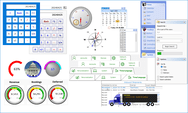
Collection of .NET WinForms User Interface components. VIBlend Controls for WinForms is a comprehensive library of User Interface controls. Designed and fine-tuned to provide rich functionality, outstanding performance and increase the ROI when building professional Windows applications using the Microsoft .NET framework. VIBlend Controls includes grid, navigation bars, ribbon interface, calendar, treeview,combo box, list box, buttons and editors, scroll and progress bars and tab controls.
Our regular prices are shown below. Please logon to see your discounted prices.
| Add to Cart | ₩ 601,400 | 1 Developer License - includes 1 year Subscription (Technical support and free upgrades) | Download (28.5 MB) | |
| Add to Cart | ₩ 541,300 | 2 Developer License, price per developer - includes 1 year Subscription (Technical support and free upgrades) | Download (28.5 MB) | |
| Add to Cart | ₩ 511,200 | 3 Developer License, price per developer - includes 1 year Subscription (Technical support and free upgrades) | Download (28.5 MB) | |
| Add to Cart | ₩ 451,100 | 4-10 Developer License, price per developer - includes 1 year Subscription (Technical support and free upgrades) | Download (28.5 MB) | |
| Add to Cart | ₩ 390,900 | 11-49 Developer License, price per developer - includes 1 year Subscription (Technical support and free upgrades) | Download (28.5 MB) | |
| Add to Cart | ₩ 330,800 | 50+ Developer License, price per developer - includes 1 year Subscription (Technical support and free upgrades) | Download (28.5 MB) |
| Add to Cart | ₩ 300,700 | 1 Developer Renewal License - extends 1 year Subscription (Technical support and free upgrades) | Verify | Download (124 KB) |
| Add to Cart | ₩ 270,600 | 2 Developer Renewal License, price per developer - extends 1 year Subscription (Technical support and free upgrades) | Verify | Download (124 KB) |
| Add to Cart | ₩ 255,600 | 3 Developer Renewal License, price per developer - extends 1 year Subscription (Technical support and free upgrades) | Verify | Download (124 KB) |
| Add to Cart | ₩ 225,500 | 4-10 Developer Renewal License, price per developer - extends 1 year Subscription (Technical support and free upgrades) | Verify | Download (124 KB) |
| Add to Cart | ₩ 195,500 | 11-49 Developer Renewal License, price per developer - extends 1 year Subscription (Technical support and free upgrades) | Verify | Download (124 KB) |
| Add to Cart | ₩ 165,400 | 50+ Developer Renewal License, price per developer - extends 1 year Subscription (Technical support and free upgrades) | Verify | Download (124 KB) |
| Add to Cart | ₩ 842,500 | 1 Developer License - includes 1 year Technical support and Unlimited free upgrades | Verify | Download (28.5 MB) |
| Add to Cart | ₩ 758,200 | 2 Developer License, price per developer - includes 1 year Technical support and Unlimited free upgrades | Verify | Download (28.5 MB) |
| Add to Cart | ₩ 716,100 | 3 Developer License, price per developer - includes 1 year Technical support and Unlimited free upgrades | Verify | Download (28.5 MB) |
| Add to Cart | ₩ 631,800 | 4-10 Developer License, price per developer - includes 1 year Technical support and Unlimited free upgrades | Verify | Download (28.5 MB) |
| Add to Cart | ₩ 547,600 | 11-49 Developer License, price per developer - includes 1 year Technical support and Unlimited free upgrades | Verify | Download (28.5 MB) |
| Add to Cart | ₩ 463,400 | 50+ Developer License, price per developer - includes 1 year Technical support and Unlimited free upgrades | Verify | Download (28.5 MB) |
| Add to Cart | ₩ 421,200 | 1 Developer Renewal License - extends 1 year Technical support for an additional 12 months | Verify | Download (124 KB) |
| Add to Cart | ₩ 379,100 | 2-3 Developer Renewal License, price per developer - extends 1 year Technical Support for an additional 12 months | Verify | Download (124 KB) |
| Add to Cart | ₩ 358,100 | 3-4 Developer Renewal License, price per developer - extends 1 year Technical Support for an additional 12 months | Verify | Download (124 KB) |
| Add to Cart | ₩ 315,900 | 4-10 Developer Renewal License, price per developer - extends 1 year Technical Support for an additional 12 months | Verify | Download (124 KB) |
| Add to Cart | ₩ 273,800 | 11-49 Developer Renewal License, price per developer - extends 1 year Technical Support for an additional 12 months | Verify | Download (124 KB) |
| Add to Cart | ₩ 231,700 | 50+ Developer Renewal License, price per developer - extends 1 year Technical Support for an additional 12 months | Verify | Download (124 KB) |
Our prices include ComponentSource technical support and, for most downloadable products, an online backup and a FREE upgrade to the new version if it is released within 30 days of your purchase. All sales are made on our standard Terms and Conditions and subject to our Return Policy. Please contact us if you require any licensing option not listed, including volume licensing and previous versions.
Our regular prices are shown above. Please logon to see your discounted prices.
What's New in VIBlend Windows Forms Controls 8.0
What's New in VIBlend Windows Forms Controls 7.0
What's New in VIBlend Windows Forms Controls 6.0
What's New in VIBlend Windows Forms Controls 5.0
The new version includes two new themes, improved Ribbon UI rendering, and Pivot Table Design add-in for VIBlend DataGridView.
What's New in VIBlend Windows Forms Controls 4.7.0
What's New in VIBlend Windows Forms Controls 4.6.0
These two events are replaced by the following set of events:
VIBlend also added several improvements in the in-place cell editors' infrastructure. Specifically we added the following activation and deactivation events:
The default activation and deactivation flags for the built-in cell editors where modified to use the new activation events.
Please, note that these are breaking changes. If you are using an earlier version of VIBlend Controls for Windows Forms you will have to make minor changes to your code.
New in version 4.6 are the HierarchyItems and Cells selection changed events:
VIBlend Controls ver. 4.0 for WinForms and 1y subscription New Features - The most recognizable new features which have been added to the latest release are a major update of the help documentation and 5 new data input controls – CurrencyEditor, PercentageEditor, FixedPointEditor, DecimalEditor and NumberEditor.
VIBlend Controls for Winforms Benefits
VIBlend Controls includes the following .NET Windows Forms controls:
Data Grid Control
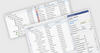
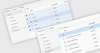
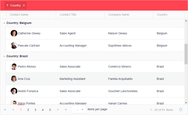
GridView for WinForms is an advanced hierarchical data grid component with powerful features and rich customization. It is easy to integrate and use regardless of whether you want to add functionality to an existing Windows Forms application or planning to start your next great project. GridView is ideal for building data-driven applications. It supports advanced data bindings to multiple data source types. You can visualize a database table, bind to a generic collection or populate the grid's content through APIs without using any data binding. You can also create Pivot Tables with multi-level hierarchies on rows and columns, and multiple value (fact) fields.
Features:
Themes
GridView ships with a set of professionally designed themes. In addition, designing your own theme has never been easier. Each theme is stored in XML format which makes it easy to customize and distribute.
Multi-Level Hierarchies on Rows and Columns
GridView is one of the few components on the market which comes with full support of hierarchies on both Rows and Columns. GridView can handle hundreds of thousands of Items on rows and columns, and Hierarchies can be up to 1024 nodes deep. You can build hierarchies through data binding, design time or programmatically. A rich set of APIs provides unprecedented fine grain control at runtime.
Fixed Hierarchies (Headers)
GridView allows you to set the Columns, and the Rows Hierarchies as Fixed. A Fixed hierarchy is not affected by the position of the respective scrollbar. For example, if the Columns Hierarchy is fixed, and the user moves the vertical scrollbar, all rows and the respective grid cells will be scrolled. However, the Columns hierarchy will stay at its original position. This feature, is very useful when working with large amounts of data.
Fixed Items (Fixed Rows & Fixed Columns)
In addition to fixed hierarchies, GridView allows you to designate some hierarchy items (rows and/or columns) as fixed. Fixed items are individual rows or columns that are not scrollable. They are extremely useful when you have a larger number of rows or columns, and visual comparison between certain rows and columns is desired.
Sorting by Rows or Columns
GridView provides a built-in sorting capabilities. The sorting works in both bound and unbound mode. You can sort by columns, and by rows. Each column, and row has a Sorting property that allows you to enable or disable the sorting functionality. In addition, GridView keeps track on the original sort order, and you can always see the data in original (unsorted) order. The sorting algorithm automatically detects if you are sorting numbers or text data, and applies a proper comparison. In addition, the sorting APIs are extensible, and allow you to plug-in your own sorting comparer.
Filtering
GridView ships with an advanced, and extensible filtering framework. The filtering functionality works in both bound and unbound mode, and you can filter by any column or row. GridView provides built-in filters, and filter expression definition UI for the most common numerical and text data types. Extensible APIs allow you to build your own filters, and even complicated filtering expressions, for any custom data type.
Header Items Drag & Drop
Drag & Drop operations on Row and Column header items is fully supported. You can easily enable or disable drag & drop and control the runtime behavior through a set of events.
Customizable Grid Cells
GridView ships with built-in editors for several grid cell types: simple cell, editable text field, combobox, date time, checkbox. In addition, you can add images, change fonts and colors, handle navigation events, and more.
Header Items Customization
GridView allows you to customize almost every visual aspect of a Header Item. You can add images, change alignment, fonts, colors, override the theme styles and more.
Cell Images
You can create a great looking grid view with cell images, editable fields, animations and themes entirely through a visual designer, and with minimal or no programming.
Grid Cells Conditional Formatting
GridView allows you to define named groups of grid cells, rows and/or columns, and apply conditional formatting to an entire group. You can define unlimited number of groups. GridView ships with eight build-in conditional formatting color scales. The programming model is very flexible and extensible. It allows you to create your own color scales and formatting rules, and apply them to various cell and item groups.
VIBlend Accordion, Outlook and Explorer Bar Navigation Controls
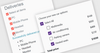
If you want to incorporate the latest user interface trends in your applications, you will definitely enjoy VIBlend's navigation controls collection. VIBlend Controls for Windows Forms includes three navigation bar controls: accordion style navigation pane, outlook navigation pane, and explorer bar navigator control. These controls are very easy to use, offer codeless design time experience, and you can integrate them in your applications within minutes.
Features:
NavPane is an accordion style WinForms control that allows you to create multiple panes which are stacked on each other. Only one of the panes is expanded at a time. Web developers often refer to this type of control as an accordion control. Each item in NavPane consist of a header and a panel control. The header is used to display the item’s text and image, as well as to handle the navigation commands. The panel is a standard Windows Forms Panel control and you can add any number of controls in it. You can even create nested navigation panes by adding a navigation pane control as a child control within the panel of a navigation pane item. One of great visual features of NavPane is the smooth expand/collapse animation activated by clicking on a item’s header. During the animation the control transitions from the currently selected pane to the pane on which the user clicked.
OutlookNavPane is similar in functionality to the Outlook 2007 navigation bar. It is the ideal choice for building Office 2007 style user interfaces. With OutlookNavPane, you can change the number of visible groups by dragging the grip separator. You can also access hidden groups through the overflow panel displayed at the bottom, and customize the control using a built-in menu accessible by clicking the arrow at the bottom right corner of the navigation pane.
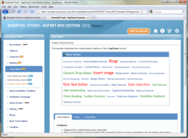
VIBlend ExplorerBar is a stylish explorer-style navigation control for Windows Forms. It allows you to have more than one pane expanded at a time. If the expanded panes do not fit within the control's area, ExplorerBar displays scroll buttons.
VIBlend's navigation pane controls can be populated with content and customized entirely through the Visual Studio designer. Everything comes out of the box and in most case you don’t need to write even a single line of code. You can use the design-time editor to Add, Remove, and modify properties of the control’s items. Every item is customizable. Design-time properties allow you to modify the text, images, font, size and tooltips of the items.
VIBlend Ribbon User Interface
Visual perfection, style and innovation. A total blend of funcationality, professional design and ease of use. RibbonBar is the latest addition in Controls for Windows Forms . It is designed to give your applications outstanding looking & feel. VIBlend RibbonBar incorporates the latest trends and innovations in the desktop user interface technologies. VIBlend RibbonBar is the first WinForms Ribbon control that supports more than fifteen themes, Office 2007 style, and the new Windows7 Ribbon theme.
Highlights:
Examples:
SRibbonBar has 15 themes including the most popular Office 2007 themes in Blue, Black and Silver styles.
You can assign a Tooltip pop-up to be displayed below any control. These tooltips allow detailed user feedback such as description text, footer text, header text, image, etc.
VIBlend RibbonBar is the first professionally design ribbon interface to introduce Windows7 style themes.
You can assign a VIBlend KeyTip component to any control on your form. A KeyTip is activated by clicking the Alt Key. When you click the KeyTip’s selection key then an event is fired. This allows you to capture it in the key tip’s event handler and perform any action.
Contextual Tabs are used only in a particular context. For example you can display Contextual tabs when the user performs a specific action within your application.
VIBlend Calendar Control
VIBlend MonthCalendar is exactly what its name suggests. Just add this control to a Form in your Windows Forms application and you will get a feature complete and highly customizable calendar with an excellent look & feel. MonthCalendar allows you to easily navigate through days, months and years. You can use it in multiple languages, change the week starting day, highlight and tag certain days with reminders, use rich content tooltips, decide whether to see the weeks, how to display weekends and holidays, and so much more that you will never be looking again for another calendar control.
Features:
VIBlend TreeView
It's more than a TreeView for WinForms. It's a supper TreeView. It's easy to use and will make your applications look better. Enjoy the rich functionality and outstanding look and feel. Ships with multiple professionally designed themes to choose from.
Features:
Themes:
TreeView ships with a set of professionally designed themes. In addition, designing your own theme has never been easier. You can store, share and distribute themes in a single XML file.
Tree nodes Drag & Drop
You can drag & drop any tree node within the TreeView. The drag and drop functionality is controlled at runtime through APIs, as well as through designer properties at design time.
Tree nodes with checkBoxes and 3-State checkBoxes
In TreeView you can add CheckBoxes next to the TreeViewNodes. The CheckBoxes inherit the visual style from the TreeView theme. 3-state CheckBoxes are also supported.
Editable Tree nodes
With TreeView you can make the tree nodes editable. You can control the node editing functionality through designer properties at design time and through APIs at runtime.
VIBlend ComboBox
It is hard to find a Windows desktop application that doesn’t use ComboBoxes. This dropdown control is a common element in almost every user interface. The standard Windows Forms ComboBox provides only basic functionality. We designed and built VIBlend ComboBox from scratch to deliver the visual appearance, and feature richness that professional software developers demand.
Features:
VIBlend ListBox
The Windows Forms ListBox control is one of the most frequently used component in .NET applications that run on Windows desktops. VIBlend ListBox resembles the functionality of the standard .NET ListBox control. VIBlend ListBox provides an improved look & feel, supports multiple themes, and includes a set of unique features that are not available in most ListBox controls.
Features:
VIBlend Buttons and Editors
VIBlend Controls for Windows Forms includes several commonly used controls such as buttons, checkboxes, radiobuttons and editors. These controls are very easy to use and replace the standard WinForms controls. They allow you to take advantage of VIBlend's theming and animations, and create consistent, great looking User Interfaces.
Controls Included:
Benefits:
VIBlend Button
VIBlend Button for Windows Forms is a standard Button control which is an alternative to the Button control which comes with Visual Studio. It supports themes, animations, images and configurable text/image relations. VIBlend Button supports six different states and the visual appearance is highly customizable. VIBlend Button supports transparency, configurable rounded corners, and absolute text, and image positioning.
VIBlend ToggleButton
VIBlend ToggleButton is a button that mimics the functionality of a check box control. The most important property of this control is the VIBlend ToggleState which changes the state of the button. The VIBlend ToggleButton appears differently depending on the toggle state.
VIBlend RepeatButton
VIBlend RepeatButton is a button control that raises the RepeatButtonClick event repeatedly from the time it is pressed until it is released. You can configure the time intervals between the click events raised by the repeat button.
VIBlend TextBox
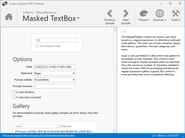
VIBlend TextBox extends the functionality of the standard text box by adding rich visual styles and themes. VIBlend TextBox supports right-to-left mode, multi-line mode, password mode and all of the standard functionality of the WinForms textbox control.
VIBlend CheckBox and RadioButton
VIBlend RadioButton and CheckBox resemble the standard radio button and checkbox controls but they give a new look and feel of using built in themes, visual styles and animations.
VIBlend TreeViewBox
VIBlend TreeViewBox is an edit box with a built in TreeView control. The VIBlend TreeView control’s instance can be retrieved by using the TreeView property and is shown in a popup window when the arrow button is pressed.
VIBlend ColorPicker
VIBlend ColorPicker is drop-down control that provides color selection functionality. VIBlend ColorPicker has a built-in list of the most common paint colors, as well as Web, and System colors.
FieldSet and OptionsFieldSet
VIBlend FieldSet & OptionsFieldSet controls provide drop-down selection list functionality. These controls allow you to quickly build single or multi-choice selection interfaces.
VIBlend ControlBox
VIBlend ControlBox is a generic DropDown control that allows you to host any other control within the DropDown window.
VIBlend Scrollers, Sliders and Progress Indicators
VIBlend Controls for Windows Forms includes improved versions of the commonly used controls for scrolling and progress indication. These controls are very easy to use, highly customizable, and with excellent look and feel. In addition to the rich set of built-in themes, you can change almost every visual property and color. It will be almost impossible to find a better alternative. The library contains the following controls in this category:
Features:
VIBlend TabControl
VIBlend TabControl will make your applications look even better whenever you need to create interfaces with multiple tabs. VIBlend TabControl is extremely easy to use. It provides rich functionality and excellent visual experience.
Features:
Publisher
Primary Category
Related Products
Related Categories
ComponentSource offers a unique global service, used by over 1,000,000 software developers worldwide.