
LEADTOOLS Multimedia SDK
전문적인, 고품질 멀티미디어 애플리케이션을 만듭니다.
비디오 컨퍼런스 - LEADTOOLS는 비디오 캡쳐, 재생, 전송 및 효과적인 압축을 요구하는 DirectShow 및 Media Foundation 애플리케이션을 개발하는 고급 비디오 컨퍼런스 기술을 추가합니다.

설명: A smart video API for.NET Framework,.NET Core, Delphi and C++ developers. MFormats SDK is a frame-based video software development framework that simplifies and improves the development experience when working with live sources, playing out to ... 더 읽기
설명: Create powerful multimedia applications based on DirectShow and Media Foundation. LEADTOOLS Multimedia is specifically designed for the development of audio/video applications across a wide variety of industries, including healthcare, defense, broadcast, ... 더 읽기

설명: A complete collection of performant, extensible.NET UI controls for mobile, Web, and desktop. ComponentOne Studio Enterprise (formerly ComponentOne Studio) is a comprehensive, flexible collection of performant, extensible.NET UI controls for mobile, web, ... 더 읽기
설명: A set of 80+ native Blazor UI components. Blazorise is a component library built on top of Blazor with support for popular CSS frameworks like Bootstrap, Bulma, AntDesign and Material. The Blazorise library provides state-of-the-art solutions for startups ... 더 읽기

설명: Full-stack framework to develop enterprise-scale web applications using standard.NET. Wisej.NET is a cross-platform web framework for building modern HTML5 applications using.NET and C#/VB.NET instead of HTML and JavaScript. It contains everything you 더 읽기

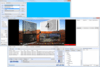
설명: Build broadcast automation, ingest and video mixing applications in the fastest and most reliable way. MPlatform is a professional multimedia software development kit with native support for C#, VB.NET, VB6, Visual C++ and Delphi. MPlatform includes ... 더 읽기
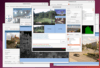
설명: 비디오 채팅을 조직하고, IP 네트워크를 통해 비디오를 전송하고, 로컬 웹캠 및 IP 카메라와 작업하기 위한 컴포넌트. RVMedia is a set of Delphi and C++Builder VCL components which allow you to add the following functions to your apps. Receive video from local web cameras and IP-cameras, configure IP ... 더 읽기
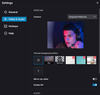
설명: Record the screen, webcam and audio in your application. FlashBack Screen Recorder SDK helps you build powerful applications with screen, webcam and audio recording. The Flashback capture engine creates standard MP4/H264 video files using acceleration ... 더 읽기
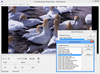
설명: Develop audio and visual applications across a wide variety of industries. The LEADTOOLS Multimedia Suite SDK is a collection of multimedia development technology that provides developers with everything they need to create enterprise-level multimedia ... 더 읽기
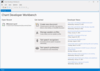
설명: Develop Software that speaks, listens and interacts with users. Chant Developer Workbench helps you develop applications that speak, listen, and interact with users. You can easily manage conversations, grammars, lexicons, movement, profiles, speech, and ... 더 읽기
전화 : 00798 14 800 6332
팩스 : +1 770 250 6199






 (1)
(1)