WebInput.NET - .NET - V3.0

by Intersoft Solutions Corporation - 상품타입: Component / ASP.NET WebForms / .NET Class / 100% Managed Code

주의 : 이 제품정보에는 한글안내가 포함되어 있지 않습니다.
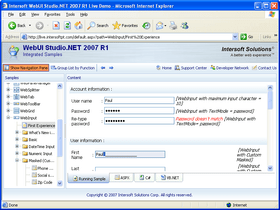
WebInput.NET - .NET - V3.0 의 스크린샷Advanced input control for your ASP.NET applications. WebInput.NET is a masked input component for ASP.NET 2.0 Web development offering features such as display and edit formatting, character highlighting, validation and comprehensive support for most cultures available in .NET. WebInput.NET provides excellent capability in formatting, masking and validating that works similar to the input behavior in Microsoft Access. Using WebInput.NET, you can provide input in your Web application for entering fields such as Social Security Number, Extension, and Phone Number in any .NET supported cultures. You can use any mask format as long as it conforms to the Microsoft Access masking specification. WebInput.NET supports literally any browser (Internet Explorer, Mozilla Firefox, Opera, Safari, Gecko based, etc.) and both Visual Studio 2005 and 2008 (VS2005, VS2008).

379,600₩
통화 선택

일반 적인 소비자 가격은 하기에 표시되어 있습니다. 고객님의 할인가격은 표시 하시려면 로그인 해주시기 바랍니다.

WebInput.NET 3.0

주문 ₩ 379,600 1 Developer License 다운로드 (227.5 MB)
주문 ₩ 759,200 4 Developer Team License 다운로드 (227.5 MB)
주문 ₩ 1,518,300 8 Developer Team License 다운로드 (227.5 MB)
주문 ₩ 3,795,900 1 Site Wide License (Allows Unlimited Developers at a Single Physical Address) 다운로드 (227.5 MB)

WebInput.NET 3.0 - Upgrade

주문 ₩ 148,800 1 Developer Upgrade License from previous version 확인 다운로드 (227.5 MB)
주문 ₩ 297,700 4 Developer Team Upgrade License 확인 다운로드 (227.5 MB)
주문 ₩ 595,300 8 Developer Team Upgrade License 확인 다운로드 (227.5 MB)
주문 ₩ 1,488,300 1 Site Wide Upgrade License (Allows Unlimited Developers at a Single Physical Address) 확인 다운로드 (227.5 MB)

본 제품은 GSA Schedule 가격으로 제공해 드릴수 있습니다.가격에는 ComponentSource의 기술지원 요금이 포함되어 있습니다. 또한 다운로드 판매를 하고 있는 상품의 대부분은 온라인 백업요금이 포함되어 있어서 구입날로부터 30일 이내에 새로운 버전이 발매된 경우 무료로 업그레이드해 드리고 있습니다.  모든 주문에 대해서 당사표준 계약조건 반품조건 의 내용이 적용됩니다. 다음의 경우,고객 서비스로연락하시기 바랍니다. (상기의 리스트에 게재되지 않은 대량의 라이센스나 구 버전 등의 라이센스 옵션이 필요한 경우)

일반 적인 소비자 가격은 상기에 표시되어 있습니다. 고객님의 할인가격은 표시 하시려면 로그인 해주시기 바랍니다.

What's New in WebInput.NET 3.0?

  • The value of WebInput is still persisted in the second full postback eventhough the value has been deleted since the first full postback
  • Error occured when adding a new row from server side in WebGrid where WebInput with DisplayFormat and Format specified is integrated into it
  • Unable to persist initial WebInout's value
  • Unable to get the value of WebInput during AJAX callback when it is placed within a WebDialogBox
  • Fix: WebInput value is not persisted during several postbacks.
  • Fix: Error occurs when WebInput is placed inside .NET Panel and the panel is hidden.

Quick configuration by using SmartTag Designer
WebInput.NET introduces SmartTag Designer that extends Visual Studio 2005's designer architecture. The SmartTag Designer is useful to help developers easily getting started with the new WebInput.NET instance. The SmartTag Designer consists of common task which usually performed to help you setup your WebInput fast

Guided design-time configuration
The new designer concept employs guided configuration experience in assisted mode. For instance, most property elements now have Tooltip that describes the function. The features of the component are also converted to use question-based model and included more verbose text.The classic designer that shows all properties in a property grid is still supported in this new designer. The property grid is now contained in Advanced Settings area.

Cleaner and reduced page output through built-in Default Style
WebInput introduces default style concept to deliver optimal performance right out-of-the-box.The default style feature offers a clean control definition during development, best performance in server throughput, also reduced page output size up to 70 percent since styles are no longer produced regardless of the number of instances in a page

XHTML 1.1 Transitional Support
WebInput.NET now fully supports XHTML 1.1 Transitional. This is made possible with revamped core rendering and designs.Along with XHTML 1.1 compliant output and Transitional support, all user interface features and data functions are supported and have been tested to work properly. The XHTML 1.1 Transitional support in version 3.0 allows web developers to use WebInput.NET in their web page that target W3C standards compliance.


What's New in WebInput.NET V2?

  • Full Gecko-engine support

    One of the biggest and most significant enhancements in this version is the full support of Gecko-based browsers. Unlike other products, when our label says "Full Gecko Support" it means there would be no feature degradation when browsed in Gecko-based browsers. That means your end users will get same results, same behaviors and same feature-sets when they browse your web page with either Internet Explorer or Gecko-based browsers.

    Intersoft Solutions Corporation’s WebInput.NET V2 as well as upcoming products are the first in the market utilizing extremely rich IE's proprietary features and yet fully working in Gecko-based browsers. This was made possible by the new invention of IEMozBridge™ technology with the "Write once, Browse anywhere" concept.

  • Greater stability and reliability

    WebInput.NET is now much stable and reliable than ever before. Dozens of issues and minor bugs found in initial release have been fully solved. Performance has also been significantly enhanced due to the updated Framework features.

End users have been very familiar with Windows date input control where they can use keyboard to select each element of the DateTime and easily change part of the DateTime element by either spinning the value up and down, or by typing directly into that element such as the day element or month element. With WebInput.NET, now you can do the same for your Web application plus the ability to select from the calendar dropdown. As for currency input, WebInput.NET also has a special feature which allows users to input the number using Microsoft Money style Calculator Editor. WebInput.NET Features Include:

  • HighLighting - An intuitive editing feature that can select and highlight text. Full mouse and keyboard support. Runs independently and fully integrated with other features
  • Culture Settings - WebInput.NET supports .NET culture setting info for formatting and validating with various culture types from Afrikaans to Vietnamese
  • Formatting - Using standard .NET formatting feature, WebInput has a solid formatting base that exposes many NET. formatting features such as format expression, validation, separator, and standard format
  • Masking - An extraordinary WebInput feature which can define input expression, limiting input, validate input and spin selected input text. Following the standard masking mechanism, it brings powerful editing features to WebInput.NET
  • Client Side Object Model - WebInput.NET has a solid, consistent, and more object oriented client side object model corresponding to server side object model. Fewer properties than server side with extra client side features. When properties change in client side, it can reflect to server side at post back (serialize to and serialize from client). WebInput's client side object model is now based on Intersoft Solutions Corporation’s WebUI.NET Framework which defines the common functionalities of the client side object
  • Editors - The calculator editor and datetime editor provide for a better UI and better editing process. These editors work well and have different behaviors (for edited data) when working with other features
  • Integrated Layouts - WebInput.NET has a new conceptual approach to the layout mechanism. WebInput.NET Inherits from the new Intersoft Solutions Corporation’s WebUI.NET framework, it has an integrated image-text-style settings and persistence mechanism that is easier to learn, use, and manage
  • Intuitive VS.NET Design Time Support - WebInput.NET has a preview settings feature at design time that helps developers with easy, simple, and descriptive settings modification
  • WebGrid.NET Custom Editor Support - WebInput.NET can be used as a stand alone as well as integrated right into Intersoft Solutions Corporation’s WebGrid.NET Enterprise editor. This allows your end users to take advantage of the WebInput.NET's rich features and power with the convenience of in-cell editing of WebGrid.NET Enterprise
  • WebInput.NET version 3.0 fully supports SmartWebResources infrastructure. This enables WebInput.NET to function right out-of-the-box after the simply XCOPY deployment. Both developers and site administrators can now deploy Intersoft's components by simply copying the assemblies in the Bin folder of the project - and totally eliminates the need to copy javascript files, component-specific images and runtime files.

For a better editing experience, the WebInput.NET control has several features like: Highlighting, Formatting, Masking, and Validating data client side (web browser). With HighLight, the user can select specific edit values (whether a character, a phrase or a word), edit the value, and spin it (for spin, it requires EditFormat feature enabled). The Formatting lets WebInput.NET format and validate the display text data according to a supplied format expression. The Masking provides better editing experience by defined input place holders per character and literals, validate it per character or phrase, and spin the selected value. An exception to Masking, there is a DynamicNumber MaskType that validates and reformats each value entered and each key pressed. This DynamicNumber doesn't need to specify the masking expression.

To display data in the WebInput.NET control set the Value properties to a valid data source (a string, datetime or numeric data type). WebInput.NET doesn't provide a DataSource-level data binding mechanism since the data is processed as simple values and not a datasource. The Text property contains value data that is formatted, masked, edited and validated.

Supports .NET culture settings formatting, specifiers, separators etc (from Afrikaans to Vietnamese).

The Validating mechanism is internally plugged to the Formatting and Masking features.

To interact intensively with WebInput.NET processes at runtime, there is an object oriented client side class library of WebInput.NET that can be modified via script and persisted server side when posted back. The client side object is actually a mini version of the server side object with some extra client side features. So the client side object has a consistent object model to reflect the server side object model. There are also several client side event handlers that can be attached. Every event handler provides a minimum controlId parameter as standard.

There are 2 built in editors that power editing capabilities, Calculator editor and DateTime editor. The editors work well with HighLight, Formatting, Masking and Validating features.

WebInput.NET supports dynamic styles (different style on element normal state, active state and over state), integrated style-text-image settings, design time layout preview, and control layout data persisting that is compatible with Microsoft ASP.NET 2.0.

WebInput.NET is built based on the new Intersoft Solutions Corporation’s WebUI.NET Framework. As results, it inherits all the power and benefit of the new framework likes instance object cloning (with reference type), instance object resetting (with reference type), instance object copying (with reference type), instance object empty checking (with reference type), support for Intersoft Solutions Corporation’s XML serializable and Intersoft Solutions Corporation’s Binary serializable, intuitive design time support, and more.


상품검색

검색어를 입력해주세요:

개발 코스트 계산


ROI 계산을 참고해주세요.

코드행 수: 500,000
인월 : 500
인건비: $2,500,000

필요한 기능:

1000행 당 인월:

1개월당 인건비:

Award