by Intersoft Solutions Corporation - 상품타입: Component / ASP.NET WebForms / ASP.NET AJAX (ATLAS) / .NET Class / Silverlight / 100% Managed Code / AJAX
WebUI Studio.NET 2008 R2 by Intersoft Solutions Corporation
A suite of advanced components for ASP.NET web development. WebUI Studio.NET is a suite of components including all Intersoft Solutions Corporation's ASP.NET products. WebUI Studio.NET includes WebGrid Enterprise, WebCombo.NET, WebInput.NET, WebDesktop.NET, WebScheduler.NET, WebTreview.NET, ISDataSource.NET and WebAqua.NET. WebInput.NET offers Input/Masking/Calendar/Currency functionality, WebGrid.NET Enterprise for Grid/Data List/Tree View functionality, WebTreeView.NET provides TriState CheckBox (checked, unchecked, indeterminated), Silverlight WebAqua.NET to include stunning animation and elegant visual effects and WebScheduler.NET to build a rich and interactive Scheduling application in a single drag and drop . WebUI Studio.NET 2008 R1 empowers Rich Internet Applications development offering a solid architecture and tight integration between each product. WebUI Studio.NET supports literally any browser (Internet Explorer, Mozilla Firefox, Opera, Safari, Gecko based, etc.) and both Visual Studio 2005 and 2008 (VS2005, VS2008).
Overview
WebUI Studio.NET is a collection of 23 components in total that are included inside the major products listed below:
WebAqua.NET: WebAqua.NET is a Microsoft Silverlight product including WebFishEye.NET and WebCoverFlow.NET.WebAqua.NET automatically converts the server side object into Silverlight-enabled object, including stunning animation and elegant visual effects. WebAqua.NET is highly customizable with XAML support.
WebFishEye.NET allows you to customize the navigation in Elegant Arc mode or Grid mode. By setting some properties, such as size of the fish eye button, the dock backgrounds, tooltip text, custom font source, you have created a brilliant and appealing Web that is according to what you please. Together with Microsoft Silverlight, it is now possible to add visual effects. Zoom, jump, reflect, flip, spotlight, and glow are the 6 built-in visual effects to you can apply to your buttons.
WebCoverFlow.NET is a sophisticated and advanced Silverlight-based Media Player designated to bring you the experience of iPhone-style Cover Flow interface. WebCoverFlow is capable to display pictures and movies in a 3D style perspective view. With WebCoverFlow, you can conveniently browse over a large amount of media and switch from one media to another by simply clicking the cover item. Whether your media is a picture or movie, WebCoverFlow.NET is able to detect the type of files that you have in focus. The VirtualFlow technology, designed by Intersoft, enables you to display virtually any number of covers without performance depletion.
WebScheduler.NET: Powered with over hundreds of advanced features, helps you to build a rich and interactive Scheduling application in a single drag and drop. The TripleLoad technology makes WebScheduler.NET a very fast Scheduling component too. WebScheduler.NET allows you to bind the Scheduling data to your database schema with no restriction or what-so-ever and in an elegant approach. Plugged into ISDataSource control, WebScheduler allows you to bind multiple tables in a single encapsulation.
WebTreeView.NET: Intersoft's latest ASP.NET server control enables you to easily create a hierarchical data presentation. WebTreeView.NET® incorporates numerous features which makes it flexible and highly customizable to meet your design needs. Features in WebTreeView include Tristate checkbox, Load On Demand, sophisticated drag and drop ability, standard keyboard navigation, and built-in animation during expanding and collapsing the node. This fully-featured control will benefit developers in creating a data hierarchical presentation, window-to-window navigation and also structural navigation.
WebGrid Enterprise: WebGrid.NET Enterprise is an advanced DataGrid component for ASP.NET Web development. WebGrid.NET Enterprise provides comprehensive Grid functionalities enabling enterprise-class information to be delivered in hierarchical navigations with sophisticated user interaction, allowing users to work with the information in a more effective and productive way. New Features include: Localization Manager, OnTheFly Postback, Advanced Load on Demand and Excel style column freezing.
WebCombo.NET: WebCombo.NET is an AJAX-based combo box component providing numerous advanced input functions and features. With its built-in filtering feature, you can easily add professional "auto complete" input interface to your ASP.NET 2.0 Web application in no time. Using the company's proprietary AJAX technology named FlyPostBack™, WebCombo.NET is capable to load filtered results from large dataset in high performance fashion. Designed exclusively for Visual Studio 2005, WebCombo.NET 4.0 adds many design-time features such as declarative data binding, SmartTag action panel, and all-new Component Designer. This means you can now use WebCombo and perform data binding in a more productive way, faster and easier without the need to write any single line of codes.
WebInput.NET: WebInput.NET is a multi-talented masked input component for ASP.NET 2.0 Web development offering features such as display and edit formatting, character highlighting, validation, etc..WebInput.NET provides formatting, masking and validating that works similar to the input behavior in Microsoft Access. Using WebInput.NET, you can now provide sophisticated and rich input in your Web application for entering fields such as Social Security Number, Extension, and Phone Number in any .NET supported cultures. You can use any mask format as long as it conforms to the Microsoft Access masking specification. End users have been very familiar with Windows date input control where they can use keyboard to select each element of the DateTime and easily change part of the DateTime element by either spinning the value up and down, or by typing directly into that element such as the day element or month element. With WebInput.NET, now you can do the same for your Web application plus the ability to select from the calendar dropdown. As for currency input, WebInput.NET also has a special feature which allows users to input the number using Microsoft Money style Calculator Editor.
WebDesktop.NET: AJAX-enabled Web presentation components designed to help you professionally build sophisticated "desktop-style" web user interfaces. Developers are enabled to develop enterprise-grade Web application with the richness of Desktop application in their behaviors and styles. With WebDesktop.NET end users can now experience the same behaviors and appearances of today's popular Desktop application, from mouse and keyboard interaction to extensive drag and drop capability. WebDesktop.NET includes 13 highly advanced components such as DesktopManager, PaneManager, FlyPostbackManager or AJAX-Manager component, WebExplorerPane, Tab, ToolBar, MenuBar, ContextMenu, Notification System, StyleManager, DialogBox, NavPane and Button.
WebDesktop.NET also includes XmlCompression and CssOptimizer technology for improving performance. Eight other technologies (TrueShape, ClickAndEdit, ClickAndSelect, TrueFill, TrueDock, HighClarityDesktop, InteractiveDesigner and GenericPersistence) takes developers to a new level of Web application development with advanced visual WYSIWYG experience designed exclusively for Visual Studio 2005 development environment.
ISDataSource.NET: ISDataSource.NET is a data source component for ASP.NET 2.0 with the ability to support declarative multiple table views and hierarchical-relational dataset. There are many data-related functionality, unique to ISDataSource.NET -- such as advanced file server caching, cache configuration, load on demand and much more. ISDataSource.NET is designed to resolve limitations in the existing data source control that shipped with ASP.NET 2.0. Comes with an intuitive and time-saving Wizard, you can easily connect to business object in few clicks only. In addition to the exclusive support for WebGrid.NET Enterprise and WebCombo.NET, ISDataSource.NET component can also be used in standard .NET data bound controls.
What's new in WebUIStudio 2008 R2?
WebScheduler.NET goes to enterprise-level - Enhanced with several major enterprise-level features, WebScheduler.NET 2.0 includes built-in exporting capability, which supports two widely-used formats, PDF and iCal. The PDF exporting result mimics most aspects of the Scheduler’s elements. The iCal format enables developers to achieve many advanced scenarios, such as: synchronizing WebScheduler.NET’s events with Microsoft Outlook 2007. This flexible exporting capability also includes a comprehensive sets of client APIs and server-side methods to enable developer to customize the look-and-feel and the behavior of the exporting and its results. In addition to the exporting functionality, WebScheduler.NET also introduced two new views to complement the existing 6 views available in version 1.0. These two new views, TrueSplitView and Timeline View, are provided to meet the enterprise resources planning requirements.
The concept behind TrueSplitView is to view all events grouped by resources. This enables end user to have different perspective on all events. Several enhancements are made in WebScheduler.NET level to match up TrueSplitView, such as: event drag-and-drop behavior in TrueSplitView mode.
Another enterprise-grade feature introduced in version 2.0 is TimelineView. It supports two TimelineView modes, Timeline Time View and Timeline Day View, users can easily view their event information in daily basis of the selected month or view their event information within one week time span in hourly basis. Simple click on the “Timeline” button, WebScheduler.NET will automatically transform any normal views to Timeline in a fraction of seconds.
Highly extensible editing form concept is also introduced in version 2.0, along with various enhancements on WebScheduler.NET’s behaviors and styles to make it more developer friendly and easy to use.
Enhanced version of WebGrid.NET Enterprise - Besides supporting Section 508 Standards, WebGrid.NET Enterprise also introduced the enhanced multiple row selection behaviors. In the previous approach, a check box appears on every row and to select multiple rows, simply checks on it. Now, you can combine your keyboard stroke with mouse click to select multiple rows. Simply use CTRL, SHIFT, or CTRL+SHIFT and click to select multiple rows. This elegant solution offers the same behaviour as on a desktop. Other enhancements include the ability to preserve the checked/selected state when FlyPostBack or FullpostBack occurs, preserve the expanded child rows after FlyPostBack actions, supporting “ButtonImage” column type, and more.
WebAqua.NET 2.0 - Along with the WebUI Studio.NET 2008 R2 release, we also released ”Sirius 2.0”, a showcase that resembles the future of Web UX. The showcase is not only a precursor of what we are going to deliver in the future, but also demonstrating the new WebFishEye.NET 2.0 and WebCoverFlow.NET 2.0, rewritten from scratch to take full advantage of Silverlight 2.0 platform. WebFishEye.NET is a stylish docking navigation control which perfectly replaces your old textual links. With improved zoom logic, WebFishEye.NET promises you a whole new sensation when navigating through pages with its fast, sleek, and interactive animations and visual effects. In the latest version 2.0, AutoHide feature is introduced. This feature is very useful under certain scenario which requires maximum screen real estate. When enabled, AutoHide feature will hide the whole or partial of WebFishEye’s instance in an elegant sliding and slightly faded effects, WebCoverFlow.NET is an interactive Web-based multimedia viewer. It supports image, audio, as well as video playback. With customize-friendly layout elements, you can tweak WebCoverFlow.NET to match your Web-application easily. The built-in color theme also enables you to change the color of the slide show playback controls easily.
Both WebFishEye.NET and WebCoverFlow.NET support Silverlight databinding and templating. This elegant solution enables developer to use their database and achieve LOBs scenarios easily. You can create a card-style customer information viewer or interactive login screen or anything that you can think of.
Supporting Silverlight designtime and ASP.NET designtime, you can use WebFishEye.NET and WebCoverFlow.NET in Microsoft Expression Blend 2.5 June CTP and Visual Studio 2008 with Silverlight 2.0 toolkit installed for more comprehensive visual development or switch to Visual Studio 2005/2008 for classic ASP.NET version for more programming and logic creation development.
What's New in WebUiStudio 2008 R1 SP2?
WebDesktop.NET 2.5
New Scenario Supported: WebNotification position is now automatically updated according to the specified DisplayPosition when the browser is resized.
New Scenario Supported: WebFlyPostbackManager now supports dynamic scripts loading during AJAX refresh.
WebGrid.NET Enterprise 6.0
New Sample : Using WebDialogBox as Custom Editing Form. This sample demonstrates how to use your custom-made editing form to replace the built-in data editing behavior.
WebInput.NET 3.0
Unable to persist empty value in datetime WebInput during postback.
WebScheduler.NET 1.0
New Scenario Supported: Supports AddInput in WebScheduler.
New Feature Supported: Adds OnContextMenu client side event.
New Scenario Supported: When using Editing Form, events are now rendered correctly after data operation.
New Scenario Supported: Exception events are deleted when the recurrence pattern of the series is updated.
WebTreeView.NET 1.0
Modified Sample: AutoPostBack Drag and Drop. Error will not occur when moving a node, either as the child node or sibling node, to another node
What's New in WebUI Studio.NET 2008 R1 SP1?
WebUI.NET Framework 3.0
New Scenario Supported: Supports ASP.NET AJAX 3.5.
New Scenario Supported: When Intersoft control's visibility is set to false, and then set back to true via PostBack, the control's state is not persisted.
New Scenario Supported: LoadLayoutFromXml method now performs two times faster.
WebGrid.NET Enterprise 6.0
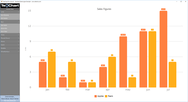
New Scenario Supported: New built-in Chart Engine.
New Scenario Supported: Improves performance when using large data.
WebCombo.NET 4.0
New Scenario Supported: Supports enhancements in WebUI.NET Framework 3.0.
WebDesktop.NET 2.5
New Feature: Added CloseIndicatorPosition property to indicate whether the close indicator should be placed at the edge of the container, or at each tab header.
New Feature: Added SaveBarsStructureToXml method to save the bars structure to xml.
WebInput.NET 3.0
Fix: WebInput value is not persisted during several postbacks.
Fix: Error occurs when WebInput is placed inside .NET Panel and the panel is hidden.
WebTreeView.NET 1.0
New Feature: Added EnableTriStateCheckBoxParentInIndeterminateState property to indicate whether to enable TriState checkbox parent in indeterminate state.
WebScheduler.NET 1.0
New Scenario Supported: Supports x32 and x64-bit machine.
New Scenario Supported: Supports RTL mode in WebScheduler.
New Scenario Supported: Persists SelectedDate and SelectedViewMode values during flypostback.
New Feature: Add EnableNavigateToOtherView property which determines whether or not user can navigate to other view using header click action in Month view.
New Feature: Add ClearResource client side methods.
New Feature: Add OnEditingFormShow, OnEditingFormInitialize, OnEditingFormSave, OnEditingFormCancel, OnEditingFormClose client side events.
WebAqua.NET 1.0
New Feature: Added OnActiveItemClick client side event that is invoked when the active item is clicked.
ISDataSource.NET 1.0
New Scenario Supported: Supports enhancements in WebUI.NET Framework 3.0.
and Integrated Help Collection to Visual Studio 2008
What's New in WebUI Studio.NET 2008 R1?
New Product: WebAqua, new and innovative WebUI that is built upon Microsoft's Silverlight Technology
New Product: WebCallOut, a new member of WebDesktop family that enables you to create tooltip or callout that suit your style
New Product: WebScheduler, powered with over hundreds of advanced features needed to build rich and interactive Scheduling application
PartNumbers: PC-516583-167376 516583-167376 PC-516583-167379 516583-167379 PC-516583-167382 516583-167382 PC-516583-167385 516583-167385 PC-516583-167388 516583-167388 PC-516583-167391 516583-167391
Publisher PartNumbers: WUI2008R2-4TL WUI2008R2-8TL WUI2008R2-FS WUI2008R2-R WUI2008R2-SD WUI2008R2-SW
PurchaseOptions: WebUI Studio.NET 2008 R2 Subscription 1 Full Subscription License , WebUI Studio.NET 2008 R2 Subscription 1 Full Subscription Renewal License (WebUI Studio.NET Full Subscription required) , WebUI Studio.NET 2008 R2 Suite 1 Developer License , WebUI Studio.NET 2008 R2 Suite 4 Developer Team License , WebUI Studio.NET 2008 R2 Suite 8 Developer Team License , WebUI Studio.NET 2008 R2 Suite 1 Site Wide License (Allows Unlimited Developers at a Single Physical Address)
Resources: Read testimonials from customers about Intersoft Solutions Corporation's products and support, Read the WebUI Studio.NET License Agreement, Download the WebUI Studio.NET 2008 R2 evaluation on to your computer - Expires after 30 days
Operating System for Deployment: Windows Vista, Windows XP, Windows Server 2003, Windows 2000
Product Type: Component
Component Type: ASP.NET WebForms, ASP.NET AJAX (ATLAS), .NET Class, Silverlight, 100% Managed Code, AJAX
Built Using: Visual C# .NET
Compatible Containers: Microsoft Visual Studio 2008, Microsoft Visual Studio 2005, Microsoft Visual Studio .NET 2003, Microsoft Visual Basic 2008, Microsoft Visual Basic 2005, Microsoft Visual C++ 2008, Microsoft Visual C++ 2005, Microsoft Visual C# 2008, Microsoft Visual C# 2005, Microsoft Internet Information Server 6.0, Microsoft Internet Information Server 5.0, Microsoft Internet Explorer 7.0, Microsoft Internet Explorer 6.0, Microsoft Internet Explorer 5.5, .NET Framework 3.5, .NET Framework 3.0, .NET Framework 2.0
Product Class: User Interface Components
Keywords: Intersoft Solutions Corporation User Interface Collections UI Product Suites Suite bundles bundle Professional Partner WebUI Studio.NET 2008 R1, Intersoftpt WebUi Studio