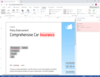
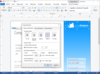
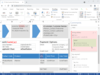
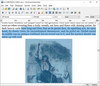
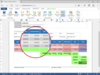
Screenshot Preview

WordController

經 Jumar Solutions - 產品類型: 構件 / ActiveX DLL / DLL

‏請注意: 除非另有說明,此為英語產品

*

Integrate your applications with multiple versions of Microsoft Word. WordController detects which version of Word is present at runtime and executes code appropriate to that version. Developers can write one set of code that can be deployed to users without worrying about what version of Word they have installed on their system. Use WordController to determine which version of Word is running, launch Word in any state (hidden, normal, minimized, maximized), create Word documents from text files, and more.

 *

What's New in V5.0

This version offers Word 2003 compliance. Earlier versions do not support Word 2003. In addition there are many new functions, including extensive support for Word tables.

There is a new DLL, a new version of the sample application and updated documentation (DOC and HLP).

The new functions offered include the following:

  • wdcApplyTableAutoFormat
  • wdcApplyTableStyle
  • wdcCloseAllDocuments
  • wdcConvertTextToTable
  • wdcGetActiveDocumentName
  • wdcGetBookmarkNames
  • wdcGetDocumentWindowCount
  • wdcGetDocumentWindowName
  • wdcInsertBookmark
  • wdcInsertContentAtBookmark
  • wdcInsertTable
  • wdcRunMacroWithParameters
  • wdcSelectTable
  • wdcSelectTableCell
  • wdcSelectTableColumn
  • wdcSelectTableRow
  • wdcSetTableColumnWidth
  • wdcSetTableRowHeight

What's New in V4.0

  • This version is released primarily for Office XP (Word 2002) compliance. Previous versions did not work with Word 2002
  • There is a new DLL, a new version of the sample application and updated documentation (DOC and HLP)
  • There is also some additional functionality in the form of new and improved functions for formatting of text within Word documents

 *

Running on top of the functionality exposed by Word, WordController detects which version is present at runtime and executes code appropriate to that version. It becomes simple to write one set of code, which can be deployed to users without worrying what version of Word they have.

WordController aggregates complex Word functionality into high-level new functions that allow Developers to manipulate Word without requiring them to understand the Word object model.

Developers who wish to integrate with Word face a major problem with regard to the different behaviour of different Word versions. Applications that are written for one version of Word do not necessarily work when run on a workstation that has a different version installed.

Developers do not want to have to specify that their Users have a particular version, nor do they want to revisit their applications when the next version of Word is released. WordController Plus addresses these issues by adding a layer on top of the functionality exposed by Word, detecting what version is present at runtime and executing code that will work with that version. It is now possible to write one set of code that can be deployed to users without worrying what version of Word they have. And when the next version of Word is released let us worry about testing its behaviour and making any changes necessary to ensure that the WordController functions behave in a manner as consistent as possible with the earlier versions.

Further, WordController aggregates some very complex Word functionality into high level new functions which allow the Developer to do the most commonly required tasks: open documents; generate form letters; build tables; do mail merges etc. with just one or two lines of code and without any need to understand the complex Word object model. An example of this is the wdcBuildTemplateDocument function that does all the processing associated with generating (and optionally printing) would be a template-based form letter or report with a single function call.

Using combinations of the WordController functions the Developer can do most of the things he or she would normally need to do without needing to learn the old WordBasic or the newer Word object model. But WordController also provides access to the native Word.Basic and Word.Application objects exposed by Word itself so you can code additional functionality if you wish.

WordController also offers sophisticated error handling. Many things can go wrong when working with a 3rd party application on a machine over which you have no control. WordController allows you to trap errors in a professional manner and return friendly error codes and text to the calling application to be acted upon as the Developer chooses. For more information on this see the Error Handling section later in this document.

When the WordController component is installed on the workstation, a Developer building an application with a product which supports the use of ActiveX components (such as Visual Basic or Delphi) can access any of the WordController methods (functions) and properties from within their code.

WordController is a 32-bit in-process OLE server DLL that may be used on any 32-bit Windows platform (NT/2000 or 95/98/Me). ). It can be used with Word versions 6.0, 95, 97 or 2000. A few WordController functions do not work with the pre-97 versions as they offer functionality which was not available in these versions but where this is the case it is clearly pointed out in the documentation (see individual function descriptions for details) and the functions do not fail - instead they return a trappable error indicating that that version of Word does not support that functionality. This allows the Developer to handle the exception smoothly and avoid unpleasant application failures.

WordController includes a sample Visual Basic project that demonstrates how to call the component functions.


 *

With the help of WordController Plus a client application can:

  • Determine if Word is running and return the Word window handle
  • Launch Word in any state (hidden, normal, minimized, maximized)
  • Open Word documents (optionally with password and/or read only) and create new documents (optionally from templates)
  • Build form letters based on Word templates
  • Perform Word MailMerges to produce merge documents or labels based on templates
  • Create Word documents from data in text files
  • Move within and between documents, insert text, files and graphics
  • Apply styles and formatting
  • Create Word tables from data contained in text files. If desired the tables can be embedded in Word template documents.
  • Replace all occurrences of a string in an open document with another string.
  • Retrieve and set document properties
  • Protect and unprotect sections or complete documents
  • Print, save, convert and close documents
  • Make use of Word's spell checking functionality
  • Run Word macros
  • Close Word

注意

還未完成翻譯的產品說明, 我們提供了Google 翻譯的連結方便您使用. 但請注意, 自動翻譯有時候可能會有翻譯錯誤.
由「」技術提供
在Firefox 和Opera 需要Flash.

產品搜索

輸入搜索詞:

為什麼從ComponentSource購買?

ComponentSource 提供獨特的全球國際服務, 在世界各地共有超過1,000,000 開發者客戶.

更多訊息 | 關於我們