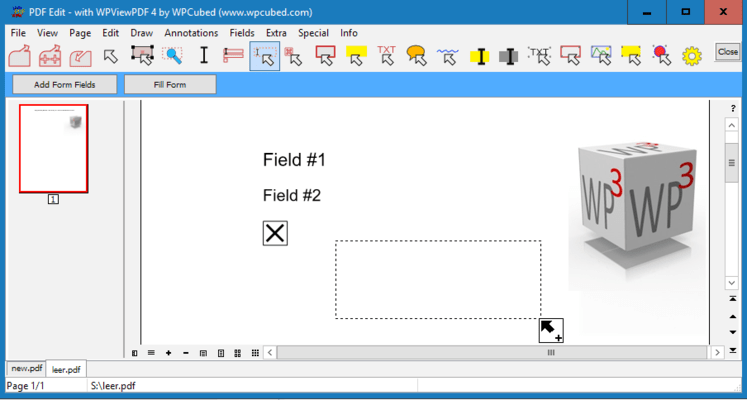
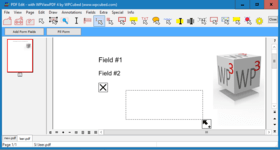
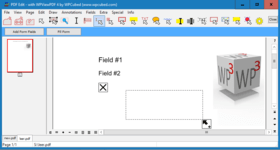
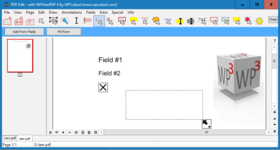
Screenshot Preview

wpViewPDF - 概要

經 wpCubed - 產品類型: 構件 / .NET 類 / ActiveX DLL / DLL / VCL

概要

 *

wpViewPDF by WPCubed

URLs: wpviewpdf, wpcubed

View PDF data with ease. wpViewPDF allows you to view PDF data that can be loaded from memory, file or stream. wpViewPDF has been developed as a Windows Class which makes it compatible with most Windows based development systems. wpViewPDF can be used to quickly display and print PDF files which were created with wPDF, wPDFControl or wRTF2PDF or with another library. It is directly embedded into your application. It supports ANSI text extraction and text find and highlight functionality.

Overview

wpViewPDF allows you to view PDF data that can be loaded from memory, file or stream. wpViewPDF can also open PDF files created by scanner software since it also does CCITT decompression. wpViewPDF includes the component as a .NET and Delphi component and a small example application. The source for the components (C# and Pascal) is included as well. Also an OCX component which works as interface for the wpViewPDF DLL is included. So you can use wpViewPDF in VB or similar. You only have to specify the exact path to the DLL when using the method ViewerStart. This will initialize the component. Since the DLL can be renamed and placed in the directory of your application, "DLL Hell" can be avoided.

What's new in WPViewPDF 3

Multithreaded scrolling window for fast reaction on scroll and zoom commands

Optional thumbnail window

Completely new rendering based using floating point coordinates

much improved support for embedded fonts, such as subset fonts

Updated image rendering for faster display of large JPEG images and anti aliased display of monochrome images

support for Type3 fonts

Support for LAB colors and transparent colors

Improved Acro-field rendering, read and update (with PLUS)

Faster printing with several stretching options

Improved and enhanced PDF to image conversion (BMP, EMF, JPEG)

Improved conversion to Text - now also conversion to RTF and HTML

Exported print, merge and conversion methods now also available as "W" version for Unicode strings

Improved scribed stamping to add page numbers quickly

Add image, text and vector objects, i.e. highlights which can be sized and moved by user or program

Updated search and highlighting functionality

Automatic repair makes reading of PDF files possible which could not be opened otherwise

What's new in WPViewPDF 2

optionally integrates font rendering engine to display and print Type 1 fonts (simply add 2 DLLs)

anti aliased rendering of monochrome graphics for much enhanced display of scanned documents

support for TrueType subset fonts.

improved support for CMYK images.

new auto scroll mode activated with middle mouse button.

display bookmarks of PDF file.

text selection and copy

optimized load and render methods to open and display PDF files even faster

Since V2.26 it is possible to directly convert a PDF file to a multi page TIFF file using WPViewPDF "PLUS".

One Component for all

It is now possible to not only create PDF files from your application, but also to view them almost instantly. wpViewPDF is the ideal component for this purpose. Although wpViewPDF cannot ensure that you will be able to view all kinds of PDF files, it can display and print PDF files generated with wpCubed's own PDF tools or similar products. At presently a wrapper for both Delphi/C++Builder and .NET are included. If you use the included OCX you can still avoid version conflicts since the "intelligence" is not inside the OCX but inside the DLL. The latter can be loaded from the applications directory.

Drop it in and it is ready to use

The control already includes buttons to change zooming and view modes and even a menu to start printing. Of course, all elements can be switched off.

What's new in WPViewPDF PLUS V2.0?

With the "PLUS" version it is now possible to add text and vector graphics to certain pages of a PDF file (pdf stamping). Any text will be converted to vectors - this allows it to use special fonts. The graphics will be already visible in the viewer before the PDF data has been updated!

A new pdfMerge function exported by the PLUS version makes it possible to use just one DLL call to combine several PDF files to one. The registered PLUS version includes an additional DLL which converts TIFF files (created by scanner software) "on the fly" to PDF data so they can be merged just like PDF files.

PLUS Editon

With the PLUS license you can save the PDF finformation from wpViewPDF which makes it a versatile PDF conversion software. This means you can load in multiple PDF files and save all pages into a new PDF file (=pdf merge, edit pdf).

Certain pages can be marked to be deleted, they will not be displayed by wpViewPDF. When you save the PDF file this pages will be removed. It is also possible to set new security properties (apply, remove encryption) and set property strings int this pdf conversion tool. The wpViewPDF Demo has the PLUS features enabled, but when a new file is created a red cube will be printed on all pages.

View PDF data with ease.

Pricing: wpViewPDF V3.0 Standard 1 Developer License, wpViewPDF V3.0 Standard Team License (allows 2 to 6 developers), wpViewPDF V3.0 Standard Site License (Allows up to 20 Developers at a Single Physical Address), wpViewPDF V3.0 Standard 1 Developer License Upgrade from V2.0, wpViewPDF V3.0 Standard Team License (allows 2 to 6 developers) Upgrade from V2.0, wpViewPDF V3.0 Standard Site License (Allows up to 20 Developers at a Single Physical Address) Upgrade from V2.0, wpViewPDF V3.0 PLUS 1 Developer License, wpViewPDF V3.0 PLUS Team License (allows 2 to 6 developers), wpViewPDF V3.0 PLUS Site License (Allows up to 20 Developers at a Single Physical Address), wpViewPDF V3.0 PLUS 1 Developer License Upgrade from V2.0, wpViewPDF V3.0 PLUS Team License (allows 2 to 6 developers) Upgrade from V2.0, wpViewPDF V3.0 PLUS Site License (Allows up to 20 Developers at a Single Physical Address) Upgrade from V2.0, wpViewPDF V3.0 PLUS Server License 1 Internet/Web Server License, wpViewPDF V3.0 PLUS Server License 1 Internet/Web Server License Upgrade from V2.0

Evals & Downloads: Read the wpViewPDF Manual, Read the wpViewPDF License Agreement, Download the wpViewPDF V3.0 evaluation on to your computer - Displays evaluation messages

Operating System for Deployment: Windows XP, Windows ME, Windows 2000, Windows 98, Windows NT 4.0, Windows 95

Architecture of Product: 32Bit

Product Type: Component

Component Type: .NET Class, ActiveX DLL, DLL, VCL

Compatible Containers: Delphi XE, Delphi 2010, Delphi 2009, Delphi 2007 for Win32, Delphi 2006 (10.0), Delphi 2005 (9.0), Delphi 8.0, Delphi 7.0, Delphi 6.0, Delphi 5.0

Keywords: WPViewPDF wpViewpdf wpview view pdf

pdf

Part numbers: PC-517492-415322 517492-415322 PC-517492-415324 517492-415324 PC-517492-415326 517492-415326 PC-517492-415344 517492-415344 PC-517492-415345 517492-415345 PC-517492-415346 517492-415346 PC-517492-415328 517492-415328 PC-517492-415330 517492-415330 PC-517492-415332 517492-415332 PC-517492-415347 517492-415347 PC-517492-415348 517492-415348 PC-517492-415349 517492-415349 PC-517492-415334 517492-415334 PC-517492-415350 517492-415350

注意

還未完成翻譯的產品說明, 我們提供了Google 翻譯的連結方便您使用. 但請注意, 自動翻譯有時候可能會有翻譯錯誤.
由「」技術提供
在Firefox 和Opera 需要Flash.

產品搜索

輸入搜索詞:

‎相關新聞

View All Related News... 

為什麼從ComponentSource購買?

ComponentSource 提供獨特的全球國際服務, 在世界各地共有超過1,000,000 開發者客戶.

更多訊息 | 關於我們

獎勵