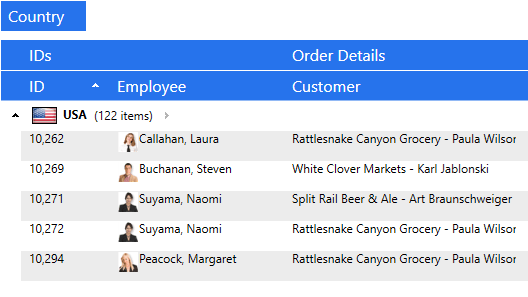
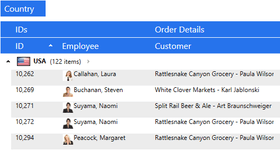
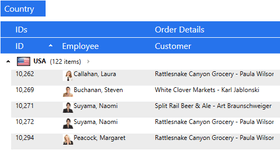
Screenshot Preview

Xceed DataGrid for WPF - 개요

by Xceed Software - 상품타입: Component / .NET WinForms / .NET Class / .NET WPF / 100% Managed Code

요약

Xceed DataGrid for WPF by Xceed Software

URLs: xceed-datagrid-wpf, xceed datagrid wpf, xceeddatagridwpf, xceed

데이터를 2D 또는 3D 레이아웃으로 표시하고 편집할 수 있습니다. Xceed DataGrid for WPF Professional은 Vista, XP, Media Center 또는 클래식 스타일과 같은 전통적인 표와 카드 보기 외에 데이터를 3D 레이아웃으로 표시하고 편집할 수 있는 그리드 컨트롤입니다. 기능으로는 풍부한 제자리 편집, UI 가상화로 그룹화, 생산 품질 보기(표와 카드), 내장된 데이터 유효성 검사를 포함합니다. Xceed DataGrid for WPF Professional은 WPF 날짜 선택기와 달력 컨트롤도 포함합니다. Xceed DataGrid for WPF Professional은 바운드 및 언바운드 데이터 소스와 호환성, 유연한 객체 모델, 재사용 가능한 부분으로 완전한 확장성을 제공합니다. Xceed DataGrid for WPF Professional Edition은 Xceed 3D Views for WPF 및 Xceed Editors for WPF를 포함합니다. Xceed DataGrid for WPF Professional은 Blueprint Edition에서 이용할 수 있는 완전한 C#와 XAML 소스 코드를 포함합니다. Xceed DataGrid for WPF Professional은 Xceed Ultimate Suite에 포함됩니다.


Xceed DataGrid for WPF는 Microsoft Visual Studio Team System 2010 및 IBM SystemBuilder 4GL(SB+)에 사용할 수 있습니다. 보도 자료를 읽으려면 'Evals and Downloads' 영역을 참조하십시오.

Xceed DataGrid for WPF Professional의 주요 기능:

Xceed DataGrid Professional Edition은 Xceed 3D Views for WPF 및 Xceed Editors for WPF를 포함합니다.

WPF / .NET 기술

WPF 전용이고, .NET 3.5에 기초하며, C#와 XAML로 작성되었습니다. (.NET 3.0과 호환되는 버전 2.0은 여전히 이용할 수 있습니다.)

완전한 소스 코드는 Blueprint Edition에서 제공합니다. (Professional Edition에서만 제공합니다.)

현재 표시된 요소만 생성하고 유지해 메모리 사용량을 줄이면서 로딩 시간을 단축할 수 있는 UI 가상화를 데이터 그룹화에서도 지원합니다.

디자인 타임은 Visual Studio 2008 및Expression Blend에서 지원합니다. (v1.3에서 신규)

가장 중요한 기능을 빠르고 쉽게 설정할 수 있는 디자인 타임 설정 창을 제공합니다. (v2.0에서 신규)

XBAP를 지원하고, CLS를 준수하며, 안전한 블록을 사용합니다. 특별한 권한이 필요 없으므로, XBAP 어플리케이션에 부여된 제한된 권한 세트로 실행할 수 있습니다.

재사용 가능한 모듈식 시각적 요소를 포함하는 유연한 확장성 객체 모델에 기초합니다.

데이터 그리드의 셀은 진정한 WPF 컨텐트 컨트롤이므로 모든 항목을 포함할 수 있습니다.

WPF 명령 인프라를 지원합니다(예: 셀에서"편집으로 진입"하는 도구 모음 버튼을 매핑 가능).

Visual Studio .NET에 완벽히 통합된 포괄적인 문서를 제공합니다.

Right-To-Left 및 Inking.을 지원합니다.

숫자, 통화 유형, 날짜 등을 포함한 지역적 설정을 지원합니다.

바로 사용할 수 있는 다양한 VB.NET 및 C# 샘플 어플리케이션을 포함합니다.

모든 오류는 .NET 예외 클래스를 통해 처리합니다.

또한 Windows Forms 어플리케이션에서도 사용할 수 있습니다.

Xceed DataGrid for WPF Professional의 리치 제자리 편집

모든 보기에서 가능한 리치 제자리 편집이 특징입니다. 포함되는 편집기 컨트롤은 아래를 참조하십시오.

소스는 셀이나 행이 편집 모드일 때 또는 셀 내용의 변경 시 즉시 업데이트합니다. (v3.0에서 신규)

셀과 행의 편집 이벤트를 전달해 편집 과정의 상세한 제어를 제공합니다. (v3.0에서 신규)

설정 가능한 키보드와 마우스 편집 명령을 제공합니다.

ComboBox 열(enums, 외래키)을 자동으로 감지합니다. (v3.2에서 신규)

편집 모드를 프로그램적으로 제어합니다. (v1.2에서 신규)

F2, Esc(셀에서 편집 취소 및 기본 값 복원), Double-Esc(전체 행에서 편집 취소 및 기본 값 복원), Enter를 포함해Excel과 비슷한 기본 키보드와 마우스 편집 동작을 제공합니다.

편집하고 있는 셀에 다른 시각적 템플릿을 지정할 수 있습니다.

셀 편집기는 셀이나 행 위에 마우스 커서를 놓을 때, 활성화된 셀이나 행, 편집하고 있는 행, 항상 표시와 같은 다양한 상태를 편집 모드로 진입하지 않고 표시할 수 있습니다.

단일 클릭 편집 모드를 이용하면 편집 모드로 진입한 후 클릭 한 번으로 체크, 텍스트, 콤보 박스와 같은 항목을 활성화할 수 있습니다.

필드 데이터 형식에 따라 적절한 편집기 컨트롤을 자동으로 선택합니다.

행 / 카드 객체를 삽입하면 새로운 데이터를 빠르게 입력할 수 있습니다.

행과 셀의 의미 있는 편집 이벤트를 트리거합니다.

"null" 및 "DbNull" 값을 관리합니다.

그리드의 모든 부분은 읽기 전용으로 설정할 수 있습니다.

Xceed DataGrid for WPF Professional의 Master/detail 기능

계층적 master/detail 기능을 제공합니다.

주 그리드 또는 세부 그리드의 각 데이터 행에는 무제한 숫자의 세부 그리드를 부착할 수 있습니다.

세부 그리드는 "형제"나 "자식" 세부 그리드 중 하나 또는 둘 다를 포함할 수 있습니다.

세부 그리드는 헤더와 푸터, 그룹화, 정렬, 자동 필터링을 지원합니다.

동일한 수준의 세부 그리드에 포함된 데이터 항목에 다른 스타일을 지원합니다.

그리드와 세부사항으로 사용자 정의 그룹화를 지원합니다.

사용자 정의 세부 관계를 지원합니다.

Xceed DataGrid for WPF Professional의 데이터 그룹화:

모든 보기에서 계층적 다수준 그룹화를 지원합니다.

헤더와 푸터로 사용자 정의 가능한 그룹 수준 설정을 지원합니다. (v1.2에서 신규)

메모리 사용량을 줄이면서 로딩 시간을 단축하는 UI 가상화를 그룹화에서도 지원합니다.

코드에서 특정한 상태의 행을 그룹화할 수 있는 사용자 정의 그룹화 기준을 지원합니다.

대화형의 계층적 "Group-by" 행을 이용하면 그룹을 쉽게 만들고 조작할 수 있습니다. 포함된 모든 보기에 적용합니다.

그룹의 확대 및 축소를 프로그램적으로 제어합니다. (v1.2에서 신규)

그룹화는 코드로 제어할 수 있습니다.

Xceed DataGrid for WPF Professional의 보기와 테마

데이터를 표시하고 다양한 2D와 3D 보기 및 테마에서 편집할 수 있습니다. 상태를 유지하는 동안 2D와 3D 보기 사이를 실시간으로 전환할 수 있습니다.

다중 카드 레이아웃의 멋진 대화형 Cardflow 3D 보기를 제공합니다. 다른 보기는 현재 개발 중에 있습니다.(v3.0에서 신규,Professional Edition에서만)

두 가지 2D 보기(전통적인 표 보기와 카드 보기)를 제공합니다. 진정한 고유 WPF 컨트롤로 전통적인 XP 또는Vista 어플리케이션의 모양을 달성합니다.

몇 가지 배경뿐 아니라 2D와 3D 카드의 질감을 제공합니다. (v3.0에서 신규)

새로운 테마 프로젝트를 설정하는 Visual Studio용 프로젝트 템플릿으로 특정한 테마를 만들 수 있습니다. 사용자 정의 테마의 생성을 도와주는 튜토리얼도 포함됩니다.(VB.NET 템플릿,v1.3에서 신규)

18가지의 인상적인 테마:

Glass와 Windows Media Player 11(Professional Edition에서만) 및 Zune

모든Microsoft Windows 테마: Classic(NT), Luna(Normal/Olive, Metallic/Silver, Homestead/Blue), Aero(Vista), Royale(Media Center)

Office 2007: Blue, Black, Silver(Professional Edition에서만)

3D 보기, 다중 표면: Office 테마(Blue, Black, Silver); Chameleon. (v3.0에서 신규, Professional Edition에서만)

주석이 추가된 XAML 소스 코드부터 카드와 표 보기 스타일 및 템플릿을 포함하므로 개발이 훨씬 쉽습니다.

Xceed DataGrid for WPF Professional의 Cardflow 3D 보기 특징

(v3.0에서 신규, Professional Edition에서만)

최종 사용자 경험의 완전한 제어를 제공

다중 카드 레이아웃 및 전환

카드의 오프셋, 간격, 각도를 제어

카메라 위치와 각도의 제어

시야 제어

4가지 테마: Office 2007 테마(Blue, Black, Silver) 및 Chameleon

Xceed DataGrid for WPF Professional의 2D 카드 보기 특징

수평 스크롤링에서 열에 쌓인 카드로 이동합니다.

포함되는 두 가지 카드 보기 스타일: 압축 카드 보기(테두리가 없고 열 구분선이 있는 카드) 및 표준 카드 보기(테두리가 있고 열 구분선이 없는 카드)

다중 수준의 그룹화를 지원합니다. Group-by 행은 열의 내장된 목록을 포함하므로, 열 헤더가 없는 경우에도 여전히 열별로 그룹화하고 필드를 재정렬할 수 있습니다. 그룹 헤더는 카드 목록에 포함됩니다.

카드는 내용에 맞게 크기를 독립적으로 변경할 수 있습니다.

CardView에서 크기를 변경할 수 있는 카드. (v1.2에서 신규)

카드마다 빈 필드를 숨길 수 있습니다.

카드를 삽입하면 새로운 데이터를 그리드에 빠르게 추가할 수 있습니다.

Xceed DataGrid for WPF Professional의 2D 표 보기

열 늘이기 및 스타 값을 지원하는 열 너비가 특징입니다. (v3.0에서 신규, Professional Edition에서만)

사용자 정의 정렬. (v3.0에서 신규, Professional Edition에서만)

고정 열. (v1.1에서 신규, Professional Edition에서만)

예상한 모든 요소가 있는 Outlook 스타일의 표 보기를 포함합니다.

열 헤더는 끌어 놓기 열 재정렬, 열 크기 변경, 클릭으로 정렬, "Group-by" 행으로 끌기를 지원합니다.

행 여백은 행을 선택하고 크기를 변경하며 활성화된, 편집 중인, 삽입된 또는 유효성 검사 오류가 나타난 행을 의미하는 아이콘을 표시합니다.

수평과 수직 그리드 라인 브러시와 그리드 라인 두께 속성을 제공합니다.

가장 큰 셀의 내용에 맞춰 행 높이를 자동으로 변경합니다.

Xceed DataGrid for WPF Professional의 입력 유효성 검사

IDataErrorInfo를 지원합니다. (버전 3.0에서 신규)

IDataErrorInfo를 지원합니다. (버전 3.0에서 신규)

IEditableObject 및 편집 모드를 벗어날 때 IEditableObject의 EndEdit가 예외로 나타나는 오류 스타일를 지원합니다. (버전 3.0에서 신규)

셀이나 행 수준에서 내장된 데이터 유효성 검사를 포함합니다.

오류 표시는 포함된 보기에 통합됩니다.

유효성 검사 오류가 발생한 경우에 셀이나 행의 표시 방법을 완전히 지정할 수 있습니다.

다른 셀의 값을 포함해 모든 기준으로 유효성 검사를 수행할 수 있습니다.

유효성 검사 오류 메시지는 재정의하고 국소화할 수 있습니다.

이미 생성한 사용자 정의 유효성 검사 규칙은 확장하고 호환될 수 있습니다.

Xceed DataGrid for WPF Professional에 포함되는 편집기 컨트롤

CheckBox.

AutoSelectTextBox.

DatePicker/Calendar.

ValueRangeTextBox. (v2.0에서 신규)

NumericTextBox. (v2.0에서 신규)

MaskedTextBox. (v2.0에서 신규)

DateTimeTextBox. (v2.0에서 신규)

"Included Editors" 샘플에서 이용 가능한 몇 가지 편집기(v2.0에서 신규)

Xceed DataGrid for WPF Professional의 데이터 바인딩

레코드를 IBindingList 이외 소스에 삽입. (버전 3.0에서 신규)

Entity Framework 데이터 소스의 지원. (v3.2에서 신규, Professional Edition에서만)

AutoFilterControl의 컨텐트를 사용자 정의하는 기능. (v3.2에서 신규, Professional Edition에서만)

XML 데이터 소스에 쉬운 바인딩. (버전 3.0에서 신규)

주요 데이터 소스의 항목을 자동으로 걸러내는 Excel과 비슷한 필터링. (v1.3에서 신규, Professional Edition에서만)

주요 데이터 소스에 대한 상세하고 효율적인 제어를 제공하는 사용자 정의 CollectionView. (v1.1에서 신규)

WPF 데이터 바인딩을 완벽하게 지원.

바운드 및 언바운드 데이터의 표시, 편집, 실행

언바운드 열의 직접 지원(예: 각 행에서 삭제 버튼과 같은 정적 정보의 표시 등) (v3.2에서 신규)

직원의 이름과 성 필드를 직원 데이터베이스의 정수 ID 필드에 매핑처럼 키를 표현하는 데이터의 필드로 모든 종류의 값이나 객체를 매핑할 수 있는 사용자 정의 키 값 매핑 (v3.2에서 신규)

String, Decimal, DateTime, TimeSpan, Guid, Primitive(예: SByte, Byte, Int32 등)과 같은 간단한 형식의 배열에 직접 바인딩 가능 및 이런 형식의 값을 열 하나에 표시

바운드 데이터를 가변 배열, IListSource 또는 IList를 구현하는 모든 객체, 모든 ADO.NET DataSet, DataTable, DataView, DataViewManager 객체를 포함한 모든 .NET 소스에서 자동으로 획득하고 동기화

그리드에서 데이터베이스와 동기화하고 있는 데이터의 선택, 파싱, 수정 가능

Xceed DataGrid for WPF Professional의 기타 기능:

Xceed 3D Views for WPF 및 Xceed Editors for WPF를 포함합니다.

UI를 통해 정렬, 그룹화, 열 재정렬을 활성화하거나 비활성화할 수 있습니다. (버전 1.1에서 신규)

셀과 행의 완전한 키보드 탐색이 가능합니다. 탐색은 셀 전용 또는 행 전용으로 제한하거나 비활성화할 수 있습니다.

다중 필드 정렬 및 사용자 정의 기준 정렬이 가능합니다.

그리드의 현재 행을 조작하기 쉽습니다.

보기를 모든 셀, 행, 그룹, 열로 스크롤합니다.

스크롤 도움말은 그리드의 스크롤 시 viewport에서 첫 번째 가시성 행에 대한 정보를 표시합니다. (v1.3에서 신규)

열 이외의 요소를 고정할 수 있습니다. (버전 1.1에서 신규)

고정된 비스크롤링 헤더와 푸터 영역 안에 모든 개수와 유형의 행이나 카드를 삽입할 수 있습니다.

그리드 내부와 외부의 모든 요소에 사용할 수 있는14가지 통계 함수를 제공합니다.(v1.2에서 신규,Professional Edition에서만)

항목 스크롤링을 설정할 수 있습니다(즉시 또는 지연). (버전 1.1에서 신규)

달력에서 "today" 라벨을 설정할 수 있습니다. (버전 1.1에서 신규)

데이터 행의 다른 스타일을 만들 수 있습니다. (버전 1.1에서 신규)

진행 상태 대화상자와 페이지 레이아웃을 완전히 사용자 정의할 수 있는 내장된 출력 및 XPS 내보내기 기능을 제공합니다. (v1.2에서 신규, Professional Edition에서만)

그룹-헤더 컨트롤 표시를 사용자 정의할 수 있습니다. (v1.2에서 신규)

다양한 DataGrid for WPF 자산을 중앙 집중화하고 제품의 최근 개발 정보를 제공하는 Resource Center를 포함합니다. (v2.0에서 신규)

What's new in Xceed DataGrid for WPF Version 3.6 Professional Edition?

Windows 7 and Xceed Live Explorer themes

Print Preview

Multi-Select when using data virtualization

Group Navigation control

Improved performance for scenarios of 100,000 rows and up

Cell Selection

Customizable Cursors in most views

What's new in Xceed DataGrid for WPF Version 3.5 Professional Edition?

Xceed DataGrid for WPF Professional Edition v3.5 features a beautiful new view called Tableflow. This view offers fast animated smooth scrolling with inertia for impressive UI performance (works with data virtualization), sticky group headers and master-detail master row and headers, full-column animated drag and drop reordering. Also new is filtering and status indicator glyphs for datagrids bound to a virtualizing collection.

What's new in Xceed DataGrid for WPF Version 3.2 Professional Edition?

Xceed DataGrid for WPF Version 3.2 Professional Edition features improvements to the datagrid's data virtualization capabilities (grouping, support for data sources implementing IQueryable (LINQ), support for inserting and deleting items with InsertionRow and DeleteCommand), support for Entity Framework data sources, and the ability to customize the contents of the AutoFilterControl. Both the Professional Edition and the Standard Edition v3.2 feature a ComboBox editor (combo boxes can now easily be used as cell editors now without the need to write code to fill the combo box) and unbound columns.

What's new in Xceed DataGrid for WPF Version 3.1 Professional Edition?

Features asynchronous data virtualization that supports caching, pre-emptive loading, and delayed triggering of events to avoid needless querying during scrolling. Vastly improving performance and reducing memory usage, especially when working with large data sources, it also means the UI is decoupled from the data source, which keeps the application responsive while data is being retrieved. Also new are Excel export, persist/restore of user settings, context menu column chooser, and UI automation to enable script-based testing and assistive technology, and more.

What's new in Xceed DataGrid for WPF Version 3.0 Professional Edition?

Xceed DataGrid for WPF Version 3.0 Professional Edition features a 3D view. Xceed's Cardflow 3D view, with multiple card layouts and transitions, gives developers and end-users complete control over aspects such as card offsets, spacing, and angles; camera position and angle; and field of view. Further views will be added for the foreseeable future as they become available. A choice of four multi-surface themes is provided: Three Outlook look-alike themes (Elemental Blue, Elemental Black, Elemental Silver), and Chameleon, which lets you choose the gradient colors. End-users can even switch between any 2D and 3D view on the fly, while the datagrid retains its state.

Also new to the Xceed DataGrid for WPF Professional Edition are column virtualization, column stretching and column widths supporting star values, substantial performance increases, ability to handle millions of rows and thousands of columns, custom sorting, improved validation, support for IDataErrorInfo, easy binding to XML data sources, and inserting records into non-IBindingList sources

What's New in Xceed DataGrid for WPF V2.0?

Each datarow—whether in the main grid or in any detail grid—can have an unlimited number of detail grids attached to it. Futhermore, detail grids can have “sibling” or “child” detail grids, or both, and also support headers and footers, grouping, sorting, and autofiltering, as well as custom detail relations and different styles for the data items contained in each same-level detail. Finally, custom grouping in grid and details is supported.

What's New in Xceed DataGrid for WPF V1.3?

Both the Professional and the Express Edition feature Visual Studio 2008 and Expression Blend design-time support, in addition to a scroll tip, which displays information about the first visible row in the viewport when the grid is scrolled. Finally, a VB.NET template with a tutorial is provided for setting up a new theme project for creating custom themes, complementing the already available C# template.

Available exclusively to owners of the Professional Edition is the addition of Excel-like end-user automatic filtering, which filters items in the underlying data source.

What's New in Xceed DataGrid for WPF V1.x?

Enhanced sorting, grouping, and scrolling performance, as well as the ability to control whether end-users can sort, group or re-order columns, and a custom CollectionView that provides fine-grained and efficient control over the grid’s underlying data source

Advanced features—such as Office 2007 (blue, silver, and black) and Windows Media Player 11 themes, and fixed columns—are also now available with a Vanguard subscription

데이터를 2D 또는 3D 레이아웃으로 표시하고 편집.

가격 설정: Xceed DataGrid for WPF V4.3 - Royalty-Free Licenses - Product + 1yr Vanguard 1 개발자 라이센스, Xceed DataGrid for WPF V4.3 - Royalty-Free Licenses - Product + 1yr Vanguard 4 개발자 팀 라이센스, Xceed DataGrid for WPF V4.3 - Royalty-Free Licenses - Product + 1yr Vanguard 8 개발자 팀 라이센스, Xceed DataGrid for WPF V4.3 - Royalty-Free Licenses - Product + 1yr Vanguard 20 개발자 팀 라이센스, Xceed DataGrid for WPF V4.3 - Royalty-Free Licenses - Blueprint Edition 1 개발자 라이센스, Xceed DataGrid for WPF V4.3 - Royalty-Free Licenses - Blueprint Edition 4 개발자 팀 라이센스, Xceed DataGrid for WPF V4.3 - Royalty-Free Licenses - Blueprint Edition 8 개발자 팀 라이센스, Xceed DataGrid for WPF V4.3 - Royalty-Free Licenses - Blueprint Edition 20 개발자 팀 라이센스, Xceed DataGrid for WPF V4.3 - Subscription Renewals Before Expiration - 1 year Vanguard 1 개발자 라이센스, Xceed DataGrid for WPF V4.3 - Subscription Renewals Before Expiration - 1 year Vanguard 4 개발자 팀 라이센스, Xceed DataGrid for WPF V4.3 - Subscription Renewals Before Expiration - 1 year Vanguard 8 개발자 팀 라이센스, Xceed DataGrid for WPF V4.3 - Subscription Renewals Before Expiration - 1 year Vanguard 20 개발자 팀 라이센스, Xceed DataGrid for WPF V4.3 - Subscription Renewals Before Expiration - Blueprint Edition 1 개발자 라이센스, Xceed DataGrid for WPF V4.3 - Subscription Renewals Before Expiration - Blueprint Edition 4 개발자 팀 라이센스, Xceed DataGrid for WPF V4.3 - Subscription Renewals Before Expiration - Blueprint Edition 8 개발자 팀 라이센스, Xceed DataGrid for WPF V4.3 - Subscription Renewals Before Expiration - Blueprint Edition 20 개발자 팀 라이센스, Xceed DataGrid for WPF V4.3 - New Subscriptions / Upgrade to the latest version - 1 year Vanguard 1 개발자 라이센스, Xceed DataGrid for WPF V4.3 - New Subscriptions / Upgrade to the latest version - 1 year Vanguard 4 개발자 팀 라이센스, Xceed DataGrid for WPF V4.3 - New Subscriptions / Upgrade to the latest version - 1 year Vanguard 8 개발자 팀 라이센스, Xceed DataGrid for WPF V4.3 - New Subscriptions / Upgrade to the latest version - 1 year Vanguard 20 개발자 팀 라이센스, Xceed DataGrid for WPF V4.3 - New Subscriptions / Upgrade to the latest version - Blueprint Edition 1 개발자 라이센스, Xceed DataGrid for WPF V4.3 - New Subscriptions / Upgrade to the latest version - Blueprint Edition 4 개발자 팀 라이센스, Xceed DataGrid for WPF V4.3 - New Subscriptions / Upgrade to the latest version - Blueprint Edition 8 개발자 팀 라이센스, Xceed DataGrid for WPF V4.3 - New Subscriptions / Upgrade to the latest version - Blueprint Edition 20 개발자 팀 라이센스

평가판과 다운로드: IBM uses Xceed DataGrid for WPF in SystemBuilder 4GL (SB+) - Xceed 프레스 릴리스, Microsoft uses Xceed DataGrid for WPF in Visual Studio Team System 2010 - Xceed 프레스 릴리스, Xceed 앤드 유저 라이센스 계약

OS: Windows 7, Windows Vista, Windows XP, Windows 2000, Windows NT 4.0

제품 아키텍쳐: 32Bit

툴 타입: Component

콤포넌트 타입: .NET WinForms, .NET Class, .NET WPF, 100% Managed Code

개발에 사용된 툴: Visual C# .NET

호환성있는 플랫드폼: Microsoft Visual Studio 2010, Microsoft Visual Studio 2008, Microsoft Visual Studio 2005, Microsoft Visual Basic 2010, Microsoft Visual Basic 2008, Microsoft Visual Basic 2005, Microsoft Visual C++ 2010, Microsoft Visual C++ 2008, Microsoft Visual C++ 2005, Microsoft Visual C# 2010, Microsoft Visual C# 2008, Microsoft Visual C# 2005, .NET Framework 4.0, .NET Framework 3.5, .NET Framework 3.0, .NET Framework 2.0

제품 클래스: 비지니스 콤포넌트

키워드: xceed datagrid for wpf, xceed datagrid wpf, xceed wpf, xceed datagrid v4.0, xceed datagrid wpf 4.0, xceed datagrid for wpf professional, xceed datagrid for wpf 4.0

표계산, datagrid, data grid, data table, net gridview, net datagrid, data grid, grid control, net datatable, c# gridview, c# datagrid, asp.net datagrid, grid asp, vb.net datagrid, vb.net datatable, datagrid in net, asp.net datatable, datagrid control

상품 번호: PC-517607-430595 517607-430595 PC-517607-430598 517607-430598 PC-517607-430601 517607-430601 PC-517607-430604 517607-430604 PC-517607-430607 517607-430607 PC-517607-430610 517607-430610 PC-517607-430613 517607-430613 PC-517607-430616 517607-430616 PC-517607-430619 517607-430619 PC-517607-430622 517607-430622 PC-517607-430625 517607-430625 PC-517607-430628 517607-430628 PC-517607-430643 517607-430643 PC-517607-430646 517607-430646 PC-517607-430649 517607-430649 PC-517607-430652 517607-430652 PC-517607-430631 517607-430631 PC-517607-430634 517607-430634 PC-517607-430637 517607-430637 PC-517607-430640 517607-430640 PC-517607-430655 517607-430655 PC-517607-430658 517607-430658 PC-517607-430661 517607-430661 PC-517607-430664 517607-430664

메이커 제품 번호: XDGP1B-43 XDGP1L-43 XDGP1R-43 XDGP1V-43 XDGP1Y-43 XDGP1Z-43 XDGP4B-43 XDGP4L-43 XDGP4R-43 XDGP4V-43 XDGP4Y-43 XDGP4Z-43 XDGP8B-43 XDGP8L-43 XDGP8R-43 XDGP8V-43 XDGP8Y-43 XDGP8Z-43 XDGPVB-43 XDGPVL-43 XDGPVR-43 XDGPVV-43 XDGPVY-43 XDGPVZ-43

상품검색

검색어를 입력해주세요:

Quick 링크

개발처/발매처

주요 카테고리

관련 상품

관련 카테고리

ComponentSource에서 구입하는 이유?

ComponentSource는 세계 1,000,000명 이상의 개발자에게 각종 글로벌 서비스를 제공합니다.

상세 | About Us

화면 바로가기 갤러리

클릭해서 이미지를 확대

 Xceed DataGrid for WPF  - .NET WPF - v4.3의 스크린샷  Xceed DataGrid for WPF  - .NET WPF - v4.3의 스크린샷  Xceed DataGrid for WPF  - .NET WPF - v4.3의 스크린샷  Xceed DataGrid for WPF  - .NET WPF - v4.3의 스크린샷  Xceed DataGrid for WPF  - .NET WPF - v4.3의 스크린샷
Award