Add-ins (complementos) de infraestructura de acceso a datos - Productos más vendidos de
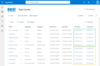
Conecta cualquier tipo lista SharePoint 2007/2010 con datos negocio externos.
- No requiere Web Parts ni herramientas adicionales
- Admite vistas, clasif., agrupación, filtros, campos calc., búsqueda y consultas
- Funciones lista SharePoint para fuentes datos externas en 3 pasos sencillos
-
Descripción:
SSIS Source, Lookup, and Destination components for Salesforce. Devart SSIS Data Flow Components for Salesforce allow you to integrate Salesforce contacts, accounts, opportunities, leads, users, attachments, tasks, and other objects with other cloud ...
Leer más
-
Descripción:
SSIS Source, Lookup, and Destination components for Oracle. Devart SSIS Data Flow Components for Oracle allow you to integrate Oracle data with other databases and cloud applications via SQL Server Integration Services (SSIS). They include optimized ...
Leer más
-
Descripción:
Powerful and real-time calculation, easy-use functions with IntelliSense. SharePoint Calculated Boost Field provides you with a powerful and friendly user interface to design your calculation. Powerful functions help you do complex calculation. ...
Leer más
-
Descripción:
Collect lists from different sites to display them in a single grid view. List Collection App for SharePoint Online allows you to roll up and organize lists or document libraries from different SharePoint Online sites into a single view. List Collection ...
Leer más
-
Precios:
SharePoint Data Connector v2.14- Server License 1 Server License Our Part No: 548110-1238625 Premium Annual Support for 1 Server License Our Part No: 548110-1238669 Premium Annual Support Renewal for 1 Server License Our Part No: 548110-1238675 SharePoint ...
Leer más
-
Compatibilidad:
Operating System Windows Server 2022 Standard or Datacenter Windows Server 2019 Standard or Datacenter Windows Server 2016 Standard or Datacenter Windows Server 2012 Standard or Datacenter X64 Windows Server 2008 R2 SP1 Server Version Microsoft SharePoint ...
Leer más
-
Descripción:
Execute LINQ at design time. LINQ Insight is a Visual Studio add-in that provides a complete set of tools that make LINQ/ORM development faster and easier, and helps you to produce more efficient data access code. It allows executing LINQ queries at ...
Leer más
-
Descripción:
SSIS Source, Lookup, and Destination components for Amazon Redshift. Devart SSIS Data Flow Components for Redshift make it extremely easy to integrate data from Amazon Redshift with a number of database systems and cloud applications via SQL Server ...
Leer más
-
Descripción:
SSIS Source, Lookup, and Destination components for BigQuery. Devart SSIS Data Flow Components for Google BigQuery allows you to integrate Google BigQuery with other databases and cloud applications via SQL Server Integration Services (SSIS). They include ...
Leer más
-
Descripción:
SSIS Source, Lookup, and Destination components for ActiveCampaign. Devart SSIS Data Flow Components for ActiveCampaign allows you to integrate ActiveCampaign Contacts, Surveys and other objects with other cloud applications and databases via SQL Server ...
Leer más