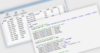
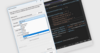
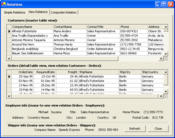
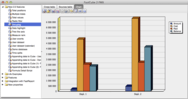
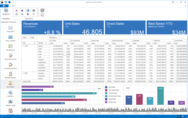
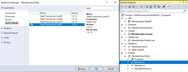
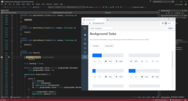
Screenshot Preview

Xtract RS Professional

by Theobald Software - 상품타입: Component / Add-In / 어프리케이션 / .NET WinForms / 100% Managed Code / Data Source Driver / Developer Application

주의 : 별도의 안내가 없는 경우에는 영어제품 입니다.

*

Use Microsoft Reporting Services to create and publish reports based on your SAP data without any additional staging layers. Xtract RS Professional is a data provider for SAP that is optimized for Microsoft Reporting Services. As a so-called data extension, Xtract RS Professional integrates itself seamlessly in the Business Intelligence Studio and Reporting Services Server. Access is made in real-time and because it is direct, it is free of additional software layers and other middleware. Xtract RS Professional data provider gives you access to SAP tables, queries, BW Cubes and BAPIs.  Xtract RS includes six months of support via email, phone and update subscription.

$6,618.18
통화 선택

일반 적인 소비자 가격은 하기에 표시되어 있습니다. 고객님의 할인가격은 표시 하시려면 로그인 해주시기 바랍니다.

Xtract RS Professional 2011   *

주문 $ 6,618.18 1 License (includes all Xtract RS components and 6 months update subscription and support included)  * 다운로드 (5.4 MB)

Xtract RS Professional Renewal   *

주문 $ 1,323.64 1 Year Maintenance Extension (Suppport and Update-Subscription)  * 확인 다운로드 (20 KB)

가격에는 ComponentSource의 기술지원 요금이 포함되어 있습니다. 또한 다운로드 판매를 하고 있는 상품의 대부분은 온라인 백업요금이 포함되어 있어서 구입날로부터 30일 이내에 새로운 버전이 발매된 경우 무료로 업그레이드해 드리고 있습니다.  모든 주문에 대해서 당사표준 계약조건 반품조건 의 내용이 적용됩니다. 다음의 경우,고객 서비스로연락하시기 바랍니다. (상기의 리스트에 게재되지 않은 대량의 라이센스나 구 버전 등의 라이센스 옵션이 필요한 경우)

일반 적인 소비자 가격은 상기에 표시되어 있습니다. 고객님의 할인가격은 표시 하시려면 로그인 해주시기 바랍니다.

 *

Xtract RS Professional is a provider for Microsoft Reporting Services to access several kinds of SAP objects:

  • Directly read SAP tables
  • SAP queries
  • RFC function modules and BAPIs
  • BW objects (cubes, query cubes and master data)

Xtract RS integrates itself seamlessly in the Business Intelligence Studio and Reporting Services Server. Access is made in real-time and because it is direct, it is free of additional software layers and other middleware. The Xtract RS BAPI data source was developed to access BAPIs and RFC function modules and integrate them in the Reporting Services. You can execute any kind of BAPI but it is recommended to have several import parameters and not more than one single export table.

Tables can be entered in and extracted from the function module / BAPI. Therefore, there are two types of behavior for tables: input type and output type. To fill a table before BAPI execution set the Input Type to Static and click on the Edit link. You can fill the table's row with static values or with variables. To define a table for the use in the report set Output Type to Dataset. You can only set one table to this option. All other tables must be set to Skip.

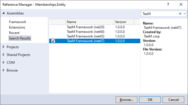
Xtract RS designer is fully integrated in Visual Studio 2005 / 2008.


주의

제품 리뷰의 한국어 번역이 완료되지 않는 제품은 Google통역 서비스와 연동되어 표시되어 있습니다.통역 기계에 의한 자동 번역인 관계로 한국어 표기가 조금 부자연 스러운 점 양해 바랍니다.
에서 제공
FireFox와 Opera에서는 Flash가 필요합니다.

상품검색

검색어를 입력해주세요:

Quick 링크

개발처/발매처

주요 카테고리

관련 상품

ComponentSource에서 구입하는 이유?

ComponentSource는 세계 1,000,000명 이상의 개발자에게 각종 글로벌 서비스를 제공합니다.

상세 | About Us

개발 코스트 계산


ROI 계산을 참고해주세요.

코드행 수: 50,000
인월 : 50
인건비: $250,000

필요한 기능:

1000행 당 인월:

1개월당 인건비:

Award