by Theobald Software - Product Type: Component / Add-In / Application / .NET WinForms / 100% Managed Code / Data Source Driver / Developer Application
Xtract RS Professional by Theobald Software
URLs: xtract-rs, xtract rs, xtractrs, theobald-software, theobald software, theobaldsoftware
Use Microsoft Reporting Services to create and publish reports based on your SAP data without any additional staging layers. Xtract RS Professional is a data provider for SAP that is optimized for Microsoft Reporting Services. As a so-called data extension, Xtract RS Professional integrates itself seamlessly in the Business Intelligence Studio and Reporting Services Server. Access is made in real-time and because it is direct, it is free of additional software layers and other middleware. Xtract RS Professional data provider gives you access to SAP tables, queries, BW Cubes and BAPIs. Xtract RS includes six months of support via email, phone and update subscription.
Xtract RS Professional is a provider for Microsoft Reporting Services to access several kinds of SAP objects:
Directly read SAP tables
SAP queries
RFC function modules and BAPIs
BW objects (cubes, query cubes and master data)
Xtract RS integrates itself seamlessly in the Business Intelligence Studio and Reporting Services Server. Access is made in real-time and because it is direct, it is free of additional software layers and other middleware. The Xtract RS BAPI data source was developed to access BAPIs and RFC function modules and integrate them in the Reporting Services. You can execute any kind of BAPI but it is recommended to have several import parameters and not more than one single export table.
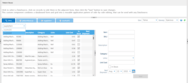
Tables can be entered in and extracted from the function module / BAPI. Therefore, there are two types of behavior for tables: input type and output type. To fill a table before BAPI execution set the Input Type to Static and click on the Edit link. You can fill the table's row with static values or with variables. To define a table for the use in the report set Output Type to Dataset. You can only set one table to this option. All other tables must be set to Skip.
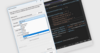
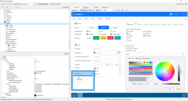
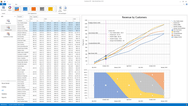
Xtract RS designer is fully integrated in Visual Studio 2005 / 2008.
Use Microsoft Reporting Services to create and publish reports based on your SAP data without any additional staging layers.
Pricing: Xtract RS Professional 2011 1 License (includes all Xtract RS components and 6 months update subscription and support included), Xtract RS Professional Renewal 1 Year Maintenance Extension (Suppport and Update-Subscription)
Evals & Downloads: Xtract RS Click Through Demos, Xtract RS User Guide (Available in German and English), Read the Xtract RS End User License Agreement, Download the Xtract RS 2011 evaluation on to your computer - Expires after 30 days
Operating System for Deployment: Windows Server 2008, Windows Vista, Windows XP, Windows Server 2003
Architecture of Product: 32Bit, 64Bit
Product Type: Component, Add-In, Application
Component Type: .NET WinForms, 100% Managed Code, Data Source Driver
Application Type: Developer Application
Built Using: .NET Framework 2.x
Compatible Containers: Microsoft Visual Studio 2008, Microsoft Visual Studio 2005, Microsoft Visual Basic 2008, Microsoft Visual Basic 2005, Microsoft Visual C++ 2008, Microsoft Visual C++ 2005, Microsoft Visual C# 2008, Microsoft Visual C# 2005, Microsoft SQL Server 2008, Microsoft SQL Server 2005, .NET Framework 2.0
Keywords: xtract rs, xtract rs professional, theobald xtract rs, theobald xtract rs professional
Theobald Software
Database DB Reporting Report reports
Part numbers: PC-528749-386784 528749-386784 PC-528749-386786 528749-386786
ComponentSource offers a unique global service, used by over 1,000,000 software developers worldwide.