

 (31)
(31) (18)
(18)
Official Supplier
As official and authorized distributors, we supply you with legitimate licenses directly from 200+ software publishers.
See all our Brands.

Release Notes: IgxSimpleCombo Added disableFiltering to the IgxSimpleCombo, which enables/disables the filtering in the list. The default is false. IgxCombo, IgxSimpleCombo Removed deprecated filteringOptions.filterable option. 0 ... Read more Show more results from this product
Release Notes: for Carousel, Chip, Combo, File Input and Tree. They now have locale and resourceStrings properties as well, ... CSS property. Combo Added new disableClear property which disables the clear button of the combo ... affects the input area custom renderers. Renamed input-container part to input-area. Combo Use the native ... Read more
Release Notes: based sizing. Checkbox New tick-width CSS property. Combo New disableClear property which disables ... the clear button of the combo component. Mask input Transform Unicode digit code points to ASCII numbers ... with the design kit for Button, Calendar, Carousel, Combo, Date picker, Date range picker, input, Select, ... Read more

Release Notes: IgxSimpleCombo Added disableFiltering to the IgxSimpleCombo, which enables/disables the filtering in the list. The default is false. IgxCombo, IgxSimpleCombo Removed deprecated filteringOptions.filterable option. 0 ... Read more Show more results from this product
Release Notes: for Carousel, Chip, Combo, File Input and Tree. They now have locale and resourceStrings properties as well, ... CSS property. Combo Added new disableClear property which disables the clear button of the combo ... affects the input area custom renderers. Renamed input-container part to input-area. Combo Use the native ... Read more
Release Notes: based sizing. Checkbox New tick-width CSS property. Combo New disableClear property which disables ... the clear button of the combo component. Mask input Transform Unicode digit code points to ASCII numbers ... with the design kit for Button, Calendar, Carousel, Combo, Date picker, Date range picker, input, Select, ... Read more

Release Notes: New in WinForms Calendar Improvements Added the GetSelectedDateRange method to C1DateRangeEdit to retrieve the selected date range based on the current culture calendar. Added the C1DateRangeEdit control to display and edit date ranges through a drop-down editor. Command Improvements Added a design ... Read more Show more results from this product
Release Notes: General updates in 2025 v2 Added.NET 10 and Visual Studio 2026 support to: WinForms. WPF. ASP.NET Core. Blazor. WinUI..NET MAUI. Updates in WinForms 2025 v2 New FlexDiagram (Beta): WinForms Diagram Library FlexDiagram is a powerful.NET control that transforms flat or hierarchical data into visually ... Read more
Release Notes: New in WinForms New FlexGrid Gemini AI Filtering Sample In the new Gemini AI Filtering sample, it uses the AI service to generate a filter definition that can be applied to FlexGrid. There are pros and cons to each approach. The new approach is lighter and does not give Gemini access to the data ... Read more

Release Notes: Calendar Improvements Added the GetSelectedDateRange method to C1DateRangeEdit to retrieve the selected date range based on the current culture calendar. Added the C1DateRangeEdit control to display and edit date ranges through a drop-down editor. Command Improvements Added a design-time text ... Read more Show more results from this product
Release Notes: New FlexGrid Gemini AI Filtering Sample In the new Gemini AI Filtering sample, it uses the AI service to generate a filter definition that can be applied to FlexGrid. There are pros and cons to each approach. The new approach is lighter and does not give Gemini access to the data itself. The ... Read more
Description: A complete collection of Windows Forms components for all aspects of application development. ComponentOne WinForms Edition is a collection of easy-to-use WinForms components that provides access to all updates released within your 1 year subscription period and online support. ComponentOne ... Read more

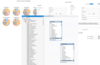
Release Notes: Calendar Improvements Added the GetSelectedDateRange method to C1DateRangeEdit to retrieve the selected date range based on the current culture calendar. Added the C1DateRangeEdit control to display and edit date ranges through a drop-down editor. Command Improvements Added a design-time text ... Read more Show more results from this product
Release Notes: and OutBar controls which were not ported to.NET 6. C1List, C1 Combo, C1Sizer, and C1SizerLight controls have ... Read more
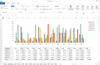
Release Notes: Calculate An issue related to SUBSTITUTE formula returning an incorrect value for the decimal separator in CalcEngine has been fixed. SfComboBox The selection range now updates correctly when editing text in SfComboBox with SuggestAppend enabled. 0 ... Read more Show more results from this product
Release Notes: SfForm Breaking Changes- The TitleBarTextControl location has been revised in the maximized form to align with the updated client area, which was modified to ensure proper display of the MDI child. SfTabbedForm Breaking Changes- The client area location has been revised to maintain proper alignment ... Read more
Release Notes: occurs when adding a new sheet to a workbook that contains macros and a combo box. Exception no longer ... Read more

Release Notes: Common: Starting with the upcoming Q2 2026 releases, the following legacy themes will no longer be supported for new controls: Desert, Aqua, Breeze, Windows 7, Office 2007 (Black/Silver), Office 2010 (Black/Blue/Silver), Office 2013 (Light/Dark). Support for existing controls using these themes ... Read more Show more results from this product
Release Notes: What's new Added support for.NET 9 distribution. Added Windows 11 High Contrast theme. Added DateOnlyPicker and TimeOnlyPicker controls (.NET only). Improved keyboard navigation of the pinned items in RadNavigationView. Support for.NET 7 is discontinued. Document Processing Libraries: Fixed ... Read more
Release Notes: if the rule is satisfied or not. NullReferenceException is thrown when creating a combo chart with two chart ... Read more

Release Notes: All WinForms products Image Picker search does not work as expected and some results are missing. Visual Studio Report Designer- XtraReportSerialization error occurs on previewing the first time. XtraReport- ScriptReferences are no longer used for compilation. PDF Viewer PDF Document API- PdfViewer ... Read more Show more results from this product
Release Notes: AI Integration for WinForms WinForms AI Chat Control does not allow to dynamically specify the AI model on a per-control basis. All WinForms products An error occurs when using Hierarchy Settings in a Report linked to a single-row table in.NET 9. CarryoverSum / sumCarryoverSum returns duplicate ... Read more
Description: List Vertical Grid Application Themes/Skins Data Editors Text Box Calendar Check Box Combo Box Date ... Read more

Release Notes: Charts Added OthersCategoryBrush and OthersCategoryOutline to DataPieChart. Editors UltraDateTimeEditor always select last month and date while changing the year and month respectively. CheckEditor was unable to create a custom style using GlyphInfo. UltraToolbarsManager Context menu does not show ... Read more Show more results from this product
Release Notes: Azure Map Imagery Support for UltraGeographicMap (Beta) The UltraGeographicMap now supports Azure-based map imagery, allowing developers to display detailed, dynamic maps across multiple application types. You can combine multiple map layers, visualize geographic data, and create interactive ... Read more
Release Notes: UltraDataChart Trendline Layer- The TrendlineLayer is a new series type that allows you to apply a single trend line per trend line layer to a particular series. This allows the usage of multiple trend lines on a single series since you can have multiple TrendlineLayer series types in the chart. ... Read more
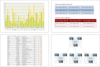
Features: Notable drop-down edits are: Combo Box, Date Time Box, Color Box and Split Buttons. Text Visualization ... Read more
Tel: (888) 850 9911
Fax: +1 770 250 6199


