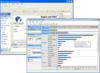
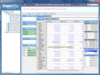
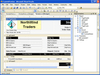
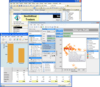
Add grid and text parsing features to your .NET applications. OrchidGrid for .NET is a data binding grid control. Data can be sorted, filtered, grouped, merged, subtotaled easily. By defining the Style object and associating it with a grid, data can be displayed in any styles. OrchidGrid has a rich and colorful designer, you can use to design the grid's layout in seconds. Use the new OrchidGrid control and get automatic parsing that is at least as good as the Microsoft's Excel's automatic file recognition process that users are familiar with. With the included Import Wizard, data in delimited or fixed-length text file or text file that has pattern can be parsed and imported into grid for further processing.
Publisher: GrapeCity Primary Category: OLAP Product Type: Component / ASP.NET WebForms / ASP.NET AJAX (ATLAS) / .NET WinForms / .NET Class / Silverlight
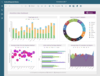
Provide an interactive decision support system that allows users to explore their relational and multidimensional data in an useful way. ActiveAnalysis (formerly Data Dynamics Analysis) is a complete OLAP, data visualization and Business Intelligence component for Silverlight, Windows Forms and ASP.NET that allows you to rapidly embed interactive, ad hoc Business Intelligence features for both Windows and Web applications. ActiveAnalysis 2 comes with the ability to connect to virtually any data source and support for three development platforms, rolling out your own ad hoc Business Intelligence application is now easier than ever. ActiveAnalysis 2 features include: charts, pivot tables and data visualization, rich drag-and-drop user experience, Excel exports allow end users to share analysis results offline and much more.
Publisher: GrapeCity Primary Category: Reporting Product Type: Component / ASP.NET WebForms / ASP.NET AJAX (ATLAS) / .NET WinForms / .NET Class
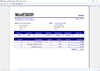
Report on and explore relational and multidimensional data. ActiveBI Suite for .NET includes ActiveAnalysis and Data Dynamics Reports. Data Dynamics Reports integrates into Web and Windows Forms applications and provides a rich API with which to create and modify reports. Features include: master reports, additional chart types, banded list data regions, barcode report items, formatted text report items, themes and data visualizers. Documents created with Data Dynamics Reports can layout data using a combination of lists, tables, charts, matrices or banded lists in a layout-based report. Reports can be populated with data from an ADO.NET DataSet, .NET Object, SQL Server, Oracle, OLEDB, ODBC, or an XML data source. ActiveAnalysis (formerly Data Dynamics Analysis) is a complete OLAP, data visualization and Business Intelligence component for Silverlight, Windows Forms and ASP.NET that allows you to rapidly embed interactive, ad hoc Business Intelligence features for both Windows and Web applications.
Publisher: GrapeCity Primary Category: Reporting Product Type: Component / ASP.NET WebForms / ASP.NET AJAX (ATLAS) / .NET WinForms / .NET Class
Complete Reporting and Business Intelligence (BI) tools for Visual Studio.NET. ActiveReports Reporting/BI Suite for .NET premium value pack includes: ActiveReports 6 Professional, ActiveAnalysis and Data Dynamics Reports. ActiveReports 6 Professional is written in managed C# and provides integration with the Visual Studio .NET IDE. This allows Visual Studio .NET programmers to leverage their current programming language (C# or Visual Basic .NET) when programming for ActiveReports for .NET. ActiveReports 6 Professional is based on a per-developer licensing scheme, and it is royalty-free to distribute. Data Dynamics Reports integrates into Web and Windows Forms applications and provides a rich API with which to create and modify reports. Features include: master reports, ActiveAnalysis 2 (formerly Data Dynamics Analysis) is a complete OLAP, data visualization and Business Intelligence component for Silverlight, Windows Forms and ASP.NET that allows you to rapidly embed interactive, ad hoc Business Intelligence features for both Windows and Web applications. additional chart types, banded list data regions, barcode report items, formatted text report items, themes and data visualizers.
Publisher: DevExpress (Developer Express) Primary Category: OLAP Product Type: Component / ASP.NET WebForms / ASP.NET AJAX (ATLAS) / .NET Class / 100% Managed Code / AJAX
Add data mining and multi-dimensional analysis to your ASP.NET applications. ASPxPivotGrid Suite is a comprehensive data analysis, data mining, and visual reporting solution for ASP.NET 2. With ASPxPivotGrid, your users can break down raw data in any manner they require using easy-to-understand Windows commands. By incorporating the ASPxPivotGrid in your application, you can deliver an almost endless array of reports. ASPxPivotGrid is able to slice and dice information efficiently and provide customers with an intuitive end-user experience. ASPxPivotGrid delivers numerous layout customization options with total end-user control over each individual on-screen report. ASPxPivotGrid Subscription with Source code Licenses available.
Publisher: ICS GmbH Primary Category: Charting and Graphing Product Type: Component / ASP.NET WebForms / .NET Class / 100% Managed Code
View measured data in highly interactive, complex diagrams. TrendViewer.NET is a .NET charting tool for integration in applications implemented in .NET. You can view analog and binary trend data and highlight states of measured data. ICS TrendViewer.NET offers different colors, fill styles, flood curves, interactive modification of trend data during display, over 500 curves, 2 x-scales and 500 y-scales, scale inscription setup in XML; flexible display of complex trend diagrams and more. Available as Standard Edition or Professional Edition with German and English Manuals, samples with C# and VB.NET, test container included in the setup
Multi-Dimensional data analysis for .NET. The XtraPivotGrid Suite is a comprehensive data analysis, data mining, and visual reporting solution for WindowsForms applications. It was engineered from the ground up to provide a unique bridge between on-screen forms and printed reports. With it, your users can break down raw data in any manner they require using easy-to-understand Windows commands and instantly render the desired output to a printer. By incorporating the XtraPivotGrid in your application, you can deliver an almost endless array of reports - both on-screen and in printed form - without hassles or aggravation.