SharePoint Tools & SharePoint Utilities
Microsoft SharePoint is a suite of products and technologies that allow users to create Web sites, corporate Intranets or portals to enable them to share information, collaborate on documents or files and communicate by various means, including wikis and blogs. SharePoint has had several enhancements over the years, the most recent being Microsoft SharePoint 2010, that was released in April 2010. The version before that was known as Microsoft Office SharePoint Server 2007, sometimes called MOSS 2007. SharePoint uses the main Office components and technologies to allow people to edit and update Word documents, Excel spreadsheets, PowerPoint presentations etc. with familiar editors and technology. Microsoft used Office in the MOSS SharePoint name to show this link, but it has been dropped now in the latest release and it is just called Microsoft SharePoint 2010. Prior to this there was also an earlier MS SharePoint 2003 Server version of the technology.
SharePoint has been adopted by a large number of organizations and as such demand for the creation of robust and reliable SharePoint applications has grown. SharePoint developers are now creating SharePoint Web sites, SharePoint portals, SharePoint based corporate Intranets in a fraction of the time than if they had tried to create the complete data sharing and collaboration application themselves. A SharePoint developer can now use MS Visual Studio 2010, (launched in April 2010 too), to more easily create SharePoint based information systems to run in SharePoint 2010. SharePoint developers can also add SharePoint Web Parts to their application Web pages to extend their functionality. A SharePoint Web Part control is a type of ASP.NET Server control and is a reusable software component that a SharePoint programmer can use to build his Windows SharePoint Services (WSS) app rapidly. These SharePoint Web Parts are sometimes called SharePoint controls or SharePoint widgets by SharePoint programmers.
IT Pros are also now managing larger MSFT SharePoint farms (large groups of SharePoint servers working collectively), that are used by 1,000's of people daily. There has therefore been a steady growth in demand for additional SharePoint tools or SharePoint utilities and Web Parts to help SharePoint admins and SharePoint developers build better SharePoint apps and then manage and maintain those SharePoint systems reliably.
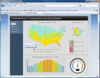
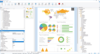
This filtered view of our main product catalog only shows tools, utilities and Web Parts that are compatible with MSFT SharePoint. There are MOSS tools that are SharePoint 2007 tools and hence compatible with MS Office SharePoint 2007 and there are SharePoint 2010 tools that are compatible with the latest release of the MS SharePoint tool. In our SharePoint product gallery you will find SharePoint products that extend the document management and the workflow capabilities of SharePoint. For example, you can find a third party SharePoint tool here that allows you to convert Office documents to PDF from within SharePoint itself. Plus there are SharePoint data access tools and Web Part controls to help you create sophisticated digital dashboard SharePoint solutions to give you SharePoint data visualization and SharePoint BI solutions using: SharePoint gauges, SharePoint maps, SharePoint charts & graphs.











 (5)
(5)





 (2)
(2)