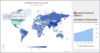
Complement your client server and Web based applications with data visualization components with no additional coding. PowerGadgets adds advanced IT monitoring on your desktop and in your Vista Sidebar. IT professionals can now create gadgets that consume data from WMI, Exchange, SQL and even the Windows Registry. PowerGadgets doesn't require any development environments, servers or browsers to run real-time gadget components such as charts, gauges and maps. In addition, PowerGadgets is visually and programmatically rich - scaling from vector-based graphics and managed .NET code. You can also use PowerGadgets to retrieve information from other Microsoft applications that are built on top of PowerShell such as Exchange Server, MOM and Virtual Machine Manager.
Create, customize and access enterprise-grade dashboards. PowerGadgets Mobile for XenApp leverages Citrix XenApp and Citrix Receivers for iPhone, Android, BlackBerry and Windows Mobile to let you easily create, customize and access enterprise-grade dashboards. With support for over 60 smart phone and devices, you can see what your dashboards will look like in any platform, any device. PowerGadgets Mobile for XenApp consists of two main components: The PowerGadgets Mobile Creator and PowerGadgets Mobile for XenApp server component. PowerGadgets Mobile Creator installs on your desktop computer and helps you design your gadget. PowerGadgets XenApp installs on the server where Citrix XenApp is installed. By taking advantage of Citrix Receiver for Mobile Devices, PowerGadgets Mobile for XenApp makes these business intelligence tools available to all supported phones without much effort on the user's side.