Publisher: Syncfusion Primary Category: Product Suites Product Type: Component / ASP.NET WebForms / ASP.NET AJAX (ATLAS) / ASP.NET MVC / .NET WinForms / .NET Class / .NET WPF / Silverlight / 100% Managed Code / JavaScript / AJAX
All of Syncfusion's User Interface, Reporting, and Business Intelligence components and libraries in one comprehensive suite. Essential Studio Enterprise Edition helps you develop enterprise-class Mobile MVC, ASP.NET MVC, ASP.NET, Windows Forms, Silverlight, Windows Phone and WPF applications. Dynamic and feature-rich, this collection of more than 400 controls lets you easily add sophisticated functionality, high performance capabilities and stunning user interfaces to your .NET applications. Included are all the 100% C# controls you need: Grids; a docking manager; a Ribbon control; numerous editors; group bars, a skin manager; group bars; a navigation package; wizards; a tree package; charting; diagramming; a spreadsheet control; scheduling; gauges; pivot grids; mapping; grouping; a calculation engine; a Gantt control; syntax highlighting; Excel, Word, Project, and PDF creation/modification capabilities; RDL reporting (a designer, a writer, and a viewer); OLAP controls, and a PDF viewer. Essential Studio Enterprise Edition comes with 2,900+ samples and incorporates a unique debugging system that allows for switching between debug and release versions of the library with a single click from inside the Visual Studio.NET IDE. Straightforward per-user licensing - no runtimes, royalties, or server deployment fees. Supports Visual Studio 2008 & 2010. Compatible with Visual Studio 11 beta. Every Syncfusion license is backed by a 1-year subscription for unlimited technical support and access to new releases (one per quarter).
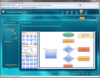
Create Visio-like diagrams with ease. Syncfusion Essential Diagram for WPF has the ability to present feature-rich diagrams. It provides an intuitive user-interaction model for creating and editing diagrams with XAML and data-binding support. Syncfusion Essential Diagram for WPF’s programmatic interface also places at your disposal many useful commands and methods that enable the performance of functionalities such as printing, data binding, serialization, and automatically laying out algorithms.
Easily add a wide variety of customizable diagrams to your .NET applications. Syncfusion Essential Diagram for Windows Forms is an extensible, high-performance .NET diagramming component. It can be used for developing Microsoft Visio-like interactive graphics and diagramming applications. Syncfusion Essential Diagram for Windows Forms stores graphical objects in a node graph and renders those objects onto the screen. Syncfusion Essential Diagram for Windows Forms supports both vector and raster graphics on the drawing surface.
Add flow diagrams to your Silverlight applications. Syncfusion Essential Diagram for Silverlight has the ability to present feature-rich diagrams. It provides an intuitive user-interaction model for creating and editing diagrams with XAML support. Syncfusion Essential Diagram for Silverlight stores graphical objects in a node graph and renders those objects onto the screen. It explicitly lays out diagram objects, or lets the LayoutManager handle the job by automatically arranging the nodes using the predefined layout algorithms.
Create AJAX enabled Visio-like diagrams. Syncfusion Essential Diagram for ASP.NET is an extensible, high-performance .NET diagramming framework for ASP.NET applications. It can be used for developing Microsoft Visio-like interactive graphics and diagramming applications. It stores graphical objects in a node graph and renders those objects on the screen. Syncfusion Essential Diagram for ASP.NET supports both vector and raster graphics on the drawing surface.
Easily add a wide variety of customizable diagrams to your .NET applications. Syncfusion Essential Diagram is an extensible, high-performance .NET diagramming component. It can be used for developing Microsoft Visio-like interactive graphics and diagramming applications. Syncfusion Essential Diagram stores graphical objects in a node graph and renders those objects onto the screen. Syncfusion Essential Diagram supports both vector and raster graphics on the drawing surface. Syncfusion Essential Diagram includes components for Windows Forms, ASP.NET, WPF and Silverlight platforms.
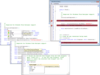
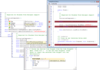
Enable syntax highlighting in any WPF application. Syncfusion Essential Edit for WPF is an editor with all basic features such as text editing, cutting, copying, and pasting. It enables users to open and save files from and to a variety of file formats. Syncfusion Essential Edit for WPF has built-in commands that can be bound, using command bindings, to perform various operations such as Open, New, Save, Save As, Copy, Cut, Paste, Select All, and so on. It also provides undo and redo options to verify previous actions. Syncfusion Essential Edit for WPF provides built-in support for common programming languages such as C# and Visual Basic. With this support, keywords, literals, strings, and comments in a program will be highlighted.
Enable syntax highlighting in any .NET application. Syncfusion Essential Edit for Windows Forms is designed to be extensible and easy to use. It enables syntax highlighting, automatic outlining, multilevel undo or redo, rich formatting options and comes with easy configuration. Syncfusion Essential Edit for Windows Forms includes predefined XML-based language configurations for syntax coloring commonly used languages. It also supports the creation of custom configurations for any desired language. Configuration files can be used to specify outlining blocks and syntax highlighting of embedded scripts.
Add Syntax highlighted editing functionality to your applications. Syncfusion Essential Edit is a syntax highlighting edit control that is designed to be extensible and easy to use. Syncfusion Essential Edit does not derive from the Rich Edit control. It is written from the ground up to be extensible and powerful. Features Multi-level Undo / Redo and rich formatting options. It comes with syntax files for commonly used languages and configuration can be done easily through a simple configuration file.
Publisher: Syncfusion Primary Category: Datagrids Product Type: Component / ASP.NET WebForms / ASP.NET AJAX (ATLAS) / ASP.NET MVC / .NET WinForms / .NET WPF / Silverlight / 100% Managed Code
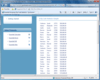
Add an extensible data-bound grid data control, a cell-oriented grid control and a multi-column grid tree control to your WPF applications. Syncfusion Essential Grid for WPF includes three grids: an extensible data-bound GridDataControl (sometimes referred to as a DataGrid), a cell-oriented GridControl, and a multi-column GridTreeControl. All three grids are full featured, offer excellent performance (in scrolling and time critical updates).The GridDataControl is a full featured, XAML enabled, data-bound grid that offers support for grouping, multi-column sorting, filtering, and summaries. It also supports the display of hierarchical data, conditional formats, unbound columns and expression columns. The cell-oriented GridControl is an efficient display engine for tabular data that can be customized down to the cell level. It can be used in a virtual manner where the data is provided on demand in real time, or it can be used in manner where the GridControl maintains the data within its own internal structures. GridControl supports frozen rows and columns, Excel-like formulas, covered cells, various cell control types, copy/paste, both row selections and cell-range selections, hidden rows and columns, and virtually an unlimited number of rows and columns.The GridTreeControl is a grid that displays self-referencing lists in a multi-column tree format. The data is loaded on demand so large lists can be quickly displayed. Direct support for a classic tree look is provided, but you also have the ability to easily customize the look of the tree with special glyphs and icons. Exceptional user performance is possible with thousands of nodes expanded or collapsed instantaneously.