Screenshot Preview

Actipro Views for WPF - Summary

by Actipro Software - Product Type: Component / .NET WPF / 100% Managed Code / Source Code

Summary

Actipro Views for WPF by Actipro Software

URLs: actipro-views-for-wpf, actipro views for wpf, actiproviewsforwpf, actipro

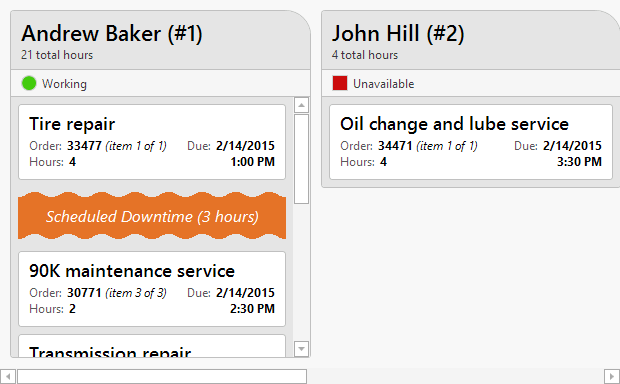
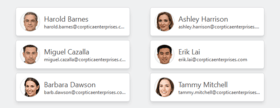
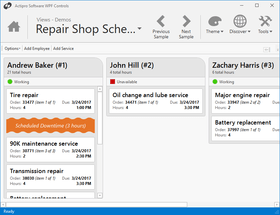
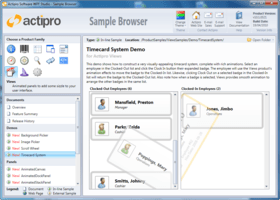
A set of advanced WPF panels that support fluid animated item layout. Actipro Views for WPF offers a range of panels that support fluid animations of the child elements for the Windows Presentation Framework. Actipro Views for WPF also includes several built-in animations, which can be easily customized, or you can build your own using native WPF animations. Drop-in replacements are available for several native WPF panels, including Canvas, DockPanel, StackPanel, and WrapPanel. Actipro Views for WPF includes additional panels that use unique layout logic, not found natively in WPF. You can also easily build custom panels that leverage the fluid animations and configuration options. Actipro Views for WPF can also be bought as part of the Actipro WPF Studio.

Actipro Views for WPF offers a range of panels that support fluid animations of the child elements for the Windows Presentation Framework. Actipro Views for WPF also includes several built-in animations, which can be easily customized, or you can build your own using native WPF animations. Drop-in replacements are available for several native WPF panels and you can also easily build custom panels that leverage the fluid animations and configuration options. Actipro Views for WPF can be purchased individually or as part of the Actipro WPF Studio control suite bundle.

Actipro Views for WPF Panels

AnimatedCanvas

This panel allows child elements to be precisely positioned using coordinates that are relative to the panel's bounds. Child elements are always allotted their desired size, as the panel does not impose any size restrictions. This panel can be used as a drop-in replacement for the native WPF Canvas panel.

AnimatedDockPanel

This panel allows child elements to be positioned either horizontally or vertically, relative to each other. Specifically, child elements are positioned or "docked" to a specified edge of the panel. Special handling can be applied to the last child element. It can be set to fill any remaining space, which is the default behavior. Alternatively, it can be docked like other elements. This panel can be used as a drop-in replacement for the native WPF DockPanel panel.

AnimatedStackPanel

This panel allows child elements to be positioned in sequential order, either horizontally or vertically. Support for logical scrolling is included, so elements can be scrolled completely into, out of, the view. This panel can be used as a drop-in replacement for the native WPF StackPanel panel.

AnimatedWrapPanel

This panel allows child elements to be positioned in sequential order, either horizontally or vertically, breaking content to the next row or column at the edge of the containing box. Subsequent ordering happens sequentially from top to bottom or from right to left, depending on the orientation. This panel can be used as a drop-in replacement for the native WPF WrapPanel panel.

SwitchPanel

This panel delegates the positioning of child elements to one or more child panels, which allows the layout logic to be dynamically changed during runtime. When used with a ListBox, or another ItemsControl, the layout logic can be changed without having to regenerate or reparent any item containers.

ZapPanel

This panel allows child elements to be positioned in sequential order, either horizontally or vertically, while keeping a focal item centered in the view. Includes support for wrapping items around, to produce a circular effect.

Custom Panels

Building panels with custom layout logic is just as easy as before, with the added benefit of the fluid animations. A complete tutorial and sample code is provided for building a "random" panel, which randomly positions it's elements.

Actipro Views for WPF Animations

Arrange Rectangle

The arrange rectangle of each element can be smoothly animated from one position/size to another. The position and size can be animated together or not at all. As with all the built-in animations, you can customize or disable various features or completely replace them.

Fade Elements In/Out

Elements that were added or removed from the panel can have their opacity property animated. This animation can be combined with other animations or used independently, and is fully customizable.

Render Transform

Easily animate the rotation, scaling, or translation of elements entering or leaving the panel. Quickly combine the various animations in any manner to produce a desired effect, or mix in your own animations. These animations are designed to ensure that any custom render transform is preserved, even while running. The settings for entering or leaving elements can be customized independently, giving each a unique look.

Custom Animations

All the built-in animations leverage the native WPF animations, such as DoubleAnimation. In addition, the construction of the storyboards used to animate the elements in the panels can be completely altered. Alternatively, you can override the built-in animations to tweak a few animations, or inject a few new timelines.

Actipro Views for WPF General Features

ListBox/ItemsControl

The Views panels can easily be plugged into a ListBox, or any other ItemsControl, to give it a more professional look.

Right-to-left

All the Views panels support right-to-left layouts.

XBAP Support

Views fully supports use in XBAPs (browser applications). We have specifically engineered it to operate within the bounds of the XBAP security sandbox.

Actipro Views for WPF can be purchased individually or as part of the Actipro WPF Studio control suite bundle.

What's new in Actipro Views for WPF 2011.2?

App-Wide Themes - Actipro Themes includes professionally-designed themes that cover all system and Office themes including high contrast mode. The themes apply to all Actipro controls and optionally to native WPF controls.

Styles/Templates for Native WPF Controls - Enhanced styles and templates for all native WPF controls (TextBox, ToolBox, TreeView, etc.) are included. These styles can be automatically applied app-wide via a single line of code. Or you can choose to use them on specific controls only, accessible via pre-defined style keys.

Common Asset Pool - There are well over 800 asset resources for each of the system and Office themes supported. All custom and native control styles/templates use the same assets. This ensures that controls placed next to each other always render with similar colors that complement each other.

Advanced Tinting - Actipro Themes supports the tinting of any theme or portion of a theme towards a certain color. This means that you can take a built-in theme like the Office Silver theme, and make it a red one instead.

Appearance Improvements - Actipro Themes includes updated menu, toolbar, and statusbar appearances that were inspired by Visual Studio 2010’s look. The simplified design uses a darker workspace area, with lighter content areas in each docking window. This higher contrast appearance focuses the end user's eye on the content without distracting it with non-active UI elements, thus making for a more effective user interface.

What's new in Actipro Views for WPF 2011.1?

FanPanel Control - The new FanPanel control allows child elements to be positioned in sequential order along the z-axis, while keeping a focal item centered in the view. Additionally, items below or above the focal element can be easily faded, rotated, or offset using customizable properties, providing for some visually appealing layouts.

What's new in Actipro Views for WPF 2010.2?

Added new Book control and several demos and QuickStarts.

Fixed an issue with selecting content of BookPage in Visual Studio 2010 designer.

A set of advanced WPF panels that support fluid animated item layout.

Pricing: Actipro Views 2011.2 for WPF 1 Developer Subscription License (Includes 12 months of updates, both minor and major, email and forums based support and more), Actipro Views 2011.2 for WPF 1 Developer Subscription License, per license for 2 licenses (minimum quantity 2) (Includes 12 months of updates, both minor and major, email and forums based support and more), Actipro Views 2011.2 for WPF 1 Developer Subscription License, per license from 3 up to 4 licenses (minimum quantity 3) (Includes 12 months of updates, both minor and major, email and forums based support and more), Actipro Views 2011.2 for WPF 1 Developer Subscription License, per license from 5 up to 7 licenses (minimum quantity 5) (Includes 12 months of updates, both minor and major, email and forums based support and more), Actipro Views 2011.2 for WPF 8 or More Developer Subcription Licenses, Price per license (minimum quantity 8) (Includes 12 months of updates, both minor and major, email and forums based support and more), Actipro Views 2011.2 for WPF 1 Site Wide License (Allows Unlimited Developers at a Single Physical Address) (Includes 12 months of updates, both minor and major, email and forums based support and more), Actipro Views 2011.2 for WPF 1 Enterprise License (Allows Unlimited Developers throughout your entire organization, regardless of location) (Includes 12 months of updates, both minor and major, email and forums based support and more), Actipro Views 2011.2 for WPF 1 Blueprint License - (Source Code License) (Current Developer, Enterprise or Site License Subcriptions Required) (Includes 12 months of updates, both minor and major, email and forums based support and more), Actipro Views for WPF - Renewal 1 Developer Renewal License (if you have a current Developer Subscription or if your Developer Subscription expired within the past 30 days), Actipro Views for WPF - Renewal 1 Developer Renewal License, per license for 2 licenses (minimum quantity 2) (if you have a current Developer Subscription or if your Developer Subscription expired within the past 30 days), Actipro Views for WPF - Renewal 1 Developer Renewal License, per license from 3 up to 4 licenses (minimum quantity 3) (if you have a current Developer Subscription or if your Developer Subscription expired within the past 30 days), Actipro Views for WPF - Renewal 1 Developer Renewal License, per license from 5 up to 7 licenses (minimum quantity 5)(if you have a current Developer Subscription or if your Developer Subscription expired within the past 30 days), Actipro Views for WPF - Renewal 8 or More Developer Renewal License, Price per license (minimum quantity 8) (if you have a current Developer Subscription or if your Developer Subscription expired within the past 30 days), Actipro Views for WPF - Renewal 1 Site Wide Renewal License (if you have a current Site Wide Subscription or if your Site Wide Subscription expired within the past 30 days), Actipro Views for WPF - Renewal 1 Enterprise Renewal License (if you have a current Enterprise Subscription or if your Enterprise Subscription expired within the past 30 days), Actipro Views for WPF - Renewal 1 Blueprint Renewal License (if you have a current Blueprint Subscription or if your Blueprint Subscription expired within the past 30 days. You also need a Current Developer, Enterprise or Site License Subcription)

Evals & Downloads: Read the Actipro WPF Studio help file, Read the Actipro Software End User License Agreement, Download the Actipro WPF Studio 2011.2 evaluation on to your computer - Expires after 21 days

Operating System for Deployment: Windows 7, Windows Vista, Windows XP, Windows Server 2003

Architecture of Product: 32Bit, 64Bit

Product Type: Component

Component Type: .NET WPF, 100% Managed Code, Source Code

Built Using: Visual C# .NET

Compatible Containers: Microsoft Visual Studio 2010, Microsoft Visual Studio 2008, Microsoft Visual Studio 2005, Microsoft Visual Basic 2010, Microsoft Visual Basic 2008, Microsoft Visual Basic 2005, Microsoft Visual C++ 2010, Microsoft Visual C++ 2008, Microsoft Visual C++ 2005, Microsoft Visual C# 2010, Microsoft Visual C# 2008, Microsoft Visual C# 2005, .NET Framework 4.0, .NET Framework 3.5

Product Class: User Interface Components

Keywords: actipro views for wpf, actipro views wpf, views wpf

Actipro Software

User Interface UI

Part numbers: PC-535014-423019 535014-423019 PC-535014-423021 535014-423021 PC-535014-423043 535014-423043 PC-535014-423045 535014-423045 PC-535014-423023 535014-423023 PC-535014-423025 535014-423025 PC-535014-423035 535014-423035 PC-535014-423037 535014-423037 PC-535014-423027 535014-423027 PC-535014-423047 535014-423047 PC-535014-423049 535014-423049 PC-535014-423029 535014-423029 PC-535014-423031 535014-423031 PC-535014-423033 535014-423033 PC-535014-423039 535014-423039 PC-535014-423041 535014-423041

Mfr. Part No: #1154 #1155 #1156 #1157 #1158 #1159 #1160 #1161

Product Search

Enter search words:

Award