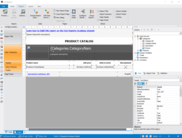
Screenshot Preview

Active Query Builder Java Edition

by Active Database Software - Product Type: Component / JavaBean

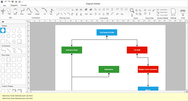
Build complex SQL queries via an intuitive visual interface. Active Query Builder Java Edition is a visual query builder component suite that allows your end-users to build complex SQL queries with unions and sub queries via an intuitive visual interface. Active Query Builder Java Edition is a Swing-based Java bean component built using JRE 6 (1.6) and supports all modern Java development environments including NetBeans, Eclipse and IntelliJ IDEA.

From
$441.00

Our regular prices are shown below. Please logon to see your discounted prices.

Price in

Active Query Builder Standard Java Edition 1.4

Add to Cart $ 441.00 1 Developer License (Includes 1 Year of Free Upgrades & Priority Support)
Mfr. Part No: 2343426
Download (13.6 MB)
Add to Cart $ 882.00 4 Developer License (Includes 1 Year of Free Upgrades & Priority Support)
Mfr. Part No: 2343428
Download (13.6 MB)
Add to Cart $ 1,411.20 8 Developer License (Includes 1 Year of Free Upgrades & Priority Support)
Mfr. Part No: 2343442
Download (13.6 MB)
Add to Cart $ 931.00 Full Source Code (Requires Developer License)
Mfr. Part No: 2343430
Verify Download (14.6 MB)

Our prices include ComponentSource technical support and, for most downloadable products, an online backup and a FREE upgrade to the new version if it is released within 30 days of your purchase.  All sales are made on our standard Terms and Conditions and subject to our Return Policy. Please contact us if you require any licensing option not listed, including volume licensing and previous versions.

Our regular prices are shown above. Please logon to see your discounted prices.

What's new in Active Query Builder Java Edition 1.4

Behavior changes

  • The Select checkbox is checked automatically now on adding a new expression.
  • Grouping is set automatically now on specifying the aggregate for a column now.
  • The numbers entered into condition for string fields are treated as literals.
  • The "=TRUE" condition is set automatically on adding a logical expression now. Useful on adding the EXISTS expressions.
  • Automatic alias assignment is made when user adds two or more columns with same name to the query. The warning message is shown when muptiple columns with same name appear in sub-queries in result of user actions as this may lead to inconsistence in the calling sub-query.
  • The new UserMessage event is added. It is fired when the Query Builder is about to show the warning message to the user. You may override this behavior by handling this event.

SQL Syntax changes

  • SQLite: The component can load foreign keys now.
  • SQLite: The list of aggregates and built-in functions is filled now.
  • MS SQL Server: Fetching metadata object descriptions from database is made.
  • MySQL Query Properties form is redesigned.
  • MySQL: The SELECT [DISTICT|ALL] options are added to the query properties dialog.

Major improvements of the new version Active Query Builder Java Edition 1.2.5:

  • New feature: Virtual database objects and fields.
    It allows to hide complex expressions and sub-queries behind ordinary fields and save derived tables as ordinary database objects. See the "VirtualObjectsAndFields" source code example for demonstration and details.
  • Basic support for custom aggregate functions is implemented.
  • Custom aggregate functions retrieval for MS SQL Server is made.
  • Portuguese (Brazil) and French translations are added.
  • MSSQLCESyntaxProvider is implemented to support Microsoft SQL Server Compact Edition.
  • SQLite: The query properties form is implemented, Ability to fetch metadata from "attached" databases is added.
  • Firebird 2.5 support is added.
  • The new source code example "LoadMetadataAsync" is added to demonstrate asynchronous loading of metadata.
  • The new DiagramObjectDeleting event is added. It notifies you that a user are trying to delete an object from the diagram pane and allows to prevent the deletion.
  • The new events are added to control unchecking of a field from the datasource field list: DatasourceFieldRemoving and DatasourceFieldRemoved.
  • Now it's possible to allow visual setting of NULLS FIRST/NULLS LAST options using the new property: getCriteriaListOptions().setShowNullOrderingInSortTypeColumn().
  • MS SQL Server, Sybase: support for old-style TransactSQL outer joins is made: "*=" and "*=" operators. (only if MS SQL Server version is less than 2005)

Common product information about Active Query Builder

  • Easy visual building of complex SQL queries with unions and sub-queries.
  • MS-Access style user-friendly interface with drag & drop support.
  • Two-way SQL query building (combined with SQL text editing).
  • Defining user-friendly aliases for tables and field names.
  • Powerful means of SQL query analysis and programming modification.
  • Working in offline mode, storing metadata in XML files.
  • Restricting access to unwanted objects, preventing query execution.
  • Sophisticated SQL parser, support of most popular database servers.
  • SQL query text formatting.

Integration with Java applications is achieved by setting a few properties or adding a few lines of code.
The component may be integrated into your Java application with just a few lines of code. Active Query Builder Java Edition does not force the programmer to use the embedded data grid, SQL editor or anything else. Instead, it allows you to integrate any accompanying tools into your application as quickly and easily as possible.

Full access to internal query representation objects.
Active Query Builder gives you full control over the SQL query - you can easily navigate it using the internal query builder objects tree that represents all parts of the SQL query. Also you can edit existing queries or create new SQL queries using these objects in run-time.

JDBC and custom metadata providers.
Active Query Builder is able to retrieve metadata from all supported database servers automatically. Also it can load metadata to from any other data source using the event-driven metadata provider. Using Active Query Builder you can work disconnected providing all necessary metadata information by yourself.


List of features of Active Query Builder Java Edition.

Completely visual building of complex SQL queries

  • Visual building of sub-queries
  • Visual building of unions
  • Columns pane allowing to define grouping, sorting, and constructing criteria
  • Tree pane to browse and navigate query tree
  • Database objects tree pane to add objects to query
  • Changing real objects and field names with user-friendly aliases - Not available in free edition

Powerful programming interface

  • Configuring the layout of generated SQL code
  • Retrieving the list of parameters found in the query - Not available in free edition
  • Retrieving extended information about parameters: datatype, related object, field and operator - Not available in free edition
  • Ability to alter with metadata - Not available in free edition
  • Ability to define alternate user-friendly names for database objects and fields - Not available in free edition
  • Ability to build queries with objects from different databases - Not available in free edition
  • Pre-filtering of database objects to speed up metadata loading - Not available in free edition
  • Ability to work without live database connection - Not available in free edition
  • Saving and loading all metadata information to XML format - Not available in free edition
  • Ability to work in offline mode - Not available in free edition
  • Full access to internal query representation objects - Not available in free edition

Support for various SQL Dialects

  • ANSI SQL/92
  • Microsoft SQL Server - Not available in free edition
  • Oracle - Not available in free edition
  • Microsoft Access - Not available in free edition
  • MySQL - Not available in free edition
  • Firebird - Not available in free edition
  • IBM DB2 - Not available in free edition
  • Sybase - Not available in free edition
  • PostgreSQL - Not available in free edition
  • Informix - Not available in free edition
  • SQLite - Not available in free edition
  • ANSI SQL/89 - Not available in free edition
  • ANSI SQL/2003 - Not available in free edition

Several visual representation models

  • MS Access style
  • SQL Server Enterprise Manager style

Miscellaneous options

  • SQL Formatter: Plain text output filter to customize SQL code the way you like it
  • Ability to detect SQL Syntax dialect automatically - Not available in free edition
  • Full Unicode support

Full set of database connectivity options

  • Metadata retrieval from all supported database servers through native JDBC drivers - Not available in free edition
  • Generic event-driven metadata provider

Support

Priority Support
The Premium Support Program was developed at the request of some of Active Database Software's current and potential customers who have their own support obligations to their end-users, so they have to be sure to receive answers in a timely manner. This program will ensure you receive answers from Active Database Software support staff within 24 hours (excluding weekends and holidays), to have your bug reports processed foremost, and your wishes and suggestions to be placed higher in their to-do list.

Product Search

Enter search words:

Quick Links

Publisher

Primary Category

Related Products

Award