by Blueberry Consultants - Product Type: Application
BB FlashBack Standard by Blueberry Consultants
URLs: bb-flashback-standard, bb flashback standard, bbflashbackstandard, blueberry
Advanced screen recorder software. BB FlashBack Standard is an easy to use screen recording and movie authoring application for creating compact but high quality footage for tutorials, demos and presentations. Text effects, sound and commentary are fully supported by BB FlashBack and movies can be exported Flash, QuickTime (H264), WMV, AVI, EXE and PowerPoint. BB FlashBack uploads to YouTube, Blip.tv, Viddler and Revver and gives you a URL you can share. BB FlashBack also records all Vista graphics modes,records from your webcam while it records your screen.

BB FlashBack Standard Overview
BB FlashBack Standard allows users to record the whole, or selected areas of, their computer screen. Once captured these recordings can be replayed, edited, produced and published into a wide range of formats. Unlike most screen recording software, BB FlashBack uses a special capture driver to intelligently detect the changes in your screen. This method of recording minimises the strain on PC resources during recording, produces crystal clear movie quality and delivers a low file size.
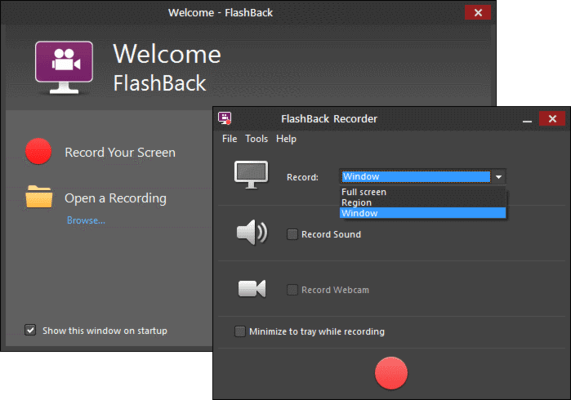
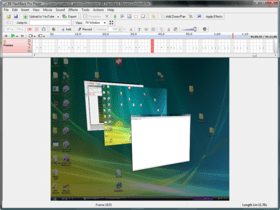
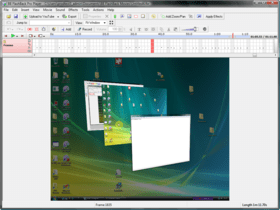
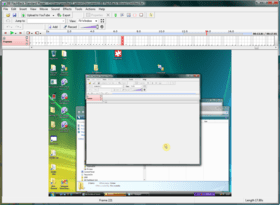
For ease of use BB FlashBack is divided into two sections: the recorder and the player. BB FlashBack recorder deals with all aspects of capturing your screen. After recording, movies can be loaded into the BB FlashBack player and edited by inserting, removing, cutting or pasting footage. Text annotations, sound effects, imported graphics and spoken commentaries are all fully supported. Text can be added into your movie with a variety of different effects, or inside highlighted boxes and callouts. Sound can be recorded from a PC microphone or any other sound input into your computer; either ‘on the fly’ while capturing your screen, or added later in the BB FlashBack editor.
To polish presentations a range of extra production tools are available. The speed of the movie can be tweaked and changed at selected areas. Mouse cursor movements can be shown, hidden or re-recorded altogether. Your own graphics can also be imported into the movie and positioned and displayed as desired.
For navigation through your footage, BB FlashBack player allows users the ability to jump to the next selected movie event such as “next mouse click” or “last keypress”. Along with this functionality a helpful timeline and preview panel are part of the FlashBack player to allow browsing through the footage. Searching for text inside the movie is also possible.
BB FlashBack Standard Features
Recording
BB FlashBack Standard can record high frame rate, high quality movies without affecting PC performance, even on lower powered PCs. BB FlashBack Standard also provides WebCam Recording so you can give your movies a personal touch. One click, and BB FlashBack records from the webcam while it records the screen. You can also record a commentary at the same time as the screen. It's easy to record the microphone, PC speakers or other sources.
Record Vista
Capture Vista's 'Aero' effects at a high frame rate without a high-spec PC. BB FlashBack screen recorder is fully Vista compatible and can record all of its graphics modes.
Continuous Recording
Ideal for usability testing, monitoring and similar applications, BB FlashBack lets you record forever but limit the movie file size.
Sharing Movies
Upload to YouTube, Blip.tv, Viddler or Revver. Get the URL and share it
Export to a Range of Formats
BB FlashBack screen recorder exports to the most widely used video formats: Flash, QuickTime, AVI and Windows Media Video.
Features / EditionsStandard EditionProfessional Edition
Recording
Record screen, microphone, PC sounds and webcam
••
Record the full screen, a window or region
••
Record and display keystrokes
••
Record continuously and limit the final file size
••
Choice of recording modes to suit older or newer PCs
••
Records Vista's Aero mode
••
Sharing
Upload to Youtube, Blip.tv, Revver
••
Upload to generic http, ftp and local network file servers
•
Export to Flash - SWF and FLV (Flash video)
••
Export to AVI
••
Export to Windows Media Video (WMV)
••
Export to QuickTime (H264)
••
Export to Standalone EXE
•
Export to MS Powerpoint
•
Annotation
Add textboxes
••
Add sound files or record a new commentary
••
Add images
••
Highlight areas of the screen
••
Add interactive buttons
••
Add AVI or WMV file as picture-in-picture video
••
Editing
Frame-by-frame video editing
•
Multi-track audio editing
•
Smooth out or re-record cursor movements
•
Speed up and slow down sections of the movie
•
Effects
Cursor highlighting
••
Zoom and Pan
•
Cropping the movie area
•
What's new in BB FlashBack Standard V3.0?
A new recorder interface that lets you set the main options and get recording quicker
Scheduled recording
Add arrows to movie
Add watermark images to movies
Add video files to movies
Easily create start and end titles
iPod/Pad/Phone compatible exports
Remove noise from audio
'Flatten out' the volume in a movie with audio compression and normalisation
Fade sound in and out
Displays invisible keystrokes
More flexible, 'Rich' text formatting in textboxes
Improved player interface that enables easier working with text, image etc objects
Improved usability when creating pauses in a movie
And many other smaller improvements and fixes.
What's new in BB FlashBack Standard V2.7.4x?
New feature: inverted cursor highlight.
Fix: Bad final frame or second to last frame in mpeg recordings.
Fix: Cropping mpeg recording to final frame produced access violation.
Fix: Saving the final frame of an mpeg recording as a new FBR produced a corrupt file.
Fix: Saving a single frame could produce an FBR containing a number of frames.
Fix: Exe exports would not autoscroll correctly on some PCs - they would be displayed scaled instead.
Fix: Improvements to deskband on windows 7 and addition of deskband for 64bit operating systems.
Fix: When inserting an mpeg movie into an mpeg movie, blank frames were added to the end of the movie.
Fix: Duplicate markers could be produced by deleteing all frames after a marker and saving the movie.
Fix: Static frames produced by using mpeg recording with the limit by time function.
Fix: EXE export. Message about missing entry point in dll when running EXE exported from some movies.
Fix: Media player detection not working for some players.
Fix: Capture driver initialisation error on some Windows 7 PCs.
Flash exports: Improved handling of pre v9 Flash players.
Now disables video hardware acceleration by default on lower powered PCs.
Advanced screen recorder software.
Pricing: BB FlashBack Standard V3.0 + Premium Support 1 Machine licence + Premium Support, BB FlashBack Standard V3.0 + Premium Support 1 Machine licence + Premium Support , per Machine from 2 to 5 users, BB FlashBack Standard V3.0 + Premium Support 1 Machine licence + Premium Support , per Machine from 6 to 10 users, BB FlashBack Standard V3.0 + Premium Support 1 Machine licence + Premium Support , per Machine from 11 to 20 users, BB FlashBack Standard V3.0 + Premium Support 1 Machine licence + Premium Support , per Machine from 21 to 50 users, BB FlashBack Standard V3.0 + Premium Support 1 Machine licence + Premium Support , per Machine 51 users or more, BB FlashBack Standard V3.0 1 Machine License, BB FlashBack Standard V3.0 1 Machine Licence, per Machine from 2 to 5 users, BB FlashBack Standard V3.0 1 Machine Licence, per Machine from 6 to 10 users, BB FlashBack Standard V3.0 1 Machine Licence, per Machine from 11 to 20 users, BB FlashBack Standard V3.0 1 Machine Licence, per Machine from 21 to 50 users, BB FlashBack Standard V3.0 1 Machine Licence, per Machine 51 users or more, BB FlashBack Standard V3.0 - Upgrades + Premium Support 1 Machine Upgrade License + Premium Support, BB FlashBack Standard V3.0 - Upgrades + Premium Support 1 Machine Upgrade License + Premium Support, per Machine from 2 to 5 users, BB FlashBack Standard V3.0 - Upgrades + Premium Support 1 Machine Upgrade License + Premium Support, per Machine from 6 to 10 users, BB FlashBack Standard V3.0 - Upgrades + Premium Support 1 Machine Upgrade License + Premium Support, per Machine from 11 to 20 users, BB FlashBack Standard V3.0 - Upgrades + Premium Support 1 Machine Upgrade License + Premium Support, per Machine from 21 to 50 users, BB FlashBack Standard V3.0 - Upgrades + Premium Support 1 Machine Upgrade License + Premium Support, per Machine 51 users or more, BB FlashBack Standard V3.0 - Upgrades 1 Machine Upgrade Licence, BB FlashBack Standard V3.0 - Upgrades 1 Machine Upgrade Licence, per Machine from 2 to 5 users, BB FlashBack Standard V3.0 - Upgrades 1 Machine Upgrade Licence, per Machine from 6 to 10 users, BB FlashBack Standard V3.0 - Upgrades 1 Machine Upgrade Licence, per Machine from 11 to 20 users, BB FlashBack Standard V3.0 - Upgrades 1 Machine Upgrade Licence, per Machine from 21 to 50 users, BB FlashBack Standard V3.0 - Upgrades 1 Machine Upgrade Licence, per Machine 51 users or more, BB FlashBack Standard V3.0 - Educational Discount 1 Machine License, BB FlashBack Standard V3.0 - Educational Discount 1 Machine Licence, per Machine from 2 to 5 users, BB FlashBack Standard V3.0 - Educational Discount 1 Machine Licence, per Machine from 6 to 10 users, BB FlashBack Standard V3.0 - Educational Discount 1 Machine Licence, per Machine from 11 to 20 users, BB FlashBack Standard V3.0 - Educational Discount 1 Machine Licence, per Machine from 21 to 50 users, BB FlashBack Standard V3.0 - Educational Discount 1 Machine Licence, per Machine 51 users or more
Evals & Downloads: Browse the BB FlashBack with PowerPoint Demo Movie, Read the BB FlashBack White Paper - Requires Acrobat Reader, Read the J H Tuppeny Consulting Case Study - Requires Acrobat Reader, Read the CBT Interactive Case Study - Requires Acrobat Reader, Read the British Council Case Study - Requires Acrobat Reader, Read the Alanna Enterprises Ltd Case Study - Requires Acrobat Reader, Read the BB FlashBack End User License Agreement, Read the BB FlashBack Standard Help File, Download the BB FlashBack Standard V3.0 evaluation on to your computer - Expires after 30 days
Operating System for Deployment: Windows 7, Windows Vista, Windows XP, Windows ME, Windows 2000, Windows 98, Windows NT 4.0
Architecture of Product: 32Bit, 64Bit
Product Type: Application
Built Using: Visual C++ 6.0
Product Class: Component Development Tools
Keywords: bb flashback standard , bb flashback, bbflashback standard, bbflashback
Demonstration demonstrate demos demo presentation presents present
Multimedia media
Part numbers: PC-532365-386357 532365-386357 PC-532365-386358 532365-386358 PC-532365-386359 532365-386359 PC-532365-386362 532365-386362 PC-532365-386364 532365-386364 PC-532365-386366 532365-386366 PC-532365-386354 532365-386354 PC-532365-386355 532365-386355 PC-532365-386356 532365-386356 PC-532365-386361 532365-386361 PC-532365-386363 532365-386363 PC-532365-386365 532365-386365 PC-532365-386374 532365-386374 PC-532365-386376 532365-386376 PC-532365-386378 532365-386378 PC-532365-386380 532365-386380 PC-532365-386382 532365-386382 PC-532365-386384 532365-386384 PC-532365-386373 532365-386373 PC-532365-386375 532365-386375 PC-532365-386377 532365-386377 PC-532365-386379 532365-386379 PC-532365-386381 532365-386381 PC-532365-386383 532365-386383 PC-532365-386367 532365-386367 PC-532365-386368 532365-386368 PC-532365-386369 532365-386369 PC-532365-386370 532365-386370 PC-532365-386371 532365-386371 PC-532365-386372 532365-386372
Mfr. Part No: BB-FBS3-COM-PS-(1) BB-FBS3-COM-PS-(11-20) BB-FBS3-COM-PS-(21-50) BB-FBS3-COM-PS-(2-5) BB-FBS3-COM-PS-(51+) BB-FBS3-COM-PS-(6-10) BB-FBS3-COM-SW-(1) BB-FBS3-COM-SW-(11-20) BB-FBS3-COM-SW-(21-50) BB-FBS3-COM-SW-(2-5) BB-FBS3-COM-SW-(51+) BB-FBS3-COM-SW-(6-10) BB-FBS3-COM-SWU-(1) BB-FBS3-COM-SWU-(11-20) BB-FBS3-COM-SWU-(21-50) BB-FBS3-COM-SWU-(2-5) BB-FBS3-COM-SWU-(51+) BB-FBS3-COM-SWU-(6-10) BB-FBS3-EDU-SW-(1) BB-FBS3-EDU-SW-(11-20) BB-FBS3-EDU-SW-(21-50) BB-FBS3-EDU-SW-(2-5) BB-FBS3-EDU-SW-(51+) BB-FBS3-EDU-SW-(6-10)
Publisher
Primary Category
Related Products
Related Categories