
Column Permissions
Manage access to SharePoint lists.
Published by ArtfulBits
Distributed by ComponentSource since 2011
Prices from: US$ 392.00 Version: 2.41 Updated: May 16, 2017
Manage access to SharePoint lists.
Published by ArtfulBits
Distributed by ComponentSource since 2011
Prices from: US$ 392.00 Version: 2.41 Updated: May 16, 2017

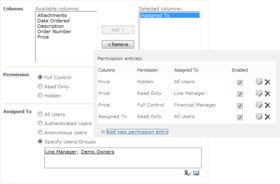
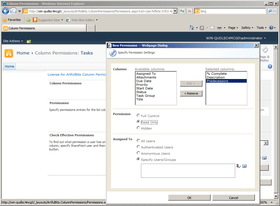
Column Permissions allows you to manage access to SharePoint list content at column level. Permissions can be assigned for individual users and for SharePoint groups. Column Permissions settings are effective in forms and list views, as well as in SharePoint Alerts, RSS, Datasheets and even during exporting to Excel.

Column Permissions Features
Why ArtfulBits Column Permissions?
If...
Column Permissions is also available in:
Live Chat with our ArtfulBits licensing specialists now.

Tel: (888) 850 9911
Fax: +1 770 250 6199


