by JetBrains - Product Type: Add-In / Application
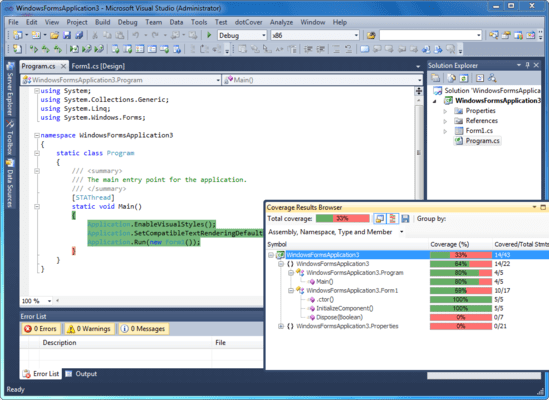
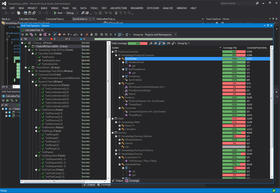
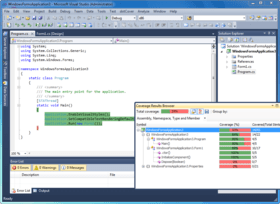
A code coverage tool for .NET developers. dotCover is a code coverage tool that reports statement-level coverage in .NET and Silverlight applications. dotCover highlights covered and uncovered code in Visual Studio (Visual Studio 2005, 2008 and 2010) by generating XML-based code coverage reports. dotCover detects which tests cover a particular location in code and integrates with ReSharper's unit testing tools. It comes with a console utility to use with a continuous integration server. dotCover can aggregate data from multiple coverage sessions and merging snapshots. dotCover extends the JetBrains .NET tools family that already includes ReSharper and dotTrace.

Our regular prices are shown below. Please logon to see your discounted prices.
| Add to Cart | $ 146.02 | 1-9 Commercial License - (price per license) - includes 1 Year of updates and upgrades Mfr. Part No: DC10CL |
Download (11.0 MB) | |
| Add to Cart | $ 145.28 | 10-19 Commercial License - (price per license) - includes 1 Year of updates and upgrades Mfr. Part No: DC10CL |
Download (11.0 MB) | |
| Add to Cart | $ 144.53 | 20-49 Commercial License - (price per license) - includes 1 Year of updates and upgrades Mfr. Part No: DC10CL |
Download (11.0 MB) | |
| Add to Cart | $ 73.50 | Annual Upgrade Subscription Mfr. Part No: DCCUS |
Verify | Download (11.0 MB) |
| Add to Cart | $ 73.50 | 1-9 Personal License - (price per license) - includes 1 Year of updates and upgrades Mfr. Part No: DC10PL |
Download (11.0 MB) | |
| Add to Cart | $ 73.13 | 10-19 Personal License - (price per license) - includes 1 Year of updates and upgrades Mfr. Part No: DC10PL |
Download (11.0 MB) | |
| Add to Cart | $ 72.75 | 20-49 Personal License - (price per license) - includes 1 Year of updates and upgrades Mfr. Part No: DC10PL |
Download (11.0 MB) | |
| Add to Cart | $ 38.22 | Annual Upgrade Subscription Mfr. Part No: DCPUS |
Verify | Download (11.0 MB) |
Our prices include ComponentSource technical support and, for most downloadable products, an online backup and a FREE upgrade to the new version if it is released within 30 days of your purchase. All sales are made on our standard Terms and Conditions and subject to our Return Policy. Please contact us if you require any licensing option not listed, including volume licensing and previous versions.
Our regular prices are shown above. Please logon to see your discounted prices.
What’s new in dotCover V1.2?
What’s new in dotCover V1.1.1?
dotCover Features:
dotCover: Code Coverage for .NET
Testing code for coverage with dotCover
Similar to dotTrace, dotCover works with ReSharper. When you install dotCover, you see several options appear in the ReSharper menu options as well as the Test Runner window. First of all, under ReSharper | Unit Tests menu option, there is a new option to run coverage reports, either for specific tests or for the entire solution. Similarly, the Test Runner Window offers us the same options. You get a new icon to run tests under coverage, as well as a new tab that will display the output of the coverage report. Based on the information you want to obtain, you can run coverage reports on the entire solution or only certain tests. Running on the entire solution will give you a measurement of how much of yout entire code base is covered. In order to do so, you can select Cover All Tests from Solution. You can assign whatever keyboard shortcut you want to this action by selecting the ReSharper_UnitTest_CoverSolution command. Executing the command will run the unit tests and once completed will then proceed to run a coverage report. You can also run coverage on individual tests or classes, by selecting them and choosing to Cover with dotCover. The window groups coverage reports based on the option selected in the drop-down list. dotCover provides you with two measurements: percentage of code covered and number of statements.