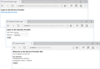
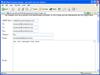
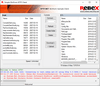
Screenshot Preview

Aurigma Image Uploader Express - Summary

by Aurigma - Product Type: Component / ActiveX OCX / Java Applet

Summary

Aurigma Image Uploader Express by Aurigma

URLs: image-uploader, image uploader, imageuploader, aurigma

Provide your end users with the ability to easily upload files. Aurigma Image Uploader Express was created for those who need to provide their users with basic upload functionality with well-designed and convenient user interface. If you are launching a startup or run a small website, this edition is a good start point. Using Aurigma Image Uploader Express your end users will be able to navigate through folders on their computer and select files for upload directly on the page of your website. They will be able to select multiple files and upload them with a single click. Image Uploader supports most browsers, is easy to use and can upload files of any kind.

Aurigma Image Uploader Express - Get started with user-friendly upload technology

Image Uploader is:

Multiple file upload solution

Supported by most browsers

Easy to use

Used by thousands of websites

Image Uploader can:

Upload files of any kind

Resize photos before upload

Display upload progress

Send file descriptions and other data

Looking for an affordable but still powerful and user-friendly upload solution? Aurigma Image Uploader Express edition ideally meets these criteria.

As soon as you integrate Image Uploader Express with your website, your users will be able to navigate through folders on their computer and select files for upload directly on the page of your website. They will be able to select multiple files and upload them with a single click.

Although Image Uploader Express can be used to upload any sort of files, it has additional features for photo uploads. It can resize photos before upload and send resized copies to the server to reduce traffic. The user can crop and rotate photos before upload. You can even put watermarks on all uploaded photos.

Image Uploader is cross-platform compatible. Whether you develop your website on ASP.NET, PHP, Ruby, ColdFusion, or any other web platform, you can easily integrate Image Uploader into it with minimum coding.

Aurigma Image Uploader Features:

User-friendly multiple file upload interface

Browse through files and folders directly from a page on your website.

Display thumbnails in the upload list.

Show a progress bar during upload.

Drag-and-drop support.

Process photos before upload

Upload multiple resized copies of each photo.

Rotate and crop photos before upload.

Add watermarks

Upload additional information along with files

Add comments/description to each photo.

Attach arbitrary HTML form to the upload.

Extract EXIF data from files (including geo-tags) and send them along with files. Learn more about it.

Upload not just pictures, but any other kind of files

Configure Image Uploader Express to upload not just JPEG, but also other kind of files - documents, ZIP archives, MP3, etc.

Easy to configure for any website

Highly configurable look and feel.

Multilingual user interface.

Configure various restrictions - by file size, dimensions, number of files.

Rich convenient API to extend Image Uploader Express functionality

Powerful client-side JavaScript API.

Fixed format of HTTP POST requests which enables to integrate Image Uploader Express with any server platform (PHP, ASP.NET, JSP, Ruby, ColdFusion, and any others).

ASP.NET control integrated with Visual Studio.

PHP library.

There are four editions for Image Uploader 7 are available:

Express - includes all necessary basic upload functionality and great user interface and has affordable price

Professional - has powerful features enabling you to use Image Uploader in commercial projects dealing with large files, big number of files, folder uploads, etc.

Print - features special functionality designed to solve upload tasks for the photo printing companies.

Premium - offers features of all editions and does not have any limitations for the max upload size. But what is more important, it includes a server-wide license and allows using the product with multiple websites hosted on a single server.

Image Uploader Express has the following limitations compared to the other editions:

Max file size allowed for upload - 100 MB.

Max resized copy size - 3 MPix

Max number of files allowed for upload per each session - 100 files.

No folder upload.

No upload list save/restore feature.

Cannot display thumbnails of files selected for upload outside of the Image Uploader (Thumbnail control/applet).

No reliable upload features.

No HTTPS support.

No quality meter.

No EXIF preserve in thumbnails.

Thumbnails are always converted to RGB.

Also, certain licensing limitations apply:

You cannot use Image Uploader Express in multiple server environments and with multiple domains (unless you are using it with several completely different websites).

You cannot purchase a maintenance subscription for Image Uploader Express.

FeatureExpressProfessionalPrintPremium

User-friendly upload interfaceYesYesYesYes

Resize photos before uploadYesYesYesYes

Powerful client-side and server-side APIYesYesYesYes

Max number of files allowed for the upload at once100unlimitedunlimitedunlimited

Max file size allowed for the upload100 MB2 GB2 GBunlimited

Max output dimensions of a resized copy3 Mpix5 Mpixunlimitedunlimited

Folder upload YesYesYes

HTTPS support YesYesYes

Fail-safe upload features YesYesYes

Photo print business related features YesYes

Server-wide license (unlimited domains on one server) Yes

Private-label version

[Mentions of Aurigma are replaced by the name of your company] on request

Maintenance Available - allows receiving free updates for One yearNoYesYesYes

What's New in Aurigma Image Uploader 7.0.37

Fixed the problem with empty tags in restored file lists.

Improved performance of the uploadPane.saveUploadList method in Image Uploader Java.

What's New in Aurigma Image Uploader 7.0.35

Support of Mac OS X Lion; drag-and-drop feature is not supported because of Mac OS Java limitations.

Sample applications on ASP, JSP and ColdFusion are included in Image Uploader SDK. For more information on how to save files see the Saving Uploaded Files in Other Platforms topic.

Photo order sample application based on customized Tiles View is included in Image Uploader SDK.

The Quality Meter can be shown in tiles view mode.

Paste image from clipboard feature is now supported in non-Internet Explorer browsers.

Fixed some problems with customized Tiles View.

Fixed the problem with symbol encodings in IPTC fields.

What's New in Aurigma Image Uploader 7.0.28

Support of Microsoft Internet Explorer 9.

Support of Google Chrome 10.0.648. Now thumbnails are created correctly in this browser version.

New alternative way to add files to upload list. Now Image Uploader can be switched to the mode, which allows users to select files for upload by clicking them instead of checking checkbox controls.

Improved tiles view. Now Image Uploader can display specified text strings next to each file item in Tiles view. This feature is extremely important in applications where some metadata can be associated with files and should be displayed in the Upload Pane.

Improvements in crop functionality:

Now the Image Editor dialog can be forced to open from JavaScript API and

Crop frame ratio can be fixed to prevent users from changing it.

Java applet initialization speed is significantly improved.

Support of custom EXIF and IPTC fields (such as Windows XP/Vista/7 comments and titles), including both copying such metadata fields to thumbnails and extracting/uploading them separately.

The ability to display custom messages in the Information Bar.

Improved support of Amazon S3.

Fixed the problem when Image Uploader did not work in Internet Explorer 7 for users without administrative privileges.

What's New in Aurigma Image Uploader 7.0.15

Aurigma have significantly improved the upload speed

64-bit version of Internet Explorer now is supported

Provide your end users with the ability to easily upload files.

Pricing: Aurigma Image Uploader 7.0.37 Express 1 Server/Domain License, Aurigma Image Uploader 7.0.37 Express 1 Server/Domain License Upgrade from any previous version

Evals & Downloads: Read the Aurigma Image Uploader 7 help file, Read the Aurigma Image Uploader 7 End User License Agreement, Download the Aurigma Image Uploader 7 (for Non-Windows) evaluation on to your computer - Displays Evaluation Messages, Download the Aurigma Image Uploader V7.0.37 (for Windows) evaluation on to your computer - Displays Evaluation Messages

Operating System for Deployment: Windows 7, Windows Server 2008, Windows Vista, Windows XP, Windows ME, Windows 2000, Windows 98, Windows NT 4.0, Windows NT 3.51, RedHat Linux 9.x, SUSE Linux 8.x, Mac OS X

Architecture of Product: 32Bit, 64Bit, MAC

Product Type: Component

Component Type: ActiveX OCX, Java Applet

General: Internet Enhanced, Includes Digital Signature, Marked as Safe for Scripting

Compatible Containers: Microsoft Visual Studio 2008, Microsoft Visual Studio 2005, Microsoft Visual Studio .NET 2003, Microsoft Visual Studio .NET, Microsoft Visual Studio 6.0, Microsoft Visual Basic 2008, Microsoft Visual Basic 2005, Microsoft Visual Basic .NET 2003, Microsoft Visual Basic .NET, Microsoft Visual Basic 6.0, Microsoft Visual C++ 2008, Microsoft Visual C++ .NET 2003, Microsoft Visual C# 2008, Microsoft Visual C# 2005, Microsoft Visual C# .NET 2003, Microsoft Visual InterDev 6.0, Microsoft FrontPage, Microsoft Internet Explorer 7.0, Microsoft Internet Explorer 6.0, Microsoft Internet Explorer 5.5, Microsoft Internet Explorer 5.0, Microsoft Internet Explorer 4.0

Product Class: Business Components, User Interface Components

Keywords: AurigmaInc.formerlyCOMobjects.NET

upload uploading uploaded download downloading downloaded transfer transferring transferred

Imaging image images

image images processing imaging

Part numbers: PC-516132-403527 516132-403527 PC-516132-407993 516132-407993

Mfr. Part No: 576

Product Search

Enter search words:

Award