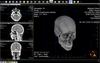
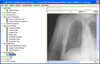
Screenshot Preview

ImageMan - DLL - Summary

by Data Techniques - Product Type: Component / DLL

Summary

ImageMan - DLL by Data Techniques

URLs: imageman-dll, imageman dll, imagemandll, data-techniques, data techniques, datatechniques

Add sophisticated image processing and scanner support to your application. ImageMan components are optimized for Windows and include support for loading, saving, displaying, printing, converting, and processing (50+ special transitional effects with complete control over speed, granularity and more) images in more than 35 of the most common raster and vector formats (JPEG, TIFF, BMP, RLE, DIB, EPS, GIF, PNG, TGA, IMG, DXF, PCX, DCX). It also includes built-in database support for writing and reading image data from memory. Available as an ActiveX OCX and DLL for maximum compatibility with your environment.

ImageMan DLL Suite is a set of 32 bit toolkits for adding sophisticated image processing and scanner support to your Windows applications. The libraries are optimized for Windows and include high performance support for loading, saving, displaying, printing, converting and processing images in the most common raster and vector formats. The ImageMan API provides a compact yet powerful set of properties, methods and events. While the ImageMan high level functions make it easy to create 'image enabled' applications in minutes, the low level functions give you total control over image processing. ImageMan's modular architecture also allows you to ship only the import/export filters that you need with your application, allowing you to save disk space. Also, you can create your own import/export filters for proprietary formats.

ImageMan Features Include:

New and Improved image format support. Now supports reading Kodak Flashpix images and support has been added for Interlaced, Multipage, and animated GIF files

Data Binding Support for Visual Basic makes creating Image Enabled Database apps a snap

Enhanced Image Display support including new Octree Color reduction and faster dithering

Interpolated scaling for the ultimate in image quality when scaling images

Images can now be rotated in hundredth of degree increments

Built-in filters including Emboss, Sharpen, Blue, Edge Detection and more plus the ability to specify your own filter kernels

50+ Special Transitional effects with complete control over speed, granularity and more in the lightweight Special Effects control

Enhanced File Save dialog allows users to specify the image save options

Enhanced Image Open dialog with configurable thumbnail preview and image information

Support for reading and writing CMYK color TIFF files

New Image Contrast adjustment support

Improved AntiAliasing support for 1 bit image display

Support for 35+ raster and vector formats

Includes support for FlashPix, Photo CD, JPEG, TIFF, BMP, RLE, DIB, EPS, GIF, PNG, TGA, IMG, DXF, PCX, DCX

ImageMan Finely Crafted API

Not only is Imageman easier to use but it's much smaller. In fact ImageMan is less than half the size of some competing libraries

Royalty Free

Unlike other toolkits that require royalties for their advanced versions, you can distribute your ImageMan applications royalty free

ImageMan Sophisticated Image Processing

Image Filters like embossing, edge detection, blur, sharpen, and more. Adjust Brightness, Contrast and Gamma. Interpolated Scaling for the best image quality. Rotate images by hundredths of degrees. Mirror, flip and invert. Automatic Thumbail generation

ImageMan Color Image Support

ImageMan includes several features that make it ideal for Color image processing and display. The new Interpolated scaling support assures you the best image quality when scaling images up or down and it's fast. The new Color reduction algorithms allow you to reduce the number of colors in an image with excellent image quality. While you're reducing your image you can also specify one of several supported dithering methods be used to further improve the image quality. Images can be reduced to an optimized palette or a fixed palette for displaying multiple images on a palettized system, Images can even be reduced/dithered to a user specified palette

Document Processing Support AntiAliasing support make displaying scaled high quality black and white images a snap. Automatic thumbnail generation is just a function call away. Support for reading and writing multi page tiff/DCX files including support for Group compression assures compatibility with document management standards

ImageMan Scanning

ImageMan includes support for TWAIN compatible scanners, frame grabbers and digital cameras. It only takes a few lines of code to acquire an image from any supported device and ImageMan also has lower level functions that allow you to scan from an Automatic Document Feeder(ADF) and control image attributes such as resolution, color depth, scan area and more. Includes support for 32 bit TWAIN Sources

ImageMan Printing

ImageMan's printing support gives you complete control over the printing process. You can mix graphics and text on any Windows supported printers

ImageMan Database Support

ImageMan's API includes functions for writing and reading image data from memory blocks making it ideal for use with databases. Functions are also included to read image data embedded in other file and with our low level functions you can even write your own low level I/O handlers

ImageMan Compression - 50+ Special Transitional effects with complete control over speed, granularity and more in our new lightweight Special Effects control supports the most common compression schemes including:

Packbits

Group 3

Group 4

Modified Huffman

JPEG

RLE

LZW

ImageMan Special Effects

ImageMan includes over 50 special image transitional effects for creating cool multimedia applications

What's new in ImageMan DLL V8.72? - This is a maintenance release that fixes the following issues:

Tif DIL round up error on resolution

IncreaseTo method changes X & Y resolution of image

Cant write multi-page PDFs to memory using ImgxWriteMem

Exception when loading images larger than memory

Licensing change to eliminate calls to display trial dialog from IsLicenseValid

Check for license file in the Common Files\DTI\Licenses directory

MousePointer property now updates cursor when its set

What's new in ImageMan DLL V8.71? - This is a maintenance release that fixes the following issues:

Memory Access Exception can occur when calling ImgReduceColors with OCTREE palette

ImgCopy fails with single row images

Increased Read Buffer size in EPS DIL to speed up image loading

PNG DIL cant read some files written by older PNG DEL

ImgMergeImage doesn't handle inverted 1 bit images.

What's new in ImageMan DLL V8?

JPEG 2000 Image format Read/Write

Deskew Function

Image Attribute Support

16/32 bit Image Support

Full Transparency & Alpha channel Support

Merge Function

Screen Capture Support

Read/Write standard and custom TIFF Tags

Access to image format specific data such as GIF data blocks and PNG data

Support for reading/writing and displaying Animated GIF images

Speed enhancements for faster loading and processing

Add sophisticated image processing and scanner support to your application.

Pricing: ImageMan DLL Suite V8.72 1 Developer License, ImageMan DLL Suite V8.72 5 Developer Team License, ImageMan DLL Suite V8.72 1 Developer License with Source Code, ImageMan DLL Suite V8.72 Upgrade from ImageMan DLL Suite V5.0 or earlier, ImageMan DLL Suite V8.72 Upgrade from ImageMan DLL Suite V6.x or V7.x, ImageMan DLL Suite V8.72 Upgrade with Source Code from ImageMan DLL Suite V5.0 with Source Code or earlier, ImageMan DLL Suite V8.72 Upgrade with Source Code from ImageMan DLL Suite V6.x with Source Code or ImageMan DLL Suite V7.x with Source Code

Evals & Downloads: Read the ImageMan DLL help file, Read the ImageMan License Agreement, Download the ImageMan DLL V8.72 evaluation on to your computer - Displays Nag Screens

Operating System for Deployment: Windows Vista, Windows XP, Windows ME, Windows 2000, Windows 98, Windows NT 4.0, Windows 95, Windows NT 3.51

Architecture of Product: 32Bit

Product Type: Component

Component Type: DLL

Built Using: MFC V4.0

Compatible Containers: Microsoft Visual Studio 6.0, Microsoft Visual Studio 97, Microsoft Visual C++ 6.0, Microsoft Visual C++ 5.0, Microsoft Visual C++ 4.0, CodeGear C++ 5.0 (formerly Borland), CodeGear C++ (formerly Borland), C++Builder 3, Delphi 3.0, Delphi 2.0, Delphi 1.0, IBM VisualAge C++

Product Class: User Interface Components

Keywords: Data Techniques, Inc. Imaging Image Picture Scanning Scan scanners Bitmap draw drawing art processing graphic JPEG TIF GIF BMP PCX

xDatabase Tools

image images processing imaging

Imaging image images

Image images Compression compress compresses Conversion convert converting converts conversions

Part numbers: PC-504599-299470 504599-299470 PC-504599-299473 504599-299473 PC-504599-299476 504599-299476 PC-504599-299479 504599-299479 PC-504599-299485 504599-299485 PC-504599-299482 504599-299482 PC-504599-299488 504599-299488

Mfr. Part No: IMDLL IMDLLSRCUPG IMDLLSRCUPGV5 IMDLLTL IMDLLUPG IMDLLUPGV5 IMDLSRC

Product Search

Enter search words:

Quick Links

Publisher

Primary Category

Related Products

Related Categories

Award