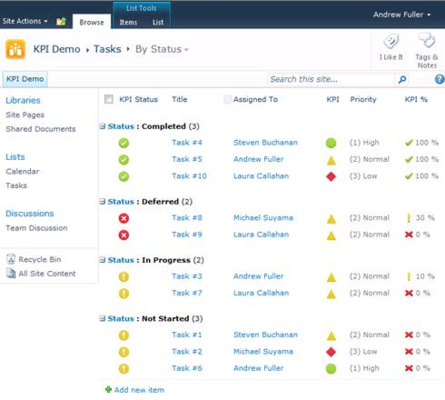
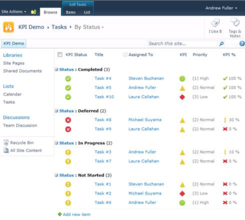
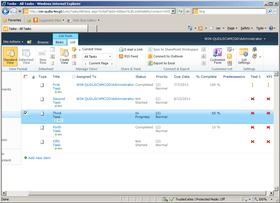
Screenshot Preview

KPI Column - Summary

by ArtfulBits - Product Type: Add-In

Summary

KPI Column by ArtfulBits

URLs: kpi-column, kpi column, kpicolumn, artfulbits

Add Key Performance Indicators (KPI) to your SharePoint systems. KPI (Key Performance Indicator) Column provides SharePoint users with the ability to define and measure progress toward predefined goals and display current status by using easy-to-understand graphical indicators. The column automatically calculates the results, and displays one of 3 indicators (OK, Warning, or Problem).

The ArtfulBits KPI components use the Microsoft SharePoint KPI idea, but with reworked functionality. Unlike the SharePoint KPI, ArfulBits KPI Column can be added to any custom list as a column and can use both List View and List Item as a data source. ArfulBits KPI Column also supports different indicator icons: flags, traffic lights, shapes, marks and others. You can use traffic light icons to indicate that predefined satisfaction is exceeding, meeting or failing to meet goals. If predefined satisfaction exceeds a preset goal, the KPI is displayed with a green traffic light icon. If satisfaction is failing to meet minimum goals, the satisfaction KPI is displayed with a red traffic light icon. Otherwise, it is displayed with a yellow traffic light icon.

KPI Column Features

Displays an indicator for each individual item in the list using standard Microsoft SharePoint calculated formulas

Calculates values by using data from the associated SharePoint list (a count of items in the list; a computing of total, average, maximum, or minimum of a numerical column in the list)

Column customization (multiple icons set; text customization; different column display modes)

Predefined set of site columns (KPI Issue Status, KPI Priority, KPI Task Status, KPI % Complete)

AJAX support enabled

Language pack support

Why ArtfulBits KPI Column?

ArtfulBits KPI (Key Performance Indicator) Column is a simple graphical scorecard that can be used to evaluate business data against business goals. With this column you reduce the risk of overlooking information about the status of a value. The column automatically calculates the results, and displays one of 3 indicators (OK, Warning, or Problem). You can also show the actual value, and target value if desired, and there are multiple icon sets to select from, so you can choose the one that best fits your application. KPI Column can show an indicator based on each individual item in a SharePoint list.

Add Key Performance Indicators (KPI) to your SharePoint systems.

Pricing: KPI Column V1.31 Single SharePoint Farm License, KPI Column V1.31 Single SharePoint Farm License with 1 Year Support Subscription (support and software updates), KPI Column V1.31 1 Year Support Subscription Renewal (support and software updates)

Evals & Downloads: Read the KPI Column User Guide - Requires Acrobat Reader, Read the KPI Column Installation Guide - Requires Acrobat Reader, Read the ArtfulBits SharePoint Products License Agreement - Requires Acrobat Reader, Download the KPI Column V1.31 evaluation on to your computer - Expires After 3 Days

Operating System for Deployment: Windows Server 2008, Windows Server 2003

Architecture of Product: 32Bit, 64Bit

Product Type: Add-In

Compatible Containers: Microsoft SharePoint 2010, Microsoft SharePoint 2007, Microsoft SharePoint Portal Server, Microsoft Office SharePoint Server (MOSS), .NET Framework 4.0, .NET Framework 3.5, .NET Framework 3.0, .NET Framework 2.0

Keywords: Artfulbits KPI Column

Artful Bits

Instrumentation instrument instruments

Part numbers: PC-541143-373844 541143-373844 PC-541143-373845 541143-373845 PC-541143-373846 541143-373846

Product Search

Enter search words: