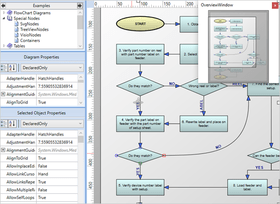
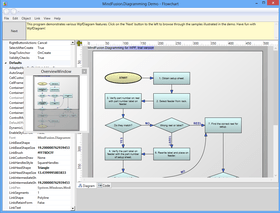
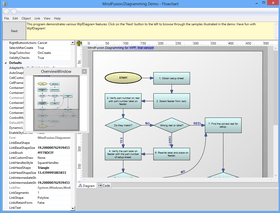
Screenshot Preview

MindFusion.WPF Pack - Summary

by MindFusion Group - Product Type: Component / .NET WPF

Summary

MindFusion.WPF Pack by MindFusion Group

URLs: mindfusion-wpf-pack, mindfusion wpf pack, mindfusionwpfpack, mindfusion

Add diagrams, schedules, reports, charts and gauges to your WPF applications. MindFusion.WPF Pack includes diagramming, scheduling, reporting charting and gauge controls that can be used to create all types of flowcharts, schemes, graphs, tables, calendars, schedules, business reports and more. MindFusion.WPF Pack contains the following individual products: MindFusion.Diagramming for WPF, MindFusion.Charting for WPF, MindFusion.Scheduling for WPF, MindFusion.Reporting for WPF and MindFusion.Gauges for WPF. MindFusion.WPF Pack includes extensive documentation and samples. Buy MindFusion.WPF Pack and obtain 12 months of free upgrades. MindFusion.WPF Pack renewals will extend your MindFusion WPF Pack subscription for another year. MindFusion WPF Pack Enterprise and MindFusion WPF Pack Site Licenses also available.

MindFusion.WPF Pack contains the following individual products: MindFusion.Diagramming for WPF, MindFusion.Charting for WPF, MindFusion.Scheduling for WPF, MindFusion.Reporting for WPF and MindFusion.Gauges for WPF.

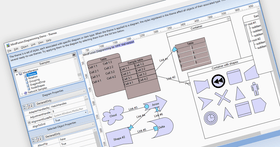
WpfDiagram Features

Royalty free redistribution

Strong-named assembly

Digitally signed

Written in C#

Source code available for purchase

WpfDiagram User Interaction

Several user interaction modes

Node modification constraints

Scrolling and zooming

Panning

Automatic scrolling while dragging objects with the mouse

Alignment to grid

Multiple selection

Tool-tips

Docking points can be defined for nodes

Mouse button mapping

Undo/Redo support

Copy and paste to/from Windows clipboard

WpfDiagram Programming

Programmatic access to the diagram objects and selections

Numerous properties for customizing appearance and behavior

Numerous utility methods

Path finding and cycle detection

Rich event set

WpfDiagram Store and retrieve diagrams into/from

Files on disk

.NET streams

ASCII strings

XML documents

WpfDiagram Output

To the screen via Windows Presentation Foundation

Printing and print preview

To browser via the utility WebChart library

Create bitmap images

Create HTML image maps

WpfDiagram Export

Export images in bmp, jpeg, gif, tiff, png formats

Export to Portable Document Format (PDF) files

Export to SVG

Export to Wmf

WpfDiagram Diagram Elements

Use any WPF UIElement as a diagram node

Control hosts allow using .NET controls as diagram nodes

Many predefined node shapes

Tables with unlimited number of rows and columns

Merge of table cells

ContainerNodes

Templatable Nodes

Custom diagram item types

Arrows can comprise multiple segments

Arrow segments can be straight lines or curves

Behavior

Tables can be scrolled

In-place text editing

Ability to set selection handles behaviour

Lock diagram elements

Expand / collapse of object hierarchies

Read-only mode supported

Dynamic positioning of arrows relative to linked nodes

WpfDiagram Automatic Layout

Layered graph layout

AnnealLayout layout

Spring-Embedder graph layout

Radial layout

Directional tree layout

Grid layout

Orthogonal graph layout

CircularLayout graph layout

Automatic arrow routing

WpfDiagram Appearance

Various text alignment styles

Text can be laid-out in polygonal areas

Styled HTML-like text formatting

Different styles for visual indication of a selected object

Z-order

Nodes can display images and text

Customizable fonts and colors

Rich choice of pen and brush styles

Ability to define custom node shapes

Support for resizable background lanes and grids

User-assigned mouse cursors

Custom painting of nodes

Shadows

Arcs over link intersection points

Transparent nodes

Invisible nodes

Shape libraries

WpfDiagram Behavior

Tables can be scrolled

In-place text editing

Ability to set selection handles behaviour

Lock diagram elements

Expand / collapse object hierarchies

Read-only mode supported

Dynamic positioning of arrows relative to linked nodes

WpfDiagram Diagram Structure

Link nodes to nodes

Link table rows to table rows

Link table rows to nodes

Unconnected arrows

WpfDiagram Hierarchical Grouping

Attaching nodes to other nodes

Attaching nodes to arrow control points

Attaching nodes to arrow segments

WpfDiagram Auxiliary Controls

Ruler control

NodeListView control

DiagramView control

MindFusion.Scheduling for WPF Features

Redistribution is royalty free

Assembly is strong-named

Is digitally signed

Can be purchased with source code

Is written in C#

MindFusion.Scheduling for WPF Scheduling

Allows definition of custom-typed events

Supports recurring events

Can be persisted into XML documents

Can generate and print reports

Can import/export item and contact information from Microsoft Outlook

MindFusion.Scheduling for WPF Views

Timetable view

Resource view

List view

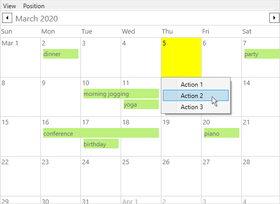
Month view

WeekRange view

MonthRange view

MindFusion.Scheduling for WPF User interaction

In-place item editing

Undo/redo support

Interactive item creation and modification

Single and multiple item selection

Scrolling

Automatic scrolling while dragging items with the mouse

Moving to the next / previous day, month or year in various views

MindFusion.Scheduling for WPF Programming

Programmatic access to both schedule objects and the calendar methods and properties

Numerous properties for customizing the appearance and behavior of every calendar view

Rich event set

More than 2000 classes, methods, properties and events

MindFusion.Scheduling for WPF Appearance

Fully customizable style-based appearance

Customizable fonts, colors, effects and alignments of displayed text

Header, item and text effects

Customizable Item and Cell Templates

Rich choice of pen and brush styles

Themes

MindFusion.Scheduling for WPF Auxiliary forms

AppointmentForm for appointment creation and editing

RecurrenceForm for event recurrence creation and editing

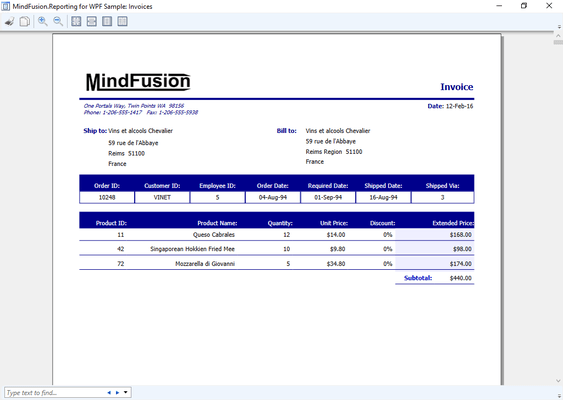
MindFusion.Reporting for WPF Features

Redistribution is royalty free

Assembly is strong-named

Can be purchased with source code

Is written in C#

MindFusion.Reporting for WPF Report data

Supports all .NET data sources

Compatible with ADO.NET

Multiple data sources can be used in a single report

Both bound and unbound modes are supported

MindFusion.Reporting for WPF Visualisation

Pie charts for visual data presentation

Support for pictures

Support for any WPF controls

Multi-page reports

MindFusion.Reporting for WPF Output

Render reports as WPF FixedDocument objects

Display reports in a WPF DocumentViewer

Printing and print preview of reports

WPF Gauge Control

A gauge control has recently been added to the WPF Pack. It supports radial and linear gauges, fully customizable through Xaml templates. The gauges can display pointers, ranges, labels, ticks, indicators and also embed other WPF controls.

The following are a selection of the gauges included:

Car Gauges

Clock Gauge

Compass Gauge

Sample Equalizer Gauge

Sample Functions Gauge

Quadratic Gauges

Oval Gauge

Thermometer Gauge

MindFusion.Charting for WPF

Redistribution is royalty free

Assembly is strong-named

Is digitally signed

Can be purchased with source code

Is written in C#

MindFusion.Charting for WPF Features

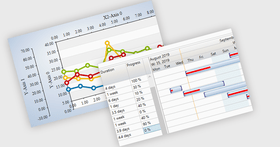
Supports bar, column, line, area, pie, doughnut charts

Allows multiple series

Allows multiple legends

Supports data binding

Line / Area charts

Stacked charts

Unlimited number of series

Scatter charts

Labels at data points

Pie / Doughnut

Detached pieces

Customizable inner and outer labels

Customizable doughnut thickness

Bar / Column charts

4 different styles

Stacked charts

Customizable bar width

General

Customizable grid

Outline for the plot area

Positive / negative values for both Cartesian axes

Customizable labels at the axes

Tick marks

Legend

Bound to the items in a series or to a collection of series

Customizable labels and brushes

Border

Customizable position and alignment

What's new in MindFusion.WPF Pack 2011.Q3?

Export reports and calendars to Excel

Drill down into Gantt controls

Composite graph layout algorithm

Dynamic node shapes in diagrams

Dock, tab and color picker controls

What's new in MindFusion.WPF Pack 2011.Q2? The 2011.Q2 release adds two new Gantt chart controls:

ActivityChart used for presenting and editing project activities and dependencies between them

ResourceChart used for allocating resources to project activities

The included DataGrid and TreeGrid components can also be used independently

What's new in MindFusion.WPF Pack 2011?

Four new layout algorithms added to the diagram control

Now includes holiday functionality in the Calendar control

Resource view improvements in the Calendar control

Support for more chart types in reports

Add diagrams, schedules, reports, charts and gauges to your WPF applications.

Pricing: MindFusion.WPF Pack 2011.Q3 1 Developer Subscription License (12 Months Subscription Included), MindFusion.WPF Pack 2011.Q3 4 Developer Subscription License (12 Months Subscription Included), MindFusion.WPF Pack 2011.Q3 8 Developer Subscription License (12 Months Subscription Included), MindFusion.WPF Pack 2011.Q3 1 Site Wide Subscription License (Allows Unlimited Developers at a Single Physical Address) (12 Months Subscription Included), MindFusion.WPF Pack 2011.Q3 1 Enterprise Subscription License (Allows unlimited number of developers of an enterprise at all its physical addresses (worldwide)) (12 Months Subscription Included), MindFusion.WPF Pack 2011.Q3 - with Source Code 1 Developer Subscription License (12 Months Subscription Included), MindFusion.WPF Pack 2011.Q3 - with Source Code 4 Developer Subscription License (12 Months Subscription Included), MindFusion.WPF Pack 2011.Q3 - with Source Code 8 Developer Subscription License (12 Months Subscription Included), MindFusion.WPF Pack 2011.Q3 - with Source Code 1 Site Wide Subscription License (Allows Unlimited Developers at a Single Physical Address) (12 Months Subscription Included), MindFusion.WPF Pack 2011.Q3 - with Source Code 1 Enterprise Subscription License (Allows unlimited number of developers of an enterprise at all its physical addresses (worldwide)) (12 Months Subscription Included), MindFusion.WPF Pack Upgrade/1 Year Subscription Renewal 1 Developer Subscription Renewal License (12 Months Subscription Included), MindFusion.WPF Pack Upgrade/1 Year Subscription Renewal 4 Developer Subscription Renewal License (12 Months Subscription Included), MindFusion.WPF Pack Upgrade/1 Year Subscription Renewal 8 Developer Subscription Renewal License (12 Months Subscription Included), MindFusion.WPF Pack Upgrade/1 Year Subscription Renewal 1 Site Wide Subscription Renewal License (Allows Unlimited Developers at a Single Physical Address) (12 Months Subscription Included), MindFusion.WPF Pack Upgrade/1 Year Subscription Renewal 1 Enterprise Subscription Renewal License (Allows unlimited number of developers of an enterprise at all its physical addresses (worldwide)) (12 Months Subscription Included), MindFusion.WPF Pack - with Source Code Upgrade/1 Year Subscription Renewal 1 Developer Subscription Renewal License (12 Months Subscription Included), MindFusion.WPF Pack - with Source Code Upgrade/1 Year Subscription Renewal 4 Developer Subscription Renewal License (12 Months Subscription Included), MindFusion.WPF Pack - with Source Code Upgrade/1 Year Subscription Renewal 8 Developer Subscription Renewal License (12 Months Subscription Included), MindFusion.WPF Pack - with Source Code Upgrade/1 Year Subscription Renewal 1 Site Wide Subscription Renewal License (Allows Unlimited Developers at a Single Physical Address) (12 Months Subscription Included), MindFusion.WPF Pack - with Source Code Upgrade/1 Year Subscription Renewal 1 Enterprise Subscription Renewal License (Allows unlimited number of developers of an enterprise at all its physical addresses (worldwide)) (12 Months Subscription Included)

Evals & Downloads: Read the MindFusion.Scheduling for WPF help file, Read the MindFusion.Reporting for WPF Help file, Read the WpfDiagram Help file, Read the MindFusion License Agreement, Download the MindFusion.Scheduling for WPF V3 evaluation on to your computer - Displays Evaluation Messages, Download the MindFusion.Reporting.WPF V1.1 evaluation on to your computer - Displays Evaluation Label, Download the WpfDiagram V2.8.2 evaluation on to your computer - Output Displays Evaluation Label

Operating System for Deployment: Windows 7, Windows Vista, Windows XP

Architecture of Product: 32Bit, 64Bit

Product Type: Component

Component Type: .NET WPF

Built Using: Visual C# .NET

Compatible Containers: Microsoft Visual Studio 2010, Microsoft Visual Studio 2008, Microsoft Visual Basic 2010, Microsoft Visual Basic 2008, Microsoft Visual C++ 2010, Microsoft Visual C++ 2008, Microsoft Visual C# 2010, Microsoft Visual C# 2008, .NET Framework 4.0, .NET Framework 3.5, .NET Framework 3.0

Product Class: Business Components

Keywords: mindfusion.wpf pack, mindfusion wpf, mindfusionwpf, mindfusion wpf pack, buy mindfusion.wpf pack, buy mindfusion wpf, buy mindfusionwpf, buy mindfusion wpf pack, mindfusion.wpf pack reseller, mindfusion wpf reseller, mindfusionwpf reseller, mindfusion wpf pack reseller, mindfusion.wpf pack distributor, mindfusion wpf distributor, mindfusionwpf distributor, mindfusion wpf pack distributor, mindfusion.wpf pack site, mindfusion wpf site, mindfusionwpf site, mindfusion wpf pack site, mindfusion.wpf pack enterprise, mindfusion wpf enterprise, mindfusionwpf enterprise, mindfusion wpf pack enterprise

Product Suites Suite bundles bundle

Flow Diagramming diagram diagrams flowchart

Chart Charting Charts Graph Graphing Graphs

Instrumentation instrument instruments

Reporting Reports Report

planning plan scheduling schedule schedules scheduler

Calendar calendaring calendars Scheduling Schedule Schedules

Part numbers: PC-536034-399386 536034-399386 PC-536034-399387 536034-399387 PC-536034-399388 536034-399388 PC-536034-399389 536034-399389 PC-536034-399390 536034-399390 PC-536034-399381 536034-399381 PC-536034-399382 536034-399382 PC-536034-399383 536034-399383 PC-536034-399384 536034-399384 PC-536034-399385 536034-399385 PC-536034-399391 536034-399391 PC-536034-399392 536034-399392 PC-536034-399393 536034-399393 PC-536034-399394 536034-399394 PC-536034-399395 536034-399395 PC-536034-399396 536034-399396 PC-536034-399397 536034-399397 PC-536034-399398 536034-399398 PC-536034-399399 536034-399399 PC-536034-399400 536034-399400

Product Search

Enter search words:

Award