by Mindscape - Product Type: Component / .NET WPF / 100% Managed Code
Mindscape WPF Diagrams by Mindscape
URLs: mindscape-wpf-diagrams, mindscape wpf diagrams, mindscapewpfdiagrams, mindscape
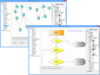
Unleash stunning and flexible diagrams in your WPF applications. With WPF Diagrams building interactive diagrams and model surfaces has never been easier. Designed to support any type of diagram, developers can easily add a a wide variety of diagrams to their WPF applications. WPF Diagrams has numerous features and capabilities all packaged together in a nice set of controls. Mindscape have focused on building a tight API that makes it efficient for you to create rich visualizations through diagrams in no time. Use Windows Presentation Foundation visual effects such as styling, composition and animation to incorporate WPF Diagrams into visually compelling user experiences. WPF Diagrams also support WPF data binding. Features include more than 80 shapes plus the ability to customize existing shapes or add new shapes, diagram visual customization, panning and scrolling, connection path finding, export to PNG, JPEG or BMP, print functionality, advanced layout capabilities and more.
Mindscape WPF Diagrams Features:
80+ free shapes included
With more than 80 shapes included in the box you'll be up and running in no time. Customize the existing shapes or add more of your own!
Advanced background grids
WPF Diagram includes many grid options: display grids, show major and minor lines, snap to the grid and much more. Snapping can be applied even when not displaying any grid and snapping options can also be configured.
Customise all aspects of the diagram visuals
As with all aspects of WPF Diagrams, developers can customise the look and behavior of nodes. Using standard WPF idioms, you can template nodes, connection lines, grids and the entire surface. Interactive nodes can also surface buttons and other such interactive elements.
Panning and scrolling
WPF Diagrams supports smooth panning and scrolling so that your users can navigate your diagrams with ease. It's also very easy to add a mini view that users can see their entire diagram from to make navigation easier.
Connection path finding
When dragging around nodes on a diagram surface with connection lines it's important to consider how those connections will be routed. Included with WPF Diagrams is several path finding systems such as the classic A* (a-star) routing or direct connections.
Export to PNG, JPEG or BMP
Simple one line export of diagrams to PNG, JPEG or BMP formats. Additional formats can be plugged in easily as needed.
Easy to use printing capabilities
Printing capabilities allow users to quickly print the diagram. Printing uses XPS format (WPF FixedDocument) so it's also easy to add print preview and other such features.
Advanced layout capabilities
Laying out your diagram is easy with the built in layout mechanisms. Hierarchical, grid based, force directed and tree layout systems. Adding your own layout systems or integrating with third party layout engines is easily achieved with the extensible layout API.
Advanced toolbox control included
When working with many different node types in an interactive mode your toolbox can become cluttered. WPF Diagrams 2 includes a complete toolbox solution with grouping, filtering and searching to make managing hundreds or thousands of node types easy.
Saving and loading diagrams is easy
WPF Diagrams includes serialization and deserialization capabilities meaning that saving and loading diagrams is easy with the Diagram Xml Serializer - save out to xml, or load from xml!
Advanced zooming capabilities
Zooming is supported in several ways - through command buttons or the mouse scoll wheel. Mouse wheel zooming can either be centered on the view port or, more naturally, at the cursor location. Mouse wheel zooming can also be optionally enabled by the use of a modifier key.
Native WPF control
Use Windows Presentation Foundation visual effects such as styling, composition and animation to incorporate WPF Diagrams into visually compelling user experiences. WPF Diagrams also support WPF data binding.
Fully interactive mode
Allow users to add, edit and delete elements of their diagrams. Drag and drop elements from the toolbox, or add custom handling. If interactivity is not required, read-only mode makes the diagram static.
Snapping support
The diagram surface can be configured to snap elements to guidelines if desired. Developers can customise the snap intervals or write their own snapping algorithm if desired. Snap lines can be shown as dots or lines, or with a custom display.
Fully customisable
Nearly all points of the WPF Diagram support extensibility - add new element types, custom connectors, custom path finding, custom background grids, custom image export - everything is at your disposal if you need it.
Simple, royalty-free redistribution
You can freely redistribute the WPF Diagram control with your application – no need for runtime licenses. The grid ships as DLL files and supports xcopy installation – no special installation steps are required.
What's new in WPF Diagrams 2.0?
WPF Diagrams 2.0 includes new diagram types, new pre-built shapes and a dramatically simpler API for many scenarios. You can use WPF Diagramming to construct standalone diagrams, layouts or images, or you can use it to give your users a graphical way to build ‘live’ business objects such as business processes or data analysis flows, and now it’s easier than ever.
New shape diagrams
To the existing repertoire of flow diagrams and star diagrams, Mindscape have now added absolutely positioned or ‘shape’ diagrams. Unlike flow diagrams and star diagrams, shape diagrams don’t have any logic associated with them, so they can be used for a wide variety of situations; from instructional graphics to UI prototyping to kitchen design. Users can move shapes around and connect them up as required.
WPF Flow Diagrams and WPF Star Diagrams merged
Part of the improvements in WPF Diagrams 2 is to merge the old Flow Diagrams and Star Diagrams products into a single product. WPF Diagrams 2 brings together all the capabilities of cyclic and acyclic diagrams. with 2.0 you’re not limited to shape, flow and star diagrams: it is now it easier to define your own diagram types so if you’re building anything from a BPMN editor to a circuit diagramming solution, WPF Diagrams is the product for you.
Pre-built shapes
WPF Diagrams 2.0 has expanded the number of built in shapes. Nearly 80 shapes are pre-defined, from basic geometrical shapes like rectangles, stars and ellipses, through block arrows including curved arrows, callouts and multi-way callouts, to conventional flowchart and system design shapes like decisions, sort or merge operations, storage and the ever popular punched tape. Of course, you’re not limited to these shapes: it’s easy to define custom shapes so if you’re building the next Balsamiq clone or circuit diagramming solution you’ll be right at home with WPF Diagrams 2.0
Smarter layout options
2.0 has improved and added new layout algorithms for diagrams and connections, including an A* pathfinder for fast, non-colliding connection routing and a force based layout algorithm for that sproingy effect everyone loves so much. The layout classes now work with all diagrams, not just flow or star diagrams.
New toolbox control
Continuing the support for creating diagram nodes and connections from a toolbox, with a variety of interaction modes and handy previews. In WPF Diagrams 2.0 there is a dedicated toolbox control with grouping and filtering to make it easy to work with large numbers of node types.
Simpler API
The WPF Diagrams Foundation API provides a huge amount of flexibility, but many applications don’t need that flexibility. So for applications that just want to get it done, Mindscape have added a simpler API which makes it much easier to build shape-oriented diagramming applications. The new high-level API allow you to use pre-built shapes, define your own shapes and style your diagrams in just a few lines of XAML, without diving into the Foundation API. The existing API has also undergone a clean up. Mindscape have merged some overlapping properties, and significantly reworked the XML serialiser to make it easier to extend to support custom data and custom node types. These are breaking changes so if you are an existing 1.x user you may want to keep a copy of the 1.x DLLs around until you have time to migrate.
Unleash stunning and flexible diagrams in your WPF applications.
Pricing: Mindscape WPF Diagrams 2.0 without Source 1 Developer License, Mindscape WPF Diagrams 2.0 without Source 4 Developer Team License, Mindscape WPF Diagrams 2.0 without Source 1 Site Wide License (Allows Unlimited Developers at a Single Physical Address), Mindscape WPF Diagrams 2.0 with Source 1 Developer License, Mindscape WPF Diagrams 2.0 with Source 4 Developer Team License, Mindscape WPF Diagrams 2.0 with Source 1 Site Wide License (Allows Unlimited Developers at a Single Physical Address)
Evals & Downloads: Read the Mindscape WPF Diagrams help file, Read the Mindscape WPF Flow Diagrams End User License Agreement, Download the Mindscape WPF Diagrams 2.0 evaluation on to your computer - Expires after 14 days
Operating System for Deployment: Windows 7, Windows Server 2008, Windows Vista, Windows XP, Windows Server 2003
Architecture of Product: 32Bit, 64Bit
Product Type: Component
Component Type: .NET WPF, 100% Managed Code
Compatible Containers: Microsoft Visual Studio 2010, Microsoft Visual Studio 2008, Microsoft Visual Studio .NET, Microsoft Visual Basic 2010, Microsoft Visual Basic 2008, Microsoft Visual Basic .NET, Microsoft Visual C# 2010, Microsoft Visual C# 2008, Microsoft Visual C# 2005, Microsoft Visual C# .NET, .NET Framework 4.0, .NET Framework 3.5
Keywords: mindscape flow, mindscape wpf flow, mindscape wpf flow diagrams, mindscape flow diagrams, mindscape diagrams, buy mindscape flow, buy mindscape wpf flow, buy mindscape wpf flow diagrams, buy mindscape flow diagrams, buy mindscape diagrams, purchase mindscape flow, purchase mindscape wpf flow, order mindscape wpf flow, order mindscape wpf flow diagrams, mindscape wpf flow reseller, mindscape diagrams reseller, mindscape flow distributor, mindscape wpf flow distributor, mindscape wpf flow diagrams distributor, mindscape flow diagrams distributor, mindscape diagrams distributor, buy mindscape flow subscription, buy mindscape wpf flow subscription, buy mindscape wpf flow diagrams subscription, mindscape flow, renew mindscape wpf flow, renew mindscape diagrams, upgrade mindscape flow, upgrade mindscape wpf flow, upgrade mindscape wpf flow diagrams, upgrade mindscape flow diagrams, upgrade mindscape diagrams
Flow Diagramming diagram diagrams flowchart
Part numbers: PC-535683-394896 535683-394896 PC-535683-394898 535683-394898 PC-535683-394899 535683-394899 PC-535683-394900 535683-394900 PC-535683-394901 535683-394901 PC-535683-394897 535683-394897