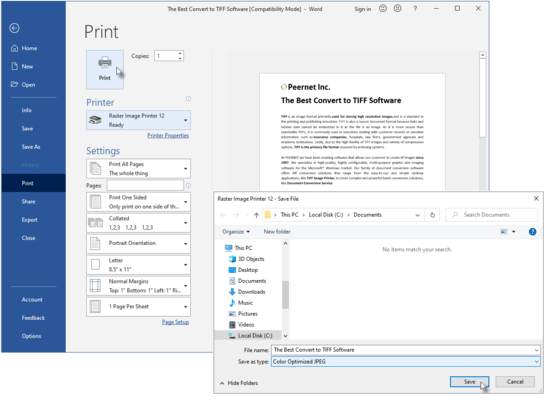
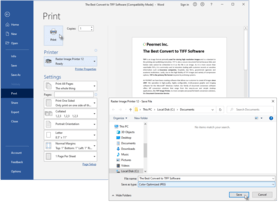
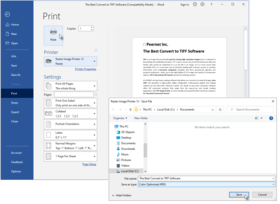
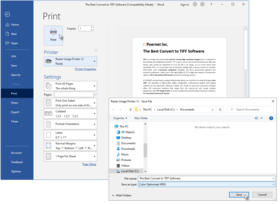
Raster Image Printer Dashboard The Raster Image Printer Dashboard is the control center which brings all the tools for creating and editing profiles, managing printers, accessing help resources and product activation together in one place. Great place to quickly check your subscription expiry date or get notified about new updates.
Edit and Create ProfilesRaster Image Printer specializes in a set of image formats that are required most often today, with image-specific customizable properties. Edit your output settings using Profile Manager to create a personal profile to apply during conversion.
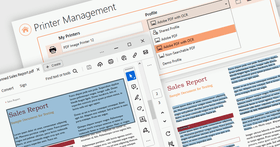
Manage PrintersQuickly manage your printer settings directly from the Dashboard. Printer Management allows users to change the default profile Raster Image Printer uses to create output files, add new copies of the printer, and rename or delete existing printers.
Save OptionsThe Save Options tab holds all of the most frequently used settings. On this tab you can choose output type, color settings and file location.
CompressionChanging the compression options can have a large impact on the size of the file but care must be taken when choosing compression methods as the file contents can also determine how well the chosen compression method will work. The compression will change between TIFF Compression, PDF Compression and JPEG Compression depending on the output type selected on the Save Options tab. When changing compression methods, be sure that you are changing the correct compression field in relation to the color reduction option selected on the Save Options tab.
Fax ModeThe Fax Mode tab holds all settings used to create fax-format images and files. On this tab you can control the fax profile, create your fax in various paper size, and determine how the fax image is scaled and aligned on the page.
Filename CreatorThe Filename Creator tab allow you to add, edit, and reorder output filename parts to automatically create unique filenames for your Raster Image Printer output files.
TIFF Options The TIFF Options tab holds all TIFF specific settings including byte order, TIFF tags, and monochrome options.
Printer OverridesThe Printer Overrides Tab holds all settings related to controlling paper size and margins of the printer. For most applications, when the original file is printed, the paper size and margins are part of the information beings sent to Raster Image Printer, so setting paper information on the Printer Override Tab is unnecessary. There are some instances where you may need to override the paper information, such as when printing oil well logs.
PDF OptionsThe PDF Options tab holds all PDF specific settings including embedding of fonts and PDF viewer layout.
PDF SecurityThe PDF Secuity tab holds all PDF security settings including file encryption, file permissions and password protection.
Image DownsamplingThe Image Downsampling tab is used to control the size and quality of any images (such as pictures, screenshots, company logos) in the PDF file, which can help reduce the final size of the PDF.
Page EditingThe Page Editing tab holds settings used to modify each page of the document, including rotate, crop and trim areas of the page, and adjust brightness to make scanned images or light text more legible.
Page ResizingThe Page Resizing tab holds settings used to modify page contents to fit a new page, including copy page to new size, resample page to new size, and add borders to page.
Document InformationThe Document Information tab allows basic descriptive information to be added to your output file. This tab is primarily used when creating PDF files, but is also applicable to select image formats (ie. TIFF images).
StampingThe Stamping tab holds all settings related to adding a text, image, page numbering, or date/time watermark to your Raster Image Printer output files.
Text ExtractionThe Text Extraction tab will create a separate text file containing all of the textual elements of your printed document. These text files are often paired with the image when stored in archival systems to allow searching and retrieval of the files using textual data. The text extraction feature was not designed to be Optical Character Recognition (OCR) software. Only straight text will be extracted and formatting of the text file may not be exact.
Run CommandsThe Run Commands tab holds all settings related to specifying a specific command or running a program after printing to Raster Image Printer. There is the option to run a command only after a successful print, only after a failed print, or after both a successful and failed print.