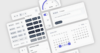
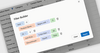
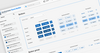
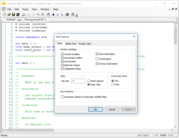
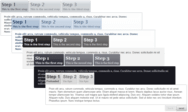
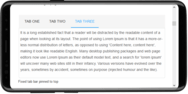
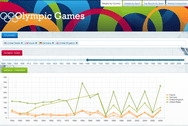
Screenshot Preview

Prof-UIS

by FOSS Software - Product Type: Component / DLL / VC++ Class Library / Source Code / Static Link Library

Deliver Windows applications with a professional, modern and user-friendly interface. Prof-UIS is an MFC extension library that allows you to create enterprise-class applications in the Visual Studio 2010/2008/2005/NET/6.0 environment. More than 200 thoroughly tested and documented C++ classes, templates and interfaces will help you take the time and complexity out of incorporating rich and up-to-date GUI facilities in your projects: Microsoft Office and Visual Studio look-and-feel interface, tabbed docking windows, tab containers with detachable tabs, extremely customizable data grid and property grid controls, customizable menus, toolbars and keyboard accelerators, multi profile GUI persistence, and more.

From
$338.10

Our regular prices are shown below. Please logon to see your discounted prices.

Price in

Prof-UIS v2.93 with 90 days technical support

Add to Cart $ 338.10 1 Developer License
Mfr. Part No: profUIS-1UL90DTS
Download (41.8 MB)
Add to Cart $ 436.10 2 Developer License
Mfr. Part No: profUIS-2UL90DTS
Download (41.8 MB)
Add to Cart $ 534.10 3 Developer License
Mfr. Part No: profUIS-3UL90DTS
Download (41.8 MB)
Add to Cart $ 632.10 4 Developer License
Mfr. Part No: profUIS-4UL90DTS
Download (41.8 MB)
Add to Cart $ 730.10 5 Developer License
Mfr. Part No: profUIS-5UL90DTS
Download (41.8 MB)
Add to Cart $ 828.10 6 Developer License
Mfr. Part No: profUIS-6UL90DTS
Download (41.8 MB)
Add to Cart $ 926.10 7 Developer License
Mfr. Part No: profUIS-7UL90DTS
Download (41.8 MB)
Add to Cart $ 1,220.10 Unlimited Developer License
Mfr. Part No: profUIS-UUL90DTS
Download (41.8 MB)

Prof-UIS v2.93 with 1 year technical support

Add to Cart $ 436.10 1 Developer License
Mfr. Part No: profUIS-1UL1YTS
Download (41.8 MB)
Add to Cart $ 534.10 2 Developer License
Mfr. Part No: profUIS-2UL1YTS
Download (41.8 MB)
Add to Cart $ 632.10 3 Developer License
Mfr. Part No: profUIS-3UL1YTS
Download (41.8 MB)
Add to Cart $ 730.10 4 Developer License
Mfr. Part No: profUIS-4UL1YTS
Download (41.8 MB)
Add to Cart $ 828.10 5 Developer License
Mfr. Part No: profUIS-5UL1YTS
Download (41.8 MB)
Add to Cart $ 926.10 6 Developer License
Mfr. Part No: profUIS-6UL1YTS
Download (41.8 MB)
Add to Cart $ 1,024.10 7 Developer License
Mfr. Part No: profUIS-7UL1YTS
Download (41.8 MB)
Add to Cart $ 1,710.10 Unlimited Developer License
Mfr. Part No: profUIS-UUL1YTS
Download (41.8 MB)

Prof-UIS 1 year Technical Support Renewal

Add to Cart $ 171.50 1 Developer License
Mfr. Part No: profUIS-1UL1YTSR
Verify Download (28 KB)
Add to Cart $ 220.50 2 Developer License
Mfr. Part No: profUIS-2UL1YTSR
Verify Download (28 KB)
Add to Cart $ 259.70 3 Developer License
Mfr. Part No: profUIS-3UL1YTSR
Verify Download (28 KB)
Add to Cart $ 298.90 4 Developer License
Mfr. Part No: profUIS-4UL1YTSR
Verify Download (28 KB)
Add to Cart $ 338.10 5 Developer License
Mfr. Part No: profUIS-5UL1YTSR
Verify Download (28 KB)
Add to Cart $ 377.30 6 Developer License
Mfr. Part No: profUIS-6UL1YTSR
Verify Download (28 KB)
Add to Cart $ 416.50 7 Developer License
Mfr. Part No: profUIS-7UL1YTSR
Verify Download (28 KB)
Add to Cart $ 828.10 Unlimited Developer License
Mfr. Part No: profUIS-UUL1YTSR
Verify Download (28 KB)

Our prices include ComponentSource technical support and, for most downloadable products, an online backup and a FREE upgrade to the new version if it is released within 30 days of your purchase.  All sales are made on our standard Terms and Conditions and subject to our Return Policy. Please contact us if you require any licensing option not listed, including volume licensing and previous versions.

Our regular prices are shown above. Please logon to see your discounted prices.

ProfUIS v2.93 What's new:

  • Windows 7 ribbon style support.
  • Ribbon's Quick Access Toolbar is now integrated into the window caption in all UI themes.
  • Added classes that represent the contract and expand buttons in the collection of buttons on the right in the ribbon tab line.
  • Printing and preview now supports a header, a footer and both left and right gutter areas.
  • Added a method to persist the page navigator using MFC archives.

ProfUIS V2.92 What's new:
Version 2.92 introduces popover scroll bars and some improvements in grid controls and the rich content subsystem.

  • Added support for popover scroll bars in all scrollable controls based on the CExtScrollWnd class. This feature is demonstrated in the following samples:
    • RichContentFeatures (the HTML/CSS dialog page).
    • FilteredGrids and SimpleGrids (the View | ScrollBars menu)
    • ReportGrids (the ReportGrid | ScrollBars menu)
    Added the following properties and methods relating to this feature:
    • CExtScrollWnd::OnSwPaintPopOverItems()
    • CExtScrollWnd::OnSwCalcPopOverScrollBarRects()
    • CExtScrollWnd::OnSwPaintPopOverScrollBars()
    • CExtScrollWnd::OnSwSetPopOverScrollBarCursor()
    • CExtScrollWnd::OnSwPopOverScrollBarHitTest()
    • CExtScrollWnd::OnSwGetPopOverScrollBarStepSize()
    • CExtScrollWnd::m_bDisplayPopOverScrollBars
    • CExtScrollWnd::m_bLightPopOverScrollBars
    • CExtScrollWnd::m_bPopOverScrollBarsVisible
    • CExtScrollWnd::m_bPopOverScrollBarsTracking
    • CExtScrollWnd::m_bHideNormalScrollBars
    • CExtScrollWnd::m_nPopOverScrollBarTimerID
    • CExtScrollWnd::m_nPopOverScrollBarTimerEllapse
    • CExtRichContentItem::RciEvent_Scrolling_GetDefaultSBT()
    • CExtRichContentEvents::RciEvent_Scrolling_GetDefaultSBT()
    • CExtRichContentItem::DoPaintPopOverScrollBars()
    • CExtRichStyleDescription::e_ui_sb_type_t
    • CExtRichStyleDescription::m_eUiSBT
    • CExtRichStyleRule::m_eUiSBT
    Added a ui-sb-type CSS parameter to specify the type of scroll bars in a scrollable HTML element.
  • Added support for a content tip in a grid cell. The tip can host either plain text or HTML. It can be displayed even if all parts of a grid cell are visible. Added the following properties and methods relating to this feature:
    • CExtGridBaseWnd::OnGbwContentTipWndGet()
    • CExtGridBaseWnd::OnGbwContentTip()
    • CExtGridBaseWnd::OnGbwContentTipCancel()
    • CExtGridCell::ContentTipGet()
    • CExtGridCell::ContentTipSet()
    • CExtGridCell::OnContentTip()
    • __EGWS_ADV_CELL_CONTENT_TIPS_INNER
    • __EGWS_ADV_CELL_CONTENT_TIPS_OUTER_L
    • __EGWS_ADV_CELL_CONTENT_TIPS_OUTER_R
    • __EGWS_ADV_CELL_CONTENT_TIPS_OUTER_T
    • __EGWS_ADV_CELL_CONTENT_TIPS_OUTER_B
    • __EGWS_ADV_CELL_CONTENT_TIPS_OUTER_HORZ
    • __EGWS_ADV_CELL_CONTENT_TIPS_OUTER_VERT
    • __EGWS_ADV_CELL_CONTENT_TIPS_OUTER
  • The CExtRichContentScrollWnd control now allows you to attach a window handle to an HTML element by element ID. Added the following properties and methods relating to this feature:
    • CExtRichContentItem::m_hWndAttached
    • CExtRichContentLayout::AttachHwndToElementID()
    • CExtRichContentLayout::GetElementIdByHWND()
    • CExtRichContentLayout::GetHwndByElementID()
    • CExtRichContentLayout::GetWndByElementID()
    • CExtRichContentLayout::GetWndPermanentByElementID()
    • CExtRichContentLayout::LayoutAttachedControls()
    • CExtRichContentItem::LayoutAttachedControl()
  • The CExtRichContentLayout::Scrolling_GetHorizontalScrollBarHeight()and CExtRichContentLayout::Scrolling_GetVerticalScrollBarWidth()methods now have a new const CExtRichContentItem * pRCI parameter.
  • Improved the way grid controls filter their data: now when you open a column filter, it contains unchecked items as well as checked ones.
  • Added an __ECTN_EX_NO_RIBBON_GALLERY_TIP command node style for hiding tooltips in ribbon galleries.
  • Added a bUseScientificNumberMode parameter to the CExtEditSystemNumber class constructor to support scientific mode in the number editor.

Bug Fixes

  • Fixed incorrect mm unit conversion in the CSS subsystem.
  • Fixed incorrect parsing of font-family and text-decoration CSS parameters.
  • Fixed a hit testing bug in the CExtRichContentScrollWnd control related to incorrect mouse capture processing.
  • Fixed a crash when using the print preview on Windows x64 under certain conditions.

ProfUIS V2.91 What’s new:

  • Added a CExtRichContentScrollWnd class, which implements a simple and fast scrollable HTML viewer control.
  • Added a CExtRichGenWnd class, which implements an HTML generator control. It uses a tree data structure describing a logical structure of UI elements to generate an HTML document that displays the described UI. This control is similar to a web server and a web browser together in one box.
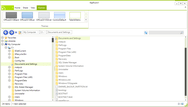
  • Added a CExtRibbonBackstageViewWnd class (see screenshot), which implements a backstage view control based on CExtRichGenWnd. The control generates and -- displays an HTML based backstage view similar to that in Microsoft Office 2010 applications.
  • Added a CExtRibbonBar::m_pBackstageViewWnd property and a set of new CExtRibbonBar::BackstageView_***() methods to use the backstage view control with the ribbon bar.
  • HTML Everywhere now supports:
    • float:left and float:right
    • display:inline-block
    • align parameter of the IMG tag
    • overflow:scroll
    • CSS pseudo classes
    • HTML output generated from the Microsoft Word
  • Added a CExtRibbonBar::m_bFileTabButtonDisplaysText property to display text on the ribbon file button (you can still display an icon instead).
  • Added an automatic best-fit feature for rows and columns in the CExtGridWnd control.
  • Added a __EGCS_EX_AUTO_BEST_FIT extended grid cell style, __EGBS_BSE_EX_AUTO_BEST_FIT_COLUMNS and __EGBS_BSE_EX_AUTO_BEST_FIT_ROWS grid control styles, a set of new CExtGridWnd::OnGridQueryAutoBest***() and CExtGridWnd::OnGridDoAutoBestFit***() virtual methods.
  • The CExtEditBase class now supports advanced Prof-UIS tooltips. Added a CExtEditBase::m_nAdvancedTipStyle property.
  • The CExtSliderWnd class now supports advanced Prof-UIS tooltips. Added a CExtSliderWnd::m_nAdvancedTipStyle property and CExtSliderWnd::SetTooltipText() method.
  • Added CExtHeaderCtrl::OnNotifyHdnTrack() and CExtListCtrl::OnNotifyHdnTrack() virtual methods for processing HDN_TRACK notifications from the CExtHeaderCtrl control.
  • The CExtEditSystemNumber control now supports editing of the scientific number format. Added a CExtEditSystemNumberCurrencyBase::m_bUseScientificNumberMode property and CExtEditSystemNumber::LongDoubleGetBase(), CExtEditSystemNumber::LongDoubleGetMantissa(), CExtEditSystemNumber::LongDoubleGetPower() methods.
  • Added a CExtListCtrl::m_bSelectAllOnCtrlA flag property to select all list view items on the Ctrl+A key combination.
  • Added a CExtShellDialogBrowseFor::m_bHelperEnableShellAutoCompleteInEditor property. If the m_bHelperEnableShellAutoCompleteInEditor is true (by default), the edit control can be used for typing paths and it supports auto completion.
  • Added support for displaying HTML content in the text area of almost any Prof-UIS control. This new HTML Everywhere feature enables you to make your MFC applications visually richer with the ease of creating HTML pages. This feature is a beta.
  • Added an CExtAviLabel video control with a themed background. This feature is a beta.
  • Added themed scroll bars for the Visual Studio 2010 UI theme.
  • Added a Rich Content sample that illustrates the new HTML Everywhere feature.

What’s new in Prof-UIS 2.90:

  • Added support for displaying HTML content in the text area of almost any Prof-UIS control. This new HTML Everywhere feature enables you to make your MFC applications visually richer with the ease of creating HTML pages. This feature is a beta.
  • Added an CExtAviLabel video control with a themed background. This feature is a beta.
  • Added themed scroll bars for the Visual Studio 2010 UI theme.
  • Added a Rich Content sample that illustrates the new HTML Everywhere feature.

Prof-UIS is an easy-to-use MFC extension library that enables you to deliver Windows applications with a professional and user-friendly interface. More than 200 thoroughly tested and documented C++ classes, templates and interfaces will help you take the time and complexity out of incorporating rich and up-to-date GUI facilities in your projects.

Prof-UIS is designed to help Visual C++ programmers save hundreds of hours in implementing today's most demanded GUI facilities in their applications. It is an extensible, object-oriented framework that allows you to easily customize and extend its functionality. That, combined with regular updates to keep up with the latest UI trends, ensures you get one of the most innovative up-to-date graphical user interfaces that fits your needs.


Prof-UIS Features:

Theme Support

  • Popular UI themes changeable on the fly.
  • Microsoft Office 2010 Blue theme.
  • Microsoft Office 2010 Black theme.
  • Microsoft Office 2010 Silver theme.
  • Microsoft Office 2010 Release 1 theme.
  • Microsoft Visual Studio 2010 theme.
  • Microsoft Office 2007 Blue theme.
  • Microsoft Office 2007 Black theme.
  • Microsoft Office 2007 Silver theme.
  • Microsoft Office 2007 Release 1 theme.
  • Microsoft Visual Studio 2008 theme.
  • Microsoft Visual Studio 2005 theme.
  • Microsoft Office 2003 theme.
  • Microsoft Office 2003 theme (Windows Classis style).
  • Customized Microsoft Office 2003 theme.
  • Microsoft Office XP theme.
  • Microsoft Office 2000 theme.
  • Microsoft Windows XP Native theme.
  • Support for High Contrast.

Toolbars

  • Dockable toolbars, which have many additional features not available in MFC.
  • Tabbed toolbars, which allow you to increase the view area by reducing the number of toolbars docked with each other. The following tabs are supported: Whidbey, Flat, One Note, VS 2005, and Buttons.
  • Resizable combo/edit/date windowless fields in customizable applications.
  • Split button, that allows you to change the command associated with this button by selecting a new command from the drop-down list.
  • Color picker button with a color pop-up menu.
  • Undo/redo button, which allows you to cancel or resume your last actions.
  • Slider/scroll button, which allows you to use sliders and scroll bars in toolbars.
  • Chevron button, which is the right-most toolbar button for accessing toolbar buttons that cannot fit the toolbar area when it is docked.
  • Persistent affixment algorithm for restoring toolbars' positions and sizes after redocking the bars or resizing the frame.
  • Support for large icons: you can use regular or large icons in toolbars.
  • Built-in theme switcher toolbar, that can be used for switching between supported themes on the fly.

Control Bars

  • Visual Studio .NET/2005-like control bars, that can be docked into the main frame window or inside tabbed control bar containers.
  • Docking into dynamic tab containers.
  • Autohide feature, which allows you to hide a docked control bar by releasing the pin button in its caption.
  • Docking markers (aka docking diamonds) that indicate where a docking window can be docked. The following marker styles are supported:
    • Visual Studio 2010 on Windows XP/Vista/7
    • Visual Studio 2008 on Windows XP/Vista/7
    • Visual Studio 2005 (two styles)
  • Dynamic control bars that extend the functionality of control bars by allowing you to display their content in tabbed documents in MDI/SDI applications.
  • Custom docking outline for a control bar being dragged or resized.
  • Fixed-size control bars.
  • Caption flashing.

Ribbon UI

  • The Prof-UIS ribbon bar implements the new ribbon user interface introduced in Microsoft Office 2007.
  • The ribbon bar is consistent with all themes supported in Prof-UIS.
  • The support for Right-To-Left (RTL) layout in the ribbon bar allows you to deliver your applications to customers whose native language requires RTL (Hebrew, Arabic, Farsi, Urdu, etc.).

Date and Time Controls

  • Date picker, which looks like and has the same features as the mini-calendar in Microsoft Outlook.
  • Date and time picker, which provides a simple and intuitive way to exchange date and time information with the user.
  • Time duration control, that allows you to represent a length of time in days, hours, minutes, and seconds.
  • Date browser.

Page Navigator

  • Page Navigator, which looks like and has similar features to the Microsoft Outlook 2003 Navigation Pane.
  • Expandable shortcut list, which provides easy access to the different panes and views available in the Page Navigator.
  • Options dialog, that allows you to add, remove, move, and reset buttons in the shortcut list to make their corresponding panes and views easily available.
  • Serializable UI.

Common Controls 

  • Button.
  • Color picker button.
  • Combo box.
  • Multicolumn combo box.
  • Edit control.
  • Check box.
  • Radio button.
  • Group box.
  • Hyperlink button.
  • Status bar.
  • Check list box.
  • Splitter window.
  • Slider control.
  • Geo Controls.
  • Scroll bar.
  • Shortcut list.
  • Content pop-up window.

Resizable Dialogs 

  • Resizable dialog with anchoring support.
  • Resizable property sheet and property page.
  • MDI child windows dialog.
  • Color selection dialog.

Image Editing 

  • Image editor for editing icons and bitmaps.
  • Icon editor dialog.

Customization 

  • Customizable toolbars, menus and keyboard accelerators.
  • Customize dialog.
  • Quick toolbar customization.
  • ALT customization.
  • Built-in icon editor dialog.

Menus 

  • Dockable menu bar.
  • Pop-up menu.
  • Palette menu.
  • Tear-off menu.
  • Expandable menu.
  • Menu animation.
  • Color selection menu.
  • Date picker menu.
  • Combo, edit and date fields.
  • Undo/redo menu.
  • Balloon tooltip.
  • Built-in theme switcher menu.

Tab Controls and Tab Page Containers 

  • Tab controls, MDI tabs and tab page containers.
  • Whidbey tabs.
  • One Note tabs.
  • Flat tabs.
  • Button tabs.
  • Visual Studio .NET tabs.
  • Visual Studio 2005 tabs.
  • Native XP tabs.
  • Office 2007 tabs.
  • Office 2010 tabs.

Page Container

  • Outlook-style page container.
  • 3D Studio MAX-style page container.
  • Customizable appearance.

Grid Controls

  • Formula Grid.
  • Rich set of grid cells(~50)
  • Filtering and sorting capabilities
  • Printing and print preview for grids
  • Merged cells
  • Frozen columns and rows
  • Skin support

Data grid:

  • Independent data provider component which allows data to be kept in external data storages like databases
  • Support for "external" scroll bar controls that may be used instead of "internal" scroll bar-like areas: You can use any embedded controls in the same line with the scroll bar
  • Pixel-by-pixel, item-by-item, and virtual horizontal and vertical scrolling
  • Multiple cell selection with non-excluded and excluded rectangle regions
  • Single cell selection and full column/row selection
  • Highlighting columns and rows relating to the focused, selected and hovered cells
  • Highlighting column/row cells when sorting
  • Highlighting the single cell that is hovered over with the mouse pointer
  • Drag-and-drop of the column/row cells as it is implemented in Microsoft Outlook
  • Marking selected columns/rows with arrows
  • Single column/row sorting
  • Multiple column/row sorting with the SHIFT key
  • Resizable columns and rows
  • Resizing of columns/rows is displayed with dynamically changing contents or with a tracking line
  • Moving around the grid with the arrow keys while editing
  • String-based cells
  • VARIANT-based cells that supports data type dependent alignment
  • Pop up list boxes associated with built-in combo buttons and used for data input
  • Images in header and data cells
  • Built-in up-down and ellipsis buttons
  • Built-in check boxes
  • Curved margins of the leftmost and rightmost column headers
  • Color-picker cells
  • Horizontal and vertical gridlines
  • Multiple header columns/rows

Tree grid that can be used as an advanced replacement for the Windows list box.
Property grid, which can be used for setting up and browsing properties of objects of any complexity. It is similar to that available in Visual Studio .NET/2005.

Report grid:

  • All the rich functionality implemented in the data grid
  • Outlook-like row grouping with Group By Box
  • Grouping and sorting rows by multiple columns
  • Resizing, reordering, and hiding columns
  • Field Chooser window for hiding/showing columns
  • Proportional column sizing when resizing the parent window
  • Best Fit width option for columns
  • Left, center, right, and type-based alignment for columns
  • Auto preview for text and graphics
  • UI persistence
  • Various modes of row selection
  • Row/cell focus, column and row formatting
  • A set of modes of displaying cell buttons (always, in the focused row only, in selected rows, and never)
  • Disabled sorting and grouping for particular columns
  • Read-only mode
  • Editable mode with immediate grouping and sorting according to the changes made
  • Outlook XP and Outlook 2003 report grid layouts and styles
  • Support for all themes available in Prof-UIS

Skins 

  • Skin support.
  • Black Diamond skin.
  • Aqua skin.

OLE Automation Support

  • OLE Automation objects for customizing menus and toolbars.

Visual Studio Compatibility

The following versions of Visual Studio are supported:

  • Visual Studio 6.0
  • Visual Studio .NET
  • Visual Studio .NET 2003
  • Visual Studio 2005
  • Visual Studio 2008
  • Visual Studio 2010

Application Wizard.
Integration Wizard.
MSDN integrated Help.

Miscellaneous Features 

  • Support for Windows Vista/XP quality icons.
  • Command manager, which stores all the information about commands used in toolbars and menus like text, icon, tooltip text, and more.
  • Resource manager, which allows you to switch between languages supported in Prof-UIS and/or your application on the fly.
  • Nine paint manager classes for implementing the themes available in Prof-UIS. Each paint manager draws all UI components in a consistent way.
  • Multiple monitor support, which allows you to use two or more monitors simultaneously, with each of them being part of your desktop.
  • GUI persistence. The default implementation serializes the user interface components to the Windows registry but you can also serialize data to use a file on dick.
  • Full screen mode for MDI/SDI applications.
  • A set of generalized template window classes for automating various common tasks including flicker-free painting, providing a thin border around a control, theme consistency, and more.
  • Supported operating systems include:
    • 32-bit Windows 95/98/98SE/ME
    • 32-bit Windows NT/2000/XP/2003
    • 32-bit Windows Vista
    • 32-bit Windows 7
    • 64-bit Windows XP/2003
    • 64-bit Windows Vista
    • 64-bit Windows 7
  • Localized to 39 languages including Arabic, Armenian, Belarusian, Bosnian, Brazilian Portuguese, Bulgarian, Canadian French, Chinese Simplified, Chinese Traditional, Croatian, Czech, Danish, Dutch, Estonian, Farsi, French, German, Greek, Hungarian, Indonesian, Italian, Japanese, Khmer, Korean, Latvian, Lithuanian, Macedonian, Norwegian, Polish, Romanian, Russian, Serbian, Slovak, Slovenian, Spanish, Swedish, Turkish, Ukrainian, and Vietnamese.
  • Right-To-Left (RTL) support for languages like Arabic and Hebrew.
  • Support for ANSI, MBCS, and UNICODE.
  • The library is designed to be used in in EXE, DLL, and ActiveX projects.

Product Search

Enter search words:

Quick Links

Publisher

Primary Category

Related Products

Related Categories

Development Savings

Read our White Paper on
calculating ROI

Lines of Code: 364,000
Person Months: 364
Labor Cost: $1,820,000

Functions Required:

Effort per 1,000 LoC:

Labor Cost per Month:

Award