by Red Gate Software - Product Type: Application / Developer Application
If you would like a quote for .NET Reflector please Contact Us.
.NET Reflector VSPro by Red Gate Software
URLs: red-gate-reflector, red gate reflector, redgatereflector, red-gate, red gate, redgate
Debug third-party code, even if you don't have the source. .NET Reflector Pro provides the latest version of .NET Reflector, plus a Visual Studio add-in containing the Pro features. .NET Reflector Pro integrates .NET Reflector into Visual Studio to allow you to seamlessly debug into third-party code and assemblies, even if you don't have the source code for them. For example, you may have a project that contains a third-party assembly, but you cannot step into it because you do not have the source code, symbols, or PDB file. After you have installed .NET Reflector Pro, you can use the Visual Studio add-in to select and decompile the assembly that you are interested in. You can then return to your source code in Visual Studio and treat the decompiled assembly much like your own code; you can step through the assemblies and use all the debugging techniques that you would use on your own code, including setting breakpoints.
.NET Reflector v6:
Explore and analyze compiled .NET assemblies, viewing them in C#, Visual Basic and IL.
New features:
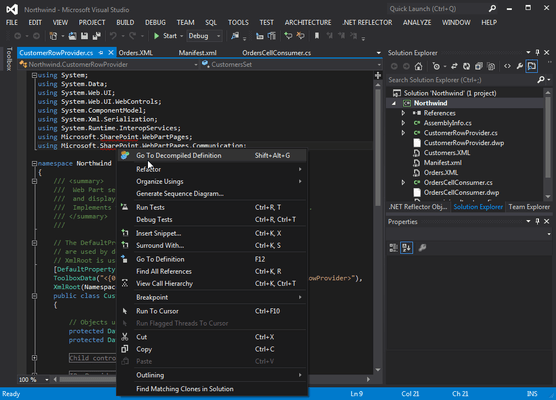
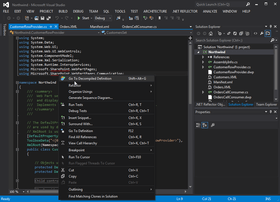
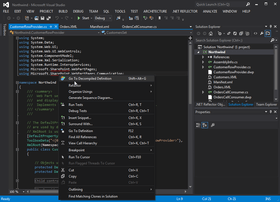
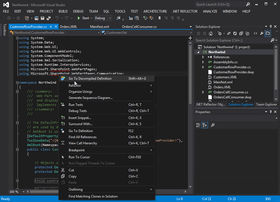
Jump straight to .NET Reflector from Visual Studio
Support for .NET 4 assemblies
.NET Reflector Pro
.NET Reflector Pro is an add-in to Visual Studio that lets you debug third-party code and assemblies, even if you don't have the source.
Integrates the power of .NET Reflector into Visual Studio
Decompile third-party assemblies from within VS
Step through decompiled assemblies and use all the debugging techniques you would use on your own code
Pro Features:
Full support for .NET 1.0, 1.1, 2.0, 3.0, 3.5, and 4.0
Decompile an entire assembly to either C# or VB to view and debug in Visual Studio
Step-through debugging of any assembly in Visual Studio (as long as it's not obfuscated):
Step into and set breakpoints anywhere in any assembly
Watch variables in the decompiled code
Use Visual Studio's advanced debugging features in decompiled code: Set Next Statement, modify variable values, and dynamic expression evaluation in the immediate window
General Features
Full support for .NET 2.0, 3.0, 3.5 and 4.0
Windows Shell Integration – Run Reflector.exe /register to register file extension
Assembly lists for .NET 2.0, 3.0, 3.5, 4.0, Compact Framework 2.0, Compact Framework 3.5, XNA framework, Silverlight, Mono, and Direct X for Managed Code
Click navigation of source code
Find where types are exposed or instantiated
Expand methods
Linq query expression support
Lambda expression support
Anonymous methods and nullable type support
Extension method support
Context-sensitive documentation view
Find virtual method overrides
Code URL support – Navigate to code://mscorlib/System.Object in IE
Explore resources in assemblies
.NET Reflector 7 Release Notes
Features and Enhancements
.NET Reflector is a class browser, analyzer,and decompiler for .NET assemblies.
Highlights in this new release include:
Better decompilation, including the addition of iterator block (yield) support, as well as improvements to the .NET 4.0 decompilation,
Tabbed decompilation,
Ability to decompile and explore source code for referenced assemblies in Visual Studio,
Support for Silverlight XAP files
PowerCommands integration
Integrates with Windows Explorer and Visual Studio via Add-in
You can open Visual Studio, and use the .NET Reflector menu to select referenced assemblies you would like to debug into. These assemblies are then decompiled to C# or VB. You can then step into them whilst debugging, set breakpoints, see the values of variables and parameters, etc. In fact, the only debugger functionality that will not work is edit and continue.
You can also decompile and explore source if you right-click on a project reference, and then click Decompile and Explore on the context menu.
Supported .NET Framework Versions
.NET Reflector requires Microsoft .NET Framework 3.5 or later to run, but can open assemblies compiled against any version of the .NET framework, or Mono.
Supported OS Versions
Windows XP SP2 or later,Windows Server 2003,Windows Vista,Windows Server 2008 & 2008 R2,Windows 7
Supports 32-bit and 64-bit versions of all listed operating systems, where applicable.
Supported Visual Studio Versions
The following versions of Microsoft Visual Studio are supported by the .NET Reflector add-in:
Visual Studio 2005
Visual Studio 2008
Visual Studio 2010
What's New in .NET Reflector V6.5:
.NET 4.0 assemblies and support for the C# 4.0 and VB 10 language enhancements
Opening assemblies from the Global Assembly Cache
If you would like a quote for .NET Reflector please Contact Us.
Debug third-party code, even if you don't have the source.
Evals & Downloads: Read the .NET Reflector Pro End User License Agreement
Operating System for Deployment: Windows 7, Windows Server 2008, Windows Vista, Windows XP, Windows Server 2003
Architecture of Product: 32Bit, 64Bit
Product Type: Application
Application Type: Developer Application
Built Using: .NET Framework 2.x
Compatible Containers: Microsoft Visual Studio 2010, Microsoft Visual Studio 2008, Microsoft Visual Studio 2005, Microsoft Visual Basic 2010, Microsoft Visual Basic 2008, Microsoft Visual Basic 2005, Microsoft Visual C++ 2008, Microsoft Visual C++ 2005, Microsoft Visual C# 2010, Microsoft Visual C# 2008, Microsoft Visual C# 2005, .NET Framework 4.0, .NET Framework 3.5, .NET Framework 3.0, .NET Framework 2.0, Mono 2.6
Keywords: net reflector, net reflector pro, reflector pro, reflector professional, red gate reflector, redgate reflector, buy net reflector, reflector net reseller, net reflector distributor, net reflector upgrade, net reflector price, net reflector cost, buy red gate reflector, buy redgate reflector
Red Gate Software Red-Gate RedGate
Debugging debug debugs Testing Test Tests
Development
Publisher
Primary Category
Related Products
Related Categories