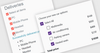
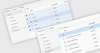
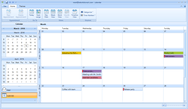
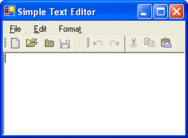
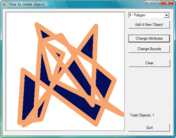
Screenshot Preview

Resco MobileForms Toolkit - Summary

by Resco - Product Type: Component / .NET Class

Resco MobileForms Toolkit Universal Edition includes Windows Mobile, Windows Phone 7, iOS and Android Editions which can be purchased on their own if you do not need all the platforms. Please go to the individual product pages Resco MobileForms Toolkit Windows Mobile Edition, Resco MobileForms Toolkit Windows Phone 7 Edition, Resco MobileForms Toolkit iOS Edition, Resco MobileForms Toolkit Android Edition for more information.

Summary

Resco MobileForms Toolkit by Resco

URLs: resco-mobileforms-toolkit, resco mobileforms toolkit, rescomobileformstoolkit, resco

Smart development for mobile devices with controls for .NET CF, Android, Windows Mobile, WP7 and iOS. Resco MobileForms Toolkit Universal Edition is a complete set of cross-platform UI controls for mobile development. Resco MobileForms Toolkit Universal Edition includes Windows Mobile, Windows Phone 7 and iOS Editions, with an Android Edition scheduled for Q1/2011. The components and libraries are designed to eliminate hardware limitations of mobile devices, such as small screen or lower performance. A ground-breaking technology, seamlessly integrated in the components, offers multiple benefits to the Microsoft, Apple and Android mobile developer community. Resco MobileForms Tookit Windows Mobile Edition is optimized for .NET Compact Framework and Windows Mobile, Windows CE, Tablet PC devices. Resco MobileForms Toolkit Windows Phone 7 Edition is optimized for Silverlight and Windows Phone 7 devices. Resco MobileForms Toolkit iOS Edition is optimized for MonoTouch and iPhone, iPad, iPod devices. MobileForms Toolkit controls include SmartGrid, DetailView, Toolbar, ImageButton, CustomKeyboard, MessageBox, TransparentLabel, AdvancedList, CompactChart, TabControl, ShortcutBar, KeyboardPro, ProgressBar, Tooltip, AdvancedTree, WeekCalendar, InkBox, DateTimePicker, NumericUpDown, ScrollBar, Audio, AdvancedCombo, MonthCalendar, ImageBox, TouchDateTimePicker, MaskedTextBox, TouchPanel and Zip. All Resco MobileForms Toolkit Editions include Royalty-free distribution, 1 Year of free upgrades, updates, new component releases and support. Resco MobileForms Toolkit Renewals are also available.

Resco MobileForms Toolkit 2011 is a powerful, efficient and complete set of cross-platform UI controls.

The components and libraries are designed to eliminate hardware limitations of mobile devices, such as small screen or lower performance. A ground-breaking technology, seamlessly integrated in the components, offers multiple benefits to the Microsoft, Apple and Android mobile developer community. Each platform available separately, or all of them in one package with the Universal Edition.

Resco MobileForms Toolkit Universal Edition includes:

Windows Mobile Edition - Optimized for .NET Compact Framework and Windows Mobile, Windows CE, Tablet PC devices

SmartGridDetailViewToolbarImageButtonCustomKeyboardMessageBoxTransparentLabel

AdvancedListCompactChartTabControlShortcutBarKeyboardProProgressBarTooltip

AdvancedTreeWeekCalendarInkBoxDateTimePickerNumericUpDownScrollBarAudio

AdvancedComboMonthCalendarImageBoxTouchDateTimePickerMaskedTextBoxTouchPanelZip

Windows Phone 7 Edition - Optimized for Silverlight and Windows Phone 7 devices

AdvancedListPhoneComboBoxPhoneImageButtonPhoneButton

DetailViewDateEditorMessageDialogThemedButton

WeekCalendarTimeEditorPhoneSpinControlPhoneCheckBox

MonthCalendarPhoneTextBoxPhoneTextControl

iOS Edition - Optimized for MonoTouch and IPhone, iPad, iPod devices

AdvancedListDetailViewMonthCalendarWeekCalendar

Android Edition - Optimized for Mono for Android and Android devices

Advanced UISchedulingBasic UI

AdvancedListMonthCalendarTabBar

DetailViewWeekCalendarInkBox

Resco MobileForms Toolkit Windows Mobile Edition controls:

Grid control for .NET CF - Resco SmartGrid

Powerful grid control suitable for small displays of mobile devices

Strong design-time support

Cell styles simplify column and cell formatting

CustomizeCell Event allows advanced cell formatting

Elegant input forms for .NET CF - Resco DetailView

Input controls are collected in a compact environment giving the form standard Windows Mobile look and feel

Non-editable items allow grouping of questions into blocks which make the form clear

Multi-page support allows you to divide long content into several sub-pages

Stylish toolbar control for .NET CF - Resco Toolbar

Stylish toolbar control optimized for mobile devices

Advanced graphics capabilities

Buttons can be defined by a text, image or skin

Vertical or horizontal layout

TouchControl functionality

XML Templates

Skinnable color button for .NET CF - Resco ImageButton

Adjustable, modifiable and skinnable button optimized for mobile devices

An advanced verstion of the stadard Button control

Allows you to set a color or an image which is displayed over it

Allows you to set a color or an image which is displayed while it is being clicked

You can set a color which is used to draw the background of the button when it has focus

You can set a higher resolution image for VGA devices, ImageButton detects a VGA device automatically and uses the higher resolution image

Flexible keyboard for .NET CF - Resco CustomKeyboard

Design your custom layouts

Ability to define various custom layouts

The layout can be defined by a collection of keys with simple graphical representation, or by a skin which allows to use advanced graphical capabilities

KeyboardKeyDown and KeyboardKeyUp events provide full control of data being inserted

Stylish user messages for .NET CF - Resco MessageBox

Resco MessageBox is an advanced analogy to standard message box class. It displays a message box that can contain text or buttons in graphically attractive style. It adds glamor and instructs the user in an interesting way.

TransparentLabel for .NET CF

Label with transparent background control

List control for .NET CF - Resco AdvancedList

The standardized Windows Mobile look and feel

Data is organized in a well legible form without the need for a horizontal scrollbar

Each row of the list is displayed using a Row Template containing Cells that can be freely positioned within the Row area

The selected row can use a different Row Template for displaying data

Cells can be represented as formatted Text, Image, or Hyperlink

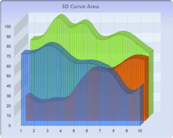
Mobile chart control for .NET CF - Resco CompactChart

5 chart types - Pie, Bar, Line, Doughnut and Area

Strong design-time support

Advanced data binding through Dataset

An option to load data series manually

Ability to select a chart value using the SelectedColor property

Intuitive Legend

Stylish Tab control for .NET CF - Resco TabControl

Tab control with new graphic capabilities optimized for mobile devices

Advanced graphics capabilities

Tabs can be defined by a text, image or skin

Vertical or horizontal layout

TouchControl functionality

XML Templates

Modern shortcuts for .NET CF - Resco ShortcutBar

A popular shortcut control, common to all modern applications optimized for mobile devices

Shortcuts can be divided into groups accessible through group buttons

Various shortcut/group views

Strong designer support

Hardware keys navigation support

Resco KeyboardPro for .NET CF

Resco Keyboard Pro represents one of the most favorite end-user keyboard applications sold on Windows Mobile market. Now it comes in form of a complex developer component.

Resco KeyboardPro for .NET CF is completely customizable. Their owners may easily adjust it to the needed preferences. However, the biggest advantage from now on - the keyboard can be included in a .NET project the same way as other components of our MobileForms Toolkit.

Progress Bar for .NET CF

Supports advanced graphics: developer can easily set color, gradient to the bar as well as to the boarders, or even add pictures

The bar can be displayed continuously or in blocks with an option to change size of the blocks, size of the spacing between blocks; developer can set color, gradient or add picture for either entire bar, or for the blocks

ProgressBar may include modified text

Marquee Style support - the marquee style can be adjusted (move one way or bounce) in contrary to standard Progress Bars

Tooltip window for .NET CF - Resco Tooltip

A must control in a limited screen size environment of mobile devices

Simple window that displays explanatory information about items that cannot be displayed due to the lack of space

Flexible tree control for .NET CF - Resco AdvancedTree

Designed and created for Windows Mobile platform.

Data is organized in tree nodes that can be expanded or collapsed

All data is arranged in a way that only a vertical scroll bar is needed

Each row of the list is displayed using a NodeTemplate containing Cells that can be freely positioned within the NodeTemplate area

The selected node can use a different NodeTemplate for displaying data

Cells can be represented as formatted Text, Image, or Hyperlink

Scheduling control for .NET CF - Resco WeekCalendar

Day/Week appointment scheduling control optimized for mobile devices

Strong designer support

Day/Week View

Customizable appointment description

Standardized look and feel

Signatures and drawings for .NET CF - Resco InkBox

Ink control suitable for quick notes or signatures optimized for mobile devices

Allows you to enter or display simple notes or drawings

It can be used as a signature control useful for SFA or Field Service mobile solutions

Easy way of storing a signature/image to a database and loading it back to the InkBox control

Day or Time picker for .NET CF - Resco DateTimePicker

Modern version of a common control providing advanced styles optimized for mobile devices

The control can be used in two different ways:

DateTimePicker - to select date, time or a combination of both

WeekDayPicker - to select week date, typically used in calendar agenda-like forms

Flixible numeric input for .NET CF - Resco NumericUpDown

Flexible control for numeric input optimized for mobile devices

Decimal numbers support

Hexadecimal numbers display support

Number representation formatting options

Visual Customization support: Vista Style, Gradient

Scroll Bar for .NET CF

Allows to browse the screen content easily and comfortably

Supports advanced graphics: all parts of the scrollbar can be modified and customized in both shape and color; gradient can be added or the buttons and bar can be completely substituted by a picture

Scrollbar buttons can be positioned in multiple ways (grouped at the edges, opposite, hidden)

Extensions® - ability to add additional visual information, e.g. LetterBar that contains letters

Audio manipulation for .NET CF - Resco Audio

Powerful control for playing and recording audio

Audio playback - play files or streams containing audio data

Audio recording - record your voice as audio data

Supported file types - supports most well-known audio formats: wav, ogg, spx, raf, mp3

Quality - customize the quality of recorded voice by choosing the number of channels, sample rate, bits per sample and the compression algorithm

Drop-down list control .NET CF - Resco AdvancedCombo

Each row of the list is displayed using a Row Template containing Cells that can be freely positioned within the Row area

The selected row can use a different Row Template for displaying data

Cells can be represented as formatted Text, Image, or Hyperlink

Touch Scroll functionality

DelayLoad functionality

Save/Load Template to/from XML File

Scheduling control for .NET CF - Resco MonthCalendar

Month/Year scheduling control optimized for mobile devices

Strong designer support

Advanced graphic capabilities

The CustomizeDayCell event permits advanced day formatting

Ability to display a custom number of months through the CalendarDimensions property

Image manipulation control for .NET CF - Resco ImageBox

Versatile image control supporting various graphic formats optimized for mobile devices

Supports multiple file formats: jpg, tiff, png

Load image from different locations: file, data stream, or Internet

You can specify whether the image will loaded fast or with emphasis to quality

If the image does not fit into the client area, you can use your thumb to scroll it

The scrollbars can be displayed always, never or automatically when needed

Possibility to crop, rotate, zoom or invert colors

Allows you to adjust: brightness, contrast, gamma correction

You can save the image into specified file format and thus convert it

Visual Studio Designer support

Date, Time rollers for .NET - Resco TouchDateTimePicker

Visually attractive and easy to use time picker control optimized for mobile devices

Touch Scroll functionality

Format Customization: changes in the rollers order and displayed format

Graphically attractive

Support of regional settings: 12/24 time format, language support

Data input fields for .NET CF - Resco MaskedTextBox

Allows creation of user masks to define the data input form

Developer can create own masks distinguishing between capital letters, numeric symbols, alphanumeric characters, and even delimiter characters such as back slash, colon, semicolon, dash etc.

The most powerful MaskedTextBox control for .NET CF

TouchPanel for .NET CF

Resco TouchPanel has been built based on feedback from our customers. It is a container control for various item types. Developer can even apply an image to the background. The panel supports touch scrolling and many other useful features.

Industry standard compression for .NET CF - Resco Zip

Industry standard compression library optimized for mobile devices

Zip compression - industry standard compression format

File system - compress/decompress files or folders

Streams - compress/decompress .NET streams

Encryption - secure sensitive data

Resco MobileForms Toolkit Windows Phone 7 Edition Controls:

List control for Windows Phone 7 - Resco AdvancedList

The standardized Windows Phone 7 look and feel

Data is organized in a well legible form without the need for a horizontal scrollbar

Each row of the list is displayed using a Row Template containing Cells that can be freely positioned within the Row area

The selected row can use a different Row Template for displaying data

Cells can be represented as formatted Text, Image, or Hyperlink

Drop-down list control for Windows Phone 7 - Resco PhoneComboBox

Combobox with popup selector

Skinnable color button for Windows Phone 7 - Resco PhoneImageButton

Button control that displays state-dependent image

Control for Windows Phone 7 - Resco PhoneButton

Button class supporting button states and other properties (touch-sensitive area, rounded corners)

Elegant input forms for Windows Phone 7 - Resco DetailView

Input controls are collected in a compact environment giving the form standard Windows Phone 7 look and feel

Non-editable items allow grouping of questions into blocks which make the form clear

Multi-page support allows you to divide long content into several sub-pages

Day picker for Windows Phone 7 - Resco DateEditor

Modern version of a common control providing advanced styles optimized for mobile devices

The control can be used in two different ways:

DatePicker - to select date

WeekDayPicker - to select week date, typically used in calendar agenda-like forms

Stylish user messages for Windows Phone 7 - Resco MessageDialog

MessageBox-style dialog with customizable buttons

Control for Windows Phone 7 - Resco ThemedButton

Button control that displays theme-independent monochromatic image.

Scheduling control for Windows Phone 7 - Resco WeekCalendar

Day/Week appointment scheduling control optimized for mobile devices

Strong designer support

Day/Week View

Customizable appointment description

Standardized look and feel

Time picker for Windows Phone 7 - Resco TimeEditor

Modern version of a common control providing advanced styles optimized for mobile devices

Control for Windows Phone 7 - Resco PhoneSpinControl

Flexible control for numeric input optimized for mobile devices

Decimal numbers support

Hexadecimal numbers display support

Number representation formatting options

Visual Customization support: Vista Style, Gradient

Control for Windows Phone 7 - Resco PhoneCheckBox

An alternative to the system checkbox (slider-style look)

Scheduling control for Windows Phone 7 - Resco MonthCalendar

Month/Year scheduling control optimized for mobile devices

Strong designer support

Advanced graphic capabilities

The CustomizeDayCell event permits advanced day formatting

Ability to display a custom number of months through the CalendarDimensions property

Control for Windows Phone 7 - Resco PhoneTextBox

TextBox derived class that provide extra styling properties.

Control for Windows Phone 7 - Resco PhoneTextControl

PhoneTextControl is a label-style control with content formatting.

Handy tool to display custom format for dates, numbers and other objects.

Resco MobileForms Toolkit iOS Edition Controls:

List control for iOS - Resco AdvancedList

The standardized iOS look and feel

Data is organized in a well legible form without the need for a horizontal scrollbar

Each row of the list is displayed using a Row Template containing Cells that can be freely positioned within the Row area

The selected row can use a different Row Template for displaying data

Cells can be represented as formatted Text, Image, or Hyperlink

Elegant input forms for iOS - Resco DetailView

Input controls are collected in a compact environment giving the form standard iOS look and feel

Non-editable items allow grouping of questions into blocks which make the form clear

Multi-page support allows you to divide long content into several sub-pages

Scheduling control for iOS - Resco MonthCalendar

Month/Year scheduling control optimized for iOS devices

Strong designer support

Advanced graphic capabilities

The CustomizeDayCell event permits advanced day formatting

Ability to display a custom number of months through the CalendarDimensions property

Scheduling control for iOS - Resco WeekCalendar

Day/Week appointment scheduling control optimized for iOS devices

Strong designer support

Day/Week View

Customizable appointment description

Standardized look and feel

Resco MobileForms Toolkit Android Edition Controls:

List control for MonoDroid - Resco AdvancedList

Data is organized in a well legible form without the need for a horizontal scrollbar

Each row of the list is displayed using a Row Template containing Cells that can be freely positioned within the Row area

The selected row can use a different Row Template for displaying data

Cells can be represented as formatted Text, Image, or Button

Elegant input forms for MonoDroid - Resco DetailView

Input controls are collected in a compact environment

Items allow grouping of questions into blocks which make the form clear

Supports text, numeric, date, time, check, combo, link input

Scheduling control for MonoDroid - Resco MonthCalendar

Month/Year scheduling control optimized for mobile devices

Advanced graphic capabilities

The CustomizeDayCell event permits advanced day formatting

Scheduling control for MonoDroid - Resco WeekCalendar

Day/Week appointment scheduling control optimized for mobile devices

Day/Week View

Customizable appointment description and color

Standardized look and feel

Stylish Tab control for MonoDroid - Resco TabBar

Simple and effective Tab bar with new graphic capabilities optimized for mobile devices

Advanced graphics capabilities

Tabs can be defined by a text and/or image or both

TouchControl functionality

What's New in Resco MobileForms Toolkit 2012:

The most important improvement is a brand new core of controls with very smooth touch scrolling, optimized drawing, aliased round corners and advanced customizations. The users now have new options to define the data source, background, text size, fonts, and colors and touch scroll behavior.

Resco created a new set of 23 elements that can be added to a panel:

UIAnimatedLabelUIGridPanelUIRollerPanel

UIButtonUICheckBoxUIRollerPicker

UIColorListUIImageUISpinButton

UIColorPickerUILabelUIStackPanel

UIColorRollerUIOptionViewUITextBox

UIComboBoxUIPanelUIUniformGrid

UIDateTimePickerUIRadioButtonUIWrapPanel

UIDateTimeRollerUIRoller

Other improvements are the chart controls for Windows Phone, iOS and Android platform. Choose from column, line and pie charts.

What's New in Resco MobileForms Toolkit 2011 Volume 3

Resco MobileForms Toolkit Edition for Windows Mobile

Phone - access to all device information (Bluetooth, WiFi) at your hands

CallHistory - quick access to phone’s call history database

SIM - access to Subscriber Identity Module’s information and phone book changes

GPS - manages the GPS location coordinates and offers the position tracking

LocationServices - implements the interface on the Google and Bing positioning services

Resco MobileForms Toolkit Edition for Windows Phone 7

GPS - encapsulates the Windows Phone 7 GPS device functionality

LocationServices - offers the GPS to/from physical address translation and the services for getting optimal route, directions and showing the results on a map

The controls and components are interoperable with Microsoft Visual Studio. Thus, they allow fully utilizing the power of Microsoft Visual Studio the developers are used to

Resco MobileForms Toolkit Universal Edition includes Windows Mobile, Windows Phone 7, iOS and Android Editions which can be purchased on their own if you do not need all the platforms. Please go to the individual product pages Resco MobileForms Toolkit Windows Mobile Edition, Resco MobileForms Toolkit Windows Phone 7 Edition, Resco MobileForms Toolkit iOS Edition, Resco MobileForms Toolkit Android Edition for more information.

Smart development for mobile devices with controls for .NET CF, Windows Mobile, WP7 and iOS.

Pricing: Resco MobileForms Toolkit 2012 Universal Edition Single License with Subscription (1 Developer), Resco MobileForms Toolkit 2012 Universal Edition Team License with Subscription (Up to 4 Developers), Resco MobileForms Toolkit 2012 Universal Edition Site License with Subscription (Unlimited Developers at a Single Physical Address), Resco MobileForms Toolkit 2012 Universal Edition Wide License with Subscription (Unlimited Developers at Unlimited Sites), Resco MobileForms Toolkit 2012 Universal Edition Pre-renewal Single License Subscription Pre-Renewal (1 Developer), Resco MobileForms Toolkit 2012 Universal Edition Pre-renewal Team License Subscription Pre-Renewal (Up to 4 Developers), Resco MobileForms Toolkit 2012 Universal Edition Pre-renewal Site License Subscription Pre-Renewal (Unlimited Developers at a Single Physical Address), Resco MobileForms Toolkit 2012 Universal Edition Pre-renewal Wide License Subscription Pre-Renewal (Unlimited Developers at Unlimited Sites), Resco MobileForms Toolkit 2012 Universal Edition Post-renewal Single License Subscription Post-Renewal (1 Developer), Resco MobileForms Toolkit 2012 Universal Edition Post-renewal Team License Subscription Post-Renewal (Up to 4 Developers), Resco MobileForms Toolkit 2012 Universal Edition Post-renewal Site License Subscription Post-Renewal (Unlimited Developers at a Single Physical Address), Resco MobileForms Toolkit 2012 Universal Edition Post-renewal Wide License Subscription Post-Renewal (Unlimited Developers at Unlimited Sites), Resco MobileForms Toolkit 2012 Universal Edition Upgrade from Windows Mobile Edition Single License with Subscription (1 Developer) Upgrade from Windows Mobile Edition (with valid subscription), Resco MobileForms Toolkit 2012 Universal Edition Upgrade from Windows Mobile Edition Single License with Subscription (1 Developer) Upgrade from Windows Mobile Edition (without valid subscription), Resco MobileForms Toolkit 2012 Universal Edition Upgrade from Resco MobileForms Toolkit Single License with Subscription (1 Developer) Upgrade from Resco MobileForms Tookit 2010 Standard License with a valid subscription (pre-renewal), Resco MobileForms Toolkit 2012 Universal Edition Upgrade from Resco MobileForms Toolkit Single License with Subscription (1 Developer) Upgrade from Resco MobileForms Tookit 2010 Standard License without a valid subscription (post-renewal), Resco MobileForms Toolkit 2012 Universal Edition Upgrade from Resco MobileForms Toolkit Team License with Subscription (Up to 4 Developers) Upgrade from Resco MobileForms Toolkit 2010 Professional Team License with a valid subscription (pre-renewal), Resco MobileForms Toolkit 2012 Universal Edition Upgrade from Resco MobileForms Toolkit Team License with Subscription (Up to 4 Developers) Upgrade from Resco MobileForms Toolkit 2010 Professional Team License without a valid subscription (post-renewal)

Evals & Downloads: Read the Resco MobileForms Toolkit Windows Mobile Edition help file, Read the Resco MobileForms Toolkit Windows Phone 7 help file, Read the Resco MobileForms Toolkit Android help file, Read the Resco MobileForms Toolkit Windows Mobile Edition End User License Agreement, Read the Resco MobileForms Toolkit Windows Phone 7 Edition End User License Agreement, Read the Resco MobileForms Toolkit iOS Edition End User License Agreement, Read the Resco MobileForms Toolkit Android Edition End User License Agreement, Download the Resco MobileForms Toolkit 2012 Windows Mobile Edition evaluation on to your computer - Displays Evaluation Messages, Download the Resco MobileForms Toolkit 2012 Windows Phone 7 Edition evaluation on to your computer - Displays Evaluation Messages, Download the Resco MobileForms Toolkit 2012 iOS Edition evaluation on to your computer - Displays Evaluation Messages, Download the Resco MobileForms Toolkit 2012 Android Edition evaluation on to your computer - Displays Evaluation Messages

Operating System for Deployment: Windows 7, Windows Vista, Windows XP, Windows Server 2003, Windows 2000, Windows Phone 7, Windows Mobile 6.5, MacOS 10.6, iPhone OS 4.0, Android 3.0 (Honeycomb), Android 2.4 (Gingerbread), Android 2.3 (Gingerbread), Android 2.2 (Froyo), Android 2.1 (Eclair), Android 2.0 (Eclair)

Architecture of Product: 32Bit, 64Bit

Product Type: Component

Component Type: .NET Class

Built Using: Visual Basic .NET, Visual C# .NET

Compatible Containers: Microsoft Visual Studio 2010, Microsoft Visual Studio 2008, Microsoft Visual Basic 2010, Microsoft Visual Basic 2008, Microsoft Visual C++ 2010, Microsoft Visual C++ 2008, Microsoft Visual C# 2010, Microsoft Visual C# 2008, .NET Framework 4.0, .NET Framework 3.5, .NET Framework 3.0, Silverlight 4, Mono 2.6, MonoDevelop 2.4

Keywords: resco mobile, mobileforms toolkit, resco mobileforms, resco mobile forms, resco mobile tookit, mobile forms toolkit, mobileforms toolkit 2010, resco mobile software, resco mobile controls, resco mobile universal, mobileforms toolkit universal, mobileforms universal, resco universal, buy resco mobile, buy mobileforms toolkit, buy resco mobileforms, buy resco mobile forms, buy resco mobile tookit, buy mobile forms toolkit, order resco mobile, order mobileforms toolkit, order resco mobileforms, order resco mobile forms , order resco mobile tookit, order mobile forms toolkit, purchase resco mobile, purchase mobileforms toolkit, purchase resco mobileforms, purchase resco mobile forms , purchase resco mobile tookit, purchase mobile forms toolkit, resco mobile reseller, mobileforms toolkit reseller, resco mobileforms reseller, resco mobile reseller, resco mobile tookit reseller, resco mobile distributor, mobileforms toolkit distributor, resco mobileforms distributor

Wireless Handheld Mobile hand held wire less

compression java, compression c#, compression library, compression c++, compression control, compression vb, compression class, compress library, compression delphi, compression component, compression unzip, compression activex, compression dll

Entry data-entry

Chart Charting Charts Graph Graphing Graphs

datagrid controls, datatable controls, datagrid components, datatable components, datagrid, data grid, data table, net gridview, net datagrid, data grid, grid control, net datatable, c# gridview, c# datagrid, asp.net datagrid, grid asp, vb.net datagrid

treeview, list, tree view, tree-view, list-view, listview, listbox

Multimedia media

User Interface UI

Calendar calendaring calendars Scheduling Schedule Schedules

Part numbers: PC-516049-429562 516049-429562 PC-516049-429564 516049-429564 PC-516049-429566 516049-429566 PC-516049-429568 516049-429568 PC-516049-429570 516049-429570 PC-516049-429572 516049-429572 PC-516049-429574 516049-429574 PC-516049-429576 516049-429576 PC-516049-429578 516049-429578 PC-516049-429580 516049-429580 PC-516049-429582 516049-429582 PC-516049-429584 516049-429584 PC-516049-429586 516049-429586 PC-516049-429588 516049-429588 PC-516049-429592 516049-429592 PC-516049-429594 516049-429594 PC-516049-429590 516049-429590 PC-516049-429596 516049-429596