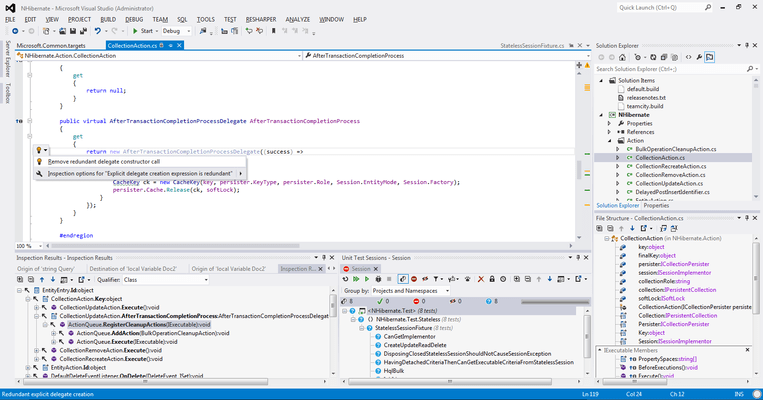
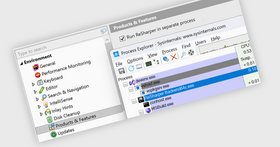
Screenshot Preview

ReSharper 6.1

by JetBrains - Product Type: Add-In

Increase your .NET productivity. ReSharper is an intelligent add-in to Visual Studio 2005/2008/2010. ReSharper comes equipped with a rich set of features including: intelligent coding assistance, on-the-fly error highlighting and quick error correction. ReSharper also supports code refactoring, unit testing, navigation and search. NAnt and MS Build Scripts Editing and ASP.NET Editing are also features ReSharper offers. ReSharper advanced features are available right from Visual Studio. ReSharper is available in 3 Editions: ReSharper Full Edition, ReSharper C# Edition and ReSharper Visual Basic .NET Edition. ReSharper Commercial Licenses are available for companies and organizations as well as ReSharper Personal Licenses for individual developers and ReSharper Academic Licenses for educational institutions and trainers.


Average Review:   based on 3 reviews.
From
$342.02

Best Seller

  |   

Top Download

Our regular prices are shown below. Please logon to see your discounted prices.

Price in

ReSharper 6.1 - for Visual Studio 2005/2008/2010 Full Edition (C# and VB.NET) - Commercial

Add to Cart $ 342.02 1-9 User License - Commercial License (price per license)
Mfr. Part No: RS60CL
Download (31.8 MB)
Add to Cart $ 338.53 10-19 User License - Commercial License (price per license)
Mfr. Part No: RS60CL
Download (31.8 MB)
Add to Cart $ 338.53 20-49 User License - Commercial License (price per license)
Mfr. Part No: RS60CL
Download (31.8 MB)
Add to Cart $ 204.82 1-9 User License - Commercial License (price per license) - Upgrade from Full Edition V3.x or V5.x
Mfr. Part No: RS60CUP
Verify Download (31.8 MB)
Add to Cart $ 202.73 10-19 User License - Commercial License (price per license) - Upgrade from Full Edition V3.x or V5.x
Mfr. Part No: RS60CUP
Verify Download (31.8 MB)
Add to Cart $ 244.02 1-9 User License - Commercial License (price per license) - Upgrade from Full Edition V1.x or V2.x Verify Download (31.8 MB)
Add to Cart $ 244.02 1-9 User License - Commercial License (price per license) - Upgrade from ReSharper 1.x-5.x C# or VB.NET Edition
Mfr. Part No: CSVB/FL60CUP
Verify Download (31.8 MB)
Add to Cart $ 241.53 10-19 User License - Commercial License (price per license) - Upgrade from ReSharper 1.x-5.x C# or VB.NET Edition
Mfr. Part No: CSVB/FL60CUP
Verify Download (31.8 MB)
Add to Cart $ 146.02 1-9 User License (price per license) - Upgrade from ReSharper 6.0 C# or VB.NET Edition
Mfr. Part No: CSVB6/FL60CUP
Verify Download (31.8 MB)
Add to Cart $ 144.53 10-19 User License (price per license) - Upgrade from ReSharper 6.0 C# or VB.NET Edition
Mfr. Part No: CSVB6/FL60CUP
Verify Download (31.8 MB)

ReSharper 6.1 - for Visual Studio 2005/2008/2010 Full Edition (C# and VB.NET) - Personal

Add to Cart $ 195.02 1 User License - Personal License (for individual developers purchasing the license with their own funds and for their personal use) Download (31.8 MB)
Add to Cart $ 116.62 1 User License - Personal License (for individual developers purchasing the license with their own funds and for their personal use) - Upgrade from Full Edition V3.x or V5.x Verify Download (31.8 MB)

ReSharper 6.1 - for Visual Studio 2005/2008/2010 C# Edition - Commercial

Add to Cart $ 244.02 1-9 User License - Commercial License (price per license) Download (31.8 MB)
Add to Cart $ 242.78 10-19 User License - Commercial License (price per license) Download (31.8 MB)
Add to Cart $ 241.53 20-49 User License - Commercial License (price per license) Download (31.8 MB)
Add to Cart $ 146.02 1-9 User License - Commercial License (price per license) - Upgrade from ReSharper 1.x-5.x (any edition)
Mfr. Part No: RSCS60CUP
Verify Download (31.8 MB)
Add to Cart $ 145.28 10-19 User License - Commercial License (price per license) - Upgrade from ReSharper 1.x-5.x (any edition)
Mfr. Part No: RSCS60CUP
Verify Download (31.8 MB)
Add to Cart $ 146.02 1-9 User License - Commercial License (price per license) - Upgrade from ReSharper V1.x or V2.x Verify Download (31.8 MB)

ReSharper 6.1 - for Visual Studio 2005/2008/2010 C# Edition - Personal

Add to Cart $ 146.02 1 User License - Personal License (for individual developers purchasing the license with their own funds and for their personal use) Download (31.8 MB)
Add to Cart $ 87.22 1 User License - Personal License (for individual developers purchasing the license with their own funds and for their personal use) - Upgrade from C# Edition V3.x or V5.x Verify Download (31.8 MB)

ReSharper 6.1 - for Visual Studio 2005/2008/2010 VB.NET Edition - Commercial

Add to Cart $ 244.02 1-9 User License - Commercial License (price per license) Download (31.8 MB)
Add to Cart $ 242.78 10-19 User License - Commercial License (price per license) Download (31.8 MB)
Add to Cart $ 241.53 20-49 User License - Commercial License (price per license) Download (31.8 MB)

ReSharper 6.1 - for Visual Studio 2005/2008/2010 VB.NET Edition - Personal

Add to Cart $ 146.02 1 User License - Personal License (for individual developers purchasing the license with their own funds and for their personal use) Download (31.8 MB)
Add to Cart $ 87.22 1 User License Upgrade from ReSharper 1.x-5.x (any edition)- Personal License (for individual developers purchasing the license with their own funds and for their personal use)
Mfr. Part No: RSVB60PUP
Download (31.8 MB)

ReSharper Maintenance

Add to Cart $ 155.82 1 User Full Edition (C# and VB.NET) Annual maintenance – includes major upgrades for one year Verify Download (31.8 MB)
Add to Cart $ 116.62 1 User C# Edition Annual maintenance – includes major upgrades for one year Verify Download (31.8 MB)

Our prices include ComponentSource technical support and, for most downloadable products, an online backup and a FREE upgrade to the new version if it is released within 30 days of your purchase.  All sales are made on our standard Terms and Conditions and subject to our Return Policy. Please contact us if you require any licensing option not listed, including volume licensing and previous versions.

Our regular prices are shown above. Please logon to see your discounted prices.

What's new in ReSharper 6.1?

  • Async CTP – Now supports async and await keywords — both in C# and VB.NET — as well as providing a set of related code inspections and quick-fixes
  • ReSharper SDK - Simplify development and maintenance of ReSharper plug-ins. The SDK provides a full set of ReSharper assemblies required to test ReSharper plug-ins. Visual Studio templates for creating different kinds of plug-in projects are also available with the SDK.
  • Improved management of settings - The settings engine has been revamped with extra emphasis on sharing and managing settings. Many more settings have been made accessible and sharable and new granular settings have been introduced — for example, those defining IntelliSense behavior for different languages.
  • Optimizing assembly references - Inspect assembly references in any C#, VB.NET or XAML-enabled project and see if they are not used.

What's new in ReSharper 6?

  • JavaScript support - JavaScript support spans most ReSharper 6 feature groups including code inspections, navigation, refactorings, and coding assistance. Symbol and smart completion are available in JavaScript, enabling you to filter out the enormity of JS library functions.
  • ASP.NET MVC 3 Razor support - ReSharper's ASP.NET MVC feature pack is extended with support for the new Razor view engine. ReSharper brings its full power to C# code blocks in Razor views, including code highlighting, code completion, context actions, refactorings, and navigation. ReSharper's navigation infrastructure, including File Structure and Go to File Member, works correctly in .cshtml files.
  • CSS support - ReSharper applies its own highlighting to CSS syntax. In addition, every color value is underlined with the respective color, and a quick-fix is available to help change it using a graphical color picker. ReSharper provides its own code completion in CSS files and HTML/ASP.NET markup files. It helps you complete tag names and attributes, preudo-classes, CSS properties and property values.
  • HTML support - ReSharper 6 brings basic HTML support to the table. First of all, you get code completion for tags, attributes and attribute values where applicable. This is especially handy for values of class and id tags where ReSharper brings up available CSS properties and existing IDs:
  • VB.NET code analysis - Visual Basic .NET support in ReSharper lacked on-the-fly code inspections for a couple of years, but the wait is finally over: VB.NET code analysis is making its first steps in ReSharper.
  • Improvements in XAML support - Silverlight, WPF and Windows Phone 7 developers have a reason or two to like ReSharper 6. It has introduced quick-fixes to create properties and dependency properties from usage, improved code completion for bindings, and made ReSharper work nicely with d:DataContext and d:DesignInstance properties.
  • Color assistance - Whenever you're working with a color, be it in CSS, C#, VB.NET or XAML, ReSharper 6 provides color highlighting for properties representing colors and code completion visualizing colors and brushes.
  • Macros for file headers - File headers that ReSharper applies on code cleanup can now contain macros defining things such as solution, project and file name; current date and time; and file creation date and time. This means you don't have to manually update the file header ahead of every cleanup.
  • ReSharper suggestions explained - Sometimes, it's not outright clear why ReSharper highlights code in a particular way. However, it's now easy to get an explanation why ReSharper is coming up some of its most perplexing code inspections: clicking Why is ReSharper suggesting this in the drop-down menu that you get on pressing Alt+Enter opens a wiki page clarifying a particular inspection.
  • Searchable code inspection severity options - Customizing inspection severity is now a lot easier, for several reasons. First of all, all code inspections can now be configured to be shown with a particular level of severity, be it an error, warning, suggestion, or hint. Second, it has introduced several tabs in the Options dialog that help manage inspection severity for a specific language or technology. Last but not least, you can now search for specific inspections in the list, which is an enormous time saver if you're looking to customize inspections containing a particular keyword.
  • Extended navigation and search - Navigation has been enhanced and extended in a multitude of ways. For example, when you're looking to jump to a file, you can narrow down the search by entering parts of a path to the file using spaces as delimiters. This is super handy when you have hundreds of similarly named files in your solution:
  • Bundled decompiler - With ReSharper 6, you don't need a third-party decompiler anymore! Decompile and navigate to library code as easily as you navigate to source code. The entire ReSharper navigation infrastructure, including Go to Symbol/Type/File/File Member, File Structure, navigating through inheritance hierarchy and usage search, is available for decompiled code. You can go to decompiled sources from anywhere, including from the source code, Go to windows, or Object Browser.
  • Multiple new code inspections -Introduced tens of new on-the-fly code inspections in ReSharper 6, all of which work in C# code and the majority in VB.NET. Prominent additions include Possible multiple enumeration of IEnumerable that is triggered when you're doing excessive work looping through an enumerable.
  • Find similar issues - ReSharper 6 adds another pop-up menu item that displays on pressing Alt+Enter over highlighted code. This lets you search for similar issues in the entire project, solution, or a folder. This is a much more straightforward way to focus on a specific problem than before when you had to start with searching for code issues in a scope, and proceeed with carefully customizing filters.
  • Converting LINQ to loops – Previously you could have introduced transformations from for and foreach loops to LINQ statements. Now, if you prefer traditional loops over the elegant query
  • Improvements in unit testing - ReSharper's unit test runner has received a great deal of improvements for this release. For instance, it now does provide an error message when you're running tests and your solution doesn't compile. In terms of framework support, ReSharper 6 now detects NUnit test cases both in the Unit Test Sessions window and in the unit test pop-up menu.

What's new in ReSharper 5.1.3?

  • Live templates can now be saved one by one
  • Support for Test Projects (MSTest) re-targeted to .NET Framework 3.5
  • Now allows faster processing of large files (10,000 LOC or more.)
  • ReSharper PowerToys no longer throw exceptions
  • External source now reads PDB files in a better way
  • Bug fixes related to referencing CoreCLR assemblies from Silverlight projects, comments in VB.NET, BizTalk projects, shortcut persistence, and references to SharpSVN.

What's New in ReSharper 5.1.1?

  • Introduced a fresh set of performance improvements under Visual Studio 2010, particularly in regard to displaying tooltips and error stripe behavior in intense editing scenarios.
  • Improved stability in Visual Studio 2010 by addressing reports on VS crashes while editing markup pages in Web projects and applications, and during structural search and replac
  • Strengthens NUnit support in the test runner in certain ways, specifically by bundling NUnit 2.5.7.

What's New in ReSharper 5.1?

  • Support for XAML 2009
  • Performance and memory consumption improvements
  • Typing latency in ASP.NET Web Forms and MVC projects is considerably reduced.
  • Markup files in in ASP.NET projects don’t lose references to code-behind files when saving files.
  • No more error highlighting over good code in web projects without obvious reasons (for example, on saving files.)
  • Visual Studio crashes triggered by ReSharper activity in several scenarios are diagnosed and fixed.
  • No more memory leak on closing and reopening solutions in Visual Studio 2010.
  • Ctrl+click (Go to Declaration) in Visual Studio 2010 now works consistently, without forcing you to click a code symbol multiple times.
  • Dialogs and tool windows that use tree controls are now rendered much faster than before.
  • Splitting Visual Studio text editor tabs does not hide ReSharper features in neither tab.
  • Silverlight 4 support is fixed: when developing server-side and client-side assemblies in Silverlight 4, you don’t get false error highlighting anymore.
  • Encoding issues are over: specifically, adding Cyrillic comments and creating custom controls in WPF projects doesn’t change file encoding.
  • The locale doesn’t no longer changes based on Windows locale during ReSharper refactorings.

What's New in ReSharper 5.0?

  • Web Development - JetBrains have greatly extended the toolset for ASP.NET developers when working with markup files and web site infrastructure. ASP.NET MVC developers get a bonus in additional code inspections, syntax highlighting, navigation, and code completion for controllers and actions.
  • Project Maintenance. Now ReSharper is a valuable assistant not only to individual developers but to teams working with large, complicated projects. It helps them view, change and maintain project structure.
  • Support for Visual Studio 2010 - ReSharper 5.0 provides support for the new Visual Studio version earlier than ever. Of course, Visual Studio 2005 and 2008 are supported, too.
  • Code Analysis - This area incorporates several improvements, including "plainly" implementing a substantial pack of new code inspections; the opportunity to get an overview of all code in solution; upgrading foreach and for loops to LINQ queries; and letting you track how data values and method calls are passed through your code.
  • Other enhancements include extended IntelliSense, bookmarking, native NUnit support, and more.

What's New in ReSharper 4.5.2?

  • Detect redundant 'base' keyword
  • In Design Mode, "Show Stack Trace Explorer" Tool Window Should Use the Shortcut of the Debug Mode "Show Call Stack" Tool Window
  • Rearrange logical operators in logical expression

What's New in ReSharper 4.5?

Performance and Memory Usage Improvements - ReSharper now loads and works faster and more smoothly in general, particularly on big solutions. Wall-time measurements of solution loading show 20 to 40 percent acceleration until the solution is ready for code editing. Web site loading time has also been reduced by a third. A certain mixed-language solution consisting of about 15 thousand classes now takes only 70 seconds to load, and this includes making every ReSharper feature available. The list of significantly accelerated operations includes:

  • Renaming symbols
  • Finding commonly used symbols
  • Creating symbols from usage
  • Analyzing large XAML files

Also the volume of memory resources required to analyze jumbo autogenerated code files has been cut, which should especially benefit those who work with ASP.NET and LINQ to SQL. Overall, the range of solutions that ReSharper is able to handle without degrading responsiveness is now wider than ever.

Solution-Wide Code Inspections - Traditionally, developers have been unable to detect unused non-private members on the fly. To address this challenge, aided by the ever-improving solution-wide analysis, a set of specialized code inspections have been introduced that only work when you let ReSharper analyze your whole solution. These inspections help you discover:

  • Unused non-private declarations
  • Unused return values of non-private methods
  • Unaccessed non-private fields
  • Unused parameters in non-private members
  • Abstract or virtual events that are never invoked
  • Unassigned fields
  • Members and types that can be made internal instead of public

Look for these inspections in your code and on the Marker Bar, highlighted as warnings or suggestions. In addition, new code annotations are available that you can use to mark certain unused non-private types and members to prevent ReSharper from fussing about them.

VB9 Support - Visual Basic .NET developers can now benefit from VB9 language support that includes implicitly typed local variables, object initializers, anonymous types, extension methods, lambda expressions, partial methods, and embedded XML. VB9 support is all around you, courtesy of new context actions, code completion, refactorings, and Parameter Info, among other supporting features.

Extended Naming Style Configuration - You can now define custom naming style settings for different languages and symbols including types, namespaces, interfaces, parameters, method properties and events, static and instance fields etc. For every kind of symbol, you can configure one of five casing options, prefixes and suffixes, variations for different access rights, abbreviations to preserve, or enable naming inspections. As a result, you can precisely align the way ReSharper completes and generates code with your specific coding guidelines.

Go to Implementation - This new navigation feature lets you jump from usage of a base type or member to any of its end implementations, bypassing intermediate steps in the inheritance chain.

New and Improved Refactorings - ReSharper 4.5 has added Inline Field to its family of Inline refactorings. Rename refactoring now provides name completion, and some of the other refactorings were thoroughly refactored themselves, to make them perform faster.

Native MSTest Support - Initially available through VstsUnit Plugin and then Gallio, MSTest support has finally made its way to being provided natively in ReSharper, on par with nUnit.

Wider Cross-Language Capabilities - Quick-fixes and context actions work better in many cross-language scenarios: for example, you can extend a control written in VB.NET+XAML by choosing "create from usage" right from a C# usage. Add increased coverage for XAML and ASP.NET, and you'll get a substantial package of improvements.

Smoother Language and Framework Support - Following the tradition of ReSharper 4.1, the compatibility with F#, Compact Framework, Silverlight 2 and other languages and tools has been improved.

What's new in ReSharper 4.1?

  • Support for VS 2008 SP1
  • Better ASP.NET support introduced with ReSharper 4.1
  • Performance improvements
  • ReSharper 4.1 also includes stability improvements and bugfixes

What's new in ReSharper 4?

  • Full Support for C# 3.0 and LINQ - ReSharper 4 Full Edition and C# Edition provide comprehensive support for C# 3.0, including LINQ, implicitly typed locals and arrays, extension methods, automatic properties, lambda expressions, object & collection initializers, anonymous types, expression trees, and partial methods.
  • Comprehensive Insight into .NET Framework - JetBrains have analyzed a great share of .NET Framework Class Library, as well as NUnit Framework, and annotated it through external XML files, using a set of custom attributes from the JetBrains.Annotations namespace.
  • Solution-Wide Analysis - ReSharper 4 provides a full-fledged feature called Solution-Wide Analysis, which looks for erroneous C# code in your whole solution on-the-fly, without compiling it first.
  • Code Cleanup - A new, extended reincarnation of what was previously known as Reformat Code. You can now save a myriad of "go-to-next-highlight-then-apply-a-quick-fix" iterations by simply running Code Cleanup.
  • New Refactorings - In line with the major message of the current release, all refactorings support C# 3.0. New members of the refactoring family are available, including a pack of C# 3.0-specific refactorings. Plus, we have a surprise for VB.NET aficionados: all refactorings that were previously limited to C# 2.0 are now available for Visual Basic 8.
  • Multiple New Productivity Features - Here's a glance at a number of improvements in ReSharper 4 intended to make your coding experience appreciably more enjoyable.
    • Complete Statement -Complete Statement, introduced in ReSharper 4, is a feature that inserts necessary syntax elements (braces, semicolons etc.) and gets you to the position to start the next statement, saving you from excessive juggling with the caret. As you work, keep in mind the default shortcut for this feature — Ctrl+Shift+Enter .
    • CamelHumps in Code Completion - In ReSharper 4, all three completion features — Symbol Completion, Smart Completion, and Import Symbol Completion — support CamelHumps. That lets you complete any symbol by entering only its uppercase characters.
    • Live Templates Editor & Manager - Live Templates Editor is a rejuvenated set of user interface items for viewing, managing, and editing all three types of templates — Live Templates, 'Surround With' Templates, and File Templates.
    • Recent Edits - Recent Edits is a drop-down list similar to existing Go To features that shows files and symbols that you recently modified.
  • ASP.NET Speedup - ReSharper 4 significantly speeds up analysis of ASP.NET pages, to enable more web developers benefit from the great toolset that ReSharper provides.

What's new in ReSharper V3.x?

  • Cross-Language Functionality - For mixed C# and VB.NET projects, ReSharper helps you to keep all parts of code working together smoothly and to navigate around your code with ease. All navigation and search actions take both C# and VB.NET code into account. You can navigate to usages, declarations, inheritors, base types and more -- across languages. Automated reference correction resulting from the use of refactorings, context actions or quick-fixes also covers both languages whenever possible.
  • XML Support - ReSharper offers a number of time-saving XML features, including type completion; navigation to referenced types; highlighting, replacing and moving tags; navigating between tags and to opening/closing tags; useful code assistance and live templates support.
  • XAML Features - XAML features include XML editing in XAML code, all of ReSharper's standard code completion features, several refactorings (including Rename refactoring), and on-the-fly error, syntax and semantic analysis.
  • To-do List - The To-do list lets you keep track of your reminders right in Visual Studio. Yes, Visual Studio can do that, too, but the To-do list collects all To-do reminders in your solution - even those in closed files.

ReSharper Key Features

  • Error Highlighting and Quick-Fixes - ReSharper analyzes and highlights errors in your code while you type, without having first to compile. It also helps you solve problems instantly, by suggesting quick-fixes for most errors
  • Advanced Coding Assistance - With the aim of increasing your productivity and saving your time, ReSharper takes care of almost all coding aspects. It not only extends and improves native Visual Studio features such as code completion, but also enables you to quickly generate code using various code templates, view documentation for types and their members right in the editor, perform code transformations using the so-called "context actions", and a lot more.
  • Numerous Refactorings - Adding to the list with each new release, ReSharper provides a much wider set of automated code refactorings than Visual Studio 2005/2008/2010. Many different refactorings are available that allow you to rename, move, and safely delete symbols; introduce and inline fields, variables, and parameters; and more
  • Navigation and Search - Whenever you need to find a certain type, field, method, or any other symbol, ReSharper provides you with a variety of ways to do it. You can find a symbol by name, navigate to a symbol declaration from its reference in the code, or find and highlight symbol usages. ReSharper also allows you to thoroughly review type hierarchies and files structures, with its dedicated tool windows that are smartly integrated into Visual Studio user interface
  • Unit Testing - ReSharper automatically detects whether your project contains unit tests of the supported test frameworks (NUnit and csUnit). It allows you to run and profile tests right from the code editor and at the same time provides you with a dedicated window where you can analyze test results and re-run unit tests
  • ASP.NET Editing - Now you can edit ASP.NET files with both pleasure and increased productivity. Take advantage of error highlighting, quick-fixes and context actions, coding assistance, navigation, refactoring, and other features. With ReSharper, you can easily edit and refactor C# code within ASP.NET, as well as Web control properties and events, data sources and content placeholders
  • NAnt and MS Build Scripts Editing - Advanced editing capabilities, previously available only for C#, are now extended to NAnt and MSBuild scripts. As soon as you open a build script file in Visual Studio.NET with ReSharper installed, full coding assistance is available immediately
  • VB Features - ReSharper for Visual Studio 2005/2008/2010 extends a number of its smart features to Visual Basic code, including ASP pages written in VB. These include all of ReSharper's navigation and search features, as well as syntax highlighting, quick documentation lookup, and more. The greatest benefit is to be experienced by .NET developers working on mixed C# and VB projects

Product Search

Enter search words:

Quick Links

Publisher

Primary Category

Related Products

Related Categories

Award Award Award Award