by Dynamsoft Corporation - Product Type: Add-In / Application
SCM Anywhere Standalone by Dynamsoft Corporation
URLs: scm-anywhere-standalone, scm anywhere standalone, scmanywherestandalone, dynamsoft
Integrated version control, issue tracking & build automation. SCM Anywhere Standalone is a SQL-based software configuration management (SCM) solution with fully integrated version control, issue tracking and build automation. Designed for both centralized and distributed development teams, SCM Anywhere Standalone helps development teams deliver software products faster and promotes team collaboration through centralized control of source code files, team activities, work item status and bug reports.

SCM Anywhere Standalone Features
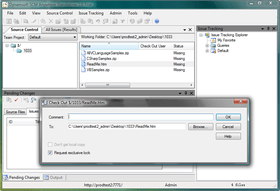
Version Control - Based on the widely used and proven SourceAnywhere 2, SCM Anywhere Standalone introduces many new version control features, such as Shelve/Unshelve, Project Branch & Merge, Local Pending Change.
Work Item and Bug/Issue Tracking - SCM Anywhere Standalone provides fully customizable and workflow driven bug / issue tracking. You can customize field, user form, workflow, email notification and security according to your team needs.
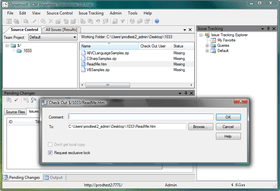
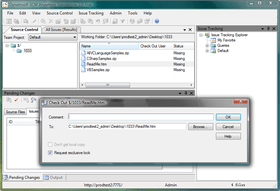
Visual Studio, Eclipse and MSSCCI Integration - SCM Anywhere Standalone fully integrates with Visual Studio 2005/2008 (screenshot) and Eclipse (screenshot). You can also use major version control features in Visual Studio 6, 2003, Delphi and many other IDEs that support MSSCCI.
Build Automation - SCM Anywhere Standalone integrates with CruiseControl.NET and ANT to provide continuous integration and automatic build support.
Cross Platform - Besides a native Windows client, SCM Anywhere Standalone provides a Java client which enables developers to access code repositories from any operating system that supports the J2SE Java runtime environment including Mac, Linux, and more.
Multiple Development Styles - SCM Anywhere Standalone supports Microsoft Visual SourceSafe (VSS) work style, Team Foundation work style and CVS/Subversion work style.
Effortless Migration from VSS - VSS Import Tool is provided to import Visual SourceSafe (VSS) data to SCM Anywhere Standalone repositories.
Fast and Secure Remote Access - SCM Anywhere Standalone is optimized for both local and web access. SSL can be used to secure the network layer. Password policy can be enforced to protect your password.
How does SCM Anywhere Standalone work? Dynamsoft SCM Anywhere Standalone uses Microsoft SQL Server as the backend. All the repository data is stored in SQL Server. SCM Anywhere Standalone Server needs to be installed in the same LAN or the same machine as the SQL Server. The SCM Anywhere Standalone server handles the requests from SCM Anywhere Standalone clients, and fetches the data from or stores the data into SQL Server.
You can use the SCM Anywhere Standalone client of your choice to access your files. You can choose to use GUI client, IDE integration or command line client. SCM Anywhere Standalone supports Visual Studio, Dreamweaver, Eclipse and MSSCCI integration. Cross-platform clients are available. SDK is provided for you to build your own client. Standard TCP/IP protocol is used to communicate between the server and the client. You can also specify the IP port number.
What’s new in SCM Anywhere Standalone V2.3?
Added Source Location bar to allow users to locate a specific project directly.
Optimized the bind and unbind functions in VSPackage.
Improved the usability of the client and VSPackage.
While resizing the issue tracking panel, the size of the other panels will not be changed.
Service Configurator can now display OS information for Windows 7.
What’s new in SCM Anywhere Standalone V2.2.1?
Fixed bug where you may get "File in use" error in rare cases when getting a file using SCM Anywhere Standalone VSPackage.
Fixed Pending Changes Window disabled issue of SCM Anywhere Standalone VSPackage in Visual Studio 2005.
Other minor fixes.
What’s new in SCM Anywhere Standalone V2.2?
Issue tracking web client added.
Fixed the protected memory bug in SCM Anywhere Standalone VSPackage.
Added auto rebinding feature in SCM Anywhere Standalone VSPackage. The binding info will be automatically updated while getting a branch.
Improved support for Visual Studio 2010.
Fixed the carriage enter bug in issue tracking dialog and admin explorer.
Other minor fixes.
What’s new in SCM Anywhere Standalone V2.1?
Performance greatly improved for SCM Anywhere Standalone VSPackage.
Performance improved for SCM Anywhere Standalone MSSCCI.
Performance improved for SCM Anywhere Standalone GUI clients.
SCM Anywhere Standalone Server and Client are now supported by 64-bit Windows.
Improved font. SCM Anywhere Standalone interface is now more friendly by using the system fonts.
Added support for Visual Studio 2010.
Improved Web Deploy: Performance improved and added support for passive FTP mode.
SCM Anywhere Standalone VSPackage now supports renaming/moving folders.
Improved flexibility on management of transition rules and field rules.
Improved robustness when adding files by folders.
Improved security of the password.
Fixed bug where SCM Anywhere Server installation may fail on non-English operating systems.
Other minor fixes and tweaks.
Integrated version control, issue tracking & build automation.
Pricing: SCM Anywhere Standalone V2.3 1 User License, SCM Anywhere Standalone V2.3 5 User License, SCM Anywhere Standalone V2.3 10 User License, SCM Anywhere Standalone V2.3 25 User License, SCM Anywhere Standalone V2.3 50 User License, SCM Anywhere Standalone V2.3 100 User License, SCM Anywhere Standalone V2.3 1 User License Migration to SCM Anywhere Standalone from SourceAnywhere Standalone, SCM Anywhere Standalone Annual Maintenance 1 User License Annual Subscription - includes support and free upgrades for 1 year, SCM Anywhere Standalone Annual Maintenance 5 User License Annual Subscription - includes support and free upgrades for 1 year, SCM Anywhere Standalone Annual Maintenance 10 User License Annual Subscription - includes support and free upgrades for 1 year, SCM Anywhere Standalone Annual Maintenance 25 User License Annual Subscription - includes support and free upgrades for 1 year, SCM Anywhere Standalone Annual Maintenance 50 User License Annual Subscription - includes support and free upgrades for 1 year, SCM Anywhere Standalone Annual Maintenance 100 User License Annual Subscription - includes support and free upgrades for 1 year
Evals & Downloads: Read the SCM Anywhere Standalone help file, Read the SCM Anywhere Standalone License Agreement, Download the SCM Anywhere Standalone V2.3 evaluation on to your computer - Expires After 30 Days
Operating System for Deployment: Windows 7, Windows Server 2008, Windows Vista, Windows XP, Windows Server 2003, Sun Solaris 10, Linux Kernel V2.6.x, Mac OS X
Architecture of Product: 32Bit, MAC
Product Type: Add-In, Application
Compatible Containers: Microsoft Visual Studio 2008, Microsoft Visual Basic 2008, Microsoft Visual C++ 2008, Microsoft Visual C# 2008, .NET Framework 3.5, .NET Framework 3.0
Keywords: SCM Any where Stand alone
Version versioning versions
Configuration Process Management コンフィグ、プロセスマネージメント コンポーネント
Part numbers: PC-528740-430101 528740-430101 PC-528740-430102 528740-430102 PC-528740-430103 528740-430103 PC-528740-430104 528740-430104 PC-528740-430105 528740-430105 PC-528740-430106 528740-430106 PC-528740-430107 528740-430107 PC-528740-430108 528740-430108 PC-528740-430109 528740-430109 PC-528740-430110 528740-430110 PC-528740-430111 528740-430111 PC-528740-430112 528740-430112 PC-528740-430113 528740-430113
Publisher
Primary Category
Related Products
Related Categories