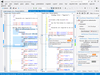
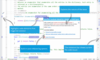
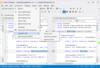
Screenshot Preview

Software Diagnostics Developer Edition - Summary

by Software Diagnostics - Product Type: Add-In / Application

Summary

Software Diagnostics Developer Edition by Software Diagnostics

URLs: sd-developer, sd developer, sddeveloper, softwarediagnostics

Recorder, profiler and debugger for C and C++ for Visual Studio 2005, 2008 and 2010. Software Diagnostics Developer Edition for developers, testers and project managers can trace the execution of your code. SD Developer Edition can apply reverse debugging, analyze control flow back and forth in time and identify bugs with a single run of your application. The Developer Edition is an integrated recorder, debugger, and profiler for system dynamics. Being seamlessly integrated into Microsoft Visual Studio, it significantly accelerates debugging activities and improves comprehension of system behavior. Software Diagnostics Developer Edition records the internal activity of a running system and stores the captured runtime behavior as trace data.

Software Diagnostics Developer Edition & Developer Edition Enterprise

SD Developer Edition is an integrated recorder, debugger, and profiler for system dynamics. Being seamlessly integrated into Microsoft Visual Studio, it significantly accelerates debugging activities and improves comprehension of system behavior. The Developer Edition records the internal activity of a running system and stores the captured runtime behavior as trace data.

Debugging: Developer Edition is a debugging tool that visualizes complete recordings of runtime behavior. It is applicable with minimal side-effects to system execution including multithreaded applications. Tracing can be done with automated or manual level of detail. Traces enable developers to perform Reverse Debugging.

Implementing New Features and Feature Change Request: Developer Edition accelerates and facilitates the identification of “the right place” to integrate new features into existing code base.

Performance Analysis and Memory Leak detection: the CPU costs of function execution are revealed, helping to identify the performance of the application.

The Developer Edition is dedicated to developers and testers as well as project managers and architects. It reduces costs in debugging efforts, speeds up the time to market of software and reduces inconsistencies in software development. It creates transparency and rapid comprehension of complex software systems for existing and new team members.

Tracing Engine

Seamless integration into Microsoft Visual Studio.

Minimal performance overhead. Analyze even multithreaded applications.

 “Single-click” tracing without rebuild. Start and stop tracing anytime.

Control flow tracing automatically. Reveals the nested structure of function calls.

Recording program states with “Probes” (function parameter tracing/variable state tracing/memory access tracing).

Analysis Engine

Multiple Views: 7 views are available in Developer Edition. All views are synchronized.

A function selected in one view will be highlighted in all the other views.

Code View

In Microsoft Visual Studio´s source code view, markers are placed that indicate in which call code lines were executed.

Additionally, the markers reveal the real function that was called. This valuable information solves the problem arising from polymorphism and function pointers.

Timeline View

Overview on application behavior during complete tracing period.

Function activity over time is visualized, which permits you to identify execution phases and patterns.

Selecting points in time or time periods for more detailed analysis in the Call Stack view.

Call Stack View

Temporal representation of tracing data.

Visual depiction of the call stack over time.

You have the call stack for a complete tracing period.

You can travel back and forth in time.

Function calls contain information on parameter values if Probes were active during tracing.

Single Call View

Representation of all subcalls that are triggered for a selected call.

View is an intermediate view between graphical views and source code views. It essentially reduces the source code to code lines with executed call statements.

Used to quickly grasp what happens in the respective function during execution and to find a subcall of interest.

Call Graph View

Structural representation of trace data.

Caller and callee relation between selected functions.

Interactively unfolding and hiding subcalls.

Annotation of call relations with performance statistics: “call count” and “call costs”.

Color encodes performance statistics.

Search View

Complete trace data is searchable.

Quickly identify and navigate to functions of interest.

Quickly find variable values of interest captured in Probes.

Software Diagnostics Developer Edition Product Differences

FeaturesDeveloper EditionDeveloper Enterprise Edition

Tracing Engine

Seamless integration into Microsoft Visual StudioVisual Studio 2005, 2008, 2010Visual Studio 2005, 2008, 2010

Minimal performance overhead. Analyze even multithreaded applications••

“Single-click” tracing without rebuild••

Control flow tracing. Reveals the nested structure of function callsup to 30.000 function callsup to 1.000.000 function calls

Recording program states with DataProbes, i.e., selected variables at code locations1 DataProbeunlimited DataProbes

Recording program states with ParamProbes, i.e., parameter values being passed into functions••

Recording program states with MemAccessProbes, i.e., record when specific memory is read or written to quickly find difficult bugs due to memory overwriting side-effects •

Start the application with the tracing engine attached••

Trace from within a Visual Studio debugging session••

Attaching the tracing engine to a running process •

MemoryLeak Tracing Engine

Take snapshots of a process' allocated memory at any time during the process' runtime •

Compare memory snapshots to identify memory leaks •

Reveal where in the code memory is allocated but not deallocated •

See the complete call stack to memory allocating code •

Navigate to the memory leak in the code with a single click •

Analysis Engine

In Microsoft Visual Studio´s source code view, markers are placed that indicate in which call code lines were executed••

Additionally, the markers reveal the real function that was called. This valuable information solves the problem arising from polymorphism and function pointers••

Timeline View

Overview on application behavior during complete tracing period••

Permits you to identify execution phases and patterns••

Selecting points in time or time periods for more detailed analysis in the Call Stack view••

Call Stack View

Temporal representation of tracing data••

Visual depiction of the call stack over time••

You have the call stack for a complete tracing period••

You can travel back and forth in time••

Function calls contain information on parameter values if Probes were active during tracing••

Single Call View

Representation of all subcalls that are triggered for a selected call••

View is an intermediate view between graphical views and source code views. It essentially reduces the source code to code lines with executed call statements.••

Used to quickly grasp what happens in the respective function during execution and to find a subcall of interest.••

Call Graph View

Structural representation of trace data••

Caller and callee relation between selected functions••

Interactively unfolding and hiding subcalls••

Annotation of call relations with performance statistics: “call count” and “call costs”.••

Color encodes performance statistics••

Search View

Complete trace data is searchable••

Quickly identify and navigate to functions of interest••

Quickly find variable values of interest captured in Probes••

Recorder, profiler and debugger for C and C++ for Visual Studio 2005, 2008 and 2010.

Pricing: Software Diagnostics Developer Edition 1.3.11888 - Annual License 1 Developer Annual License - includes 1 month aftersales email support, Software Diagnostics Developer Edition 1.3.11888 - Annual License 2 Developer Annual License - includes 1 month aftersales email support, Software Diagnostics Developer Edition 1.3.11888 - Annual License 4 Developer Annual License - includes 1 month aftersales email support, Software Diagnostics Developer Edition 1.3.11888 - Annual License 6 Developer Annual License - includes 1 month aftersales email support, Software Diagnostics Developer Edition 1.3.11888 - Annual License 10 Developer Annual License - includes 1 month aftersales email support, Software Diagnostics Developer Edition 1.3.11888 - Annual License 20 Developer Annual License - includes 1 month aftersales email support, Software Diagnostics Developer Edition 1.3.11888 - Floating Annual License 1 Floating Developer Annual License - includes 1 month aftersales email support, Software Diagnostics Developer Edition 1.3.11888 - Floating Annual License 2 Floating Developer Annual License - includes 1 month aftersales email support, Software Diagnostics Developer Edition 1.3.11888 - Floating Annual License 4 Floating Developer Annual License - includes 1 month aftersales email support, Software Diagnostics Developer Edition 1.3.11888 - Floating Annual License 6 Floating Developer Annual License - includes 1 month aftersales email support, Software Diagnostics Developer Edition 1.3.11888 - Floating Annual License 10 Floating Developer Annual License - includes 1 month aftersales email support, Software Diagnostics Developer Edition 1.3.11888 - Floating Annual License 20 Floating Developer Annual License - includes 1 month aftersales email support, Software Diagnostics Developer Edition 1.3.11888 - Unlimited License 1 Developer License - includes 1 year maintenance: all updates and email support, Software Diagnostics Developer Edition 1.3.11888 - Unlimited License 2 Developer License - includes 1 year maintenance: all updates and email support, Software Diagnostics Developer Edition 1.3.11888 - Unlimited License 4 Developer License - includes 1 year maintenance: all updates and email support, Software Diagnostics Developer Edition 1.3.11888 - Unlimited License 6 Developer License - includes 1 year maintenance: all updates and email support, Software Diagnostics Developer Edition 1.3.11888 - Unlimited License 10 Developer License - includes 1 year maintenance: all updates and email support, Software Diagnostics Developer Edition 1.3.11888 - Unlimited License 20 Developer License - includes 1 year maintenance: all updates and email support, Software Diagnostics Developer Edition - Unlimited License Maintenance Renewal 1 Developer Renewal - includes 1 year maintenance: all updates and email support, Software Diagnostics Developer Edition - Unlimited License Maintenance Renewal 2 Developer Renewal - includes 1 year maintenance: all updates and email support, Software Diagnostics Developer Edition - Unlimited License Maintenance Renewal 4 Developer Renewal - includes 1 year maintenance: all updates and email support, Software Diagnostics Developer Edition - Unlimited License Maintenance Renewal 6 Developer Renewal - includes 1 year maintenance: all updates and email support, Software Diagnostics Developer Edition - Unlimited License Maintenance Renewal 10 Developer Renewal - includes 1 year maintenance: all updates and email support, Software Diagnostics Developer Edition - Unlimited License Maintenance Renewal 20 Developer Renewal - includes 1 year maintenance: all updates and email support, Software Diagnostics Developer Edition 1.3.11888 - Floating Unlimited License 1 Floating Developer License - includes 1 year maintenance: all updates and email support, Software Diagnostics Developer Edition 1.3.11888 - Floating Unlimited License 2 Floating Developer License - includes 1 year maintenance: all updates and email support, Software Diagnos

Evals & Downloads: Read the Software Diagnostics Product Range Overview, Read the SD Developer Edition Manual, Read the SD Developer Tutorial Manual, Download the SD Developer Edition 1.3.11888 evaluation on to your computer - Expires after 10 days

Operating System for Deployment: Windows 7, Windows Vista, Windows XP

Architecture of Product: 32Bit

Product Type: Add-In, Application

Compatible Containers: Microsoft Visual Studio 2010, Microsoft Visual Studio 2008, Microsoft Visual Studio 2005, Microsoft Visual Basic 2010, Microsoft Visual Basic 2008, Microsoft Visual Basic 2005, Microsoft Visual C++ 2010, Microsoft Visual C++ 2008, Microsoft Visual C++ 2005, Microsoft Visual C# 2010, Microsoft Visual C# 2008, Microsoft Visual C# 2005, .NET Framework 4.0, .NET Framework 3.5, .NET Framework 3.0, .NET Framework 2.0

Keywords: Debugging debug debugs Testing Test Tests

Development

Productivity performance efficiency

Part numbers: PC-540229-370529 540229-370529 PC-540229-370531 540229-370531 PC-540229-370532 540229-370532 PC-540229-370533 540229-370533 PC-540229-370534 540229-370534 PC-540229-370535 540229-370535 PC-540229-370547 540229-370547 PC-540229-370548 540229-370548 PC-540229-370549 540229-370549 PC-540229-370550 540229-370550 PC-540229-370551 540229-370551 PC-540229-370552 540229-370552 PC-540229-370530 540229-370530 PC-540229-370536 540229-370536 PC-540229-370537 540229-370537 PC-540229-370538 540229-370538 PC-540229-370539 540229-370539 PC-540229-370540 540229-370540 PC-540229-370541 540229-370541 PC-540229-370542 540229-370542 PC-540229-370543 540229-370543 PC-540229-370544 540229-370544 PC-540229-370545 540229-370545 PC-540229-370546 540229-370546 PC-540229-370553 540229-370553 PC-540229-370554 540229-370554 PC-540229-370555 540229-370555 PC-540229-370556 540229-370556 PC-540229-370557 540229-370557 PC-540229-370558 540229-370558 PC-540229-370559 540229-370559 PC-540229-370560 540229-370560 PC-540229-370561 540229-370561 PC-540229-370562 540229-370562 PC-540229-370563 540229-370563 PC-540229-370564 540229-370564

Product Search

Enter search words:

Quick Links

Publisher

Primary Category

Related Products

Related Categories