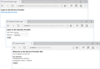
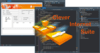
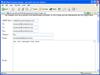
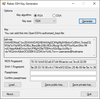
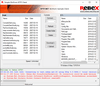
Screenshot Preview

SupportSmith SDK - Summary

by Cybele Software - Product Type: Component / ActiveX OCX / ActiveX DLL

SupportSmith SDK V1.5 is no longer available, please look at SupportSmith IT Support

Summary

SupportSmith SDK by Cybele Software

URLs: supportsmith-sdk, supportsmith sdk, supportsmithsdk, cybele-software, cybele software, cybelesoftware

Easily add remote support to your applications. SupportSmith SDK is a set of ActiveX, .NET ready components to integrate the SupportSmith architecture into your applications. SupportSmith allows you to add live remote customer support to your solutions or create plugins for the SupportSmith client. It also provides you with secure SSH2-enabled firewall/NAT-friendly communication infrastructure suitable for many other peer-to-peer communication scenarios.

Live, Remote Customer Support

SupportSmith eliminates the need to visit your customers' sites when they have computer problems. The program sets up a chat session between you and your customers, without the need for your customers to install software. Customers download and execute a tiny module that establishes an Internet-based connection. The connection is direct and secure, with no third-party servers to intercept confidential information.

The SSH-2 128-bit encrypted communications pass through firewalls, NAT routers, and proxy servers.

Your customer downloads and executes a tiny module

Then he/she introduces a Ticket Number and Code you've just generated

A few seconds later the connection is established and you are solving the customer's problem

Access any PC, anywhere

SupportSmith lets you to access any PC, no matter where you are.

No more "forgetting" files at Home

Access your office PC from Home

You don't need to take your CD's everywhere

Multi-viewer Presentations

SupportSmith allows you to setup multi-viewer presentations up to 8 remote users.

Show PowerPoint presentations

Show your Products, Solutions and Services

File Transfer and Remote Shell

Additionally to controlling the remote desktop, SupportSmith lets you:

Transfer files to and from your PC

Execute remotely command-line and "DOS" style applications

Extending Microsoft® Remote Desktop and Microsoft® Remote Assistance

SupportSmith extends Remote Desktop and Remote Assistance providing full anywhere-to-anywhere connectivity:

Extending Microsoft® Remote Destktop: With SupportSmith and Microsoft Remote Desktop you can now access and control any computer, no matter where it is. SupportSmith extends the reach of Remote Desktop, allowing it to pass through firewalls, NAT routers and proxies, making it yet safer by using SSH standard protocol

Extending Microsoft® Remote Assistance: SupportSmith extends Microsoft® Remote Assistance, allowing its use over the Internet in safe and straight-forward fashion. Now you can provide with remote assistance from anywhere

It can be used by individuals, small businesses and corporations.

For Individuals

No more forgetting files at home

Work on your office PC from home

Travel and use your PC from the hotel

Carry less; no need to take your CD’s everywhere

For Small Businesses

Administer all your office PC’s remotely

Show your products to your prospects

Give PowerPoint presentations

Improve your Customer Service with Live Support

For Corporations

Optimize your IT Support Procedures

Administer all your corporate PC’s

Organize multi-viewer presentations

Add Value to your Customer Support Service

How it Works:

SupportSmith uses a Communications Broker that listens for SupportSmith client requests. When it receives a request to connect two SupportSmith clients, it routes the connection to the nearest Communications Server, ensuring the highest possible remote control communication performance. SupportSmith establishes outgoing SSH-2 128-bit encrypted communications, allowing passing through firewalls, NAT routers and proxy servers, in a secure and reliable fashion.

Scenarios:

The following Remote Control scenarios are explained:

Direct access, specifying a SupportSmith Communications Server

Home PC to Company PC - If your company has installed a SupportSmith Communications Server, you can access your company's PCs through it

Inter-site Remote Control - if your company has several SupportSmith Communication Servers, you can use them to access another network located in another state or even abroad

SupportSmith Broker computer localization and redirection to a SupportSmith Communications Server

Home PC to Home PC - If you need access to a friend's PC, you can access it through a SupportSmith Server

Company PC to Home PC - You can access your home PC from your company´s intranet using a SupportSmith Broker and establishing the Remote Desktop connection using your company's SupportSmith Communication server. SupportSmith will take care of the whole process

Features:

SupportSmith is an integrated platform that offers Remote Control, Sharing and Support in the same package, which takes the anywhere-to-anywhere concept a step further by using state-of-the art security protocols and designs.

Works behind firewalls, NAT routers and proxies - SupportSmith can route all its communications through firewalls, NAT and proxies. No special configuration is needed

Unparalled security - SupportSmith uses SSH/2 standard protocol and Advanced Encryption Standard (AES) with 128-bit strength

Optimal performance - SupportSmith can route Remote Control sessions to different Communications Servers based on the client location or specification, thus ensuring the best possible performance

Integrated Remote Control Software - SupportSmith provides integrated Remote Control software, that allows you to view and control any desktop

Integrated Remote Support Procedures - SupportSmith gives you both Get Help and Offer Help procedures, with customer ticket support

Customer Module without installation - SupportSmith Customer Module does not require installation

Microsoft® Remote Destktop Add-in - Now, with SupportSmith and Microsoft Remote Desktop, you can securely control any desktop, no matter where it is located. SupportSmith extends Remote Desktop to get through firewalls, NAT routing and proxies, improving its security with SSH protocol

Microsoft® Remote Assistance Add-in - SupportSmith enhances Microsoft Remote Assistance, providing simple and straight-forward use and extending its connectivity over the internet

Full On Site Deployment - SupportSmith is the first tool of its kind that doesn't force you to use a third-party service. This means you don't need to worry about your sensitive data passing through third-party servers

Scalable Infrastructure - SupportSmith allows you to add Communications Servers as they are needed

Security:

Security and privacy are essential when accessing remote desktops through the internet. SupportSmith provides a reliable, state-of-the art security that keeps your information safe.

SSH/2 protocol - SupportSmith uses SSH/2 standard protocol

AES 128-bit encryption - Advanced Encryption Standard (AES) with 128-bit strength

Full On Site Deployment - You and your customer's data don't need to go through third-party servers

NT Account-based Server Access - SupportSmith can use NT accounts to restrict the client access

User/Groups-based permissions - SupportSmith allows you to turn SupportSmith Client features on and off, based on NT users and groups

Private/public key pairs - SupportSmiths lets you use private/public key pairs, restricting access only to SupportSmith clients with the proper key installed

No listening port - VNC and Remote Desktops need to listen to a specific TCP Port, thus making them vulnerable to hackers and other threats. SupportSmith doesn't

SupportSmith SDK V1.5 is no longer available, please look at SupportSmith IT Support

Easily add remote support to your applications.

Evals & Downloads: Read the SupportSmith help file, Read the SupportSmith SDK help file, Download the SupportSmith SDK V1.5 evaluation on to your computer - Expires After 30 Days

Operating System for Deployment: Windows XP

Architecture of Product: 32Bit

Product Type: Component

Component Type: ActiveX OCX, ActiveX DLL

Compatible Containers: Microsoft Visual Studio 2005, Microsoft Visual Studio 6.0, Microsoft Visual Basic 2005, Microsoft Visual Basic 6.0, Microsoft Visual C++ 2005, Microsoft Visual C++ 6.0, Microsoft Visual C# 2005, .NET Framework 2.0

Keywords: Supportsmith support smith IM remote support Assistance Remote Access connect to any PC customer support, chat, transfer files Remote Desktop control, Remote Desktop sharing, Remote Presentation facility, Live Customer Support, File Transfer, Remote Shell / Telnet and Chat.

Cybele

Internet Communication IP comms

Network Communication Networking Comms

Help Desk Management manager Support Running Help-desk logging tracking

Product Search

Enter search words: