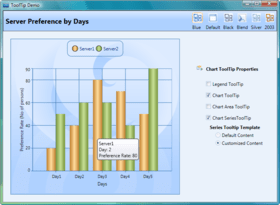
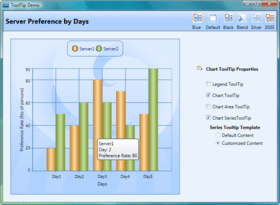
Screenshot Preview

Syncfusion Essential Chart for ASP.NET MVC - Summary

by Syncfusion - Product Type: Component / ASP.NET WebForms / ASP.NET AJAX (ATLAS) / ASP.NET MVC / .NET WinForms / .NET WPF / Silverlight / Source Code / JavaScript / AJAX

Summary

Syncfusion Essential Chart for ASP.NET MVC by Syncfusion

URLs: syncfusion-essential-chart-for-asp-net-mvc, syncfusion essential chart for asp net mvc, syncfusionessentialchartforaspnetmvc, syncfusion

Add charts to your ASP.NET MVC applications. Syncfusion Essential Chart for ASP.NET MVC is a business-oriented charting component which offers an innovative data object model that makes it easy to populate a chart with any kind of data source. Syncfusion Essential Chart for ASP.NET MVC features an advanced styles architecture that simplifies complex multilevel formatting. It can handle data in different ways. You can add data points to a series and let the chart manage them. Alternatively, you can achieve easier data binding to a data set using the built-in ChartDataBindModel control, and you can specify column names containing the x- and y-coordinate values. For additional flexibility, you can implement the IChartSeriesModel interface and plug-in a custom model.


Syncfusion Essential Chart for ASP.NET MVC Chart Type

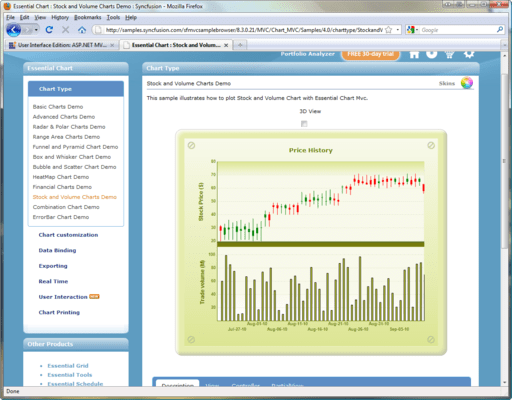
Many chart types, ranging from simple column charts to complex financial charts, are offered in Essential Chart. They can be configured to suit any need, and all, with the exception of radar and polar charts, can be rendered in 3-D mode.

Area Charts

Bar Charts

Column Charts

Line Charts

Pie Charts

Accumulation Charts

Combination Charts

Circular Charts

Syncfusion Essential Chart for ASP.NET MVC Axis Features

The default Chart control settings include the primary x- and y-axes. The chart framework also provides complete support for the inclusion of multiple x- and y-axes.

Gridlines

Axis-Line Type

Axis Ticks

Axis-Label Customization

Axis-Label Orientation

Opposed Axis

Inverted Axis

Syncfusion Essential Chart for ASP.NET MVC Alter Series Data and Style

The Chart control comes with a rich style architecture that separates the display styles from the data model and provides flexibility in the appearance and definition of each display element. Style forms the core of the Chart control and provides extensive customization. Style can be inherited from a parent chart, making complex formatting relatively easy.

Syncfusion Essential Chart for ASP.NET MVC User Interaction

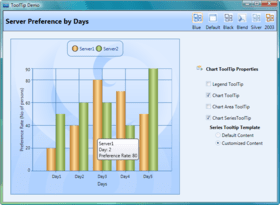
Essential Chart supports a zooming feature, the contextmenu support, the toolbar support and the tooltip support for ASP.NET MVC. To enable zooming along the x-axis, use the EnableXZooming property; to enable zooming along the y-axis, use the EnableYZooming property. The Chart control can be zoomed by setting the zoom factor on the server side, or through user interaction. After zooming, scrolling and panning can be used to see all the visible areas of a chart. Scroll the chart area vertically by using the mouse wheel, and scroll horizontally by using the mouse wheel while pressing the space bar. To pan, you can click and drag the chart area to reveal hidden sections.The interactive cursor feature allows the mouse pointer to be placed on a specific data point in a series, creating horizontal and vertical lines that indicate the x- and y-values. These lines can be dragged in order to position them at specific data points. The context menu and the toolbar can be enabled by setting the ShowContextMenu and ShowToolBar property to true. To enable tooltip, use the ShowTooltips property.

Chart Zoom

Scrolling and Panning

Interactive Cursor

ToolBar

ContextMenu

ToolTip

Syncfusion Essential Chart for ASP.NET MVC RealTime Chart

Essential Chart is optimized to deal with real-time data. It can work with a large amount of real-time data to render any type of dynamic chart.

Syncfusion Essential Chart for ASP.NET MVC Chart Data

Essential Chart can handle data in different ways. You can add data points to a series and let the chart manage them. Alternatively, you can achieve easier data binding to a data set using the built-in ChartDataBindModel control, and you can specify column names containing the x- and y-coordinate values. For additional flexibility, you can implement the IChartSeriesModel interface and plug-in a custom model.

Syncfusion Essential Chart for ASP.NET MVC Chart Appearance

A chart's appearance can be customized by setting individual chart element properties. The rich styles architecture available for the chart control provides formatting options at both point and series level.

3-D Mode

Spacing Effect

Anti-Aliasing

Chart Interior

Chart Border

Series Border

Chart Font

Chart Watermark

Chart SeriesSkin

Syncfusion Essential Chart for ASP.NET MVC Chart Legend Appearance

A chart legend is a symbol-based caption rendered by default for each series in a chart. Custom chart legends are supported, and customization options for legend appearance are available as well. Essential Chat also supports multiple chart legends.

Syncfusion Essential Chart for ASP.NET MVC Chart Export

Essential Chart can easily export data in multiple ways: as image files, Word documents, PDFs, and spreadsheets.

Syncfusion Essential Chart for ASP.NET MVC Chart Printing

Essential Chart supports printing in different ways: by just double-clicking the Print button, or calling the PrintingImage function on the client side.

Syncfusion Essential Chart for ASP.NET MVC Skins Support

Essential Chart supports different Chart Model Skins which gives good look and feel of the chart. It affects the Chart BackInterior and ChartInterior property.

Please note: Syncfusion Essential Chart includes Windows Forms, ASP.NET, ASP.NET MVC, Silverlight and WPF components.

What’s new in Syncfusion Essential Chart 2011 Vol 4?

Essential Chart for ASP.NET MVC Mobile

Chart Control - Essential Chart for Mobile MVC is a lightweight, HTML 5 canvas element-based chart control that is easily configurable. It provides high quality, visually rich business charts on mobile platforms. Essential Chart provides support for the following chart types: Line charts, Step line charts, Spline charts, Pie charts, Column charts, Area charts, Step area charts and Spline area charts.

Essential Chart for ASP.NET

ToolTips for Chart Axis Labels - Users can add custom ToolTips to display further information about chart axis labels.

Localization Support - The user interface of a chart can be customized to be locale-specific.

Essential Chart for ASP.NET MVC

Essential Chart with HTML 5 - Essential Chart with HTML 5 is a lightweight, canvas-based chart control that utilizes HTML 5 to implement a very high performance and interactive chart control.

Essential Chart for WPF

TimeLine Control - The TimeLine control can be used to view specific time frames in a chart by allowing users to select a range of data. It can be integrated with other controls like Essential Chart, Essential Grid, and Essential Gantt for selecting and viewing data that falls inside a specific time frame. It has a rich UI for users to interact with.

Essential Chart for Windows Forms

Localization Support - The user interface of a chart can be customized to display chart data according to the language and culture specific to a particular country or region.

ToolTips for Chart Axis Labels - Users can add custom ToolTips to display further information about chart axis labels.

Add charts to your ASP.NET MVC applications.

Pricing: Syncfusion Essential Chart for ASP.NET MVC 2012 Vol 2 (V10.2.0.56) - Binary 1 Developer License - with 1 Year Subscription, Syncfusion Essential Chart for ASP.NET MVC 2012 Vol 2 (V10.2.0.56) - Binary 1 Developer Annual Subscription Renewal License (for subscriptions soon to expire or up to 30 days past expiration), Syncfusion Essential Chart for ASP.NET MVC 2012 Vol 2 (V10.2.0.56) - Binary 1 Developer Reinstatement of Lapsed Subscription License (for subscriptions lapsed longer than 30 days up to one year), Syncfusion Essential Chart for ASP.NET MVC 2012 Vol 2 (V10.2.0.56) with Source Code 1 Developer License with Source Code - with 1 Year Subscription, Syncfusion Essential Chart for ASP.NET MVC 2012 Vol 2 (V10.2.0.56) with Source Code 1 Developer Annual Subscription Renewal License (for subscriptions soon to expire or up to 30 days past expiration) with Source Code, Syncfusion Essential Chart for ASP.NET MVC 2012 Vol 2 (V10.2.0.56) with Source Code 1 Developer Reinstatement of Lapsed Subscription License (for subscriptions lapsed longer than 30 days up to one year) with Source Code, Syncfusion Essential Chart for ASP.NET MVC 2012 Vol 2 (V10.2.0.56) - Binary Site License Site License - with 1 Year Subscription - Allows upto 500 Developers at a single address, Syncfusion Essential Chart for ASP.NET MVC 2012 Vol 2 (V10.2.0.56) - Binary Site License Site Annual Subscription Renewal License (for subscriptions soon to expire or up to 30 days past expiration) - Allows upto 500 Developers at a single address, Syncfusion Essential Chart for ASP.NET MVC 2012 Vol 2 (V10.2.0.56) - Binary Site License Site Reinstatement of Lapsed Subscription License (for subscriptions lapsed longer than 30 days up to one year) - Allows upto 500 Developers at a single address, Syncfusion Essential Chart for ASP.NET MVC 2012 Vol 2 (V10.2.0.56) with Source Code Site License Site License with Source Code - with 1 Year Subscription - Allows upto 500 Developers at a single address, Syncfusion Essential Chart for ASP.NET MVC 2012 Vol 2 (V10.2.0.56) with Source Code Site License Site Annual Subscription Renewal License (for subscriptions soon to expire or up to 30 days past expiration) with Source Code - Allows upto 500 Developers at a single address, Syncfusion Essential Chart for ASP.NET MVC 2012 Vol 2 (V10.2.0.56) with Source Code Site License Site Reinstatement of Lapsed Subscription License (for subscriptions lapsed longer than 30 days up to one year) with Source Code - Allows upto 500 Developers at a single address

Evals & Downloads: Read the Syncfusion Site License Agreement, Read the Syncfusion License Agreement - Requires Acrobat Reader, Read the Syncfusion HTML5 datasheet - Requires Acrobat Reader, Read the Syncfusion Company Brochure - Requires Acrobat Reader, Read the Syncfusion - Overview of products and Suite options document - Requires Acrobat Reader, Read the What you need to know when selecting a chart Whitepaper - Requires Acrobat Reader, Download the Syncfusion User Guide Installer onto your computer, Download the Syncfusion Class Reference Documentation Installer onto your computer, Download the Syncfusion Essential Studio 2012 Vol 2 (V10.2.0.56) evaluation on to your computer - Expires After 30 Days

Operating System for Deployment: Windows 7, Windows Vista, Windows XP, Windows Server 2003, Windows 2000

Architecture of Product: 32Bit

Product Type: Component

Component Type: ASP.NET WebForms, ASP.NET AJAX (ATLAS), ASP.NET MVC, .NET WinForms, .NET WPF, Silverlight, Source Code, JavaScript, AJAX

Built Using: Visual C# .NET

Compatible Containers: Microsoft Visual Studio 2010, Microsoft Visual Studio 2008, Microsoft Visual Studio 2005, Microsoft Visual Basic 2010, Microsoft Visual Basic 2008, Microsoft Visual Basic 2005, Microsoft Visual C++ 2010, Microsoft Visual C++ 2008, Microsoft Visual C++ 2005, Microsoft Visual C# 2010, Microsoft Visual C# 2008, Microsoft Visual C# 2005, .NET Framework 4.0, .NET Framework 3.5, .NET Framework 3.0, .NET Framework 2.0, Silverlight 4

Product Class: User Interface Components

Keywords: syncfusion essential chart for asp.net mvc, essential chart for asp.net mvc

Syncfusion Sync fusion

Chart Charting Charts Graph Graphing Graphs

Part numbers: PC-515345-455402 515345-455402 PC-515345-455405 515345-455405 PC-515345-455413 515345-455413 PC-515345-455403 515345-455403 PC-515345-455407 515345-455407 PC-515345-455414 515345-455414 PC-515345-455416 515345-455416 PC-515345-455417 515345-455417 PC-515345-455418 515345-455418 PC-515345-455419 515345-455419 PC-515345-455420 515345-455420 PC-515345-455421 515345-455421