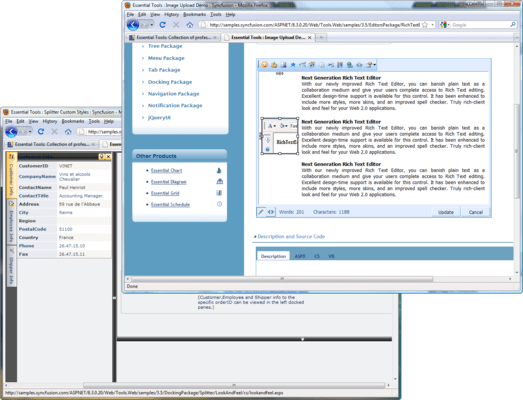
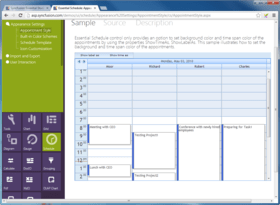
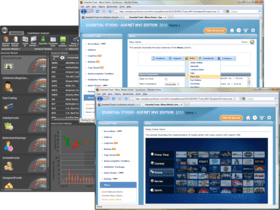
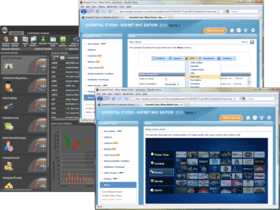
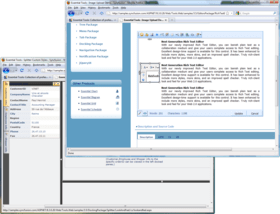
Screenshot Preview

Syncfusion Essential Tools for ASP.NET - Summary

by Syncfusion - Product Type: Component / ASP.NET WebForms / ASP.NET AJAX (ATLAS) / ASP.NET MVC / .NET WinForms / .NET WPF / Silverlight / 100% Managed Code / JavaScript / AJAX

Summary

Syncfusion Essential Tools for ASP.NET by Syncfusion

URLs: syncfusion-essential-tools-for-asp-net, syncfusion essential tools for asp net, syncfusionessentialtoolsforaspnet, syncfusion

AJAX enabled menus, rich text editor, toolbars, treeview and more. Syncfusion Essential Tools for ASP.NET is a collection of professional user interface components to create interactive ASP.NET applications. Syncfusion Essential Tools for ASP.NET can be used to create robust Web application interfaces using the Menu, Tree View and Editor Package (which includes a Date Picker, Masked-Edit Text Box, Percent Text Box, and others).


Syncfusion Essential Tools for ASP.NET Docking Package

The Docking Package comes with a Snap control that enables dynamic positioning of ASP.NET content in Web pages with options for moving, docking, floating, and expand and collapse operations with complete support for rich transition effects.

Drag Mode

Server and Client-Side Events

Snap Control

Splitter Appearence

Splitter Client-Side Events

Splitter Design Time Support

Syncfusion Essential Tools for ASP.NET Menu Package

The menu control comes with professional-looking built-in skins and a customizable application programming interface (API). Built-in support for orientation, data binding, and ActiveX overlay are provided. The menus can also be used in the Context Menu mode.

Design-Time Features

Data Binding

Horizontal or Vertical Mode

Context Menu Mode

AJAX Features

Overlay Flash ActiveX WinForms Controls

Scrolling Support

Static Display Levels

Full Keyboard Support

Transition Effects

Menu Template Support

Static or Pinned Menu

Navigation Mode

Server-Side Events

Client-Side Events

Syncfusion Essential Tools for ASP.NET Notification Package

The Notification Package includes controls that notify the user about events with regard to a process. These controls and their features are discussed in this section.

File Upload and Progress

Waiting Dialog Box

Window Control

Pop-up Control Container

Progress Bar

Rotator

Syncfusion Essential Tools for ASP.NET Tab Package

In ASP.NET Essential Tools, user-friendly, tabbed interfaces can be created using the TabStrip and Multipage controls to create professional Web pages.

Advanced Tab Structure

AJAX Features

Design-Time Features

Integrate Multipage

Server and Client-Side Events

Client-Side Selection

Syncfusion Essential Tools for ASP.NET Tree Package

The Tree Package comes with a high performance TreeView control with AJAX support and built-in styles. The object model of the tree is highly refined to let you customize the appearance of every single element and node of the tree.

AJAX Features

Client-Side Event

Content Template Support

Context Menu Support

Design-Time Features

Drag-and-drop Features

Edit Node

Expand Effects

Keyboard Support

Multi-Select Mode

Navigate Mode

Node State Control

TreeView Combo Box

Node Sorting

Syncfusion Essential Tools for ASP.NET Editor Package

The Editor Package is a comprehensive collection of controls most commonly used in creating data-entry forms. All editor controls have been architecture to provide a simple and powerful means to capture the input data, validate and display them in the appropriate format. The controls also support complete data binding, internationalization, and localization.

AutoComplete Text Box

Currency Text Box

Calendar

Color Picker Control

Date Time Text Box

Drop-Down Calendar

Masked Edit Text Box

Numeric Text Box

Percent Text Box

Generic Drop-Down

Multicolumn Drop-Down Combo

Rich Text Editor

Rich Text Editor Style

Spelling Checker

Syncfusion Essential Tools for ASP.NET Navigation Package

The Navigation package includes a Groupbar control that lets you implement Outlook Bar or Windows task bar like functionality. It serves as a container that can host a collection of controls where every such control represents a standard command.

AJAX Features

Content Template Support

Client-Side Methods

Data Binding

Design-Time Features

Expand Effects

Integrate Multipage

Groupbar

Server- and Client-Side Events

Slider Control

Layout-Control

Syncfusion Essential Tools for ASP.NET Splitter Package

Splitter control includes the Splitter Bar and Sliding Panes that allow users to divide the Web page into distinct areas and resize the panes. It offers comprehensive design-time support and client-side functionalities.

AutoScrolling

Client-Side Event

Design-Time Features

Flexible Layout

Resizable Pane

Slide-Out Panel

Syncfusion Essential Tools for ASP.NET Toolbar Package

The Toolbar control offers comprehensive design-time support with rich features including, different toolbar layouts, draggable toolbars, support for image and text, and drop-down menus.

AJAX Features

Client-Side Events

Control Template Support

Design-Time Features

Floating Horizontal or Vertical Modes

Keyboard Support

Navigate URL

Sprite Image Support

Please note: Syncfusion Essential Tools includes Windows Forms, WPF, Silverlight, ASP.NET MVC and ASP.NET components.

What’s new in Essential Tools 2012 Volume 1?

Calendar Navigation for ASP.NET - The Calendar control has a navigation pane that makes browsing by day, week, month, year, and even decade easier. This JavaScript implementation is fast and gives users a fluid experience.

Rotator Control Improvements for ASP.NET - An auto-play button can be added to the Rotator control to allow users to automatically scroll a list up or down, and left or right, with one simple click. While in this button mode, the rotator control retains all its other features.

AutoComplete Control Enhancements for ASP.NET MVC - The AutoComplete control, used to suggest entries as users type in a text box, has been enhanced with client-side data fetching to increase performance, highlighting for searched text, customizable list positioning, and support for left-to-right text alignment.

Captcha Control Refresh for ASP.NET MVC - The Captcha control has a refresh button that allows you to regenerate an image of the code that has to be entered in the verification text box.

Dragging and Dropping Tree Nodes for ASP.NET MVC - With drag and drop support, tree nodes can be repositioned at different levels in the same tree or dropped into a different tree, even if the other tree has different characteristics. For example, when dragging a node that doesn’t have a check box to a tree where nodes do have check boxes, the dragged node will automatically take on a check box.

Splitter Control for ASP.NET MVC - The Splitter control can be used to create separate panes in a work area that can be resized or collapsed by dragging or clicking. Any number of panes and split bars can be created. Features include horizontal or vertical orientation, pane resizing, content template support and collapsible panes.

TimePicker Control for ASP.NET MVC - When you need to set a time, the TimePicker control makes time selection easy by giving users a grid of values that can be selected just by clicking. Four primary fields can be set: hours, minutes, seconds, and a.m. or p.m. Also, by just hovering over a value, the display will be updated instantly—a live update. Minimum and maximum values are also supported.

AJAX enabled menus, rich text editor, toolbars, treeview and more.

Pricing: Syncfusion Essential Tools for ASP.NET 2012 Vol 2 (V10.2.0.56) - Binary 1 Developer License - with 1 Year Subscription, Syncfusion Essential Tools for ASP.NET 2012 Vol 2 (V10.2.0.56) - Binary 1 Developer Annual Subscription Renewal License (for subscriptions soon to expire or up to 30 days past expiration, Syncfusion Essential Tools for ASP.NET 2012 Vol 2 (V10.2.0.56) - Binary 1 Developer Reinstatement of Lapsed Subscription License (for subscriptions lapsed longer than 30 days up to one year), Syncfusion Essential Tools for ASP.NET 2012 Vol 2 (V10.2.0.56) with Source Code 1 Developer License with Source Code - with 1 Year Subscription, Syncfusion Essential Tools for ASP.NET 2012 Vol 2 (V10.2.0.56) with Source Code 1 Developer Annual Subscription Renewal License (for subscriptions soon to expire or up to 30 days past expiration) with Source Code, Syncfusion Essential Tools for ASP.NET 2012 Vol 2 (V10.2.0.56) with Source Code 1 Developer Reinstatement of Lapsed Subscription License (for subscriptions lapsed longer than 30 days up to one year) with Source Code, Syncfusion Essential Tools for ASP.NET 2012 Vol 2 (V10.2.0.56) - Binary Site Licenses Site License - with 1 Year Subscription - Allows upto 500 Developers at a single address, Syncfusion Essential Tools for ASP.NET 2012 Vol 2 (V10.2.0.56) - Binary Site Licenses Site Annual Subscription Renewal License (for subscriptions soon to expire or up to 30 days past expiration) - Allows upto 500 Developers at a single address, Syncfusion Essential Tools for ASP.NET 2012 Vol 2 (V10.2.0.56) - Binary Site Licenses Site Reinstatement of Lapsed Subscription License (for subscriptions lapsed longer than 30 days up to one year) - Allows upto 500 Developers at a single address, Syncfusion Essential Tools for ASP.NET 2012 Vol 2 (V10.2.0.56) with Source Code Site Licenses Site License with Source Code - with 1 Year Subscription - Allows upto 500 Developers at a single address, Syncfusion Essential Tools for ASP.NET 2012 Vol 2 (V10.2.0.56) with Source Code Site Licenses Site Annual Subscription Renewal License (for subscriptions soon to expire or up to 30 days past expiration) with Source Code - Allows upto 500 Developers at a single address, Syncfusion Essential Tools for ASP.NET 2012 Vol 2 (V10.2.0.56) with Source Code Site Licenses Site Reinstatement of Lapsed Subscription (for subscriptions lapsed longer than 30 days up to one year) with Source Code - Allows upto 500 Developers at a single address

Evals & Downloads: Read the Syncfusion Site License Agreement, Read the Syncfusion License Agreement - Requires Acrobat Reader, Read the Syncfusion HTML5 datasheet - Requires Acrobat Reader, Read the Syncfusion - Overview of products and Suite options document - Requires Acrobat Reader, Read the Syncfusion Company Brochure - Requires Acrobat Reader, Download the Syncfusion User Guide Installer onto your computer, Download the Syncfusion Class Reference Documentation Installer onto your computer, Download the Syncfusion Essential Studio 2012 Vol 2 (V10.2.0.56) evaluation on to your computer - Expires After 30 Days

Operating System for Deployment: Windows 7, Windows Vista, Windows XP, Windows ME, Windows 2000, Windows NT 4.0

Architecture of Product: 32Bit

Product Type: Component

Component Type: ASP.NET WebForms, ASP.NET AJAX (ATLAS), ASP.NET MVC, .NET WinForms, .NET WPF, Silverlight, 100% Managed Code, JavaScript, AJAX

Built Using: Visual C# .NET

Compatible Containers: Microsoft Visual Studio 2010, Microsoft Visual Studio 2008, Microsoft Visual Studio 2005, Microsoft Visual Basic 2010, Microsoft Visual Basic 2008, Microsoft Visual Basic 2005, Microsoft Visual C++ 2010, Microsoft Visual C++ 2008, Microsoft Visual C++ 2005, Microsoft Visual C# 2010, Microsoft Visual C# 2008, Microsoft Visual C# 2005, Delphi 8.0, C#Builder, .NET Framework 4.0, .NET Framework 3.5, .NET Framework 3.0, .NET Framework 2.0, Silverlight 4

Product Class: User Interface Components

Keywords: syncfusion essential tools for asp net, essential tools for asp net,

Syncfusion Sync fusion

User Interface UI

Toolbar tool bar tool-bar Toolbars Menu Menus Ribbon Ribbonbar

Part numbers: PC-513206-456410 513206-456410 PC-513206-456416 513206-456416 PC-513206-456418 513206-456418 PC-513206-456411 513206-456411 PC-513206-456417 513206-456417 PC-513206-456419 513206-456419 PC-513206-456420 513206-456420 PC-513206-456421 513206-456421 PC-513206-456422 513206-456422 PC-513206-456423 513206-456423 PC-513206-456424 513206-456424 PC-513206-456425 513206-456425

Product Search

Enter search words:

Award