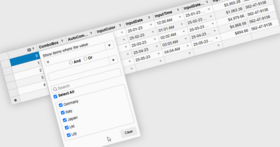
Screenshot Preview

Wijmo - Summary

by ComponentOne - Product Type: Component / JavaScript / AJAX

Summary

Wijmo by ComponentOne

URLs: wijmo, componentone

A complete kit of jQuery UI widgets. Wijmo is a bundle of over 30 jQuery UI widgets for building Web applications. It is a mixture of jQuery, CSS3, SVG, and HTML5. Wijmo includes grid, charts, menus and other UI widgets. Built on jQuery UI Widget Factory it is completely ThemeRoller-ready, including a custom Aristo theme and is supported with forums, documenation and tech support. Wijmo Complete is designed for individuals or businesses that want to purchase a complete kit of jQuery UI Widgets. It includes everything in Wijmo Open in addition to more complex and powerful widgets. Wijmo Complete is licensed per developer under the Wijmo Commercial License.

Wijmo is a kit of UI widgets based on jQuery UI. Wijmo widgets are optimized for client-side Web development and utilize the power of jQuery for superior performance and ease of use. All Wijmo widgets come equipped with over 20 themes and support ThemeRoller.

Wijmo Complete Includes:

20+ jQuery UI widgets (Menu, Tooltip, Grid, Charts etc.)

Premium forum support access

10 support incidents per year

Commercial license

Wijmo Complete Widgets

Charts - Bar Chart - The Wijmo Bar Chart widget (wijbarchart) allows the user to show customized bar charts. A bar chart draws each series as a bar or column of data.

Charts - Line Chart - The Wijmo Line Chart widget (wijlinechart) allows the user to show customized linear charts. A line chart draws each series as connected points of data.

Charts - Pie Chart - The Wijmo Pie Chart widget (wijpiechart) allows the user to show customized pie charts. A pie chart draws each series as a slice of data.

Combobox - Display a resizable and editable text box/drop-down list on your HTML page with this easy-to-use combo box widget. The wijcombobox widget emulates popular auto-complete UI.

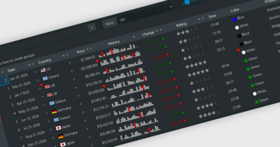
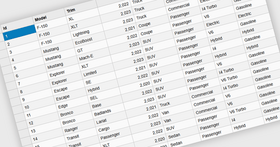
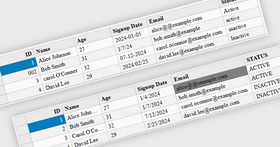
Grid - The Wijmo Grid widget (wijgrid) is a tabular datagrid that allows users to interactively select, edit, sort, scroll through, filter, and group data. The grid is highly customizable and can be used to better understand and visualize data more effectively.

Input - The Wijmo Expander widget (wijexpander) allows you to show or hide embedded or external content within an expanding panel using various animation effects. The expanding content can be shown or hidden by clicking on the expander header.

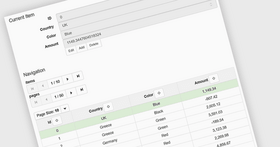
Pager - The Wijmo Pager widget enables end-users to scan through elements or pages by clicking on a visible element. The wijpager widget allows you to use several modes; for example, you can set it up to use a numeric paging system or a next/previous system.

Tree - The Wijmo Tree widget presents items in a hierarchical tree structure. The wijtree widget control supports expand/collapse animations, stylish themes, and drag-and-drop functionality.

Wizard - The Wijmo Wizard widget (wijwizard) is used to display sections of content on separate, navigable pages so you can save screen real estate or simplify input tasks by creating a series of forms. For easy navigation, you can use wijwizard's built-in navigation buttons or its autoplay feature. And if you'd like to add extra flair to the wijwizard, you can combine it with the wijpager widget for paged navigation.

Accordion - The Wijmo Accordion widget (wijaccordion) is a menu UI made up of a series of content panes for displaying your information one pane at a time. Users simply select a pane to expand it and view the specified information while the other panes are collapsed, automatically organizing your user interface and optimizing the screen real estate.

Calendar - With the Wijmo Calendar widget (wijcalendar), you can show a single month or a table of months with customizable styles and navigation elements.

Dialog - The Wijmo Dialog widget (wijdialog) extends jQuery UI Dialog (jquery.ui.dialog) and adds maximizing, minimizing, content toggling and pinning features for jquery.ui.dialog.

Expander - The Wijmo Expander widget (wijexpander) allows you to show or hide embedded or external content within an expanding panel using various animation effects. The expanding content can be shown or hidden by clicking on the expander header.

Form Decorator - The Wijmo Form Decorator widgets (wijradio, wijcheckbox, wijdropdown, wijtextbox) are used to decorate a standard HTML form elements. The Form Decorator widgets allow any form element to be styled commonly in any browser using ThemeRoller.

List - Wijlist is a user interface widget that allows users to select one or more items from a list.

Menu - The Wijmo Menu widget (wijmenu) is used to create multi-level menus with animation effects, image and check box items, interactive item scrolling, and more. You can even create a pop-up menu for context help within your application.

Progressbar - Let end-users know the progress of an operation with the wijprogressbar widget. You can easily customize the look of the indicator with animations, styles, labels, and more.

Slider - The Wijmo Silder widget (wijslider) simplifies user input by providing a rich visual representation of numeric changes. The wijslider is a sliding selector that provides a simple, familiar way for end-users to choose a single value or a range of values in a predefined range at run time.

Splitter - Create a professional and polished website with the help of the wijsplitter widget. wijsplitter is a container widget featuring a movable and collapsible bar that divides a container's display area into two resizable panels. Splitters are able to be nested indefinitely, providing you infinite possibilities in UI design.

Super Panel - The wijsuperpanel widget is an alternative to the HTML scroll bar enabling you to easily scroll overflowed elements. Add custom scrolling, resizing, rounded corners, and drop shadows to any panel on your page.

Tabs - The Wijmo Wizard widget (wijwizard) is used to display sections of content on separate, navigable pages so you can save screen real estate or simplify input tasks by creating a series of forms. For easy navigation, you can use wijwizard's built-in navigation buttons or its autoplay feature. And if you'd like to add extra flair to the wijwizard, you can combine it with the wijpager widget for paged navigation.

Tooltip - The wijtooltip widget allows you to show a popup tooltip or an overlay that provides information about a target element in a callout or small box. Embed any HTML, images, and text to create a fully customized tooltip.

A complete kit of jQuery UI Widgets.

Pricing: Wijmo Complete 1.0.1 1 Developer License (includes one year of support for the current version and up to 10 support incidents.)

Evals & Downloads: Read the Wijmo Complete End User License Agreement (WIJMO Commercial License Agreement), Read the Wijmo Open End User License Agreement (WIJMO GPLV3 License), Download Wijmo Open 1.0.1

Operating System for Deployment: Windows 7, Windows Server 2008, Windows Vista, Windows XP, Windows Server 2003

Architecture of Product: 32Bit, 64Bit

Product Type: Component

Component Type: JavaScript, AJAX

Compatible Containers: Microsoft Internet Explorer 8.0, Microsoft Internet Explorer 7.0, Microsoft Internet Explorer 6.0, Mozilla Firefox 3.6, Mozilla Firefox 3.5, Mozilla Firefox 3.0, Mozilla Firefox 2.0, jQuery 1.3, jQuery 1.4

Keywords: Wijmo, jquery, widgets, ui widget factory, raphael, themeroller, grid, charts, combobox, calendar, list, tree, slider, tooltip

c1 controls, c1 components, componentone controls, componentone components, componentone, componentone, c1, componentone studio, component one, componentone studio enterprise, componentone review, componentone activex, truegrid, true dbgrid, flexgrid

User Interface Collections UI

date dates pickers pick

Entry data-entry

Chart Charting Charts Graph Graphing Graphs

datagrid controls, datatable controls, datagrid components, datatable components, datagrid, data grid, data table, net gridview, net datagrid, data grid, grid control, net datatable, c# gridview, c# datagrid, asp.net datagrid, grid asp, vb.net datagrid

Instrumentation instrument instruments

treeview, list, tree view, tree-view, list-view, listview, listbox

Toolbar tool bar tool-bar Toolbars Menu Menus Ribbon Ribbonbar

User Interface UI

Calendar calendaring calendars Scheduling Schedule Schedules

ToolTips ToolTip Tool Tips Tool Tip

Part numbers: PC-539898-344909 539898-344909

Product Search

Enter search words:

Award Award