Screenshot Preview

Xtract RS Professional

by Theobald Software - Product Type: Component / Add-In / Application / .NET WinForms / 100% Managed Code / Data Source Driver / Developer Application

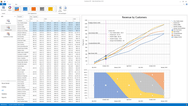
Use Microsoft Reporting Services to create and publish reports based on your SAP data without any additional staging layers. Xtract RS Professional is a data provider for SAP that is optimized for Microsoft Reporting Services. As a so-called data extension, Xtract RS Professional integrates itself seamlessly in the Business Intelligence Studio and Reporting Services Server. Access is made in real-time and because it is direct, it is free of additional software layers and other middleware. Xtract RS Professional data provider gives you access to SAP tables, queries, BW Cubes and BAPIs.  Xtract RS includes six months of support via email, phone and update subscription.

From
$6,315.53

Our regular prices are shown below. Please logon to see your discounted prices.

Price in

Xtract RS Professional 2011

Add to Cart $ 6,315.53 1 License (includes all Xtract RS components and 6 months update subscription and support included) Download (5.4 MB)

Xtract RS Professional Renewal

Add to Cart $ 1,263.11 1 Year Maintenance Extension (Suppport and Update-Subscription) Verify Download (20 KB)

Our prices include ComponentSource technical support and, for most downloadable products, an online backup and a FREE upgrade to the new version if it is released within 30 days of your purchase.  All sales are made on our standard Terms and Conditions and subject to our Return Policy. Please contact us if you require any licensing option not listed, including volume licensing and previous versions.

Our regular prices are shown above. Please logon to see your discounted prices.

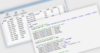
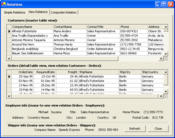
Xtract RS Professional is a provider for Microsoft Reporting Services to access several kinds of SAP objects:

  • Directly read SAP tables
  • SAP queries
  • RFC function modules and BAPIs
  • BW objects (cubes, query cubes and master data)

Xtract RS integrates itself seamlessly in the Business Intelligence Studio and Reporting Services Server. Access is made in real-time and because it is direct, it is free of additional software layers and other middleware. The Xtract RS BAPI data source was developed to access BAPIs and RFC function modules and integrate them in the Reporting Services. You can execute any kind of BAPI but it is recommended to have several import parameters and not more than one single export table.

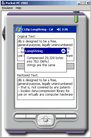
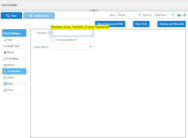
Tables can be entered in and extracted from the function module / BAPI. Therefore, there are two types of behavior for tables: input type and output type. To fill a table before BAPI execution set the Input Type to Static and click on the Edit link. You can fill the table's row with static values or with variables. To define a table for the use in the report set Output Type to Dataset. You can only set one table to this option. All other tables must be set to Skip.

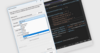
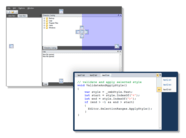
Xtract RS designer is fully integrated in Visual Studio 2005 / 2008.


Product Search

Enter search words:

Quick Links

Publisher

Primary Category

Related Products

Development Savings

Read our White Paper on
calculating ROI

Lines of Code: 50,000
Person Months: 50
Labor Cost: $250,000

Functions Required:

Effort per 1,000 LoC:

Labor Cost per Month:

Award