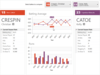
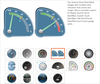
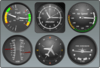
Add data driven gauges to your WPF applications. Syncfusion Essential Gauge for WPF allows the use of XAML and C# code to draw gauges of various designs (circular, digital and linear). Syncfusion Essential Gauge for WPF comes with sophisticated customization support (tick marks, labels, scales, pointers, state indicators etc). With Syncfusion Essential Gauge for WPF, users can display several data points or data ranges in a concise and compact area; data in the control can be easily depicted and quickly understood by users of any level.
Create stunning gauges for your dashboards. Syncfusion Essential Gauge includes circular, digital and liner gauges. Each has a highly appealing appearance and can be easily customized. Syncfusion Essential Gauge can be used in a variety of applications, including dashboards, and they come with various features that make them easy to use. Syncfusion Essential Gauge allows C# code to be incorporated for drawing gauges of various designs. Syncfusion Essential Gauge includes ASP.NET MVC, WPF and Silverlight components.
A comprehensive collection of controls & gauge types. ComponentArt Gauges for WPF includes a wide selection of digital gauge controls, featuring easy KPI binding, customizable pointers, scales & ranges, flexible inner layout and smooth animation. All controls include professionally designed skins & themes and extensive Visual Studio 2010 design-time support. ComponentArt Gauges for WPF includes the following components: RadialGauge, LinearGauge, NumericGauge, BulletGraph, Cylinder, HalfDonut, Thermometer, Legend, Indicator, WcfDataProvider, DashboardLayout, DashboardPanel and DashboardPopup.
Add Silverlight gauges to your business dashboards. Syncfusion Essential Gauge for Silverlight contains circular, digital and linear gauge controls. The circular gauge control represents values by visualizing them in a circular scale. It can be used to create applications with a rich look and feel, such as automotive dashboards. The linear gauge control represents values in a linear scale. The digital gauge control is used to display values as segments. The data given in the control is clearly depicted in an alphanumeric manner. Syncfusion Essential Gauge for Silverlight is very easy to use and very customizable. All elements in the gauge including scales, ticks and labels can be fully customized.
Create stunning gauges for your ASP.NET MVC dashboards. Syncfusion Essential Gauge for ASP.NET MVC includes circular, digital and liner gauges. Each has a highly appealing appearance and can be easily customized. Syncfusion Essential Gauge for ASP.NET MVC can be used in a variety of applications, including dashboards, and they come with various features that make them easy to use. Syncfusion Essential Gauge for ASP.NET MVC allows ASPX and C# code to be incorporated for drawing gauges of various designs.
Add Gauges to your WPF applications. Actipro Gauge for WPF is a control suite that implements circular, linear, and digital gauge controls for the Windows Presentation Foundation framework. Each gauge control has tons of options available, providing for limitless possibilities. Gauge controls are ideal for displaying several data points in a concise and compact area. Everything from car dashboards to medical and industrial equipment use gauges, and are quickly recognized and understood by users. The circular and linear gauges are perfect for presenting a value, or values, bound by a specific range. The digital gauge mimics real-life LED displays. Actipro Gauge for WPF can also be bought as part of the Actipro WPF Studio.
A gauge control for the display of KPIs (Key Performance Indicators). Syncfusion Essential BI Gauge provides users with the ability to display Key Performance Indicators (KPI) from OLAP cubes. KPIs can be displayed with goals and status visualizations (Traffic Light, Road Signs and Standard Arrow types are supported) to help create executive dashboards.
An advanced .NET charting component. TeeChart for .NET 2011 is a 100% Managed C#.NET charting control that brings across the board support for Windows Forms, ASP.NET Web Forms, WPF, Compact Framework, Silverlight and Reporting Services. TeeChart for .NET 2011 also includes gauges and maps components, offers Windows Phone 7 support, OpenGL 3D support, multiple unlimited custom axes, real-time, AJAX client-side WebChart processing, includes C# and Visual Basic (VB.NET) examples and output in Silverlight and Flash. TeeChart for .NET 2011 Source Code is available. Buy TeeChart for .NET 2011 Subscription to obtain 1 year updates and upgrades with your TeeChart for .NET License.
Build high-end business intelligence solutions to visualize business data and empower decision makers. Infragistics NetAdvantage for WPF includes stylable user interface controls for geospatial mapping, interactive gauges, graphical timelines, animated charting and OLAP pivot grids. Infragistics NetAdvantage for WPF includes charts, gauges and tree maps that handle millions of data points with millisecond updates. These WPF data visualization controls let you communicate information clearly by leveraging the superior graphics capabilities of WPF. Use the fully-featured UI controls to produce high-end OLAP pivot grids, charts, maps, gauges, timelines, bullet graphs, barcodes and more. Built-in analytics for statistical and technical studies add value that decision-makers can act on immediately.
An advanced .NET charting component. TeeChart for .NET 2011 is a 100% Managed C#.NET charting control that brings across the board support for Windows Forms, ASP.NET Web Forms, WPF, Compact Framework, Silverlight and Reporting Services. TeeChart for .NET 2011 also includes gauges and maps components, offers Windows Phone 7 support, OpenGL 3D support, multiple unlimited custom axes, real-time, AJAX client-side WebChart processing, includes C# and Visual Basic (VB.NET) examples and output in Silverlight and Flash. TeeChart for .NET 2012 WITH Sources includes the product's C# Source Code.