Access - 가장 많이 다운로드 되었습니다.
.NET/.NET Core, Delphi, C++, Java, Progress 등을 위한 종합적인 보고 솔루션입니다.
- 모든 공통 브라우저에서 모든 플랫폼 및 장치에 걸친 강력한 보고 기능을 갖춘 앱을 제공합니다.
- 무료 이용이 가능한 Report Designer, 완전한 브라우저 기반 웹 컨트롤 및 Report Server를 포함합니다.
- 구독에는 고객 지원, 서비스 팩, 언어 키트 및 새 버전에 대한 무료 이용이 포함됩니다.
응용프로그램에 정교한 시간 관리 능력을 추가합니다.
- Gantt 차트나 스키마 보기에 타임 블록 표시 가능
- 시간대간의 종속과 상충관계 표시
- 최종사용자가 프로젝트 보기와 수정을 그래픽 방식으로 처리
세련된 Windows UX 디자인을 위한 64 Bit Unicode ActiveX 컨트롤.
- 캘린더링, 데이터 입력, 데이터 편집, Windows 탐색, 데이터 프레젠테이션, 리포팅 및 스케줄링 포함
- 사용자 정의 대시보드 및 스냅 인 리포팅 애플리케이션 생성에 이상적임
- 런타임 로열티 프리
서버 또는 클라이언트 측 소프트웨어에서 PDF 파일을 생성.
- 텍스트, 그래픽, 이미지 및 링크 생성 기능 포함
- Tagged PDF를 지원하여 접근성과 리플로우 특성 활용
- PDFlib 블록 자동 채움 기능 포함
PDF 파일을 생성하고 볼수 있는 애플리케이션 구축
- PDF 분리, 통합, 회전, 스케일 및 클립 기능 포함
- JPEG, JPEG 2000, GIF, BMP, PNG 및 RAW 이미지 입력 지원
- Postscript를 포함, Adobe가 지원하는 모든 PDF 타입 판독
UI 설계 및 스케줄링을 위한 완전한 컴포넌트 세트.
- 최신 ctPanel 컨트롤 포함
- New - Vista 스타일 및 Windows 7 지원
- 특별 할인 기간은 2009년 12월 31일까지
워드 프로세싱 및 PDF 생성 기능을 애플리케이션에 추가.
- 엔드 유저를 위한 WYSIWYG 편집 기능 제공
- 문서를 RTF에서 HTML 또는 RTF를 PDF 등으로 변환
- 메일 병합을 위한 다용도 API, RTF 리포팅 등 포함
데이터베이스와 하일라이트 변화간의 차이 결정.
- 멀티 개발자 환경에서 버전이 다른 두 개의 데이터베이스를 비교할 수 있음
- 모든 필드, 컨트롤, 속성 및 코드 라인 비교
.NET/.NET Core, Delphi, C++, Java, Progress 등을 위한 완벽한 보고 솔루션
- 단 몇 줄의 코드만으로 Windows 데스크탑 앱에 강력한 보고 기능을 통합하세요
- 차트, 크로스탭, 1D/2D 바코드, 도형 파일 등이 포함되었으며 무료 이용이 가능한 디자이너를 포함합니다.
- 구독에는 고객 지원, 서비스 팩 및 새 버전에 대한 무료 이용이 포함됩니다.
애플리케이션에 2도 문서 이미지 개선 기능 추가
- OCR 비율을 개선하기 위해 보다 작은 파일과 보다 선명한 이미지 생성
- 기울어짐 보정, 노이즈 제거, 도트 그림자 제거, 홀 펀치 제거,라인 제거, 텍스트 보완 및 기타 다른 도구를 포함
-
설명:
Create high performance dashboards and charting solutions. TeeChart Pro ActiveX is a charting control for ActiveX aware programming environments such as Microsoft Office, Visual Studio's VB, VC++ and ASP, including Visual Studio.NET (VB.NET, C#). It ...
더 읽기
-
설명:
Complete reporting solution for.NET/.NET Core, Delphi, C++, Java and more. List & Label is a reporting solution for all major development platforms, providing a powerful reporting engine, a flexible API and a feature-rich report designer. Just a few ...
더 읽기
-
설명:
Simplifying enterprise resource management. Calendar COM 64 offers 3 Outlook style scheduling components in one control. It simplifies drag and drop enterprise resource planning and scheduling software development for Microsoft Access, C++, LabVIEW, MFC ...
더 읽기
-
설명:
Give your application a professional, modern appearance with toolbars, menus, docking, property grid, reporting and calendar functionality. Codejock Suite Pro helps you create professional applications that incorporate a full set of highly customizable ...
더 읽기
-
설명:
Design, modeling and collaboration solution for Enterprise information architects. ER/Studio Data Architect includes robust logical and physical modeling, data dictionaries, forward and reverse engineering, and more. Data modeling helps organizations make ...
더 읽기
-
설명:
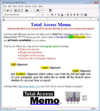
Add Rich Text for your Access Forms and Reports. Total Access Memo gives you the ability to add rich text formatting to Access. FMS' easy data binding means you can display rich text on your forms and reports and store it in your tables. Total Access ...
더 읽기
-
설명:
Easily create and send text or HTML emails with attachments and embedded images from your ASP.NET, VB.NET, C#, C++, VB6, ASP, Access, Excel, Delphi, PowerBuilder or FoxPro application. AddEmail ActiveX supports SMTP and ESMTP protocols with optional ...
더 읽기
-
설명:
Control and manage your Access/Jet databases. Total Access Admin lets you quickly see who is currently logged into your database either directly or through linked tables. Databases can be password protected or secured through a workgroup file. You can ...
더 읽기
-
설명:
Write and modify Access module code. Total Access CodeTools is the leading collection of tools for writing and modifying Access module code. Simplify your job of developing Access applications. This powerful collection of tools and utilities makes it ...
더 읽기
-
설명:
Add spell checking to your Access programs. Total Access Speller is a Microsoft Access add-in that makes it easy to spell check your object properties and designs. Access includes a spell checker, but it only handles data in tables. What about typos in ...
더 읽기









 (2)
(2)

 (1)
(1)



 (1)
(1)