
 (2)
(2)
 (1)
(1)공식 공급 업체
200 이상의 소프트웨어 개발처와 판매 계약을 맺은 공인 디스트리뷰터로서 합법적인 라이선스를 제공합니다.
모든 브랜드 보기.
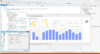
설명: Join, Image Bar, Image Point, Delta Point, Big Candle, Calendar, Bubble 3D, Tag Cloud, Bubble Cloud, ... 더 읽기 본 제품에 관한 더 많은 결과 보기
설명: Wind Rose, Clock, Bar 3D, Bar Join, Image Bar, Image Point, Delta Point, Big Candle, Calendar, Bubble ... 더 읽기

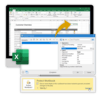
릴리스 노트: for spreadsheets. HTML: Pin headers in tables. PDF: Additional security options for encryption. Scheduled reports: ... Easily disable scheduled reports by clicking a button in the user interface. SSL/TLS support: Upload your ... 더 읽기 본 제품에 관한 더 많은 결과 보기
릴리스 노트: Report Server: New Actions for Scheduled Reports In addition to distribution by email, via FTP ... or Microsoft SharePoint, scheduled reports can now be uploaded to Google Drive, Dropbox, or Microsoft OneDrive. ... 더 읽기
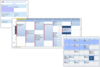
설명: Simplifying enterprise resource management. Calendar COM 64 offers 3 Outlook style scheduling ... components in one control. It simplifies drag and drop enterprise resource planning and scheduling software ... development for Microsoft Access, C++, LabVIEW, MFC and 64bit VBA developers. Calendar COM 64 includes 4 ... 더 읽기 본 제품에 관한 더 많은 결과 보기
릴리스 노트: Improves gesture handling. Enhancements and upgrades include: Appointment information line. Enhanced gesture handling. Appointment resize enhancements. Appointment edit window fill. Appointment border enhancements. Appointment image management. Enhanced how the control hides the edit window when ... 더 읽기
릴리스 노트: Adds new UserDrawn Header and Cell Text features, plus enhanced Print functions. New UserDrawn Header and Cell Text features. New Index values from Key ID or Code for Contact, Location and Task. New Hit Test methods allowing for more discrete information in each view. New Enhanced Print functions. ... 더 읽기

릴리스 노트: skinning. Calendar Incorrect display of too short events in day/week views fixed. Chart Right-to-Left ... 더 읽기 본 제품에 관한 더 많은 결과 보기
릴리스 노트: Application Stability and Initialization- This release has significantly improved the application initialization process with enhanced verification. This ensures a more reliable and robust startup, reducing potential issues and improving overall application stability. Modernized Windows 11 Support- ... 더 읽기
릴리스 노트: Controls Reset method added to the Preview control. Gauge DPI support added. Validations added prior to running Start/Stop Clock gauge actions. isRunning action added to the Clock gauges. GridControl Missing CXTPGridRecordItemControl::SetState implementation added. Markup DPI support improved. ... 더 읽기

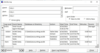
릴리스 노트: on the schedule you specify. When a database exceeds the limit, you receive an email. Have this run every day ... based on the Nth day of week- In addition to the calendar day of a month, you can now set monthly events ... now schedule events to run once a year. Enter the month and day it should run, along with the time ... 더 읽기 본 제품에 관한 더 많은 결과 보기
설명: that automates these chores on an hourly, daily, weekly, or monthly basis. You simply schedule the ... Agent Does for You Total Visual Agent lets you define and schedule these tasks: Macro Scheduler: Launch ... Windows command line Define Your Own Schedules- Total Visual Agent lets you schedule and automatically ... 더 읽기
설명: Automate and schedule repetitive Microsoft Access and Jet Engine Database tasks. Total Visual ... basis. You simply schedule the tasks and launch it. If a problem occurs, the system administrator ... corruption. What Total Visual Agent Does for You Total Visual Agent lets you define and schedule these tasks: ... 더 읽기
설명: user-defined schedule once, hourly, daily, weekly, or monthly. Total Visual CodeTools is a collection of 12 ... 더 읽기 본 제품에 관한 더 많은 결과 보기
설명: and much more within their VB applications. Total Visual Agent executes automated, scheduled tasks ... be executed on a user-defined schedule once, hourly, daily, weekly, or monthly. Total Visual CodeTools ... 더 읽기
스크린샷: Total Visual Agent executes automated, scheduled tasks on multiple databases across a network. ... instance, data downloads or report printing). Tasks can be executed on a user-defined schedule once, hourly, ... 더 읽기

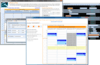
릴리스 노트: Enhancements and upgrades include: Appointment information line. Enhanced gesture handling. Appointment resize enhancements. Appointment edit window fill. Appointment border enhancements. Appointment image management. Enhanced how the control hides the edit window when focus is lost so that the ... 더 읽기 본 제품에 관한 더 많은 결과 보기
릴리스 노트: Updated the TimeBarRightSelect property. Property values have been updated to support XML functionality. There is a new dbiScheduleGanttDemo demo available in VB.NET, C# and EXE. 0 ... 더 읽기
릴리스 노트: New UserDrawn Header and Cell Text features. New Index values from Key ID or Code for Contact, Location and Task. New Hit Test methods allowing for more discrete information in each view. New Enhanced Print functions. 0 ... 더 읽기
설명: bloat, prevent corruption, and improve performance. Schedule tasks hourly, daily, weekly or monthly. ... 더 읽기 본 제품에 관한 더 많은 결과 보기
설명: Eliminate database bloat, prevent corruption, and improve performance. Schedule tasks hourly, daily, weekly ... 더 읽기
릴리스 노트: for Outlook 2007 calendars, contacts, folders, emails, notes, and tasks More code for Access Data Projects ... 더 읽기
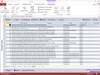
설명: you send it. You can test with the entire list or specify a limited number of messages Schedule Email ... 더 읽기 본 제품에 관한 더 많은 결과 보기
설명: you send it. You can test with the entire list or specify a limited number of messages Schedule Email ... for scheduling blasts after hours when your mail server is less busy Send Multiple Email Blasts- Send multiple ... 더 읽기
전화 : 00798 14 800 6332
팩스 : +1 770 250 6199


