

 (2)
(2)
 (1)
(1) (2)
(2) (5)
(5)공식 공급 업체
200 이상의 소프트웨어 개발처와 판매 계약을 맺은 공인 디스트리뷰터로서 합법적인 라이선스를 제공합니다.
모든 브랜드 보기.
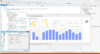
릴리스 노트: Added a new Tornado Series ITornadoSeries A Tornado chart, based on horizontal bars, is useful to show relativities as a scaled set between two categories. Added a new SubMinorTicks property (of type IGaugeSeriesPointer) for ICircularGauge and ILinearGauge series. Combined with the also new ... 더 읽기 본 제품에 관한 더 많은 결과 보기
릴리스 노트: Improvements in ChartListBox performance. Derived Series Editor not updating changes instantly, now fixed. ActiveX bug fixes and related VCL/FMX bug fixes. 0 ... 더 읽기
릴리스 노트: Resize errors in Excel Form VBA have been fixed. 0 ... 더 읽기

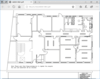
릴리스 노트: Added support for AutoCAD 2026. Updates in 2025 1 ... 더 읽기 본 제품에 관한 더 많은 결과 보기
릴리스 노트: Added support for AutoCAD 2024. Updates in 2024 1 ... 더 읽기
설명: Convert DWG, DXF and DWF to PDF directly without AutoCAD. DWG2PDF-X is an ActiveX component that allows you to convert DWG to PDF, DXF to PDF, and DWF to PDF, directly without the need for AutoCAD. Convert a single file or an entire folder in batch mode. Use it to create PDF files with or without ... 더 읽기
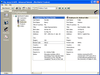
설명: 작성할 수 있습니다. Janus GridEX 2000 에는 다국어 소트 기능이 구성되어 있습니다. Data Access Objects (DAO V3.6) 또는 ActiveX Data ... Data Access Objects (DAO 3.6) 나 새로운 ActiveX Data Objects (ADO 2.x) 를 사용해서 데이터베이스에 직접 접속합니다. 이러한 컨트롤에서는 ... 더 읽기 본 제품에 관한 더 많은 결과 보기
호환성: 소프트웨어: 컴퓨터 설치가 왼료된 Microsoft Visual Basic 6.0 (SP1) 런타임 라이브러리 및 Microsoft の Data Access Components MDAC ... 더 읽기
기능: 셀, 열, 행 레벨의 포맷 – 버전 1.6 에는 많은 고도의 포맷 기능이 있습니다. 버전 2.0에는 이러한 기능이 유지되며, 포맷 서비스의 새로운 세트가 추가되었습니다. 프로그래머는 데이터 표시 방법을 완전하게 제어할 수 있습니다. 통지와 기준을 사용하여 각각의 셀, 열, 행을 포맷할 수 있게 되었습니다. 포맷 작업을 용이하게 하기 위하여 새로운 툴, FormatStyles이 추가되었습니다. FormatStyles은 폰트, 색, 이미지 등의 포맷 정보를 유지하는 별개의 객체입니다. 워드 램프 셀과 직전 행의 서포트 데이터는 단일의 ... 더 읽기
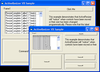
설명: animation control, even varying the speed of the animation as it is running. Bind SSOption Buttons to a data ... source to simplify data entry for your users. Incorporate "Active" colors that respond to mouse ... 더 읽기 본 제품에 관한 더 많은 결과 보기
설명: control, even varying the speed of the animation as it is running. Bind SSOption Buttons to a data source ... to simplify data entry for your users. Incorporate "Active" colors that respond to mouse movements; ... 더 읽기
설명: from any file type to any other file type. With color reduction, color promotion, bit conversion, scale ... PackBits, LZW, single and multipage) BIF raw data Compression schemes: JPEG RLE LZW Lossy DCT TGA PackBits ... raw data image formats. The image files can be read from and written to to memory buffers as well as ... 더 읽기 본 제품에 관한 더 많은 결과 보기
설명: and multipage) BIF raw data Compression schemes: JPEG RLE LZW Lossy DCT TGA PackBits Group 3 Group 4 TIFF LZW LZW ... file type. With color reduction, color promotion, bit conversion, scale to gray, and other techniques ... grayscale, and color images in BMP, DIB, EPS, GIF, JPEG, PCX, PNG, TGA, TIFF and raw data image formats. ... 더 읽기
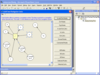
설명: colors, fonts, user data, and so on for each object of the diagram, metafile support, serialization, ... Zooming Grid support Data Ability to associate a text, a unique key, a tooltip and a tag to a node ... 더 읽기 본 제품에 관한 더 많은 결과 보기
설명: 대화형 순서도 및 워크플로 다이어그램을 만듭니다. AddFlow 는 응용 프로그램 내의 객체와 객체의 관계를 표시 및 사용할 필요가 발생할 때마다 편리한 ActiveX 컴포넌트입니다. 묘화는 인테렉티브하게 또는 프로그래밍에 따라 실행할 수 있습니다. 기능으로는 다이어 그램의 객체마다 개별 형태, 스타일, 그림, 색, 폰트, 사용자 데이터 등을 설정할 수 있으며, 메타 파일 제공, 시리얼화, 인쇄, 확대축소, 포트, 사용자 정의와 그 외의 다수가 포함되어 있습니다. 런타임은 실행 로열티가 없습니다. AddFlow 5.4.0.11의 ... 더 읽기
스크린샷: data association, navigation in the graph and more ... 더 읽기
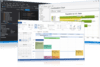
릴리스 노트: enhancing the visual fidelity of your applications. New Gauge Control- Bring your data to life with the new ... Gauge control, offering modern data visualization options and customizable light and dark themes. ... and XTP_ASSERT_CHECK_NOT_NULL. Documentation comments format has been migrated to Doxygen. New string conversion helpers, ... 더 읽기 본 제품에 관한 더 많은 결과 보기
릴리스 노트: for CXTPComInitializer. Added optional code page argument to string conversion helpers. Added XTPParseDouble helper ... 더 읽기
릴리스 노트: now includes expanded ASCII support, with automatic case conversion options and modes 'x' ... 더 읽기
스크린샷: 0 ... 더 읽기 본 제품에 관한 더 많은 결과 보기
릴리스 노트: Also supported is zero-copy WData, along with X, Y, and Z data pointer sharing. Added support ... for ComputeShader and polygon data. Pesgo added a new ComputeShader plotting method, RectHeatmap. Applicable only ... 더 읽기
릴리스 노트: This allows fastest possible 2d scatters as well as now mixing lines, areas, bars and points within big data ... legend to match the Direct3D data rendering, along with improving support for the tinted and masked ... 더 읽기

설명: Create Zip files or compress/uncompress data in memory. Xceed Zip for ActiveX ... is a high-performance Zip and Unzip data compression library that lets your applications create and manipulate 100% ... Zip-compatible Zip files as well as compress/uncompress data directly in memory. It's designed to offer ... 더 읽기 본 제품에 관한 더 많은 결과 보기
릴리스 노트: Updating a.zip file that has compatible encryption and the File Times extra header no longer corrupts the items. ... 더 읽기
호환성: Component Type ActiveX Compatible Containers Microsoft Visual Studio 6.0 ... 더 읽기
릴리스 노트: Improves PDF saving and conversion. Xceed DataGrid for WPF Adds new advanced filtering ... 더 읽기 본 제품에 관한 더 많은 결과 보기
릴리스 노트: Improves conversion to PDF for documents containing multiple tables. Xceed Words for.NET- Improves ... conversion to PDF for documents containing multiple tables. Xceed Workbooks for.NET- Adds new methods ... 더 읽기
릴리스 노트: in the PDF’s data. Saving a PdfDocument with the Optimized SaveMode now removes the unused and duplicate ... objects from the PDF’s data. After saving a PdfDocument, used Pages can now still be modified ... Using multiple filters to encode PDF data in a PdfDocument will now extract the data correctly. In Page, ... 더 읽기
전화 : 00798 14 800 6332
팩스 : +1 770 250 6199


