
 (2)
(2) (1)
(1) (1)
(1)공식 공급 업체
200 이상의 소프트웨어 개발처와 판매 계약을 맺은 공인 디스트리뷰터로서 합법적인 라이선스를 제공합니다.
모든 브랜드 보기.
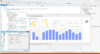
설명: Control on the server: Database enabled and with all export formats for use in your ASP, ISAPI, CGI or MTS ... connect to an existing database or dataset in your project. Data aware- Direct access to ADO data sources. ... rotation, lights and shadows. Custom drawing canvas. Comprehensive Support Tech support provided via managed ... 더 읽기 본 제품에 관한 더 많은 결과 보기
설명: Client Components Use the full power of the TeeChart ActiveX Control on the server: Database enabled and ... existing database or dataset in your project. Data aware- Direct access to ADO data sources. Direct access ... 더 읽기

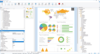
릴리스 노트: formatted correctly as intended. Time-saving: The tedious installation and management of fonts are no longer ... quality. New Dialog for Editing the Repository: With the new repository editing dialog, you can now manage ... TimeZoneInfo instances for the client and the database. The result: Correct timestamp conversions that ensure ... 더 읽기 본 제품에 관한 더 많은 결과 보기
릴리스 노트: the repository feature for Delphi/VCL applications. This allows you to manage projects, subreports, images, ... repository IDs. In the integrated repository manager, you keep track of your content directly ... 더 읽기
설명: binding: List & Label provides intelligent data providers for all common SQL databases (MS SQL Server, ... 더 읽기
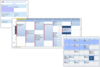
설명: Simplifying enterprise resource management. Calendar COM 64 offers 3 Outlook style scheduling ... 더 읽기 본 제품에 관한 더 많은 결과 보기
설명: 기업 자원 관리를 단순화합니다. Calendar COM 64 offers 3 Outlook style scheduling components in one control. It simplifies drag and drop enterprise resource planning and scheduling software development for Microsoft Access, C++, LabVIEW, MFC and 64bit VBA developers. Calendar COM 64 includes 4 different views; ... 더 읽기
릴리스 노트: border enhancements. Appointment image management. Enhanced how the control hides the edit window when ... 더 읽기

릴리스 노트: named item resolution and cleanup logic. SkinFramework Sound manager's thread excluded from ... 더 읽기 본 제품에 관한 더 많은 결과 보기
릴리스 노트: Controls Reset method added to the Preview control. Gauge DPI support added. Validations added prior to running Start/Stop Clock gauge actions. isRunning action added to the Clock gauges. GridControl Missing CXTPGridRecordItemControl::SetState implementation added. Markup DPI support improved. ... 더 읽기
릴리스 노트: Full SVG Support- Scalable SVG icons are now fully supported in CommandBars, Ribbon, and more, enhancing the visual fidelity of your applications. New Gauge Control- Bring your data to life with the new Gauge control, offering modern data visualization options and customizable light and dark themes ... 더 읽기

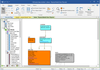
릴리스 노트: Connectivity to the following Microsoft database platforms has been improved: Azure SQL DB. Azure SQL Managed ... Improves connectivity to multiple Microsoft database platforms. Improved database connectivity- ... of Azure SQL DB and Synapse- While generating a script file or database, reverse engineering an existing ... 더 읽기 본 제품에 관한 더 많은 결과 보기
릴리스 노트: related to importing/exporting, managing a database, and other options. Repository- Includes the functions ... Model- Includes the functions related to managing the model as a whole, including generating a physical ... management, and administration. Macro- Allows the user to populate the ribbon with shortcuts to user-defined ... 더 읽기
릴리스 노트: Mappings enhancements. Improved relationship diagramming. Database Platform Support DB2 for z/OS v11.x ... support. SQL Server 2016 support. Change Management Model change management enhancements. User Experience ... 더 읽기
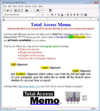
릴리스 노트: installs the 32 and 64-bit versions of Total Access Memo including both Sample Databases. The previous ... 더 읽기 본 제품에 관한 더 많은 결과 보기
릴리스 노트: Access Memo controls in your Access databases since Access 2000 are automatically upgraded to the new ... Sample Database- The sample database is updated with requested enhancements and simplified with less ... 더 읽기
고객 리뷰: not manage page breaks in reports well. You are pretty much confined to text on one page with the control. I ... 더 읽기

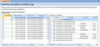
설명: Control and manage your Access/Jet databases. Total Access Admin lets you quickly see who ... users and other controls to manage your Access/Jet databases. Monitor Your Microsoft Access/Jet Engine ... is currently logged into your database either directly or through linked tables. Databases can be password ... 더 읽기 본 제품에 관한 더 많은 결과 보기
릴리스 노트: Monitor databases created by Microsoft Access 2016. Monitors ACCDB and MDB format databases ... Office365. Up to 150 databases can be monitored at one time (up from 100). Setup program supports Windows 8 ... 더 읽기
릴리스 노트: databases in the Access 2007-2013 ACCDB "ACE" database format. Maximum number of databases ... to a more understandable user name from a list you maintain. Enhanced activity log database. New command ... line parameters to specify the hours and seconds to wait before quitting. Sample database includes code ... 더 읽기

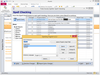
설명: dictionaries. Total Access Speller is designed exclusively for Microsoft Access. Simply open your database ... is designed exclusively for Microsoft Access. Simply open your database, and select Total Access Speller from ... corrected property values back to your database for the following object types: Tables and table fields ... 더 읽기 본 제품에 관한 더 많은 결과 보기
호환성: specific. Total Access Speller works with all Access database formats supported by your Access version. ... For instance, for Access 2010, Total Access Speller works as an add-in for database formats in ACCDB (Access ... 더 읽기
설명: dictionaries. Total Access Speller is designed exclusively for Microsoft Access. Simply open your database, and ... designed exclusively for Microsoft Access. Simply open your database, and select Total Access Speller from ... Speller can even write corrected property values back to your database for the following object types: ... 더 읽기

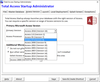
설명: with the right version of your Access database. Easily manage Access and your databases to ensure that users: ... database consistently across all your users and easily manage it over time. How Total Access Startup Works ... database is started and managed. You can specify: The Access version to run including runtime versions ... 더 읽기 본 제품에 관한 더 많은 결과 보기
릴리스 노트: Macro- If your database has an autoexec macro it will run when the database is opened. The Administrator ... 더 읽기
릴리스 노트: users launch your database. Option to always update the local copy. New Administrator tabbed interface. ... More modern user interface and end user experience. Sample settings, database and startup graphic ... 더 읽기
설명: , disconnect idle users, identify dropped connections, and other control to manage your Access/Jet databases ... or monthly. Manage an unlimited number of databases across your entire network. Total Access Analyzer- ... the local copy of your database when you release a new version. Centrally manage your Access applications ... 더 읽기 본 제품에 관한 더 많은 결과 보기
설명: system administrative power to prevent users from getting into a database, disconnect idle users, ... Agent does this and many other chores to ensure your databases perform optimally. Eliminate database ... database, quickly determine exactly what's different. Eliminate the guess work and easily see what ... 더 읽기
호환성: versions. Choose the Access version that you are using to support all the database formats supported by that ... 더 읽기
전화 : 00798 14 800 6332
팩스 : +1 770 250 6199


