

 (16)
(16) (18)
(18)
공식 공급 업체
200 이상의 소프트웨어 개발처와 판매 계약을 맺은 공인 디스트리뷰터로서 합법적인 라이선스를 제공합니다.
모든 브랜드 보기.

릴리스 노트: is now available for.NET 6. Includes new sample to demonstrate FilterEditor integration with FlexGrid. ... The sample demonstrates how the FilterEditor can be invoked from a context menu at runtime and how filter ... 더 읽기 본 제품에 관한 더 많은 결과 보기
릴리스 노트: editor. There are new samples that demonstrate advanced column bands. FlexReport JSON Data Integration- ... 더 읽기
릴리스 노트: A Drawing Tools sample project for FlexChart has been added. It demonstrates actions such as adding/editing ... 더 읽기

설명: samples demonstrate robust multi-threading features and Task-based Asynchronous Pattern ... 더 읽기 본 제품에 관한 더 많은 결과 보기
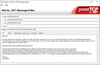
설명: 데스크탑 또는 Web 애플리케이션에 이메일, 메시징, 인코딩 및 디코딩을 추가 합니다. PowerTCP Mail for.NET은 매우 유연하고 사용하기 쉬운.NET 이메일 솔루션의 개발을 돕는 SMTP, POP, IMAP 컴포넌트를 포함합니다. 강력한 양방향 MessageStream 기술을 이용하면 메시지를 쉽게 생성, 발송, 검색, 편집할 수 있으며 헬퍼 클래스는 이메일 주소 관리를 도와줍니다. 복잡한 HTML 메시지는 한 줄의 코드만으로 생성할 수 있습니다. 확장성 MIME 지원 및 스트림 기반 아키텍처는 다양한 컴포넌트에서 ... 더 읽기

릴리스 노트: sample for WPF demonstrates how you can add custom localized resources for ComponentOne controls. You can ... 더 읽기 본 제품에 관한 더 많은 결과 보기
릴리스 노트: added that demonstrates how to implement a column picker in FlexGrid. This UI is useful not only ... 더 읽기
릴리스 노트: a new sample and built-in behavior that demonstrates how to create a WPF transposed datagrid using ... 더 읽기

릴리스 노트: visible cell. MVVM Framework Improve the MVVM demos to demonstrate how a parameter can be passed ... 더 읽기 본 제품에 관한 더 많은 결과 보기
고객 리뷰: high quality video lessons to demonstrate the use of the various components. Attention to detail shows ... 더 읽기
릴리스 노트: individual Series and Series Points. For example, the following image demonstrates how to change bar ... 더 읽기
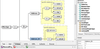
릴리스 노트: C#, and Java to demonstrate how to utilize an API to automate XMLSpy from different development ... 더 읽기
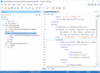
릴리스 노트: considers that the final version demonstrates improved readability. AI XPath Functions Updated to Allow ... the ISO/IEC 27001:2022 certification, demonstrating a strong commitment to implementing top-tier information ... 더 읽기
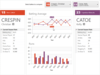
릴리스 노트: Regions QuickStart to demonstrate the new unused regions feature. All Fixed a bug where referencing ... 더 읽기 본 제품에 관한 더 많은 결과 보기
릴리스 노트: configurable settings. Shared Added the Card control and multiple samples to demonstrate the control. Added ... the InfoBar control and multiple samples to demonstrate the control. Added ... 더 읽기
릴리스 노트: might conflict with ribbon tab key tip text. Updated the Layout Modes QuickStart to demonstrate the new ... 더 읽기

릴리스 노트: been made consistent in all.NET samples. General UserAgent string retrieval is now demonstrated ... 더 읽기 본 제품에 관한 더 많은 결과 보기
릴리스 노트: to demonstrate newly added features Condition counters added to synchronization primitives Added 2 helper ... 더 읽기
릴리스 노트: option demonstration has been added to the ChartBrowser sample. New Preview control demonstration has ... 더 읽기
기능: or for the entire AddFlow control Labels Input/Output The demo demonstrates printing, print previewing, and XML ... 더 읽기 본 제품에 관한 더 많은 결과 보기
기능: 주요 기능 일반 기능 도표는 상호대화 방식이나 프로그램 방식으로 만들 수 있습니다. 구체적인 형태, 스타일, 색상, 글꼴을 각 항목별로 또는 컨트롤의 기본 속성으로 정의될 수 있습니다. 여러 컬렉션을 지원하기 때문에 여러 가지 방법으로 그래프를 그릴 수 있습니다. 컨트롤(CanDrawNode, CanMoveNode, CanMultiLink등) 또는 항목(XSizeable, YSizeable, XMoveable, YMoveable, Selectable, Stretchable 등)을 사용자 정의할 수 있는 많은 속성 상호작용 및 표시 ... 더 읽기

릴리스 노트: The Demo Center includes new examples that demonstrate real-world AI agent usage scenarios and integration ... 더 읽기 본 제품에 관한 더 많은 결과 보기
릴리스 노트: on high DPI devices. The images below demonstrate the impact of this new feature. The zoom level ... 더 읽기
릴리스 노트: individual Series and Series Points. For example, the following image demonstrates how to change bar ... 더 읽기
전화 : 00798 14 800 6332
팩스 : +1 770 250 6199


